Buy anything from 5,000+ international stores. One checkout price. No surprise fees. Join 2M+ shoppers on Desertcart.
Desertcart purchases this item on your behalf and handles shipping, customs, and support to Morocco.
🚀 Triple your productivity, not your desk clutter!
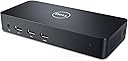
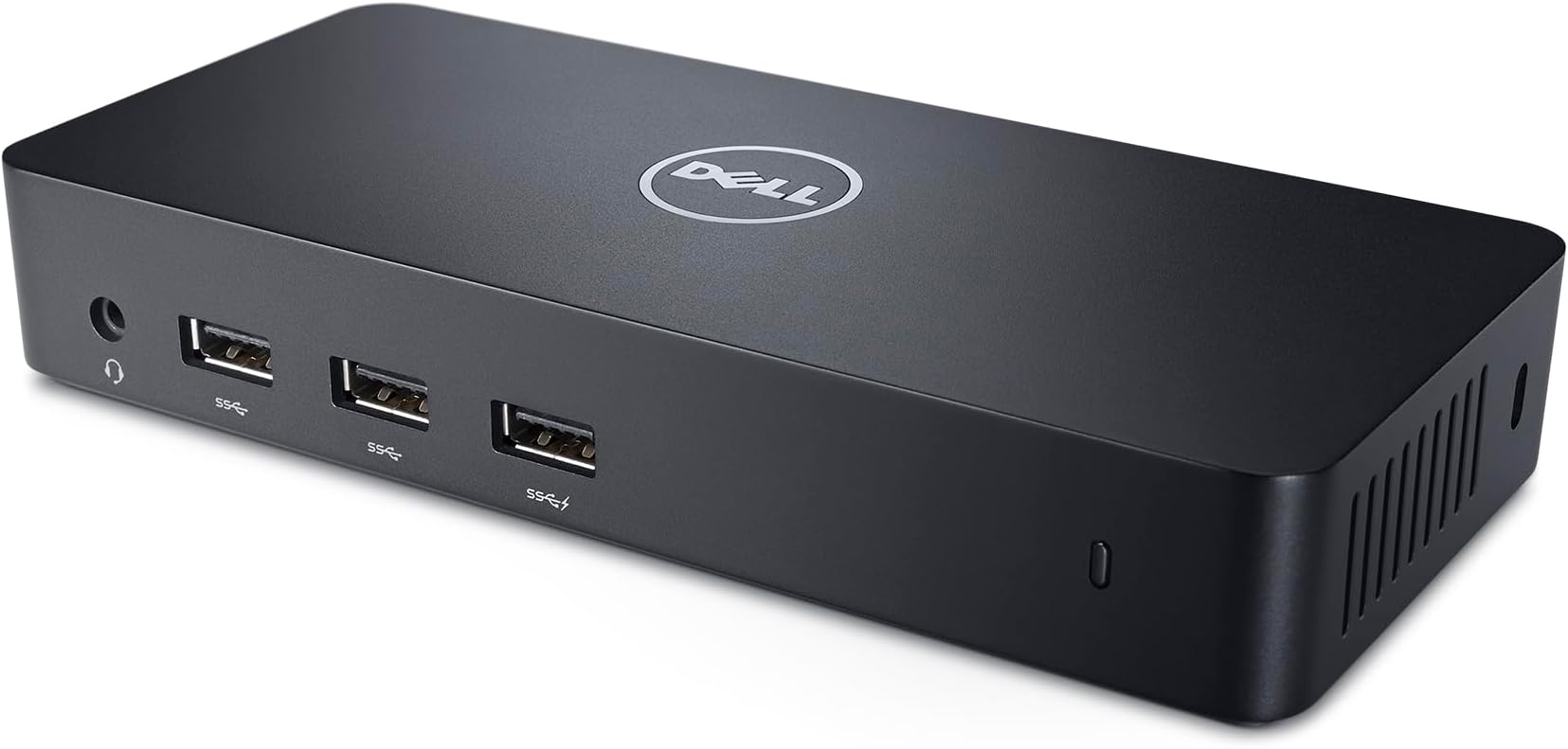
The Dell USB 3.0 Ultra HD/4K Triple Display Docking Station (D3100) is a powerhouse accessory designed for professionals craving expanded screen real estate and fast connectivity. It supports up to three external displays at resolutions up to 2048x1152 @ 60Hz, features three USB 3.0 SuperSpeed ports, and includes audio input/output for seamless multimedia integration. Compatible with a broad range of Dell laptops and Windows OS versions, it also supports Mac systems with driver installation, making it a versatile hub for multitasking millennials aiming to elevate their workspace efficiency.


| ASIN | B00O0M46KO |
| Best Sellers Rank | #7,787 in Electronics ( See Top 100 in Electronics ) #118 in Laptop Docking Stations |
| Brand | Dell |
| Color | Black |
| Compatible Devices | Dell Notebooks/ Tablet PC |
| Customer Reviews | 4.4 4.4 out of 5 stars (11,100) |
| Global Trade Identification Number | 05397063644230 |
| Hardware Interface | USB |
| Item Dimensions L x W x H | 20.7"L x 15"W x 11.2"H |
| Item Type Name | 1 |
| Item Weight | 0.63 Pounds |
| Manufacturer | Dell Accessories |
| Mfr Part Number | D3100 |
| Model Number | D3100 |
| Number of Ports | 6 |
| Total Number of HDMI Ports | 1 |
| Total Usb Ports | 7 |
| Unit Count | 1 Pack |
| Warranty Description | No Warranty |
| Wattage | 4.5 |
T**D
AWESOME! Works great on my Macbook Air, Win 7, and Win8 Laptops!
I am so glad I got this! I have a Dell laptop for work that clicks into a (Dell PR03X) docking station. I hate the docking station. It's just difficult to get the laptop connected to it and the docking station only allows for 2 extra monitors, not 3. So I had to buy an external USB video card for my 3rd monitor. I purchased this as a replacement for my PR03X dock and it's an EXCELLENT replacement. For one thing, I can use it with all my laptops, not just my Dell. I have a Lenovo Yoga (my wife's), a Macbook Air (2011 with OS 10.9 - which required the software from http://www.displaylink.com/support/mac_downloads.php), and my work Dell laptop. All 3 work great with this little hub. And it is pretty small and lightweight. Note: I wasn't really sure how this was going to connect to my laptop(s). It turns out it connects via a typical USB (2 or 3) port. My Macbook Air has USB 2, while my Lenovo Yoga has USB 3.0. Both work flawlessly. However, obviously the extra USB ports the device provides won't operate at USB 3 speeds if you're connected to your laptop via a USB 2 port. Anyway, once you've connected the doc to your laptop (or desktop) via a USB 2 or 3 port, its ready for up to 3 monitors to be connected to it. Two via HDMI and a third via Dell's DisplayPort (which you can get a DisplayPort-to-HDMI adapter if needed). So with the laptop screen this gives you a total of up to 4 displays! The One Con: It seems like video playback might be a little choppy when watching a 1080p video clip on YouTube while connected to a USB 2 port. I'm not sure if this was the internet or a FPS limitation of the USB video throughput. However, it seems to playback video flawlessly using a USB 3 port. So if you're considering this for video work or for gaming and you don't have a USB 3 port to plug it onto, you may find it slightly laggy and you may want to do a little more research. But again, I see no lag using USB 3. But if you want to use typical applications like Word, Excel, PowerPoint, ect. - or in my case a text editor like Sublime Text, this little dock will work great, even when using the slower USB 2.
D**J
Linux users might find something useful here
So far, so good. Initially connected with Ubuntu Gnome 16.04 on a Broadwell Dell notebook, and it was terrible- a torturous, tearing fiasco like you can't believe. Tested briefly with a Win 10 laptop (Ivy Bridge hp ProBook 6470b), and it automagically downloaded everything it needed within a couple minutes, and all was well. I decided to fetch the latest dock driver from Dell's website and push it onto the device while I had the Windows notebook plugged in. No apparent change. Switching back to Gnome afterwards was still unbearable. So I did apt install xfce4, rebooted into XFCE, and it works really well. Tried again with clean installation of Ubuntu 16.04.1 ("normal", with Unity), and it worked surprisingly well too. I don't know what the deal was with Gnome being so awful. It's a shame, too, since I really like Gnome, and it's what I always use on my CentOS and Fedora installations. Dock is currently connecting AmazonBasics A100 USB-powered speakers (consuming a USB 3.0 port and an audio jack), two external 1080p monitors over HDMI, and a USB keyboard and mouse over the two USB 2.0 ports. All is working as expected. I may check back in a few days after I add my third monitor. This setup appears to have very little discernible CPU penalty. Cool bit of kit. Kind of dense for its size, and the underside creates enough friction to keep her pretty still on a desk. Well thought out. 02.06.2017 udpate: I had trouble adding a third external display (all three external monitors are matching 1080p ViewSonic). Can't recall error message, but I couldn't populate the display on a third monitor. I just worked around the issue by running HDMI directly from laptop to one of the external monitors, and I let the D3100 feed the other two (one via HDMI, the other uses a Displayport-to-HDMI adapter for the moment). Just note you may have a problem with three displays. Currently: Ubuntu 16.04 on Dell 5548 notebook, fully patched, tested with and without Intel-proprietary drivers, stock 4.4 kernel. I'm satisfied with the setup, and I don't intend to fiddle with it any further. 03/2017 update: Inconsistent results coming up from sleep state or reboot. Got tired of fussing, so I sold the thing. I'll never buy a consumer-type notebook again, only business-class kit from now on. A proper dock and a computer with proper dock support is worth the spend, to me.
R**N
A game changer devide
As an accountant, I work with multiple excel documents, and I used multiple displays connected to laptop via HDMI and USB-c ports until very recently our company replaced HP laptops with Microsoft Surface laptops. Unlike my previous HP laptop, new surface laptop came with one usb-c port and one usb-a port, which was quite frustrating as I could connect only one external displays. Microsoft offers docking stations for surface laptops with the price starting at $200 which is quite expensive for my budget. After several days of searching for the right device, I decided to try Dell docking station, and I wasn't disappointed. It works perfectly for me, I can connect 3 external displays (1 in laptop's usb-c port, and 2 displays in the docking station, 1 port remains available) which is crucial for my work. The docking station also comes with multiple usb-a ports and 3.5mm audio port which is very convenient. As a warning, the device is not plug & play and not identified by windows on my laptop, I had to download a driver from Dell website. Also I am not sure if this docking station can be used for gaming, sometimes there are lagging issues with the image. Otherwise, I am very happy with this docking station.
A**.
This product very useful Look is neat clean sharp compact n cool Very simple to use n install Utility - u can remove wire clutter from ur laptop -extra usb ports -most important use is can connect 4 displays Superb product but costwise is expensive
O**N
Ich habe mir diese Dock bestellt da ich es mit meinem Tablet (Acer Iconia W700) auch als Desktop-Rechner nutzen wollte. Dafür brauchte ich natürlich mehr USB-Anschlüsse (Maus + Tastatur, Webcam, DVD-RW-Laufwerk, USB-Stick...). Zudem hatte ich auch keine Lust jedes mal HDMI-Kabel, 3,5-Klinkenstecker, USB-Hub und Netzstecker an und ab zu stöpseln. Daher habe ich nach einiger Recherche das Dell D3100 bestellt. Zum Dock selbst: - Gut verarbeitet - Kompakt - Anschlüsse sind gut verteilt und in ausreichender Zahl vorhanden - von Lüftergeräuschen oder großer Hitzeentwicklung ist nichts zu merken - etwas schade ist das es keinen An-/Aus-Schalter hat (ich lasse es über eine schaltbare Mehrfachsteckdose laufen, daher ist mir dieser Punkt relativ egal - wäre nur noch besser gewesen) Zur Funktion: - Aufbau, Verkabelung, usw. - alles sehr einfach - Treiberinstallation sollte vor dem ersten Einstecken erfolgen (ich habe mir den Aktuellen von der DisplayLink-Seite geholt) - Audio, USB-Geräte, LAN - alles läuft super Monitor: - Auflösung bei mir Full-HD - per DVI und per HDMI läuft einwandfrei - ich habe den Monitor über ein HDMI-Kabel angeschlossen - ob und wie es mit zwei Monitoren HD oder 4K aussieht kann ich nicht sagen, da ich dies noch nicht probiert habe Von Verzögerungen beim Bild oder verschlechterter Qualität habe ich nichts gemerkt, auch nicht bei HD-Filmen. Spiele von der Xbox One auf das Tablet und somit über die Dock auf den Monitor läuft auch super. Hin und wieder hatte mein Tablet nach dem Neuverbinden mit der Dock eine Verzögerung bei der Erkennung (seit dem neuesten Treibern auch hier keine Probleme mehr).
I**7
Es un producto muy útil. Le conecté dos monitores Ultra wide, mis audífonos, un dispositivo bluetooth, cable ethernet y hasta ahora sin problemas. Lo uso con una laptop acer y no he tenido problemas de compatibilidad.
J**D
Super petite station d'accueil répondant à presque tous les besoins d'un utilisateur en télétravail ou d'un utilisateur de PC portable (+ écran). Sa compatibilité élevé reste un vrai plus du fait de son fonctionnement par USB 3. Attention toutefois, il est nécessaire d'installer un logiciel Dell pour gérer les écrans externes ce qui peut être limitant dans le cas d'ordinateur de travail (appartement à une entreprise). Si c'est le cas, demander avant de l'acheter au service informatique si il est possible d'installer le logiciel en question (voir sur le site de Dell). Pas de recharge par la station d'accueil, pas de thunderbolt.
A**L
Was looking for a docking station for my laptop so i could connect to all my drives after my main computer failed, found this one at a fair price and worked great, easy to install, connected my 2 24 inches monitors without any issues, connected to my external drives easily. So far the only thing negative with it is every now and then the monitors goes blank for a blink of a second and come back. Might be from my laptop, but i have seen many review about this model that mentioned this. In my case , it happened once every few weeks so it doesnt really affect my productivity or the quality of the image. Like i said , its only a blink, a fraction of a second. So its all good so far
Trustpilot
1 month ago
3 weeks ago