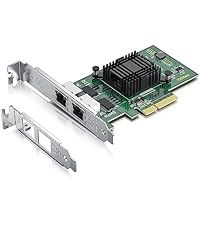
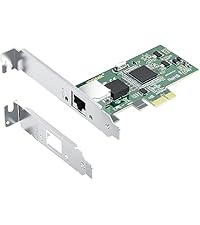
🚀 Quad-Port Gigabit Powerhouse for the Connected Pro
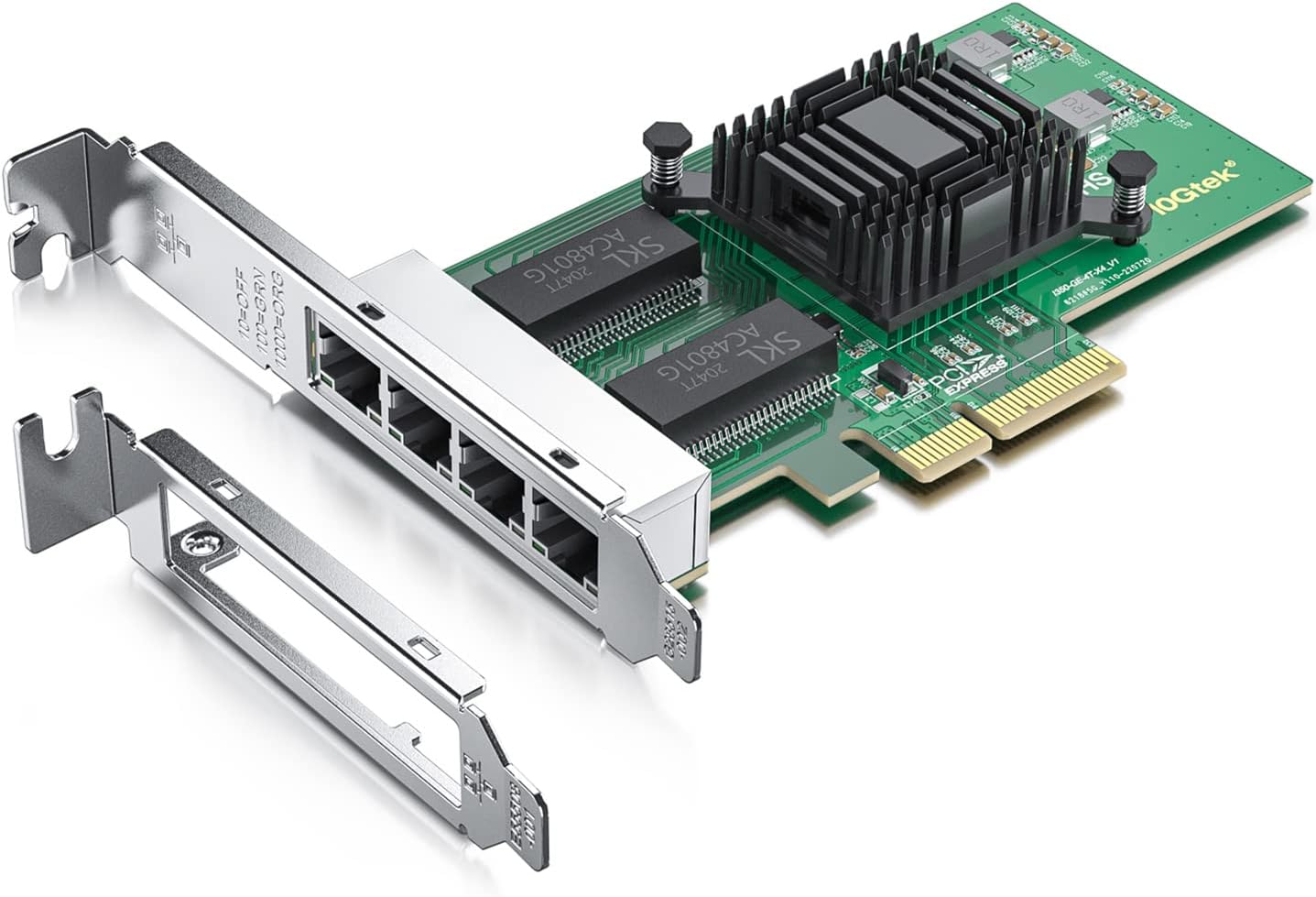
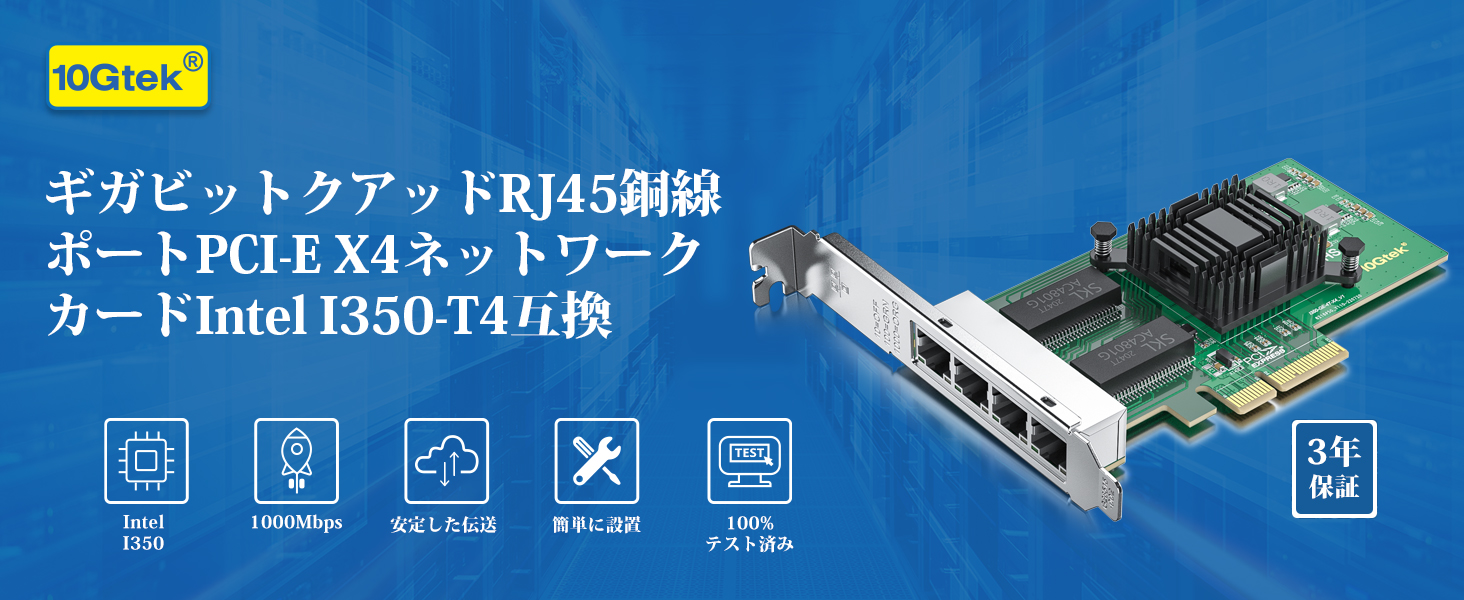
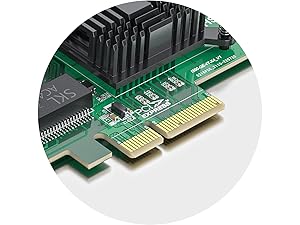
The 10Gtek Gigabit LAN Card features a genuine Intel I350 chipset delivering reliable 10/100/1000 Mbps speeds through four RJ45 ports. Designed for PCIe 2.1 x4 slots, it supports advanced virtualization technologies like SR-IOV and VMDq, ensuring enhanced throughput and system performance. Compatible with a wide range of operating systems including Windows Server, Linux, and VMware, it comes with both full-height and low-profile brackets to fit standard desktops and servers. Ideal for professionals seeking robust, multi-port networking solutions with enterprise-grade reliability.


| ASIN | B01H6NE4X2 |
| Amazon Bestseller | #7,293 in Computers ( See Top 100 in Computers ) #9 in Internal Computer Networking Cards |
| Batteries Included | No |
| Batteries Required | No |
| Brand | 10Gtek |
| Color Name | I350-T4 (RJ45x4) |
| Compatible Devices | Desktop, Laptop |
| Customer Reviews | 4.2 4.2 out of 5 stars (373) |
| Date First Available | October 11, 2016 |
| Item Model Number | 82580-4T-(I340-T4/E1G44HT)-(Intel-1pc) |
| Item Weight | 0.42 Pounds |
| Item model number | 82580-4T-(I340-T4/E1G44HT)-(Intel-1pc) |
| Manufacturer | 10Gtek |
| Operating System | Linux, Windows 10, Windows 7, Windows 8, Windows Vista, Windows XP |
| Product Dimensions | 22.86 x 14.73 x 3.05 cm; 190.51 g |
| Size | Intel I350 |
D**I
10Gtek Mini PCIe 2.5Gからドライバー入手しないと認識しないが、それ以外はちゃんと使えます。 難点と言えば、こういったタイプは仕方ないのかもしれないがリンクの表示LEDが無いこと。トラブル時の簡易的な手段が減った。
梅**男
古くデスクトップ(DELL inspiron580。15年前の製品)で、イーサネット端子が劣化したようで、ネットが途切れ途切れになりました。USB子機をつけると繋がるのですが、USB口が不足しがちなので、これを買いました。接続バッチリで快適です。
O**I
商品としては、若干ドライバーを入手するのに手間取ったが問題なく動作なのでよい評価なります。ただ2GにプロバイダーOCUが対応できておらず(確認不足)このLANカードの性能を発揮できなかった。残念
J**S
このチップの最新ドライバー(チップメーカー製)を入れないとビッグデータが認識しない 取り付けただけでは、駄目だった 認識はします あとは問題なし
う**ん
実装取り付けに特別なことはなく、普通に使え動作しています。インターネットの上流が、うちはまだ1Gbps なのでパフォーマンスはLAN内のみなのでまだ試せていませんが、2.5Gbpsポート標準装備のミニPCや、USBタイプのnicアダプタと対向で色々と測って試してみたいと思います。
J**J
うーん・・・ドライバー無しで自動認識するって書いてあるので 買ってみたが・・・ドライバー入れろ!!って要求されて インテルのサイトにはWIN XP SP3用のドライバーが無い 探して32ビットを入れてみたがダメ そのうえWIN7のPCに付けようかと思ったら・・・位置が上手く入らない 5ミリくらい長すぎる(;'д`)トホホ×(;'д`)トホホ
盛**り
proxmoxで使用してます。蟹さんのチップだと定期的に通信ができなくなり、遠隔地にサーバを置いてあるため困ってましたが、これは非常に安定しています。いままで通信ができなくなったことはないです。
お**ん
こんなんで行けるなかなとか思ってたけどマジで使えたw ガチ神w
T**M
When building a Linux system the last thing you want to deal with is weird drivers. So I always look for Intel or Broadcom chipsets in ethernet cards. Intel chipsets in particular are pretty much guaranteed to work. Most of the servers I build have Intel I350 ethernet cards for a reason. They're fast, reliable, and use the rock-solid "igb" driver that you can be absolutely certain will be included in the stock kernel from any Linux distribution The I350 controller chip has been in production since 2011 and Intel plans to manufacture it through 2031. It's fast, reliable, inexpensive, and uses only 2.8W of power. Those features, combined with the high availability of the chip has made it ubiquitous on server motherboards. As a result it's extremely well supported by any operating system you might want to use. Thie PCI interface on the card identifies itself as being built by Beijing Sinead Technology Co. The ethernet MAC address has the correct prefix (98:b7:85) for Shenzhen 10Gtek Transceivers, which matches the name of the seller on Amazon. That's always a good sign; they're using properly assigned MAC addresses rather than just cloning some other card. The card appears to be identical to the I350 cards sold by Intel. The only difference is the price, which is less than half what Intel charges. I'll probably buy more of these in the future. Great pricing and like the other 10Gtek products I've purchased in the past it's a solid product.
P**Y
Die Ausführung der Order kann man wirklich nicht bemängeln. Das PCB ist in Ordnung, da habe ich welten schlechteres bei Amazon bekommen. Schwämmchen für die Pins, Kugeln gegen den Regen, bruchsicher eingepackt, sollte normal sein, scheint aber nicht so. Das beigelegte Kabel ist zwar nicht 100% ideal und der zip tie etwas fummelig aber dafür gut isoliert, geeignet für den internen Verbau, wofür es ja gedacht ist. Entsprechend kein Blinklicht-Kabel für die Pins. Dennoch große und kurze Slotblende, schrauben und eine Nummer besser als der übliche Schraubendreher dabei. Stecker kann man nichts falsch machen, da ein Pin "fehlt", entsprechend am Stecker der Platz "zu " ist. Was möchte man mehr, ach ja, funktioniert es? Ja, die Karte kann ihre 2,5 gbit erreichen - Default aber zumindest hier noch keine Top-Leistung. Fairerweise habe ich zunächst aber nur schnell in meinem Prototyp getestet => pcie2 mainboard mit pcie auf mpcie adapter. root@CM3588:~# iperf3 -c 192.168.66.101 Connecting to host 192.168.66.101, port 5201 [ 5] local 192.168.66.217 port 57070 connected to 192.168.66.101 port 5201 [ ID] Interval Transfer Bitrate Retr Cwnd [ 5] 0.00-1.00 sec 282 MBytes 2.37 Gbits/sec 0 833 KBytes [ 5] 1.00-2.00 sec 280 MBytes 2.35 Gbits/sec 0 833 KBytes [ 5] 2.00-3.00 sec 280 MBytes 2.35 Gbits/sec 0 833 KBytes [ 5] 3.00-4.00 sec 280 MBytes 2.35 Gbits/sec 0 875 KBytes [ 5] 4.00-5.00 sec 280 MBytes 2.35 Gbits/sec 0 875 KBytes [ 5] 5.00-6.00 sec 281 MBytes 2.36 Gbits/sec 0 875 KBytes [ 5] 6.00-7.00 sec 280 MBytes 2.35 Gbits/sec 0 875 KBytes [ 5] 7.00-8.00 sec 278 MBytes 2.33 Gbits/sec 0 923 KBytes [ 5] 8.00-9.00 sec 280 MBytes 2.35 Gbits/sec 0 1000 KBytes [ 5] 9.00-10.00 sec 280 MBytes 2.35 Gbits/sec 0 1000 KBytes - - - - - - - - - - - - - - - - - - - - - - - - - [ ID] Interval Transfer Bitrate Retr [ 5] 0.00-10.00 sec 2.74 GBytes 2.35 Gbits/sec 0 sender [ 5] 0.00-10.00 sec 2.73 GBytes 2.35 Gbits/sec receiver iperf Done. root@CM3588:~# iperf3 -c 192.168.66.101 -R -V iperf 3.12 Linux CM3588 6.1.25 #308 SMP Wed Jan 17 14:13:18 CST 2024 aarch64 Control connection MSS 1448 Time: Thu, 02 May 2024 12:22:16 GMT Connecting to host 192.168.66.101, port 5201 Reverse mode, remote host 192.168.66.101 is sending Cookie: 2tfpsffinfmgqeehfteq73ekjmzeooli4f2g TCP MSS: 1448 (default) [ 5] local 192.168.66.217 port 35914 connected to 192.168.66.101 port 5201 Starting Test: protocol: TCP, 1 streams, 131072 byte blocks, omitting 0 seconds, 10 second test, tos 0 [ ID] Interval Transfer Bitrate [ 5] 0.00-1.00 sec 212 MBytes 1.78 Gbits/sec [ 5] 1.00-2.00 sec 216 MBytes 1.81 Gbits/sec [ 5] 2.00-3.00 sec 217 MBytes 1.82 Gbits/sec [ 5] 3.00-4.00 sec 216 MBytes 1.81 Gbits/sec [ 5] 4.00-5.00 sec 215 MBytes 1.80 Gbits/sec [ 5] 5.00-6.00 sec 216 MBytes 1.81 Gbits/sec [ 5] 6.00-7.00 sec 216 MBytes 1.81 Gbits/sec [ 5] 7.00-8.00 sec 216 MBytes 1.81 Gbits/sec [ 5] 8.00-9.00 sec 216 MBytes 1.82 Gbits/sec [ 5] 9.00-10.00 sec 215 MBytes 1.81 Gbits/sec - - - - - - - - - - - - - - - - - - - - - - - - - Test Complete. Summary Results: [ ID] Interval Transfer Bitrate Retr [ 5] 0.00-10.01 sec 2.11 GBytes 1.81 Gbits/sec 0 sender [ 5] 0.00-10.00 sec 2.10 GBytes 1.81 Gbits/sec receiver snd_tcp_congestion cubic rcv_tcp_congestion cubic iperf Done. root@CM3588:~# iperf3 -c 192.168.66.101 -bidir -V iperf 3.12 Linux CM3588 6.1.25 #308 SMP Wed Jan 17 14:13:18 CST 2024 aarch64 Control connection MSS 1448 Time: Thu, 02 May 2024 12:22:28 GMT Connecting to host 192.168.66.101, port 5201 Cookie: pknn6e2potjx47hr4wk2ewldyy4mj2nthnwo TCP MSS: 1448 (default) [ 5] local 192.168.66.217 port 54922 connected to 192.168.66.101 port 5201 Starting Test: protocol: TCP, 1 streams, 131072 byte blocks, omitting 0 seconds, 10 second test, tos 0 [ ID] Interval Transfer Bitrate Retr Cwnd [ 5] 0.00-1.00 sec 280 MBytes 2.35 Gbits/sec 0 737 KBytes [ 5] 1.00-2.00 sec 280 MBytes 2.35 Gbits/sec 0 737 KBytes [ 5] 2.00-3.00 sec 280 MBytes 2.35 Gbits/sec 0 776 KBytes [ 5] 3.00-4.00 sec 280 MBytes 2.35 Gbits/sec 0 776 KBytes [ 5] 4.00-5.00 sec 280 MBytes 2.35 Gbits/sec 0 776 KBytes [ 5] 5.00-6.00 sec 281 MBytes 2.36 Gbits/sec 0 776 KBytes [ 5] 6.00-7.00 sec 280 MBytes 2.35 Gbits/sec 0 776 KBytes [ 5] 7.00-8.00 sec 280 MBytes 2.35 Gbits/sec 0 776 KBytes [ 5] 8.00-9.00 sec 280 MBytes 2.35 Gbits/sec 0 814 KBytes [ 5] 9.00-10.00 sec 280 MBytes 2.35 Gbits/sec 0 814 KBytes - - - - - - - - - - - - - - - - - - - - - - - - - Test Complete. Summary Results: [ ID] Interval Transfer Bitrate Retr [ 5] 0.00-10.00 sec 2.74 GBytes 2.35 Gbits/sec 0 sender [ 5] 0.00-10.00 sec 2.73 GBytes 2.35 Gbits/sec receiver CPU Utilization: local/sender 18.0% (0.4%u/17.6%s), remote/receiver 36.2% (0.5%u/35.7%s) snd_tcp_congestion cubic rcv_tcp_congestion cubic iperf Done. root@CM3588:~# iperf3 -c 192.168.66.101 -u -V iperf 3.12 Linux CM3588 6.1.25 #308 SMP Wed Jan 17 14:13:18 CST 2024 aarch64 Control connection MSS 1448 Setting UDP block size to 1448 Time: Thu, 02 May 2024 12:22:41 GMT Connecting to host 192.168.66.101, port 5201 Cookie: unifn3ud3pl2blzz2njjksyx7qerxhv3ploa Target Bitrate: 1048576 [ 5] local 192.168.66.217 port 48656 connected to 192.168.66.101 port 5201 Starting Test: protocol: UDP, 1 streams, 1448 byte blocks, omitting 0 seconds, 10 second test, tos 0 [ ID] Interval Transfer Bitrate Total Datagrams [ 5] 0.00-1.00 sec 129 KBytes 1.05 Mbits/sec 91 [ 5] 1.00-2.00 sec 127 KBytes 1.04 Mbits/sec 90 [ 5] 2.00-3.00 sec 129 KBytes 1.05 Mbits/sec 91 [ 5] 3.00-4.00 sec 127 KBytes 1.04 Mbits/sec 90 [ 5] 4.00-5.00 sec 129 KBytes 1.05 Mbits/sec 91 [ 5] 5.00-6.00 sec 129 KBytes 1.05 Mbits/sec 91 [ 5] 6.00-7.00 sec 127 KBytes 1.04 Mbits/sec 90 [ 5] 7.00-8.00 sec 129 KBytes 1.05 Mbits/sec 91 [ 5] 8.00-9.00 sec 127 KBytes 1.04 Mbits/sec 90 [ 5] 9.00-10.00 sec 129 KBytes 1.05 Mbits/sec 91 - - - - - - - - - - - - - - - - - - - - - - - - - Test Complete. Summary Results: [ ID] Interval Transfer Bitrate Jitter Lost/Total Datagrams [ 5] 0.00-10.00 sec 1.25 MBytes 1.05 Mbits/sec 0.000 ms 0/906 (0%) sender [ 5] 0.00-10.00 sec 1.25 MBytes 1.05 Mbits/sec 0.004 ms 0/906 (0%) receiver CPU Utilization: local/sender 1.4% (0.5%u/1.0%s), remote/receiver 0.5% (0.2%u/0.3%s) iperf Done. root@CM3588:~# iperf3 -c 192.168.66.101 -u -R -V iperf 3.12 Linux CM3588 6.1.25 #308 SMP Wed Jan 17 14:13:18 CST 2024 aarch64 Control connection MSS 1448 Setting UDP block size to 1448 Time: Thu, 02 May 2024 12:22:52 GMT Connecting to host 192.168.66.101, port 5201 Reverse mode, remote host 192.168.66.101 is sending Cookie: npoielffdauxuast53vo2be27jgga5wqiugc Target Bitrate: 1048576 [ 5] local 192.168.66.217 port 47791 connected to 192.168.66.101 port 5201 Starting Test: protocol: UDP, 1 streams, 1448 byte blocks, omitting 0 seconds, 10 second test, tos 0 [ ID] Interval Transfer Bitrate Jitter Lost/Total Datagrams [ 5] 0.00-1.00 sec 129 KBytes 1.05 Mbits/sec 0.034 ms 0/91 (0%) [ 5] 1.00-2.00 sec 129 KBytes 1.05 Mbits/sec 0.051 ms 0/91 (0%) [ 5] 2.00-3.00 sec 127 KBytes 1.04 Mbits/sec 0.065 ms 0/90 (0%) [ 5] 3.00-4.00 sec 129 KBytes 1.05 Mbits/sec 0.049 ms 0/91 (0%) [ 5] 4.00-5.00 sec 127 KBytes 1.04 Mbits/sec 0.046 ms 0/90 (0%) [ 5] 5.00-6.00 sec 129 KBytes 1.05 Mbits/sec 0.029 ms 0/91 (0%) [ 5] 6.00-7.00 sec 127 KBytes 1.04 Mbits/sec 0.045 ms 0/90 (0%) [ 5] 7.00-8.00 sec 129 KBytes 1.05 Mbits/sec 0.128 ms 0/91 (0%) [ 5] 8.00-9.00 sec 127 KBytes 1.04 Mbits/sec 0.011 ms 0/90 (0%) [ 5] 9.00-10.00 sec 129 KBytes 1.05 Mbits/sec 0.080 ms 0/91 (0%) - - - - - - - - - - - - - - - - - - - - - - - - - Test Complete. Summary Results: [ ID] Interval Transfer Bitrate Jitter Lost/Total Datagrams [ 5] 0.00-10.00 sec 1.25 MBytes 1.05 Mbits/sec 0.000 ms 0/906 (0%) sender [ 5] 0.00-10.00 sec 1.25 MBytes 1.05 Mbits/sec 0.080 ms 0/906 (0%) receiver iperf Done. root@CM3588:~# iperf3 -c 192.168.66.101 -u -bidir -V iperf 3.12 Linux CM3588 6.1.25 #308 SMP Wed Jan 17 14:13:18 CST 2024 aarch64 Control connection MSS 1448 Setting UDP block size to 1448 Time: Thu, 02 May 2024 12:23:04 GMT Connecting to host 192.168.66.101, port 5201 Cookie: 3z4vporaqa3vcfswbp6ornqc6zfdb6fk6huc [ 5] local 192.168.66.217 port 49488 connected to 192.168.66.101 port 5201 Starting Test: protocol: UDP, 1 streams, 1448 byte blocks, omitting 0 seconds, 10 second test, tos 0 [ ID] Interval Transfer Bitrate Total Datagrams [ 5] 0.00-1.00 sec 248 MBytes 2.08 Gbits/sec 179770 [ 5] 1.00-2.00 sec 267 MBytes 2.24 Gbits/sec 193040 [ 5] 2.00-3.00 sec 280 MBytes 2.35 Gbits/sec 202660 [ 5] 3.00-4.00 sec 252 MBytes 2.11 Gbits/sec 182210 [ 5] 4.00-5.00 sec 273 MBytes 2.29 Gbits/sec 197830 [ 5] 5.00-6.00 sec 269 MBytes 2.25 Gbits/sec 194540 [ 5] 6.00-7.00 sec 276 MBytes 2.32 Gbits/sec 200030 [ 5] 7.00-8.00 sec 279 MBytes 2.34 Gbits/sec 201960 [ 5] 8.00-9.00 sec 271 MBytes 2.28 Gbits/sec 196550 [ 5] 9.00-10.00 sec 266 MBytes 2.23 Gbits/sec 192860 - - - - - - - - - - - - - - - - - - - - - - - - - Test Complete. Summary Results: [ ID] Interval Transfer Bitrate Jitter Lost/Total Datagrams [ 5] 0.00-10.00 sec 2.62 GBytes 2.25 Gbits/sec 0.000 ms 0/1941450 (0%) sender [ 5] 0.00-10.00 sec 2.62 GBytes 2.25 Gbits/sec 0.005 ms 0/1941450 (0%) receiver CPU Utilization: local/sender 65.0% (5.0%u/60.0%s), remote/receiver 105.2% (43.7%u/61.6%s) iperf Done.
J**T
ras : parfait , reconnue sous msi z690-a ,parfait pour du boot pxe vue que la carte reseau de la msi z690-a ne supporte pas .. merci !
C**N
Buena tarjeta para actualizar un portátil o un PC compacto a una mayor velocidad Se instala en un puerto PCIe, ojo que no es para otros puertos que se parecen mucho y están cerca en la placa base como el M.2, por ejemplo. Consigue la velocidad que anuncia, eso sí, si tu equipo no es muy antiguo y su arquitectura permite usar toda la velocidad, si no, no notaras diferencia de velocidad. Incluye ademas, los tornillos de fijación, un detalle que pocas tarjetas traen.
J**O
Tardó en ellegar, pero llegaron, buenas, bonitas y baratas
Trustpilot
1 month ago
2 months ago