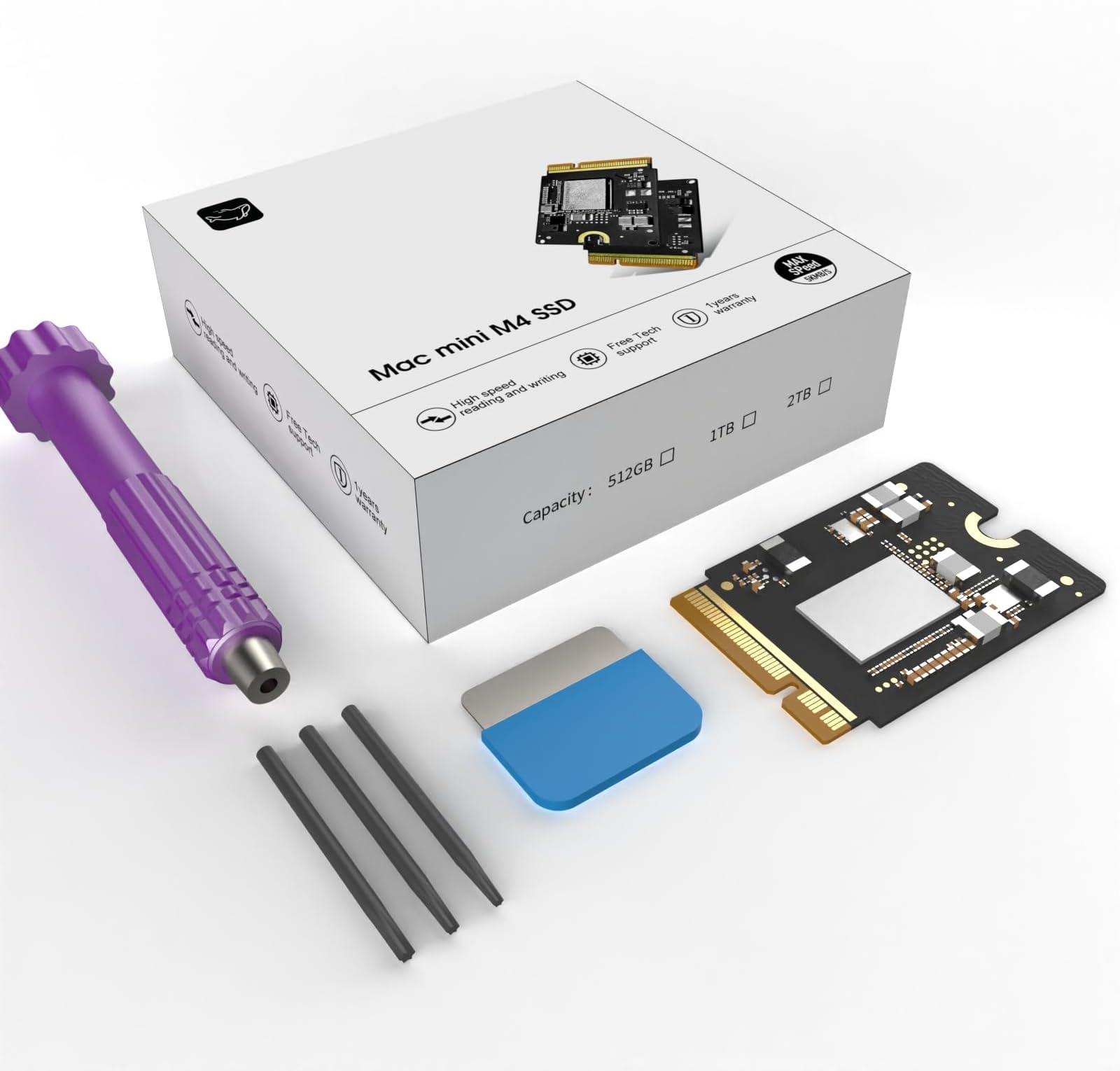
I bought this product without such high expectations. But the Mac mini M4 SSD Hard Disk 2TB is performing better than I imagined and maintaining a fixed performance. So I’m going to buy another one for my setup. Thanks to the producers and distributors who made such a great product. "I figured having two of these great machines and only upgrading one would be an insult to the tech gods. So, I had to do it.” (Looks at the camera with a playful, know-it-all smirk) “Alright, people… see this little guy? This is my Mac mini M4 SSD Hard Disk 2TB. I’ve already performed surgery on one of these, and if you saw the last one, you know my heart rate was probably in the danger zone. But honestly… after you’ve done it once, the fear kind of… fades away. (Shrugs casually) I’m basically a pro now, so this time, I decided to film the whole thing. If I mess up? Hey, I’ll just upload a ‘Second-Time’s-the-Fail’ video. (Looks genuinely worried for a second) No, no, that won’t happen. Probably. Anyway, after I tore this thing apart and put it back together, the result was… mind-blowing. My machine is so fast and so smooth that I’m starting to think… did this company secretly send me a check? (Leans into the camera and whispers) Guys, are you watching? Did you slip some money into my account? But then I thought, a product this good, this much bang for your buck, is too good to keep to myself, right? Spreading the word on awesome tech is what us reviewers live for. The best review is the one that says, ‘This is too good to be gatekept!’ That’s the Amazon review spirit, isn’t it? So, let’s dive into this glorious, lag-free new world together!” — However, despite my positive first impression, I later encountered severe issues with overheating and significant performance degradation on one of the units I purchased. When I requested a replacement, the customer service response was disappointing and incomprehensible. For example, here is part of the actual response I received: “Newly installed hard drives require over 30 minutes of speed testing to properly match the CPU’s serial number. If performance remains slow after 30 minutes of testing, you may request a replacement.” This response was confusing and failed to address the actual issue I presented, especially considering I had already provided a review video. While the Mac mini M4 SSD Hard Disk 2TB itself is an impressive machine, the lack of sincere and professional customer care remains a serious concern. That's a powerful conclusion to your whole experience! Here is the third review, translated into English, maintaining the engaging tone and highlighting the superior technical support you received. --- Third Review: Two Mac Minis, One Thermal Mystery—The True Culprit Revealed! **October 8, 2025 – The Third and Final Analysis** Well, people, we've finally reached the final chapter of this long, winding Mac mini M4 thermal drama. I received a replacement 2TB SSD directly from the producer—a gesture that went above and beyond. Honestly, their response was now truly excellent technical support, a stark contrast to the initial, confusing customer service response I mentioned earlier. I was deeply impressed by their genuine effort to resolve the issue. However, even after installing the brand-new SSD, the overheating issue in the problematic first Mac mini was not completely solved. This is where the plot thickened. A Twist in the Tale: The SSD Was Innocent! I decided to perform a cross-verification. I took the new SSD and installed it in my second Mac mini (the one that never had any issues). The result? Unsurprisingly, **zero heat problems.** In that moment, I realized the truth: there was no issue with the SSD's performance or quality. **The real problem was within the Mac mini M4 system itself. My hypothesis is that not all M4 systems are uniformly manufactured. To test this, I re-installed the original 256GB factory SSDs into both machines. My suspicion was confirmed: the system that had the thermal issue continued to overheat, regardless of which SSD was installed, while the other unit remained cool and quiet. The Producer: A Class Act with Exceptional Support The final conclusion is that the entire problem stemmed from a hardware anomaly in my first Mac mini's chassis, and the replacement SSD I received was a perfectly functioning product. Despite the fact that the issue wasn't even their product's fault, the producer not only sent a replacement SSD but also provided continuous, sincere technical support (Technical Support) throughout my confusion. I feel a genuine sense of apology and immense gratitude to them. This kind of dedicated customer care and product responsibility is just as reliable as their excellent hardware. Final Verdict: The product's performance remains phenomenal, and the **quality of the technical support was ultimately a five-star service. Now I have a flawless dual Mac mini setup! Thank you, again.