We remain fully operational. Our teams are working around the clock to ensure your deliveries continue safely.

DOWNLOAD THE APP


Customer Services
Copyright © 2025 Desertcart Holdings Limited
DOWNLOAD THE APP

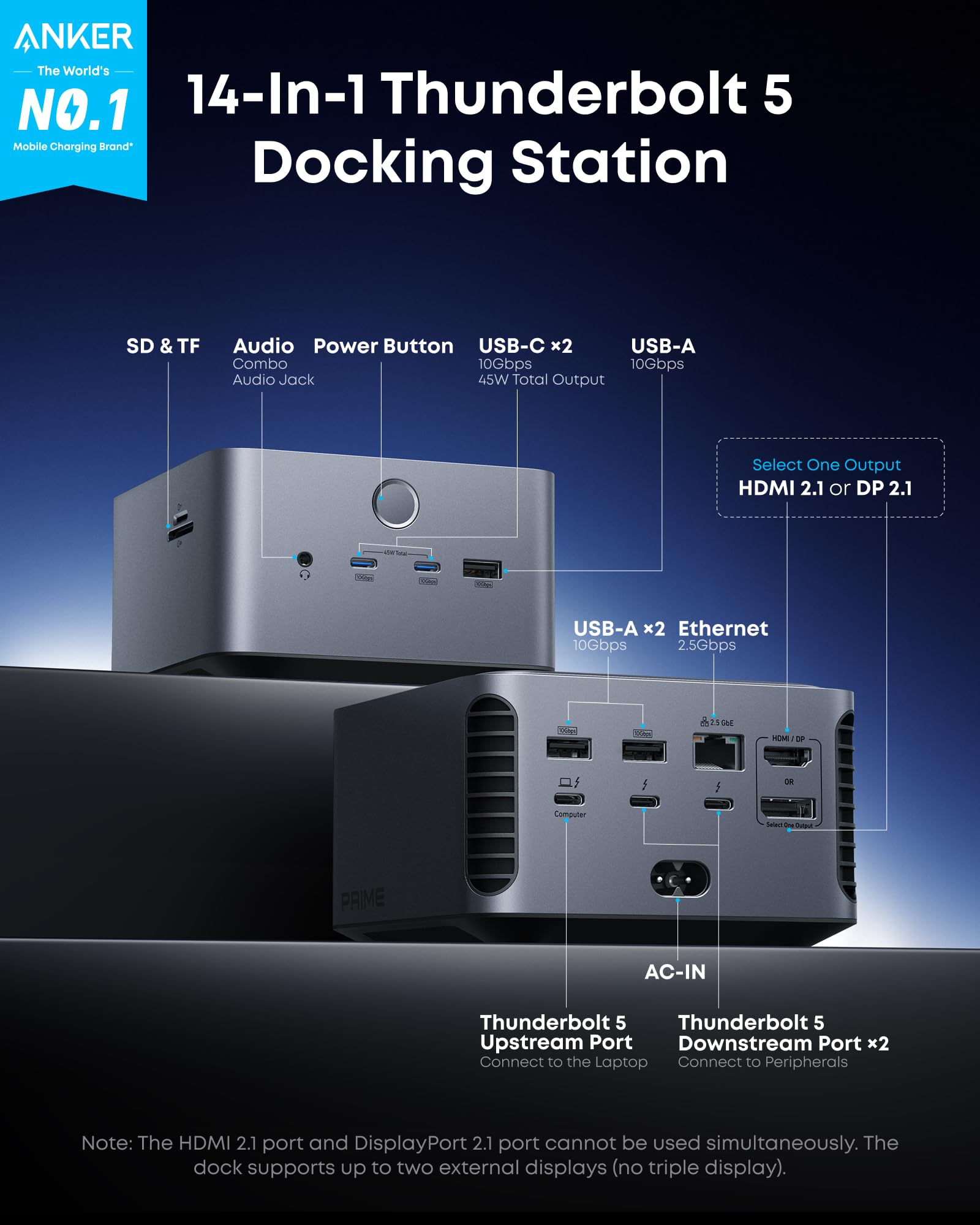


🚀 Elevate your workspace with the ultimate 14-in-1 Thunderbolt 5 powerhouse!
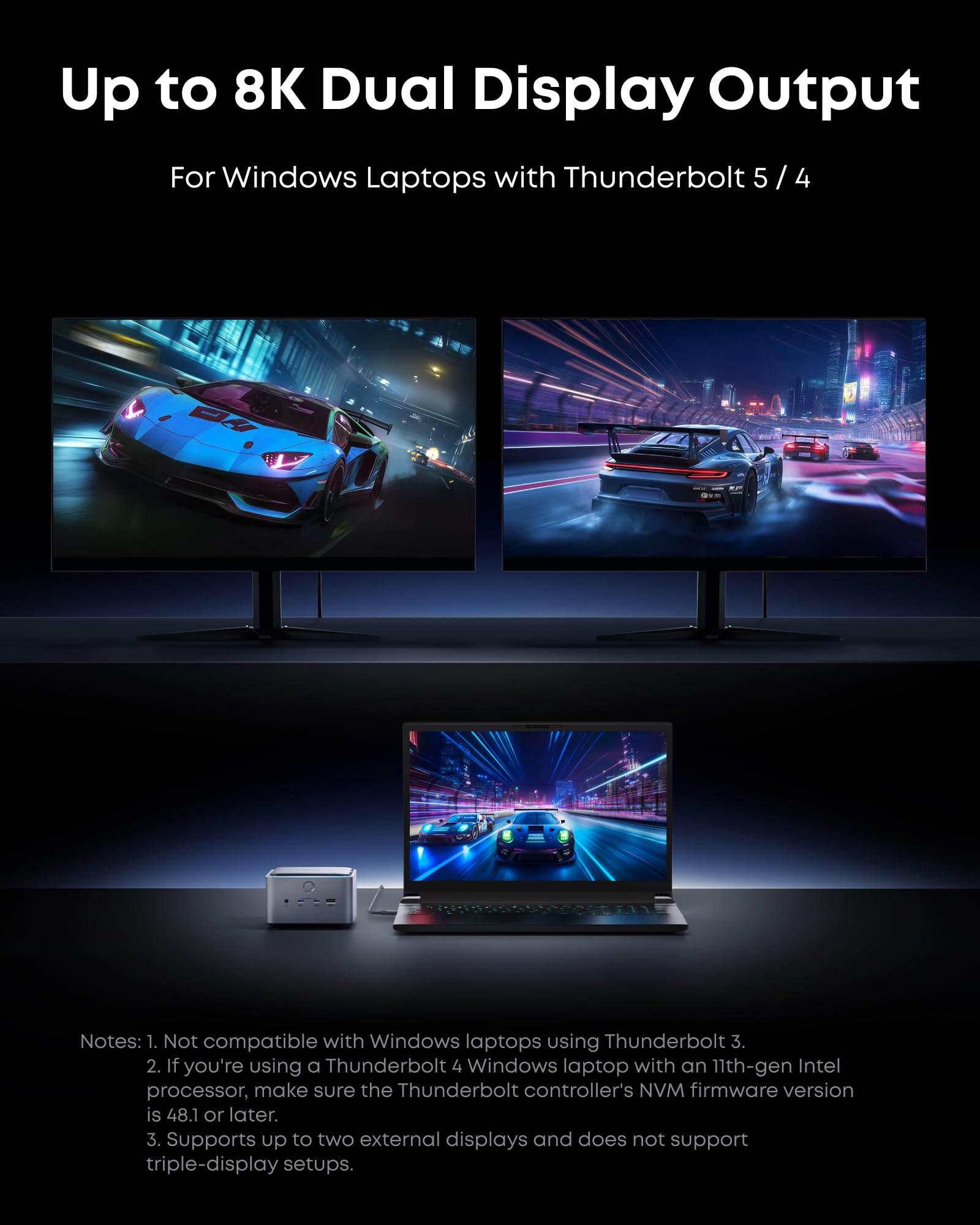
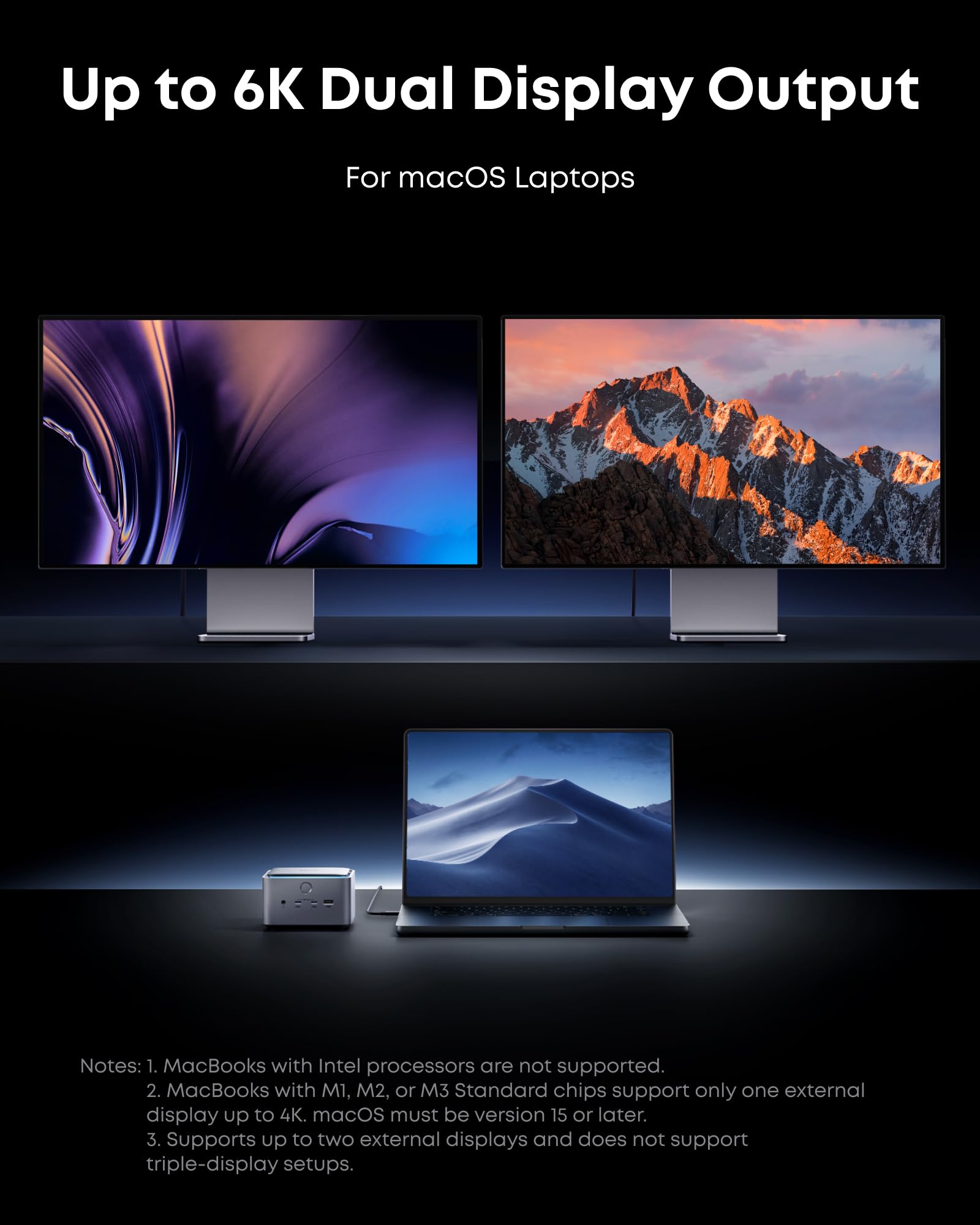
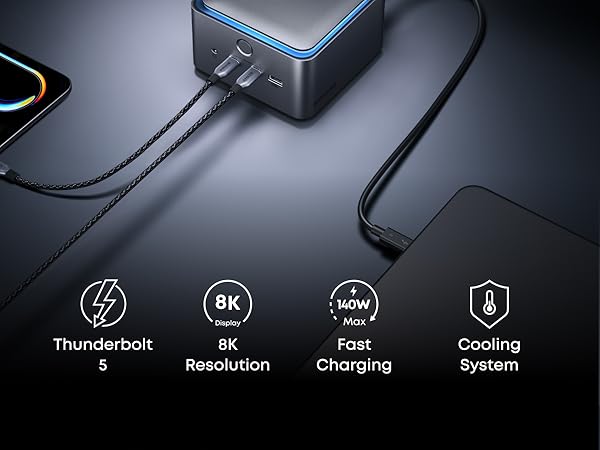
The Anker Prime TB5 Docking Station is a premium 14-in-1 Thunderbolt 5 hub designed for professionals demanding speed, power, and versatility. It offers ultra-fast 120Gbps data transfer, up to 140W charging, and supports dual 8K@60Hz displays. With a comprehensive port selection and an advanced cooling system, it seamlessly integrates with Thunderbolt 5/4 laptops, enhancing productivity while maintaining a sleek, modern workspace.




| ASIN | B0DSVVJXK5 |
| Best Sellers Rank | #2,108 in Electronics ( See Top 100 in Electronics ) #28 in Laptop Docking Stations |
| Brand | Anker |
| Color | Gray |
| Compatible Devices | MacBook with M4 Standard/Pro/Max; MacBook with M1/M2/M3 Pro/Max; Thunderbolt 5/4 Windows Laptops |
| Customer Reviews | 4.3 out of 5 stars 306 Reviews |
| Hardware Interface | Thunderbolt |
| Item Dimensions L x W x H | 4.56"L x 4.56"W x 2.95"H |
| Item Weight | 2.4 Pounds |
| Manufacturer | Anker |
| Number of Ports | 14 |
| Product Dimensions | 4.56"L x 4.56"W x 2.95"H |
| Total Number of HDMI Ports | 1 |
| Total USB Ports | 8 |
| Total Usb Ports | 8 |
| UPC | 194644289171 |
| Warranty Description | 24 month Manufacturer |
| Wattage | 140 |
M**N
Great Docking Station for Gaming Laptop
I have a TB4 port on my laptop. This was plug and play. With my gaming laptop, I need at least 125W to charge while gaming and this dock supplies up to 140W. I appreciate the number of ports on the rear of the dock as it helps keep my desk tidy. I do wish that this had a port on the back for a speaker connection - there is a headphone jack on the front - but you can get a USB-C to headphone jack for a speaker connection or use the USB-C port directly if your speakers support that. I am running a UQHD 240Hz 4K monitor with no issues. Video and games run fine and images are as clear as if the monitor was plugged directly into the laptop. The dock has active cooling which I have found to be very quiet (meaning I don't hear it at all). I did find that when using the front headphone jack, there was a low-level hum when the port was idle. Sound was clear when anything was playing through the port though (no hum). That said, I would like Anker to address this issue. Overall, this dock works great. One TB4 connection from my laptop to the dock to charge and replicate ports. Could not be more simple.
J**E
Anker Knocks it out of the park!
The Anker Prime TB5 Docking Station is an absolute game-changer for my iMac and MacBook Pro setup. This 14-in-1 Thunderbolt 5 dock delivers on every front, making it a must-have for anyone seeking a powerful, reliable, and sleek docking solution. The standout feature is the blazing-fast 120Gbps transfer speed, which performs exactly as advertised. Whether I’m transferring massive files or connecting multiple high-resolution displays, the dock handles everything seamlessly. I’ve tested it with 8K displays, and the output is crisp and flawless, with no lag or stuttering. The 140W max charging capability is another highlight, keeping my MacBook Pro fully powered even during intensive tasks. The built-in cooling system is a pleasant surprise—despite heavy use, the dock stays remarkably cool, which speaks to its thoughtful design and durability. The ambient lighting adds a nice touch of style, making my workspace feel modern and polished. The 14-in-1 port selection covers every need, from USB-C to HDMI to Ethernet, eliminating the need for additional adapters. It’s incredibly versatile and integrates perfectly with both my iMac and MacBook Pro. While the price might seem steep, the performance, build quality, and reliability make it worth every penny. This dock has streamlined my workflow and elevated my setup to new heights. Highly recommend the Anker Prime TB5 for anyone looking for a top-tier docking station!
D**E
Works well with TB4/TB5 Windows 11 laptops
I was initially worried about dropping this much money on a dock that needs to work with two different Windows laptops (a Dell and an Alienware). I needed something that could power the Dell and drive video to two monitors, but also support peripherals. (For the Alienware, I didn’t care about power delivery.) I have to say, it was easy to set up and worked without a fuss. The only “fuss” was needing to find a USB-C to Displayport adapter since there is only one HDMI/DP output (and you have to choose), but I didn’t need to do any fiddling to get the USB webcam, mouse, two monitors, keyboard, and SSD connected to either laptop. Anker has pretty much cornered the market for me on peripherals, chargers, and power banks. I think if I were needing to connect more monitors, I would be very annoyed with the limited options, but as I knew what I was getting ahead of time and only need the two displays (plus the laptop screens), I don’t feel like it warrants knocking a star off for that. The build quality feels solid and looks stylish, which is par for the course for Anker, and i love the way it looks. A bit steep of a price, but it sure beats the pants off of the old Dell TB dock I was using and feels more premium, too. I haven’t had any issues with heat or noise, and while it’s a fairly chunky unit, it sits rather securely in the desk and doesn’t take up much real estate.
D**S
Works well and reliable but expensive and wish there was more
Have been using this TB5 dock from Anker since July with my M2 Max and my wife's M4 air and it has been working flawlessly for us. The pro's: - small and attractive design - able to do triple display for both our Macs with the native laptop screens and 2x 4k 27" Dell monitors via USB C - 2.5 GbE port works well - no issues with ports or card reader slots The Con's: - expensive, and could be offering more for the price - Not enough USB C ports in the back. If you have dual monitors via USB C, it uses up all the USB C ports in the back and you have to use the front ones which is not as elegant looking. Would be nice to have another 1 or 2 USB C ports in the back for TB external SSD drives that are being attached or even a 5 / 10 GbE TB network adapter - speaking of network adapter, the 2.5 GbE is nice but feel like it would have been nicer if it had a 5 or 10 GbE port instead It's defintely a really elegant and solid docking solution, especially when you have multiple monitors and laptops that are using the station so it's easy to plug in and out. For the price, felt like it could offer more. The other alternative is the CalDigit TS5 which is about the same price ulness there is a sale. It has a few extra USB C ports in the back. Didn't see that one at time when I was looking and may have consider that one instead. There's also the CalDigit TS5 plus which is a little more expensive and has a 10 GbE port, but there have been some mix results with relability with the network port. All and all, pretty happy with the Anker for now but hope to see more improvement on their next version.
J**N
Looks good, works great
expensive but works as described. excellent build quality. I havent had a single issue connecting multiple monitors, dongles, chargers, speakers, between different laptops. my only grip is that you can only connect one computer so I have to switch the usb-c between work and personal computers but not a big deal.
J**F
HDMI 2.1 claims are BS. Multiple monitors is a nightmare.
If you don't want to read my whole review.... just buy these for a flawless experience and save your money. You'll have a bunch of cables which is annoying but so much easier. "Cable Matters 48Gbps USB C to HDMI 2.1 Adapter for macOS" "UGREEN USB C to Ethernet Adapter, 10Gbps Data Port 6-in-1 Hub" I am a huge ANKER consumer and I rarely write reviews, I need to warn anyone looking at this. The product claims for this dock are lies. It says it supports HDMI 2.1 and Displayport 1.4. HDMI 2.1 is 48Gbps bandwidth, DisplayPort 1.4 is 32.4Gbps. The HDMI 2.1 port only allows 60hz to external 4K monitor when using the laptop screen or a second monitor, however, the displayport allow 4k monitor 240hz and Laptop screen standard variable refresh rate. If you use 1 single 4k monitor it'll work 240hz via the dock HDMI, but you can just use your HDMI port on the laptop for this same experience. The reason to get a dock is to have MULTIPLE monitors at a higher refresh rate without multiple cables. I'm fine with 120hz or 144hz but it needs to work on both external monitors via this DOCK, otherwise pointless. According to their MANUAL with a Macbook Pro M4 I should be able to run one DisplayPort 1.4 + one Thunderbolt C Upstream (2 total 4k monitors) at 144Hz refresh rate. This should be 100% the case with HDMI + USB-C upstream IF it was actually HDMI 2.1 because as noted above, HDMI 2.1 has higher bandwidth than displayport 1.4. But this is absolutely not possible, which means it's not HDMI 2.1. I tried all combinations to dock and also directly to laptop. None of these allow two 4k monitors at 144hz or 120hz, most of the time, only 1 Monitor works, 9 out of 10 times can't even get 2 monitors to display. Also, everytime I switch a display cable, I have to open the laptop to get the external display to turn on, very bizarre, it should just work. I checked for firmware update, it has most recent firmware. Don't waste your money if you want 2 high resolution monitors with decent refresh rate. You can just purchase a USB dock from a company like UGreen for $30 and have extra USB ports, and get the HDMI 2.1 adapter from cable matters (both listed above) because the whole point of getting a fancy expensive DOCK is to hook up multiple monitors and USB devices and have it all run with ease, no extra cables. There's no way this has HDMI 2.1 / firmware may need update / or they have a component inside with HDMI 2.0 limiting bandwidth. Hopefully it's just a firmware update. Even if they fix the HDMI 2.1 issue, still so buggy when trying to use 2 external monitors. I am using 2 ASUS PG32UCDM monitors (they work great no issues to my PC via HDMI 2.1). They also work great when using the M4 Pro HDMI direct port and cable matter USB-C to HDMI 2.1. Not sure why ANKER can't figure it out with all their products and experience.
D**I
Excellent dock for WFH professionals
Amazing interface. Keeps my laptop (M4 Pro) charged, plugged in to several peripherals, and supports two external monitors, all with a single thunderbolt line to my laptop. Zero issues with disconnecting / reconnecting when I take my machine away from my desk. I wish I'd picked this up sooner,.
N**O
Very nice build quality, worked first time, no problems at all!
Just received mine, plugged in my two monitors: One large 4k TV over HDMI, and a 27" 4k monitor over DisplayPort to Thunderbolt cable. Also connected an external 4TB SSD, then connected a cheap USB hub with my RME audio interface, keyboard, and mouse. I have a MacBook M4 Pro, and as soon as I plugged in the uplink with the supplied cable, it asked if I want to connect the accessory, I clicked allow, and it all came alive! Very pleased that is took less than 3 minutes from the box to fully working! As long as this lasts, and I will update if it doesn't, then this is well worth the money. The build quality is excellent, well packaged, and I love the convenience of the port placements. The only thing I have plugged into the front is my SSD, so it makes it really easy to pull that out, and take my laptop with me. I've been a PC user for decades, and finally I switched to a MacBook mainly to have silence in my home studio. If this thing makes any noise at all, I can't hear it.
Trustpilot
1 month ago
1 month ago