We remain fully operational. Our teams are working around the clock to ensure your deliveries continue safely.

DOWNLOAD THE APP


Customer Services
Copyright © 2025 Desertcart Holdings Limited
DOWNLOAD THE APP
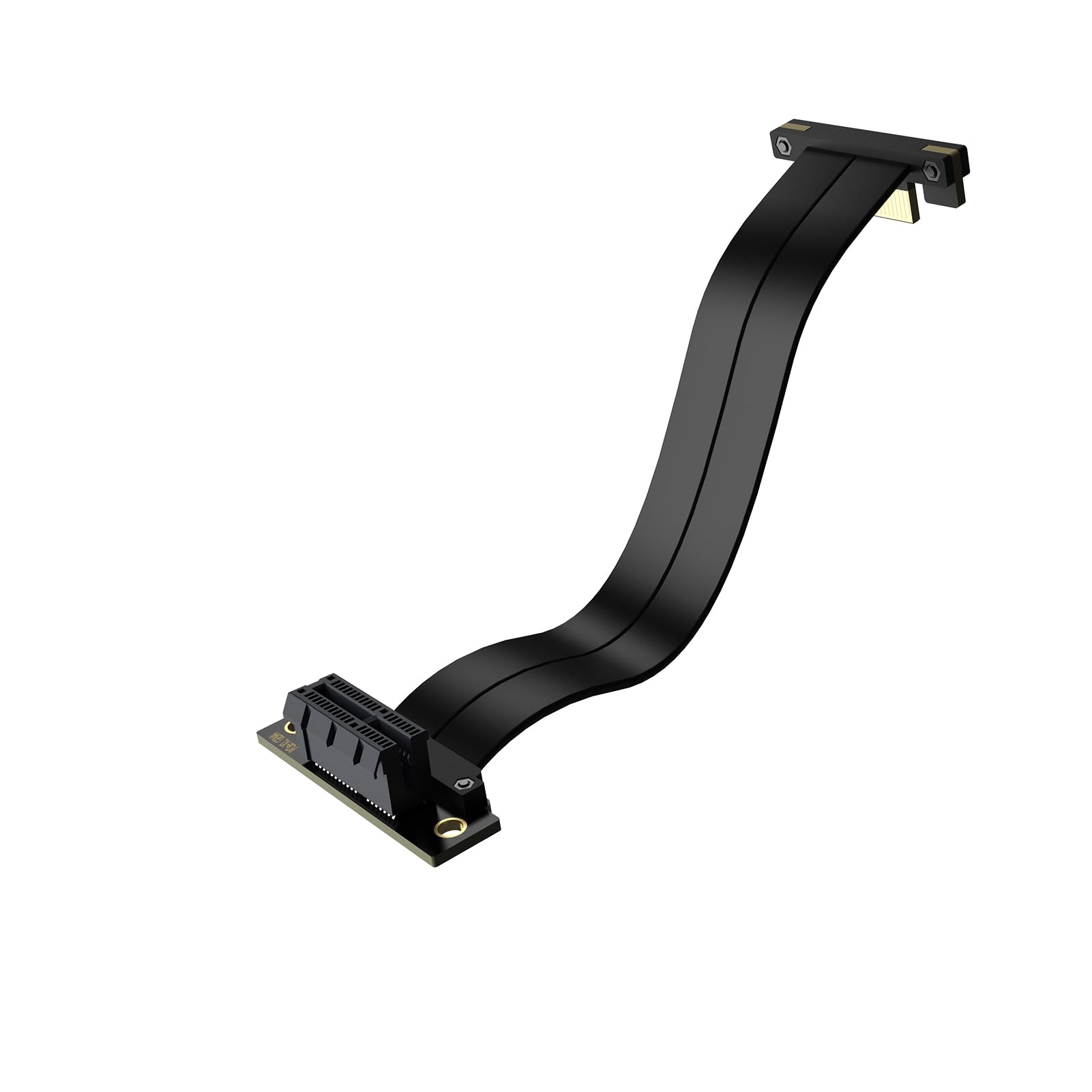
⚡ Elevate your rig with the riser cable pros trust — speed, stability, and style in one sleek extension!
The XRIKUI PCIe X1 4.0 Riser Cable is a 20cm male-to-female extension designed for high-frequency, ultra-fast 16Gbps PCIe 4.0 data transfer. Featuring dual 90-degree connectors for flexible installation, a pure copper core with advanced EMI shielding, and reinforced construction, it ensures stable, interference-free signal transmission. Compatible with a wide range of PCIe cards, this riser cable is perfect for gamers, audiophiles, and professionals seeking reliable expansion without compromising performance.


| ASIN | B0DG4R3YXN |
| Best Sellers Rank | #2,116 in Computer Internal Components |
| Brand | XRIKUI |
| Cable Type | PCIe |
| Compatible Devices | desktop computer |
| Connector Gender | Male-to-Female |
| Connector Type | Pcie X1 |
| Customer Reviews | 4.7 4.7 out of 5 stars (60) |
| Data Transfer Rate | 2 Gigabytes Per Second |
| Date First Available | September 5, 2024 |
| Frequency | 16 GHz |
| Indoor/Outdoor Usage | Indoor |
| Item Weight | 2.08 ounces |
| Item model number | XIKSU0003503 |
| Manufacturer | XRIKUI |
| Number of Pins | 36 |
| Package Dimensions | 9.65 x 3.11 x 0.94 inches |
| Special Feature | Data Transfer |
| Unit Count | 1.0 Count |
D**N
PCIe 4.0 x1 riser cable for my Soundblaster AE-7
Bought a new ASUS X870E motherboard and I'm old and don't care for onboard sound solutions. There are a lot of people who say it's fine, it's improved from the 90s and early 2000s. Then there are others who can here coil whine and feedback when using the onboard solution. I like to game, and listen to music and I really don't want to hear feed back and white noise with my audio, so I prefer and external sound solution. Because of my graphics card (2.5 slot size) and the motherboard layout, the only spot I could install a sound card would have been in the 2nd x16 slot which would have dropped the speed of my primary x16 slot to x8. It would probably be okay, but I just didn't want to do that. If I installed it in the PCIex1 slot, it would have blocked 2 of my 3 GPU fans. So I decided to buy this cable riser to use with my Soundblaster AE-7 PCIe x1 card (I think it's a gen 3.0). What I liked about this cable riser first out of the box was the quality. The wires were thick making routing a little challenging, but thicker wires means better EMI protection and better at maintaining the rated speeds (PCIe 4.0). I modified my Enthroo Pro tower case to install my sound card parallel with the motherboard above the expansion cards area, and used the Xrukui cable to connect it. It went fine. ZERO issues with the cable and routing (and can still use my other x16 port in the future if I want). I have had ZERO loss of signal (some people report when using certain riser cards, their peripheral will disappear from the computer or the computer will reboot as a result of loss communication with the PCIe card attached). I've probably put on 40 hours since I installed it with zero issues. I would definitely buy this cable again if I needed it for another solution. What about signal latency? That's always been a concern of mine with regards to using riser/extension cables. I want everything to be perfect or else I will always think things aren't going to be right because my OCD won't allow me to enjoy it. Playing games, listening to music - the amount of signal delay from using a sound card, PCIe x1, would be between picoseconds to 1ns at worst with a quality cable. In most cases, it would go unnoticed. So far, I've not noticed anything that would upset my delicate OCD balance :) The cable works for me just fine.
C**6
As advertised.
Works as advertised. I'm going to ue a old quadro GPU for Folding@Home. No issues when I ran a stress test on the device to make sure it works (I just got it). Cable is decent flexible within reason.
R**O
A solid extender
It works, hasn't failed me yet. The cable was pretty solid didn't feel cheap. The installation was easy.
D**I
helped out with my AI rig
I put a 5070 Ti on my rig & it blocked off a PCIe slot until I hooked up this dude and all is well now. Real good quality too
Z**Z
It works
I used this for a small PCIe-slot-powered GPU to add to my PC for some custom rendering work. It works fine and powers and runs the GPU without issue so far. Do note that this is a x1 adapter, so even if your device is rated for higher bandwidth such as x4, x8, or x16, it will still work just at lower data transfer speeds. Also note that the female side of the riser cable slot has an open end so that larger cards of sizes x4, x8, and x16 will fit and run just fine. The GPU I am using is a PCIe 4.0 x16 and its running just fine in this x1 sized adpater. Also, because the male end of the cable is 90-degrees, I was able to squeeze it into the spare PCIe x1 slot on my motherboard *underneath* of a larger 2-slot GPU in the PCIe slot above it. So in this way, I was able to reclaim a blocked PCIe slot. I mounted the GPU in use by the riser card to the vertical case grill spot in my PC.
L**E
WiFi card adapter extension
Needed a WiFi extension because my GPU was too big, yeah that’s that 5070 up in there don’t hate, but the extension dose it’s job, Bluetooth and WiFi work as supposed to. 4 stars because the rubber wire part is a bit sturdy, but is rubber so bends, pretty durable. I have a mid size case with a micro motherboard, my GPU width is 2.25in I believe so that should give you an idea if it will work for you.
M**S
Works
Seems to work with no issue
S**N
Exactly what I needed
It was very flexible to route in a Corsair 1000D case to vertically mount my SoundBlaster AE-5worked great for me
Trustpilot
2 months ago
3 weeks ago