
🚀 Elevate your storage game with speed, space, and smart RAID control!
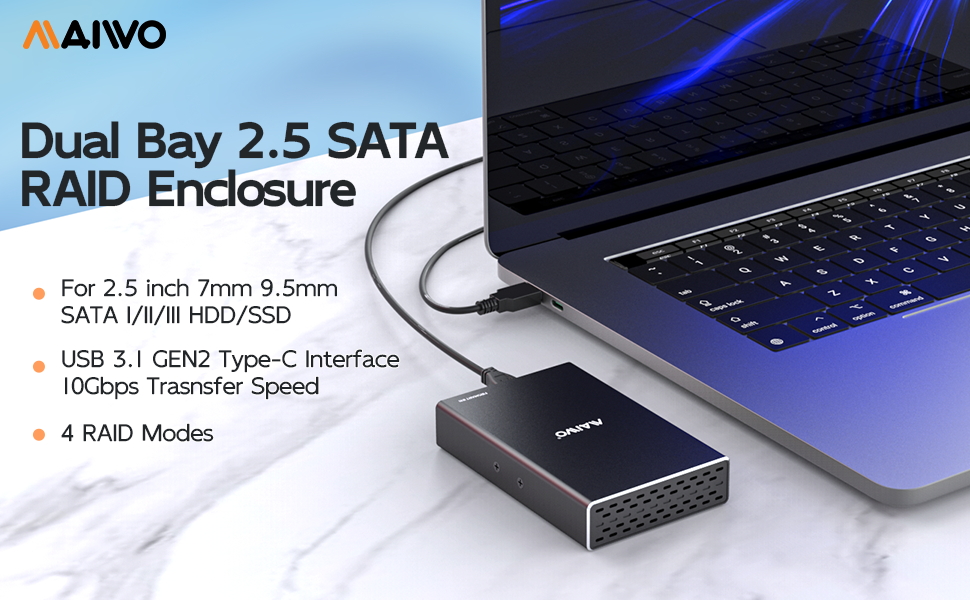
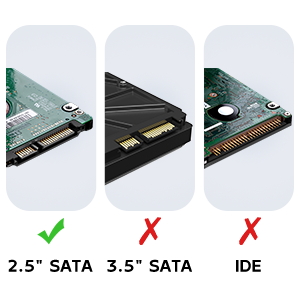
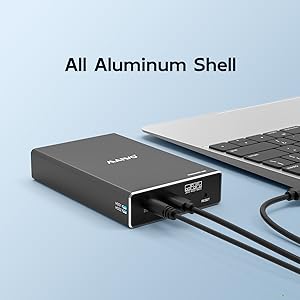
The MAIWO Dual Bay Hard Drive RAID Enclosure is a compact, aluminum-encased external storage solution supporting two 2.5-inch SATA SSDs or HDDs up to 8TB each, totaling 16TB. Featuring USB 3.1 Gen 2 with 10Gbps transfer speeds and four RAID modes (RAID 0, RAID 1, JBOD, PM), it offers flexible, high-performance data management with tool-free installation and hot swapping for professional-grade convenience.


| ASIN | B083FQFGLM |
| Best Sellers Rank | 44,789 in Computers & Accessories ( See Top 100 in Computers & Accessories ) 202 in Enclosures |
| Compatible devices | hard drive |
| Data transfer rate | 10 Gigabits Per Second |
| Guaranteed software updates until | unknown |
| Hard disk form factor | 2.5 Inches |
| Item model number | K25272C |
| Item weight | 80 Grams |
| Manufacturer | MAIWO |
| Material | Acrylonitrile Butadiene Styrene (ABS) |
| Max number of supported devices | 2 |
| Memory storage capacity | 16 TB |
| Product Dimensions | 12.7 x 7.62 x 2.54 cm; 80 g |
| UPC | 737838778428 |
G**S
Easy install
Easy to install & setup using the dip switches - make sure to turn the enclosure off/on after setting the switches to make sure the change takes effect. I installed 2 X 1tb hard drives in RAID 1. The only thing I noticed is that it gets quite hot as there is no active cooling.
G**D
Quality not adequate.
Quality could be better. Most external 2.5” hard-disks have fix usb ports no SATA … could not host many standard sizes. Mainly height quickly became problem despite should have fit soec wise. Unstable.
N**E
I don't have a need for another RAID unit per-se. But I've accumulated lots of laptop hard drives over the years. Seemed wasteful to just toss them. So what do I do with them? I use this unit in large drive mode, and use old drives as scratch space. Like temporary quick storage for media files on the go. Large mode means that you get 1 big drive. 1TB + 250GB drives get you a virtual 1.25TB drive with this unit. I just run the drives until one of them finally dies. Figure out which one is bad, get rid of it, reset, reformat and keep going. It just works. And I feel like I'm not wasting old hardware.
M**S
Includes screws and a few appropriate screwdrivers to install the SSDs. In 'normal' mode it appears as two disks. Under linux I partitioned them, assembled a raid mirror , formatted them then mounted them. Just a few minutes. JMicron JMS551 bridge in the box.
E**R
This unit works well in my QNAP NAS. My NAS was giving write errors on the cheap NVMe disks so I replaced them with newer ones and use these as a backup in this enclosure. So Far, so good.
M**H
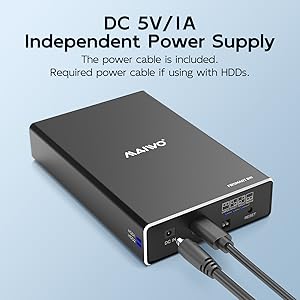
Initial impressions are good. It has a nice aluminum case, and the entire thing is very compact, yet holds 2 SSD's. It comes with 2 cables: 1 USB3.0 for the data transfers and 1 micro USB for additional power that you probably won't need. It also comes with 4 screws a small screw driver so you can attach the drives to the tray (optional), and secure the tray to the aluminum case. I had a practically identical product with the Vantec Nexstar GX, but I had to return it because it just wouldn't work reliably. Interesting to me is that the Vantec Nexstar has alot more purchases and reviews and even has the Amazon Choice tag, but I had alot of problems with it. Maybe I just got a bad unit. So far this Maiwo unit is working the way I hoped that the Vantec Nexstar GX would work, and has the same (maybe even slightly better) build quality. It was also alittle bit cheaper than the Vantec. This is just an early impressions, and I only have 1 SSD in the unit right now for testing purposes. At this point, the only thing I would change is I would add a power button so I can leave it plugged in to my USB hub but still disconnect it and turn it off when not in use.
J**D
It was hard to find this, it is exactly what have looked for. Just enough size to keep two 2.5" SSD and capable of RAID 0, 1.
Trustpilot
2 weeks ago
1 month ago


