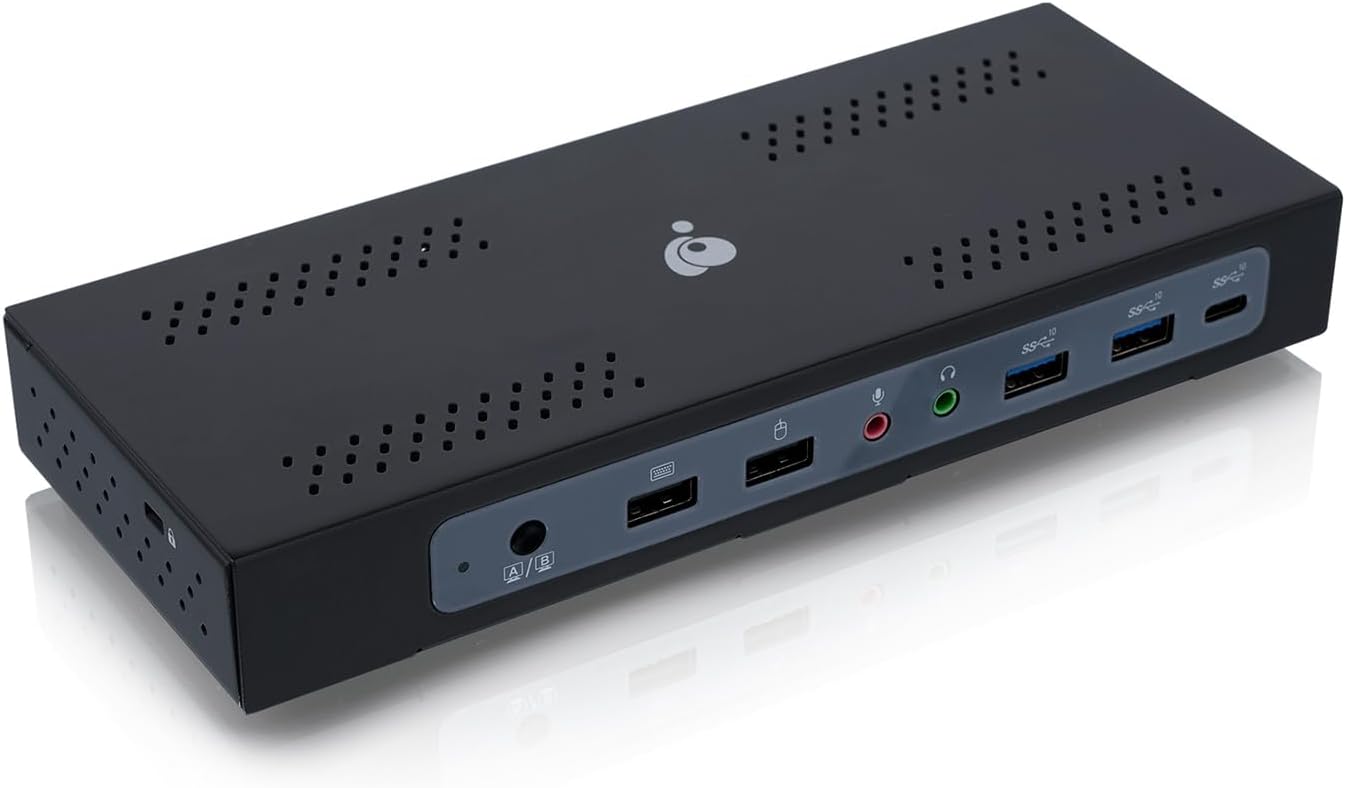
Dock Pro Duo USB-C Docking Station TAA Compliant GUD3CDHTAA
Product ID: 650544457
💻Dual USB-C support
📺Triple 4K display output
🔌100W PD power
Desertcart purchases this item on your behalf and handles shipping, customs, and support to Morocco.
🚀 Elevate Your Workspace with IOGEAR!
The IOGEAR Dock Pro Duo USB-C Docking Station is a powerful multitasking tool designed for professionals, allowing seamless sharing of video and USB peripherals between two USB-C host computers. With support for up to three 4K displays and lightning-fast data transfer speeds, it ensures your productivity remains at its peak while keeping your devices charged with robust Power Delivery.
V**O
Allows for two-button-push switch between two computers for a complex peripheral/display setup
I have three displays, a webcam, a really nice ergonomic keyboard, a really nice sound setup... and two laptops -- personal gaming Razer and work Macbook Pro, both with USB-C 3.2 (with DP and HDMI Alt Mode support).As you can imagine, an ideal situation for me would be to connect my entire home-office setup to a USB-C doc with triple display support, and then to connect both laptops to the dock.Previously, I had tried a separate USB-C push-button switch in front of a regular USB-C dock. It kinda-sorta worked, except for 2 problems: my webcam kept flaking out, and my mouse and main display showed significant latency in gaming.This dock+KVM unit is a solution to all my problems; and it works equally well on both PC and Mac.A minor inconvenience is that the screen port option is somewhat limited, so plan ahead -- unlike many USB-C docks, you don't get a choice of ports for each monitor, DP or HDMI; you get what you get. The dock has:* 2 DP ports (requiring DP-over-USB-c support in the host)* 1 HDMI port (requiring HDMI Alt Mode support in the host)However, this restriction on port selection is a not a serious problem, given that DP-to-HDMI cables exist.Another minor inconvenience is that because it doesn't simply switch between "Computer A" and "Computer B", but also introduces partial switch configurations (2 displays to A and one to B, and vice-versa) it takes two button pressed to switch from "all A" to "all B" as the dock cycles through display configurations. However, considering how many problems it solves, this is a minor inconvenience indeed.EDIT: A less-than-minor inconvenience is that I noticed some significant display lag -- significant enough to make most games unplayable. However, it only affects the DP outputs, not HDMI ones, and it could be due to my computer. The workaround was to hook up my gaming monitor to HDMI and the other two monitors to DP.This is the fault of my Razer laptop (because I don't get this effect with my Mac Pro laptop), but I wish there was a DP/HDMI choice for each of the three monitors.
A**R
Nice when it works
Its nice when it works as I was using PC and an Intel MacBook along with 3 monitors. The MacBook needs the displaylink software/driver, whereas Windows seemed to work fine without any of that. Some issues I saw were closing the lid on the PC would cause issues with losing monitors while on the MacBook, so you have to adjust your power settings. However the problems are with the Mac. I kept having issues with it saying my USB ports are using too much power so it disables them, so then I would lose 2 displayport monitors and only the HDMI monitor would work. This happens quite a bit and the only solution is to reboot the Mac and hope it doesnt happen for a few hours. All my USB external drives have their own power adapter, so that is not the issue and I had nothing else plugged into my Mac. I also only had my KB/Mouse plugged into this device. I'm not sure what the fix is other than to reboot the Mac everyday and hope to get half a day to 2 days of it working until it has this issue again.Another issue is that they set the SHIFT key as the hotkey switch, which is the stupidest thing ever. That's easily avoidable by getting a usb hub and putting both the KB and Mouse into that and then plugged into the Mouse port on this device. (No the usb hub isnt causing the USB power issue either as it can easily handle a KB & Mouse).I really wanted this to work and put up with all its quirks for about 3 weeks, but its just too buggy. It's a shame because it has a lot less cables than your typical KVM.This product is just the VisionTek VT4900 with ioGear branding (VisionTek has a newer model and they know more about both these products as they designed them). I'm guessing they sold off their old design since they created a new model.
Z**K
Durable and well made, with confusing switching and poor Mac disconnect recovery.
Full metal housing, feels study and heavy weight. Has HDMI port for 3 monitor support. Macbook disconnect recovery was slower and not as reliable as the Startech, often needing to be reset. 2 button pushes (due to the HDMI port) made it confusing what PC was active. Glowing front blue LED is way too bright, and I needed to cover it. 2xDP 1xHDMI
T**I
Works better than expected
This was a gift for my husband. He researched many brands and styles and picked this one. It works extremely well. He is able to switch between his work and personal laptop easily without issues. He even said he wished he would have found this sooner. Would recommend this if you’re looking for a way to swap monitors without the hassles of changing plugs.
Trustpilot
2 months ago
1 week ago