Desertcart purchases this item on your behalf and handles shipping, customs, and support to Morocco.
🚀 Power your projects with the fastest, smartest Raspberry Pi yet!
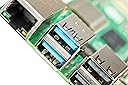
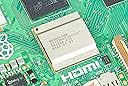
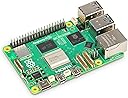
The Raspberry Pi 5 (8GB) features a powerful Broadcom BCM2712 quad-core 2.4GHz Cortex-A76 CPU, dual-band 802.11ac Wi-Fi, Bluetooth 5.0, and dual USB 3.0 ports for ultra-fast data transfer. With PCIe 2.0 support for M.2 NVMe SSDs and flexible camera/display connectors, it delivers unmatched speed and versatility for professional-grade computing and creative projects.
| ASIN | B0CK2FCG1K |
| Best Sellers Rank | 2,984 in Computers & Accessories ( See Top 100 in Computers & Accessories ) 21 in Motherboards |
| Box Contents | Raspberry Pi 5 |
| Brand Name | Raspberry Pi |
| CPU Model | Cortex A7 |
| Compatible Devices | Camera |
| Customer Reviews | 4.6 4.6 out of 5 stars (3,032) |
| Global Trade Identification Number | 05056561803326 |
| Manufacturer | Raspberry |
| Manufacturer Part Number | SC1112 |
| Memory Storage Capacity | 8 GB |
| Model Name | Raspberry Pi 5 |
| Model Number | SC1112 |
| Network Connectivity Technology | HDMI, USB |
| Number of Items | 1 |
| Number of Packs | 1 |
| Operating System | Raspberry Pi OS |
| Processor Brand | Broadcom |
| Processor Count | 4 |
| Processor Speed | 2.4 GHz |
| Product Warranty | 1 Year Warranty Against Manufacturer Defects |
| RAM Memory Installed | 8 GB |
| RAM Memory Technology | LPDDR4X |
| Total USB Ports | 4 |
| Unit Count | 1.0 count |
| Wireless Compability | 802.11ac, Bluetooth |
J**H
Tiny Board, Massive Storage: Dual 4TB NVMe Drives on a Raspberry Pi 5
The Raspberry Pi 5 (8GB) has become the central brain of my home setup, and I say this as someone who works with tech daily and builds systems not just for fun but for productivity and long-term use. I purchased this particular unit in December 2024, and since the first day, it has run 24/7 with absolute consistency. For what it offers at its price point, it truly feels like a life-changing device, especially for those who are eager to tinker, automate, learn to code, or even run serious applications from a tiny board. One of the most transformative upgrades I’ve made to my Raspberry Pi 5 is integrating a dual-NVMe expansion setup using two 4TB NVMe SSDs. This is made possible via a PCIe HAT+ adapter board that includes a switch chip to handle dual drives over the Pi 5’s single PCIe 2.0 x1 lane. Despite the bandwidth limitation (theoretical max ~500MB/s), the performance is surprisingly solid for most real-world use cases. I regularly hit sequential read speeds of around 400–430MB/s and writes of 350–390MB/s, which is more than enough for backups, local file hosting, and even video streaming directly from the Pi. I’ve configured one of the NVMe drives as the primary boot device using Raspberry Pi OS, while the second is dedicated to storage. I use it for scheduled nightly backups from both my Android phone (via Syncthing) and my wife's iPhone (using the Photosync app in SFTP mode), and the reliability has been outstanding. The dual-NVMe board I use is passively cooled with heatsinks, and both drives stay under 55°C during extended file transfers. In my case, the Pi 5 serves multiple roles simultaneously. It acts as a Pi-hole DNS sinkhole, filters and logs internet traffic for every device in the house, handles over 250 persistent Pi-Seer MQTT device connections, runs Node-RED automations, and manages two IP cameras as a local NVR. This isn’t a stretch—it’s a real test for a system that’s passively cooled and silently humming away inside a small server-grade enclosure. I paired it with the Armor Lite V5 aluminium heatsink and PWM fan (which I also reviewed), and that combination keeps temperatures below 55°C under full load. The performance delta from the Pi 4 is noticeable and significant; where the 4 might get bogged down or throttle, the Pi 5 simply pushes through. I use the official 27W USB-C power supply, which is essential for keeping things stable when peripherals are attached. This includes an NVMe SSD via the M.2 PCIe HAT+, allowing for ultra-fast read/write speeds. This alone transforms the Pi into something that behaves more like a mini desktop or server than a single-board computer. Boot times are snappy, databases load instantly, and there's no delay in system response even when under concurrent tasks. Where the Pi 5 really shines is in development and education. I’ve been writing Python scripts, working with Docker containers, and even experimenting with AI tools—all from this board. A huge part of this success is thanks to ChatGPT and similar code assistants. In the past, learning how to set up a Pi as a local LAMP server or writing Flask applications with dynamic APIs would require deep technical knowledge and time-consuming trial and error. Now, I can prompt an AI to help generate boilerplate code, troubleshoot errors, or refactor inefficient blocks. I’ve used VS Code remotely through SSH, integrated Git workflows, and set up CI pipelines with relative ease. Anyone willing to follow a couple of guides can now build incredible things in a weekend. I recently used the Pi 5 to prototype a home energy monitoring dashboard. Using InfluxDB and Grafana, I track power consumption from smart plugs around the home and visualise it beautifully. MQTT messages come in from Zigbee2MQTT and ESPHome devices, get processed by Node-RED, and are stored and visualised with zero noticeable lag. The Pi 5 handles all this with remarkable grace. CPU usage typically sits at around 35% with peaks around 70% during compilation tasks. This board is also ideal for light AI experimentation. With the right USB accelerators or the new AI HATs, you can run object detection models locally, perform facial recognition, or build smart assistants without ever sending data to the cloud. Privacy-respecting edge computing has never been more accessible. I used the Pi 5 to run a basic LLaMA 2 language model stubbed with a local API, running inference through ONNX Runtime. The board doesn’t break a sweat and remains quiet while doing it. The Raspberry Pi OS has matured significantly, and with the community providing excellent support for Ubuntu Server, DietPi, and other Linux distributions, there’s a flavour for everyone. GPIO compatibility is excellent, with plenty of updated libraries replacing RPi.GPIO for the new architecture. The new RP1 I/O controller truly unlocks the performance potential for USB 3.0 and PCIe lanes. File transfers over USB 3.0 with my SSD hit consistent 350MB/s—something unimaginable a few years ago on a Pi. This is s a capable platform that can sit at the heart of home labs, IoT systems, learning environments, or even small businesses. Whether you're an educator setting up classrooms, a parent wanting to introduce your child to computing, or a hobbyist trying to build something custom and meaningful—the Pi 5 enables it all. Power usage on the second Pi 5, configured as our NAS and photo backup server, is incredibly efficient—averaging around 3.8W at idle and peaking at about 7.2W during simultaneous file transfers and photo uploads from two devices. I measured this using a USB-C inline power meter over a full 24-hour cycle, including overnight auto-backups and daytime access from multiple devices. Even when handling encrypted file syncs, indexed thumbnails, and NVMe activity, it remains cool and stable—truly impressive for a system replacing my QNAP 872XT, which used to idle at over 50W. In my own experience, this board has dramatically changed how I think about computing. It’s made me more resourceful, more curious, and ironically, more minimalistic. I no longer reach for the heavy-duty workstation for tasks that the Pi 5 can handle quietly in the corner. To wrap it up: The Raspberry Pi 5 is a gateway. It’s the computer I wish I had as a kid, and the one that’s going to power so many more ideas in the future. I wholeheartedly recommend it for anyone even remotely interested in computing. If you’ve got an idea and a bit of time, this tiny board can make it real.
T**M
Raspberry Pi 5 (8GB) Review
Initial Impressions: My first experience with the Raspberry Pi 5 was marred by a rough delivery—literally. The Amazon driver threw the package at my front door so hard that it bounced multiple times. This incident was captured on my Ring doorbell, and while I reported it to Amazon, nothing came of it. I mention this because, after seeing the condition of the flimsy cardboard box it came in, I was concerned about the Pi's durability. Surprisingly, despite the lack of internal protection and the rough handling, the Pi was in one piece and worked after some minor adjustments. The Pi itself came from Pimoroni, a reputable seller I highly recommend. Setup and Installation: First off, I wouldn't recommend using the Raspberry Pi 5 without a proper cooling solution. I opted for an overkill approach, purchasing the Geekworm Pi5 Case Aluminum Passive Cooling (P122-C) and some small 3v/5v fans, which I installed during a live Twitch stream. For storage, I used a SanDisk 256GB High Endurance MicroSD card, ideal for the server setup I had in mind due to its durability. Using the Raspberry Pi Imager, I flashed the card with Ubuntu Server, pre-configuring it with my WiFi settings and other essentials. The setup process was straightforward for someone familiar with the Pi ecosystem, but beginners might find it a bit challenging. However, there are plenty of tutorials and guides available to help. I set up the Pi headless (without a monitor or keyboard) to run a fully modded Minecraft Server (Java Edition), and to my surprise, it worked flawlessly. I even documented the process in a YouTube VOD, proving that running a modded Minecraft server on a Pi is not only possible but also efficient. Later, I repurposed the Pi into a web server by installing Ubuntu Server again, along with PHP, MariaDB, and Apache. It handled this transition with ease, providing a snappy and responsive performance. Performance: The Raspberry Pi 5’s performance exceeded my expectations. Compared to the Raspberry Pi 4, the improvement is significant, though perhaps not immediately noticeable in all use cases. My modded Minecraft server, running 130+ mods, handled six players simultaneously without any lag or performance issues. The TPS (Ticks Per Second) remained stable at 20, with only minor drops that weren’t noticeable during gameplay. As a web server, the Pi continued to impress, delivering fast and stable performance. I haven’t felt the need to overclock the Pi, as its stock performance is more than sufficient for my needs. Connectivity and Ports: The Raspberry Pi 5 comes with a robust set of connectivity options: Dual-band 802.11ac Wi-Fi, Bluetooth 5.0, two USB 3.0 ports, two USB 2.0 ports, Gigabit Ethernet, and dual 4Kp60 HDMI outputs, among others. While I primarily used the GPIO pins to power the fans and the WiFi for network connectivity, these ports offer great flexibility for a wide range of projects. The CPU, a 2.4GHz quad-core 64-bit Arm Cortex-A76, strikes a good balance between power and energy efficiency. It’s powerful enough for most projects while keeping power consumption low. Cooling and Power Consumption: Without additional cooling, the Pi 5 quickly overheats and throttles under load. I highly recommend investing in a cooling solution, even if it’s just the basic Raspberry Pi Cooler. My custom cooling setup, which cost around £20, kept the Pi running cool and stable, even under heavy loads. In terms of power consumption, the Pi draws around 12-14W under load in my use case, making it a cost-effective replacement for my old servers. For power, I suggest using a supply that can output at least 5V at 3A, though the official Raspberry Pi power supply (5V, 5A) is ideal. Use Cases: The Raspberry Pi 5’s potential is limited only by your imagination and its 8GB RAM. It can serve as a low-power desktop, an emulator, a home automation hub, a web server, or even a Minecraft server, as I demonstrated. Currently, I’m using mine as a local web server, running PiHole, and a Wi-Fi Authentication Portal. It’s quiet, consumes little power, and handles these tasks flawlessly. If you’re looking for a device to handle similar projects, the Pi 5 is an excellent choice. However, be mindful that it’s not a replacement for a modern desktop PC. Value for Money: The Raspberry Pi 5 offers excellent value for money, though it suffers from scalper pricing. If you find the 8GB model for more than £80, you’re likely being overcharged. Prices around £70 are reasonable, and anything below £65 is a steal. Compared to running a full desktop or server, the energy savings alone make the Pi 5 a worthwhile investment. Final Thoughts: Let’s address the Pi 5’s main limitation: 8GB of RAM should be the entry-level or mid-range option, with a 16GB model available. While 8GB is sufficient for most users right now, it won’t be long before this isn’t the case. Enthusiasts and those running more demanding applications may find this limiting. Overclocking the Pi 5 is also hit or miss. I couldn’t push mine beyond 2.6GHz without instability, and anything above 2.8GHz was a no-go. But for most users, stock performance will be more than enough. If you’re looking for a low-power device for small projects or teaching kids to code, the Pi 5 is a fantastic choice. It’s versatile, powerful for its size, and offers great value. However, if you need a desktop replacement, adjust your expectations accordingly. Overall, the Raspberry Pi 5 is an impressive piece of tech that continues to push the boundaries of what a small, affordable computer can do. It’s a must-have for enthusiasts, educators, and hobbyists alike. I give this a 4.7/5, which I'll round up.
M**E
Raspberry Pi 5 (8GB) – A Significant Upgrade with a Few Adjustments
Raspberry Pi 5 (8GB) – A Significant Upgrade with a Few Adjustments The Raspberry Pi 5 (8GB) is a major leap forward in the Raspberry Pi lineup, delivering impressive performance improvements and new features that make it a compelling choice for enthusiasts, developers, and tinkerers alike. However, it does come with some changes that require adjustments for those familiar with older models. Performance: The speed increase over older models is the standout feature of the Raspberry Pi 5. Equipped with a quad-core Arm Cortex-A76 CPU running at 2.4GHz, this board is significantly faster than the Pi 4. Applications load quicker, multi-tasking is smoother, and it handles more demanding workloads with ease. Whether you're running a media server, building a smart home project, or experimenting with AI, the Raspberry Pi 5 delivers an experience that feels more like a compact PC than a hobbyist board. GPIO Pin Handling: One notable change with the Raspberry Pi 5 is in how the GPIO pins are handled. The traditional RPi.GPIO library is no longer compatible with this model, which could come as a surprise to users upgrading from older Pis. Instead, you’ll need to use alternative libraries like lgpio or GPIO Zero, which are designed to work with the new hardware. While these libraries are easy enough to install and use, the change does require a learning curve, especially for those with existing projects that relied on the old library. Hardware Improvements: The 8GB RAM version shines for memory-intensive tasks, making it ideal for applications like emulation, coding, and even light virtualization. Additional hardware upgrades, such as PCIe support, dual 4K micro-HDMI output, and USB 3.0 ports, further enhance its versatility. It’s clear the Raspberry Pi Foundation has designed this board with more demanding use cases in mind. Thermals and Power Management: The Raspberry Pi 5 runs hotter than its predecessors, so proper cooling is essential, especially for sustained workloads. The redesigned power delivery system is more efficient but also requires a dedicated power adapter (USB-C PD), which is something to keep in mind if you’re upgrading from older models with a standard power supply. Pros: Huge performance boost over previous Raspberry Pi models 8GB RAM is excellent for memory-intensive tasks Dual 4K display support and improved connectivity options Great for advanced projects like AI, media servers, and virtual machines Cons: GPIO handling has changed, requiring alternative libraries Runs hotter, so additional cooling is a must Requires a compatible USB-C PD power adapter Conclusion: The Raspberry Pi 5 (8GB) is a powerful upgrade that brings desktop-level performance to the Raspberry Pi ecosystem. While the speed and hardware improvements are fantastic, the changes to GPIO handling and increased power/thermal demands mean it’s not a simple drop-in replacement for older models. If you’re willing to adapt to the new requirements, the Pi 5 is a game-changer that opens up exciting possibilities for more ambitious projects. Highly recommended for those ready to embrace the future of the Raspberry Pi!
M**P
Very happy with this buy
Great, using for batocera mostly and Kodi, also got pi os running but with a theme as I think the default is a bit childish, running multiboot with nvme, external SSD, and SD, a bit of faff to setup, but got there in the end, seems fast, ATM I'm not using Ubuntu as it's not really fully functional, some issues with installation of things as parts are missing, but the pi is seems fine, retro gaming is good for pax, mega drive, Amiga, spectrum, amstrad, arcade, nephew, N64 is good for lots of stuff psp is a wee bit slow at times. Kodi works great, lots of good builds of batocera out there which is great, and a few good Amiga SD images too. It is ABIT fussier than the older pis about compatibility os as images, but it's still early days. So much faster than the older pis, and lots of things available for expansion. WiFi works well, if you're getting a gamepad for it then 8bitdo ones seem best, tried a few and these are defo good, or a modern Xbox one one also works via Bluetooth.
G**S
Rasberry pi 8GB
I recently purchased the Raspberry Pi 5 (8GB), and I couldn’t be happier with my decision! This little powerhouse has truly exceeded my expectations in every way. **Performance:** The performance boost compared to previous models is remarkable. The new CPU and GPU make everything run smoothly, whether I'm coding, streaming videos, or running multiple applications simultaneously. The 8GB of RAM is a game changer, allowing me to handle demanding tasks without any lag. **Connectivity:** The dual HDMI ports are fantastic! I’ve set up two 4K monitors, and the visual quality is stunning. The USB 3.0 ports offer incredibly fast data transfer speeds, which is perfect for connecting my external drives. Plus, the built-in Wi-Fi and Bluetooth make it super easy to connect to my network and peripherals. **Ease of Use:** Setting up the Raspberry Pi 5 was a breeze. I followed a few simple steps, and I was up and running in no time. The latest Raspberry Pi OS is intuitive, and I appreciate the extensive community support available online. There are tons of tutorials and projects to help both beginners and experienced users alike. **Versatility:** I’ve used it for a variety of projects, from creating a home media center to experimenting with IoT applications. It’s incredible how much you can do with such a compact device! **Build Quality:** The build quality feels solid, and the compact design makes it easy to integrate into any setup. The GPIO pins are easily accessible for anyone looking to work on hardware projects. In summary, the Raspberry Pi 5 (8GB) is a fantastic investment for anyone interested in computing, programming, or DIY projects. Its performance, connectivity options, and ease of use make it a must-have. I highly recommend it to anyone looking for a reliable and powerful microcomputer!
H**E
It is what it is. Genuine product and the cheapest you'll find it. Super happy with mine
Had my pi5 months now and they've gone up in value since I bought mine. It is what it is , is genuine product - the hardware is powerful enough for me to run several operating systems as well as a streaming program, and a variety of games including pc and PS3 - I have enjoyed building my software architecture and it was relatively easy using a host of guides online. The CPU and ram far outpwrrs streaming sticks that are available and I don't use my smart TVs software at all now as the pi is faster and has more to offer. A great feature is Bluetooth controllers such as rii x8 and even my PS4 controller worked straight off the bat with no mapping necessary. The ability to use a cheap usb stick to create a huge storage SSD is great. I would recommend buying any of the many cases available that have heatsinks and fans with them - these are cheap and more than adequate. You can buy the official power supply but anything that has at least 25v and 5a works fine so I use a Anker power bank. Id recommend buying a micro hdmi adapter that is a cable you plug in to your normal hdmi as the little adapters that are just plugs are wide and don't fit well in the pis slot if at all. I have two fans one on the GPIO pins and one in the normal slot and even maxed out it doesn't get even close to too hot. I would also recommend a couple of micro SDS and although you can install software to them many ways I bought an adapter for my android phone which means I can even flash operating systems to a micro SD on my phone if needed. Finally I have found flashing PINN to my micro SD the best option as it's essentially a bios meaning you can have several operating systems on one SD card and boot into any of them without switching card. Finally other than having to buy several cheap things as above the pi is self sufficient - I've found it more than capable of everything I've used and id recommend it over alternatives such as the banana pi every day as it is much better build quality, has more resources online, and although not as powerful it is more powerful than it needs to be, I have ended up selling my fire stick 4k max as this is far superior and also my banana pi.
J**S
Great little gadget, creatively surpassed my expectations.
Really love this product, its changed the way I live, useing mine as a home sever running a mixture of things such as home assistant and minecraft server, in addition to home cloud systems etc. I keep discovering new ways to use it and it has yet to struggle with running everything all at once which is somewhat surprising. 16gb would be nice but was a fair bit more expensive and was not specifically rewired. Printed my own case and gone through a few options as I added different parts. The thing that possibly lets you down is the connection speed, it bottle necks in a few areas, such as through the ethernet cable, this tops out around 500mbs transfer and if running NVME memory you dont need to buy anything expensive as the board would not be able to read it at limit (bonus in some way). It has got hot once or twice but changing the case design and adding a fan helps. Since this heat hasn't really been an issue.
M**N
Pi5 A Balanced Perspective
Recently, I've added three Raspberry Pi 5 units to my homelab, creating a tight-knit cluster. This setup manages basic functions like VPN and Pi-hole, plus Kasm Workspaces for quick virtual container setup. PiMox, a Proxmox version adapted for ARM, runs Debian Bookworm 12 ARM perfectly from the start. The Raspberry Pi's efficiency is great for exploring infrastructure management and testing software. While ARM software support isn't as extensive as x86's, the Raspberry Pi can be an ideal, low-power choice for practical tech learning and environment setup. The Raspberry Pi 5 is impressive in its own right, but after careful consideration, I rate it 4 out of 5 stars. The main factor influencing this decision is its cost-effectiveness. When tallying the total costs for the Pi 5 along with required accessories—like a case, power supply, the advised NVMe HAT, and crucial active cooling—the overall investment can make a refurbished x86 mini PC look more enticing. This alternative frequently offers a more compelling value, owing to its broad software compatibility and appealing pricing.
S**B
Superbe
Superbe produit, le meilleur pour le moment pour les petits projets DIY.
M**E
Terrible it doesn’t work and it’s a raspberry pi 4 not 5
It’s a 4 not 5
S**B
Fungerar utmärkt bra med Ubuntu 24.04.1
W**A
Do not boot
I use correctly a minimum specification, 5V 3A but do not boot. used the installer of Raspberry pi. nothing I just I bought a card sd that works normally and tested. if u will buy is better have a monitor mouse and keyboard to test in the same day.
L**L
Great mini pc
Nice Mini computer, works well for my purpose as a Kodi streaming device. Fast and smooth.
Trustpilot
2 weeks ago
1 month ago