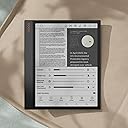
📚 Elevate your note-taking game with color, speed, and seamless multitasking—because your ideas deserve the best.
The BOOX Note Air 3 C is a 10.3-inch color ePaper tablet running Android 12, featuring a sharp 2480x1860 resolution, 64GB storage, 4GB RAM, and a 1-day battery life. Designed for professionals and creatives, it offers split-screen multitasking, cloud syncing, and smart handwriting conversion, all while minimizing eye strain with its advanced ePaper display.


| ASIN | B0CHF423CP |
| Battery Average Life | 1 days |
| Battery Description | Lithium-Ion Polymer |
| Best Sellers Rank | #135,904 in Electronics ( See Top 100 in Electronics ) #1,775 in Computer Tablets |
| Bluetooth support? | No |
| Brand | BOOX |
| Built-In Media | E Reader, User’s manual, Stylus, USB cable, Warranty card |
| Color | dark gray green |
| Compatible Devices | Stylus, Keyboard, Mouse |
| Connectivity Technology | Bluetooth, Wi-Fi |
| Customer Reviews | 4.1 out of 5 stars 380 Reviews |
| Display Technology | Electronic Ink |
| File Format | PDF, CAJ, DJVU, CBR, CBZ, EPUB, EPUB3, AZW3, MOBI, TXT, DOC, DOCX, FB2, CHM, RTF, HTML, ZIP, PRC, PPT, PPTX, PNG, JPG, BMP, TIFF, WAV, MP3 |
| Human-Interface Input | Touchscreen with Stylus Support |
| Item Dimensions L x W x Thickness | 8.6"L x 7.4"W x 0.22"Th |
| Item Weight | 0.4 Kilograms |
| Manufacturer | BOOX |
| Memory Storage Capacity | 64 GB |
| Mfr Part Number | Note Air 3 C |
| Model Name | Note Air 3 C |
| Model Number | Note Air 3 C |
| Native Resolution | 2480 x 1860 (1240 x 930 in color mode) |
| Other Special Features of the Product | Color E Ink |
| RAM Memory Installed | 4 GB |
| Screen Size | 10.3 Inches |
| Warranty Description | 1-year warranty |
M**K
Great for reading my school textbooks
Reviewing after having it for a bit. Overall I love it for reading my school textbooks and other books. Addressing a few well reviewed items: 1. Whiteness of the screen - Yes it is pretty grey compared to some others. This doesn't bother me honestly as it massively saves my eyes from hours of reading a textbook. - I read at a desk with a monitor light (BenQ) with the backlight off and it is great. See attached photo. - Unless you have a direct light, or turn the backlight on, it can be difficult reading in a room on the dim side. 2. Colors - Colors are not fantastic, but that is not the reason I bought it. - For textbooks, graphs and colored text are great to have and it helps things pop out. - For manwa and the like, its not great. Will never beat the experience on the phone (see attached photos). There are adjustments you can make to the colors, but the camera processing actually makes it look better than it is lol. One attached photo has a backlight and the other my top monitor light. 3. Ghosting - Following the comment about Manwa and ill include manga. Reading with ghosting is annoying to me, but you can get used to it, though it will need to be on HD and refresh a lot to minimize it. 4. Play Store - Play store is great. Since all my textbooks tend to be with VitalSource, I have to use the Bookshelf app to view my books. Would be great if they were epub or similar, but ill take the app too. 5. Battery Life - Yes it burns through battery much faster than a normal/typical e-reader. - Because I use a monitor light and have the backlight off, I usually recharge every few days if I notice it getting low. Not an issue as I just plug it in while doing a study session. Overall again I love it! Its fast and I always wanted a larger screen.
S**E
Great for Reading and Taking Notes
The device works really well as a reader and a note taking device. In those two regards I think it surpasses something link my IPad Pro 12.9. Many of the reviews that have been negative have been around the 10.3 Air c being a tablet in the traditional sense…such as an iPad. If you want something to watch movies on and scroll social apps you will be disappointed. However, if you want a reader that can allows you to use any reading app available on android and note taking that is intuitive and feels and looks paper like this is your device. I use my tablet primarily for taking session notes and doing some reading in the evenings and I have been pleased so far. Keep in mind the colors are muted and the panel/screen is a grey tint. Use in direct sunlight makes the screen pop, however inside you will likely need to use the front light on the device to cancel out the darker kaleido 3 screen. That will decrease the battery time. Battery life is more similiar to a normal lcd screen tablet than say a traditional black and white e-reader. For me the battery will last a full day of reading and taking notes with the screen light at about 25% no problem.
I**H
Amazing Features, Dim Display
This tablet is all around a great, highly impressive piece of technology. It has a complete operating system full of any feature you could dream of, and it is likely the best color e-ink on the market. Physically the tablet is SUPER thin, far more thin that a typical tablet; the aesthetic is rather clean, sleek, simple, with a nice touch of orange on the back which gives it a unique touch; the tablet is designed with a space on the side wherein to place your hand for holding the tablet, and this is genius. My only main complaint overall is that the tablet screen is quite dim in appearance without any backlight; it’s far more dull than the same tablet but in the black and white model. This means that not only do the black and white appear more dim and soft, but all of the colors do as well. If the screen’s baseline brightness with no backlight was greater, this may just be the perfect e-ink tablet.
R**Y
Very cool
Screen can be quite striking in a bright room or outside with the backlight off, almost like those Harry Potter moving newspapers.. I watched some episodes of DBZ on it and it was very interesting to say the least.. with the backlight on the effect the screen has is dramatically less novel.. but of course a backlight is extremely useful for anywhere that isn't a bright room. Battery is okayish.. maybe a couple days worth. Longer if you turn off all the bells and whistles, but that's not why you are buying it is it. Fast writing recognition, very much like having a notepad.. nice texture to the screen that gives it a slightly grippy paper like texture for the pen, but still slides for finger. No camera is the only reason I wouldn't consider this. The keyboard case is whatever, I use a potable Bluetooth keyboard with it that I have for several other devices.. it's very cool..
S**N
Unworthy
I cannot tell you how excited I was about this e-reader. I finally found the perfect device to read manga and my school books, I thought. I treated it like a baby, protected it like it was my pet robot friend. WITHIN THE FIRST WEEK I got a dead pixel in the middle of the screen. And when I say dead pixel I don't mean a black dot that doesnt switch on, but exactly the opposite despite the misleading name, a bright spot of light that is always on. This has to do with the background light and foreground e ink. I tried to make it work, but for a $560 device it is quite dissapointing. Then there's the OS itself. I could build a better one using matlab, it's so basic and unintuitive... it has the bare functionality of a 90s linux and it just doesn't costumize as most android OSs would... I think both the hardware and the software are still in their struggling startup beta mode and the device is just not worth the price. As for Amazon, it TAKES 37 DAYS TO GET A REFUND. The free returns marketing hides this fact, and it only serves to alienate consumers for using Amazon for technchology shopping. Overall, a dissatifying experience. Save your money and your time. This product is just a beautiful unfulfilled dream.
J**D
Onyx BOOX Note Air 3 C
I love it, I’ve already started to put my daily notes in it, I am an Ops Manager and I travel a lot, my memory is not what it used to be so I splurged and purchased this tablet in hopes that I could get better organized. (Pros): I love the fact that it has a color screen, the pages are sharp. The only time you have slight ghosting is when you scroll on a website, this can be mostly eliminated by adjusting the refresh rate. You can write a note in cursive and it turns it to print automatically. It does use Android 12, you can download anything you want. There is a slight learning curve but you will figure it out quickly. It runs at 2.4 GHz with 8 processors and is surprisingly fast, The power button is also a finger print reader for password login, The battery lasts all day for me with the backlight set to full blast my retinas out mode, Decent speakers built in, Bluetooth, WiFi, You are not locked in to any pay per use scheme from the manufacturer, just use what programs you want, It has a slot for a Micro SD card, the manufacturer says you can use up to 2-TB but make sure you get a high speed card. It has a rotatable screen and can be set to auto rotate, It has a magnetic sensor that turns the unit on if you buy a compatible cover, the stylus is held in place by an internal magnet. (Cons): The price. Need to purchase a different stylus with an eraser, Feels like due to the slight weight of the tablet if you dropped it the screen would crack, buy a good case. (Overall): this is a very nice writing tablet, I am glad I purchased this one, would buy it again if I needed to, suits my purpose in my field of work for note taking and scheduling. Very nice on your eyes for reading books or writing.
A**E
Expensive for features provided.
Bought it from Amazon in December 2023, around Christmas, was shipped and received on January 5th. First impressions were that it’s a tad heavy for a notebook, especially once you add the official cover. The default Pen Plus is a good writing pen and has just enough friction to make the paper-like experience feel very real. The default writing app is decent and fluid. Writing is pleasurable and the pen options are good. I chose the Pen and Brush as the go-to pens to use when writing. The ballpoint pen makes my handwriting look worse than it really is, and the pencil is great for sketching, although I also prefer a thin brush when drawing. I may be a little critical since I prefer to use felt-tip pens on paper, not ballpoint pens, so the paper-like feel was a little disappointing. I suppose there are tips that can be bought to get more friction on the tablet, but I had other reasons to return the tablet as I'll explain. I got used to the user interface fairly quickly and was able to switch from app to app as well as make setting changes after reviewing the documentation. I was using the Balanced mode which was recommended for what I was doing. I did NOT purchase the tablet for video streaming, but essentially for handwriting and some sketching. I thought that the colour option would be best, but I was wrong. Now the CONS. 1. The battery life is worse than I imagined. I'd read about it, saw YouTube videos on it, and even posted a question or two and got answers, but I was surprised that the battery life, for an e-Ink device is so bad. It lasted about 10 hours of continuous use (10 hours on, but I was not using it for about 3 of those hours). When I received it, I booted it up at 10:30 am with 91% on the battery. By 8:30 pm it registered 20% and I got the low battery warning. I plugged it in at 8:30 pm to charge and used it on-and-off, just jotting notes, and by 10:40 pm it was up to 100%. 2. I installed Microsoft OneNote, which I use extensively on my laptop and tablet, but usage on the NA3C was clunky. Things got even worse when I installed Microsoft Office 365 since I also needed Word and Excel. We use SharePoint in our office so I thought I'd be able to download documents from SharePoint and work on them offline but the experience in managing the SharePoint login (using the installed browser) was terrible. However, I persisted and an hour and a half later got all the Microsoft tools installed. But the workflow was not good. Word and Excel seem to hang, but that's a lag in loading the document, and large Word documents don't play well (large as in about 30+ pages). 3. On booting up the first time, I was prompted for an upgrade which I accepted. However, that froze the tablet so I went online and asked BOOX (via their Twitter DM and their support email) and all I got back was to try again - do a forced shutdown (hold the power button for a few seconds) and then try again. Fortunately, it worked the second time and even a third time later that afternoon. 4. The colours look worse than I imagined. They are so muted that they are not really usable. I should have gone for a black-and-white device. On a positive note, I use Autodesk Sketchbook (for small drawings) and I installed the Android version from the Google Play Store and it runs very well. It's smooth and fast and even has pressure sensitivity working well. So, since the layers in the default writing app are not very usable, having a different tool for sketching would have been an option. I returned the tablet and will probably look at investing in a lower spec'd one - writing only, paperlike feel and I don't mind if I cannot get to my Microsoft documents as long as there's a way to get the documents off the device.
A**R
Pleasantly surprised
I have several ereaders and a kindle scribe. All do a very good job at what they are intended to do. However I was looking for a little bit more capability for note taking that my scribe currently provides. Plus I was interested in color for the comic books I read from time to time. My iPad can fit the bill but it is heavy and the backlight is a strain over time. So, after researching the various color eink devices available I decided to give this one a shot. All the usual limitations mentioned about color eink devices are present, battery gets used up more than kindle or scribe (but not as fast as my iPad) and the color is not vibrant like you see on an iPad. But, my experience so far has exceeded my expectations. Battery going along well and not draining like I thought it would and the color, while not vibrant like a lcd or oled display, is good enough for the comics/graphic novels I read. So yes, very pleased so far which I think is because I went to it with appropriate expectations. 5 stars
A**N
Great e-ink device
Great e-ink device
K**R
Boox Tablet Colour Tablet- Even Better than Remarkable 2
Boox Tablet Note Air 3 C E ink tablet has been one of the best e ink tablet tablets I used. The battery life and the performance is on the next level- even I would say its better than remarkable. The price for this tablet I think would be too expensive, but its worth the price. The writing quality is very smooth and feels like I am taking notes on the paper, therefore you wont have the urge to write on paper notebooks. The tablet using android software, which allows me to download relevant apps, although the colour effects isn't that great, but the screen itself feels more like a kindle- so I use the tablet for reading books and writing notes. The stylus however is a downside. The nibs have to be replaced often because they are made of recyclable cardboard meaning it wears down as you write on the tablet, and the replacement is costly. Please look after the stylus as a more valuable item within the tablet packaging. Overall, the battery last for at least 3-4 months after fully charge. It does not drain heavily- so its recommended for those who are student like me looking for an e tablet like this for their daily use for schools, college and university students. This has been heavily helped me a lot because it allowed me to stop using paper in order to save trees, being greener means looking for alternative. This has been my greatest notebooks of all time.
H**O
EXCELENTE
EXCELENTE
S**D
Great for my eyes for long reading and writing
This is great product. Saving my eyes from strain. Great to make notes as well. Im using since 06 months and being a indian in India I definitely can say if boox launch affordable products and also establish its service centres here it can achieve more sells which it currently is doing across world.
K**R
Good
Good i love it
Trustpilot
3 weeks ago
2 weeks ago