🖨️ Elevate your home office game with speed, quality & smart savings!
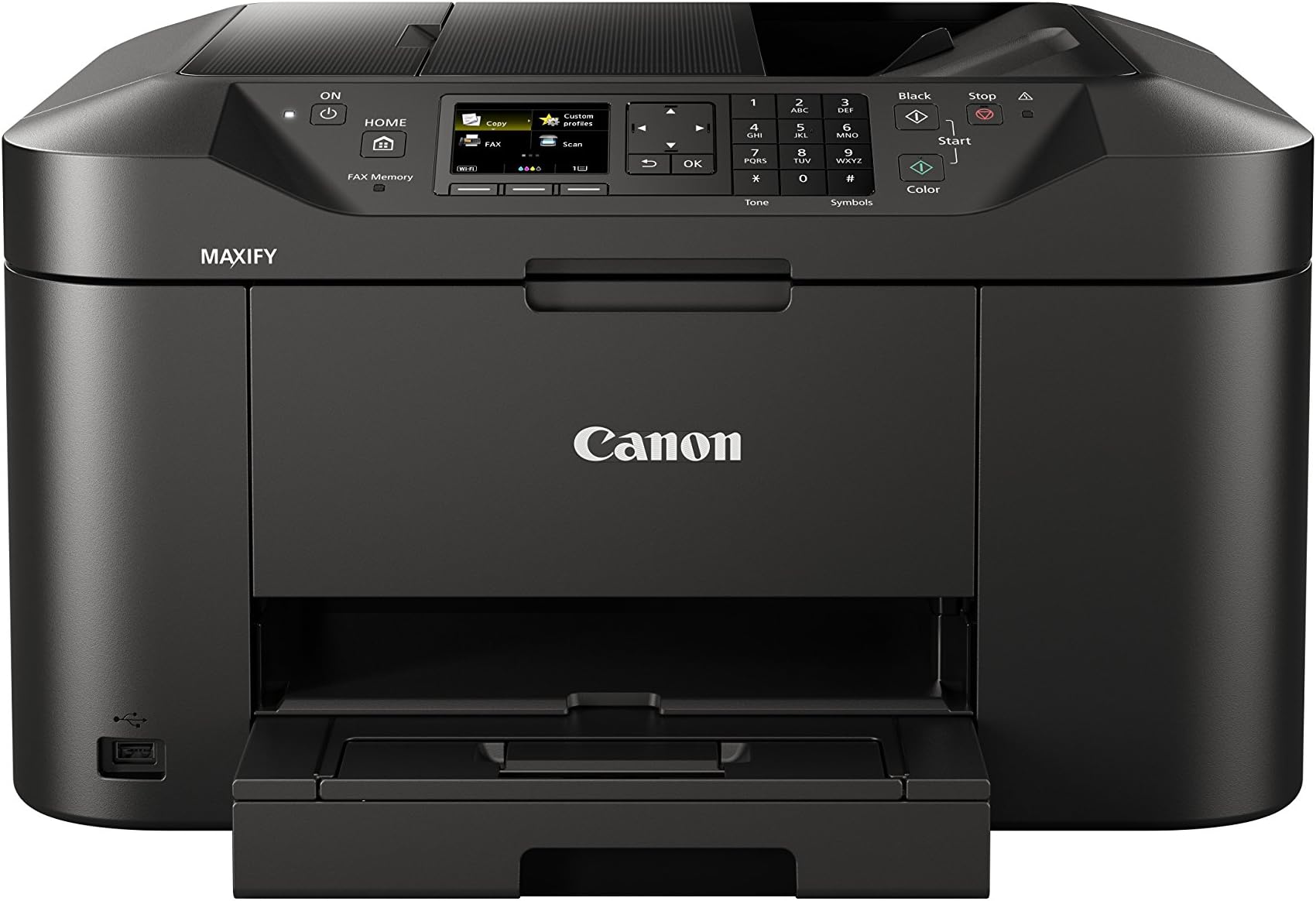
The Canon MAXIFY MB2150 is a versatile all-in-one printer designed for home offices and small businesses. It features a large 250-sheet feeder and 50-sheet automatic document feeder, fast print speeds up to 19 ipm in mono, and high-quality DRHD inks for crisp, vivid prints. Economical to run with low energy consumption and high-yield cartridges, it supports wireless printing via AirPrint, Mopria, and Canon’s app, plus cloud connectivity. Its user-friendly 2.5-inch color touchscreen and double-sided printing make it a reliable, efficient choice for busy professionals.


| ASIN | B01HH9ZH72 |
| Are Batteries Included | No |
| Best Sellers Rank | 19,678 in Computers & Accessories ( See Top 100 in Computers & Accessories ) 63 in All-In-One Printers |
| Compatible devices | Tablets, Computers, Smartphones, Laptops |
| Connectivity Type | Wi-Fi |
| Controller type | Android, iOS |
| Customer Reviews | 3.8 3.8 out of 5 stars (28) |
| Date First Available | 14 Jun. 2016 |
| Dual-sided printing | Yes |
| EU Spare Part Availability Duration | 1 Years |
| Form Factor | All-in-One |
| Guaranteed software updates until | unknown |
| Included components | Fax/phone line cable, MAXIFY MB2150, Manuals, Power cable, Set up CD for Windows (Mac drivers available online), Setup ink tanks |
| Item Weight | 10.4 kg |
| Item model number | MB2150 |
| Manufacturer | Canon |
| Max copy speed (black and white) | 15 ppm |
| Max input sheet capacity | 250 |
| Maximum Supported Paper Size | A4 |
| Maximum black and white print resolution | 600 dots_per_inch |
| Maximum colour print resolution | 600 x 1200 dpi |
| Number of USB 2.0 Ports | 1 |
| Operating System | Android,Ios |
| Power Source | AC 100 -240V, 50/60Hz |
| Print media | Paper (plain) |
| Product dimensions | 38.9D x 46.3W x 26H centimetres |
| Scanner type | Flatbed |
| Sheet size | A4 centimeters |
| Standing screen display size | 2.5 Inches |
| Warranty type | Limited |
| Wireless Type | 802.11b, 802.11g, 802.11n |
J**N
Reliable nice printer. WiFi
I like that it took the same cartridges as my old one! Partly the reason for buying. The old one is very old and never let me down, until what I thought was the end of its life, so I have form with these. Here's the thing. I set up the new one, which is great, took the old one out of the office, tried to remove the cartridges, to use in my new machine, before taking it up to small elec recycling, and, blow me down, it sprang into life! Lazarus the printer! It's all working fine and so now we are a two printer family. A bit bulky to conceal but it's a really good scanner and the muti feed does not jam - nor does the paper when bulk scanning.
J**G
Value for money
Good all rounder. I use this printer at home and in 2 offices. They usually only last about 18 months to 2 years before replacing but work hard.
U**L
Nightmare!!
I threw this in the bin ( It was a nightmare to set up ) Won’t waste time and money ! Wouldn’t touch it with a barge pole !
C**S
Printer
Excellent printer
J**S
General Printer
Great value for what it does, a bit disappointed at canon as there is no option to do a draft print. the cartridge yield is not what they say it is maybe only half or less than projected amount. It does print well and extreme fast. the ink cost will be very high if you print as much as I do pity as the MX885 lasted me years and did the job. This looks the part but am worried that the ink usage will make me change in a few years. Wifi is easy to setup, pity that they removed the RJ45 socket too.
L**A
Great printer great price
Great printer so easy to use, You can easily Seth up an app on your iPad so I can scan and email from the printer and save to the iPad.
V**T
Why a password!
It had a password, completely unnecesarily, thatvit took me ages to find how to change. Otherwise, though, a good printer
S**C
The most problematic printer ever
I use this printer daily and at least once a week the paper will get stuck in the mechanisms. Then you have to open either the back, the front or underneath to gently pull out the piece of paper. Then you have to turn it off and on again to restart. So annoying
Trustpilot
1 week ago
3 weeks ago