Desertcart purchases this item on your behalf and handles shipping, customs, and support to Morocco.
🌬️ Upgrade your AC game — smart, sleek, and always in control!
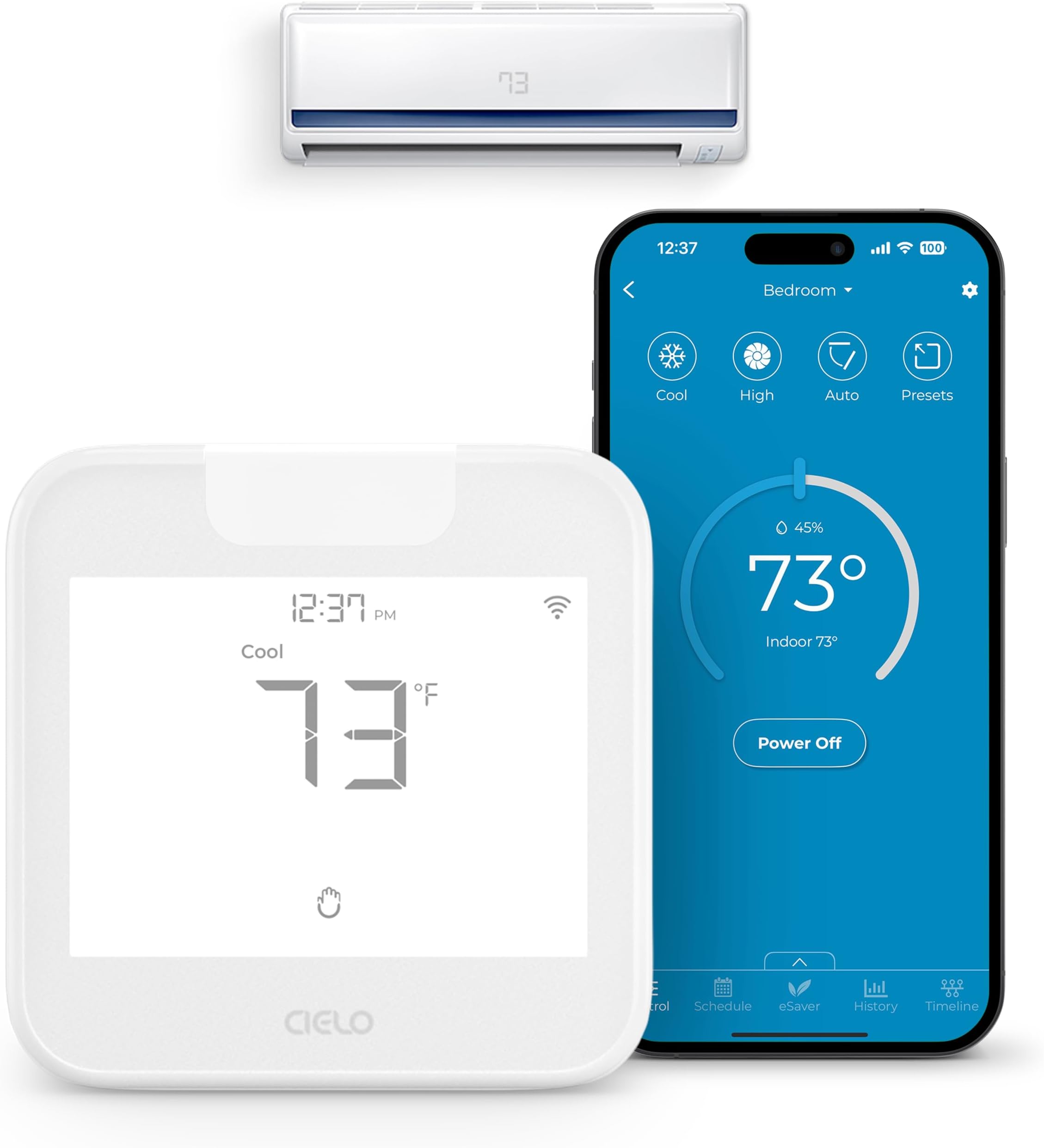
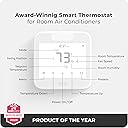
The Cielo Breez Max is an award-winning smart WiFi thermostat designed for mini-split, window, and portable AC units with IR remotes. Featuring universal compatibility with over 20,000 models, AI-based Comfy Max mode for energy-efficient comfort, multi-zone control, and seamless integration with major smart home platforms, it offers professional-grade climate control with effortless setup and exceptional customer support.


| ASIN | B0C7VMZ9FG |
| Additional Features | Weekly Scheduling, AI based Comfy Max Mode, Auto Detection Algorithm for Universal Compatibility, Geofencing for Location-based Controls, Freeze Protection & Turbo Mode, Comprehensive Usage History & Timeline of Actions, Air Filter Notifications |
| Best Sellers Rank | #28,380 in Home & Kitchen ( See Top 100 in Home & Kitchen ) #54 in Accessories (Home & Kitchen) |
| Brand | Cielo Breez |
| Brand Name | Cielo Breez |
| Color | White |
| Connectivity Protocol | Wi-Fi |
| Connectivity Technology | Wi-Fi |
| Control Method | App, Touch |
| Control Type | Touch Screen, App Control |
| Controller Type | Touch Screen, App Control, Alexa, Google Assistant, Siri Shortcuts, IFTTT, SmartThings, Home Assistant |
| Customer Reviews | 4.6 out of 5 stars 972 Reviews |
| Display Type | LCD |
| Global Trade Identification Number | 00853937007112 |
| Included Components | Cielo Breez Max, Backplate, 5V DC USB Adapter, USB Cable, Table Stand, User Manual |
| Item Dimensions D x W x H | 1.02"D x 3.94"W x 3.94"H |
| Item Type Name | Smart AC Controller |
| Item Weight | 5.6 ounces |
| Manufacturer | Cielo WiGle |
| Manufacturer Part Number | BM102WA |
| Manufacturer Warranty Description | 1 year. |
| Material Type | Acrylonitrile Butadiene Styrene (ABS) |
| Model Name | Cielo Breez Max |
| Model Number | BM102WA |
| Mounting Type | Wall Mount |
| Product Dimensions | 1.02"D x 3.94"W x 3.94"H |
| Product Style | Modern |
| Shape | Square |
| Special Feature | Weekly Scheduling, AI based Comfy Max Mode, Auto Detection Algorithm for Universal Compatibility, Geofencing for Location-based Controls, Freeze Protection & Turbo Mode, Comprehensive Usage History & Timeline of Actions, Air Filter Notifications Special Feature Weekly Scheduling, AI based Comfy Max Mode, Auto Detection Algorithm for Universal Compatibility, Geofencing for Location-based Controls, Freeze Protection & Turbo Mode, Comprehensive Usage History & Timeline of Actions, Air Filter Notifications See more |
| Specific Uses For Product | Air Conditioner, Heat Pump |
| Temperature Control Type | Heating and Cooling |
| Unit Count | 1 Count |
M**T
Excellent option for adding a remote thermostat and amazing aftersales service
I recently had a Mitsubishi mini-split system installed with two indoor air handler units. I wanted the benefits of wall mounted thermostats for the units (opposed to simple remotes) but my installer told me the Mitsubishi thermostats were pricey and performance was questionable. I researched aftermarket options and settled on the Cielo Breez Max purchasing two units (one for each floor). Setup was easy, mounting each one next to the hard-wired thermostats for my baseboard heat. Both units easily learned my remotes (with one exception I'll explain below) and were up and running in minutes. The app was easy to set up on my iPhone. The thermostats have significant capabilities, as such there is a bit of a learning curve. I initially set up a basic schedule for each unit without issue. I had a couple of questions about setting up the Comfy mode so I went to the Cielo site and clicked on the chat, within minutes I was chatting with Scott and he gave me a call. He answered all my questions and stayed on the line until he was sure everything was working fine. A few days later as I was fine tuning my programing, I noticed one of the functions of my downstairs air handler was not operating as expected. My downstairs unit is larger than the upstairs one and has the ability to direct airflow side to side, that function was not available on the Cielo thermostat. I again went to chat on the Cielo site and again within minutes I was talking to a tech support representative (unfortunately I don't remember his name). As with my first call the rep worked with me while he figured out the correct programing to update my thermostat to operate my Mitsubishi unit. I am fairly immersed in the Alexa environment and installed the Cielo skill in my Alexa app. My intention was to use the Cielo thermostat to trigger an Alexa routing to turn on a couple of fans when my downstairs unit turns on to circulate the heat. Unfortunately, I was unable to find a way to do this. Though Alexa can see and control the thermostats it cannot use the thermostats to trigger routines. Back to the chat and a call from Cielo support, once again I was speaking to Scott. He worked with me for a while and came to the conclusion that at this time Alexa cannot use the thermostats to trigger a routine. He said he will pass that information along so hopefully in the future that will be an option. I do believe however that that will have to be addressed by Amazon. I can't speak to long term durability and haven't used many of the capabilities but so far the product has performed as advertised at a reasonable price. I have found the best quality of Cielo though is their after-sales support. Three times now I've used their chat feature and within minutes I'm talking to a knowledgeable, polite person that doesn't appear to be watching a clock trying to move onto the next call. Great product and great service, what more can you ask for?
F**K
Outstanding Unit, Easy Set Up and Great Technical Support
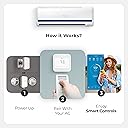
I purchased this device to control a Mitsubishi mini split located at a lake house. The unit is a small plastic cube with a LCD face used to show the settings and current conditions. This device was not out of place sitting on an end table in our living room. The device came with all of the items needed for setup including a stand, wall transformer and cord. The box contained clear instructions on how to set up the Breez Max including download locations for their online app which is available in both IOS and Android. The booklet provided pictures of what to expect using their app during setup and clearly walked you through the process. I found the setup extremely simple and straightforward. The total time for me from start to finish was approximately 2 to 3 minutes including the creation of a free online account and the syncing of my existing hand-held controller. Once the device was connected to the mini split, I was able to use all the functions from my hand-held controller through the app. I found that the app's (Android) connection to the mini split for making changes was practically instantaneous. The app provides many features such as max and min temperature ranges, geo-fencing which allows the mini split to turn down/up its temperature if you leave or return to a user defined radius thus saving in heating/cooling costs. I did call technical support on whether the single system can work with two or more accounts (yes it can) and was walked through how to share access across accounts. Technical Support quickly answered my chat request and then offered to call me directly to provide me with information. So far I am very pleased with the device and the value for the money it provides. I had previously received a quote for the installation of a Mitsubishi wifi controller which was 6X higher than the Breez Max's cost.
A**N
Amazing device - wish I bought this to start with
Update: a few weeks after receiving this amazing device my display stopped working (backlight visible but no text or images on the screen). Cielo Support helped immediately via phone and sent me a new one after I sent over a video showing the issue and my receipt. Support is just as good as other reviewers mention, super solid. Love this thing and the company stands behind it! Works amazingly with Mitsubishi mini split in Comfy Max mode. This is exactly what I wanted. I set a schedule to start Comfy Max at a certain time (work hours for my home office). I created a second schedule to turn off at end of my workday. This keeps the temperature constantly updated to match actual conditions in the room instead of failing behind and then blasting me with high fan cold air for long periods like the Sensibo did. The room stays much closer to the desired temperature with this thermostat. The indoor unit stays powered on, so the wear and tear to the Mitsubishi is minimized. For setup, the app just had me point the Mitsubishi remote at the thermostat and hit the power button. Everything so far has just worked from there, including the fan louvres some people said needed adjustment afterwards. It’s saving energy, keeping me more comfortable. It looks good and setup was simple. I couldn’t be happier! LOVE this thing.
S**J
Yup, it works with my RV heat pump
So far, it does work. I installed it in my RV with a Houghton heatpump. It was fairly easy to connect and configure. The automatic configuration using the Houghton remote failed, but I was able to search for it using the manufacturer and model. The network connection was painless, as well. I left the device laying directly under the heatpump, with a wifi camera to make sure it's working, and then left. I'm several miles away, and was watching the camera while turning the heatpump off. It took two tries, but it did work the second time. So, after giving it a minute to pump down, I turned the heatpump back on. So far, so good. I attribute a few of the glitches to the Houghton heat pump. But, I do wish the device would give a longer signal. I can see the light from the Cielo device in the reflection of the heatpump display. It only lasts for a fraction of a second, which is why I believe the first test failed. But, again, it did work the second time. Some devices just need the signal to be transmitted a bit longer. Overall, I'm happy with the device. It will save me $10-20 per trips to/from the RV - almost paying for itself in a few weeks.
P**Y
A "breeze" to set up
I am giving this 5 stars, even though it's a bit confusing at first to operate. First of all, setup was extremely easy. Pointed (Johnson Controls) mini-split remote at it as directed and pressed its power button. This thermostat did the rest. Next, contrary to what I've read, it controls my mini-split even though it's facing 90 degrees away from it at 10 feet. And it integrated quickly into Google Home alongside my Nest thermostats. I've also been able to turn the AC on/off when away from home. So besides the slight learning curve, this is just great. I also hear that their tech support is very good, but I have so far not needed it.
D**H
Works great with my Mini split
This product is perfect for my Mitsubishi mini split and works without requiring wiring on the unit. After getting a quote of over $800 to have a thermostat installed by the dealer, I was pleased to find a solution at an incredible price that did exactly what I wanted. I have a mini split installed in the garage and only wanted to keep the temperature in the low 80's and the humidity down during the summer season. To do that, I created my own preset with the Comfy setting to manage the temp and humidity. Even though the remote that came with the Mitsubishi unit can manage the temperature, it never shuts off the fan when the desired temp is reached. That means that the unit is running constantly. When activated, the preset on the Breez controller will start the mini split, cool to the desired temp, and then power off. (The way a thermostat should work.) Bottom line, it's easy to install, works great, and is a great value for the money.
M**P
So far so good
Purchased 3 units. Set up was easy. So far have been functioning well in simple manual mode: turn off, turn on change temperature, fan speed, everything by iPhone app. Have not tried yet more complex programming, like to program so unit starts working at certain temperature and stops when another limit is reached. Will see... 2 things to watch and why I did not put 5 stars: 1. there is a couple of degrees of temperature offset. 2. Obviously Breezmax is in conflict with old IR remote: they simply do not see each other. This one is easy to resolve: forget about old remotes and always use iPhone
K**J
Game changer for Short Term Rental using Split Unit AC unit
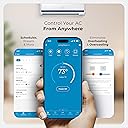
Game changer for my short term rental properties. Remotely monitor and manage the AC Units when guests exit the property and have the ability to cool the rental down prior to their arrival. Set up was easy. The App is great. I did have to manually configure the remote control which required a phone call to support but that was a fantastic experience, working with Mark. He did a fast troubleshooting walk through and then fine tuned the configuration.
S**D
Appareil et service incroyable!
C'est un excellent appareil, qui fonctionne très bien avec l'application Cielo Home et la liaison avec Alexa. Super service à la clientèle (je n'ai jamais vu ça autant de rapidité et de compétences à la fois) pour vous aider à finaliser votre configuration personnelle en fonction de vos besoin spécifiques. Sinon, l'installation peut très bien se faire sans aide, les contrôleurs (télécommandes AC) étant détectés rapidement. Je recommande ce Breez Max sans hésiter!
J**S
Excelente producto
Excelente producto, venía por defecto en grados Fahrenheit pero con ayuda de soporte pudimos cambiarlo en 2 min. Funciona a la perfección con mi Mirage Magnum 22
V**A
Excelente producto y servicio
No funcionó con la configuracion qué tenia el termostato. Escribí al servicio técnico y me lo solucionaron de inmediato. La marca de mi AC ni la.conocian, me hicieron unas preguntas y lo arreglaron. La verdad no me lo esperaba. Y el servicio al cliente fue excepcional.
S**N
Controle Themopompe murale!
Fonctionne parfaitement, controle ma thermopompe murale comme prévu.
S**C
Excellent
Appareil très simple d'utilisation , avec plein d'option avec l'application, avec un service à la clientèle super efficace et compétent.
Trustpilot
1 day ago
3 days ago