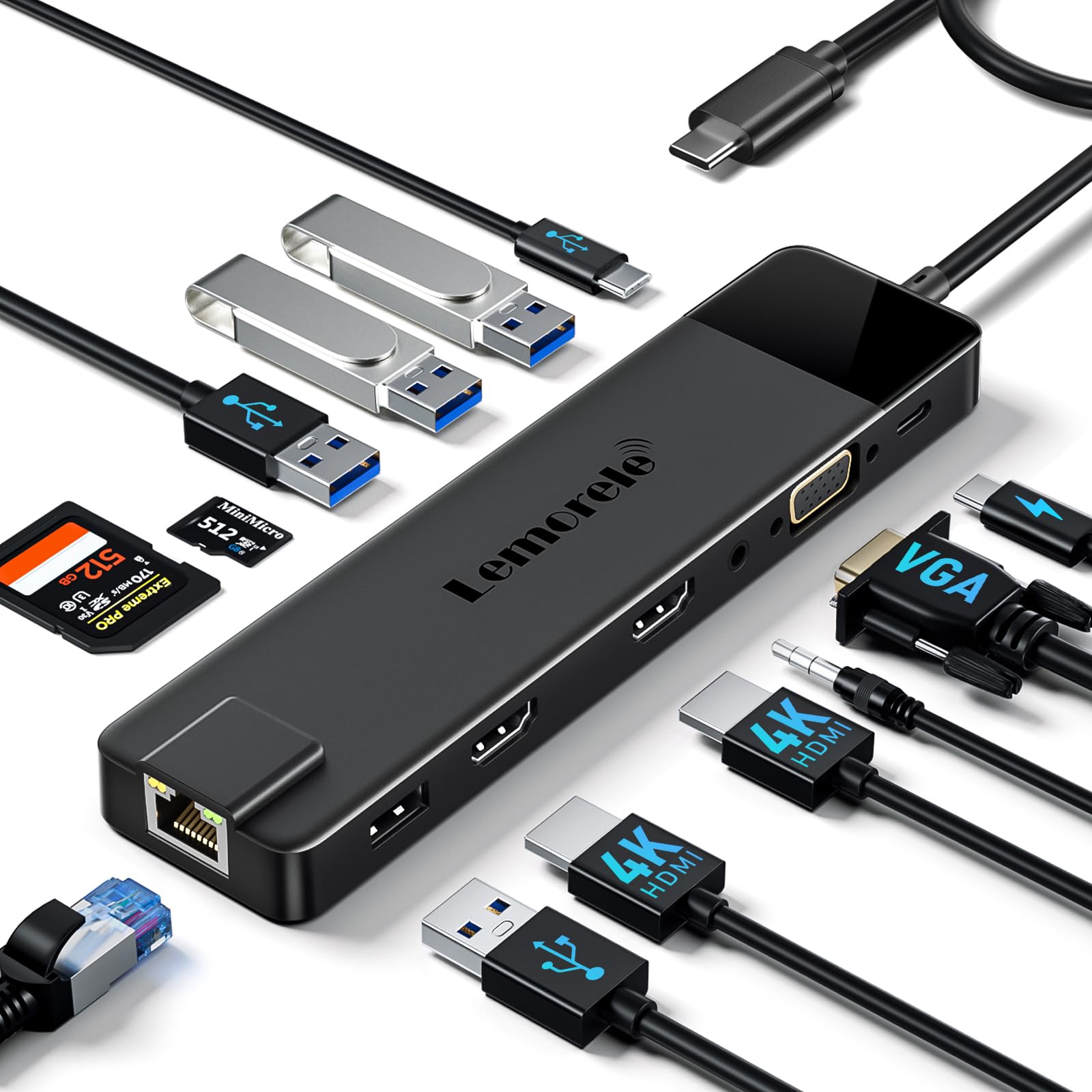
🚀 Elevate your desk game with the ultimate 13-in-1 docking station!
The Lemorele 13-in-1 USB-C Docking Station transforms a single USB-C port into a versatile productivity hub featuring 3 video outputs (2 HDMI 4K + VGA), ultra-fast USB 3.0 & USB-C data ports, gigabit Ethernet, 100W power delivery charging, and audio support. Compatible with MacOS, Windows, and multiple devices, it offers plug-and-play convenience and robust connectivity for the modern professional.


| ASIN | B0C4L6KX8Y |
| Are Batteries Included | No |
| Best Sellers Rank | 2,319 in Computers & Accessories ( See Top 100 in Computers & Accessories ) 24 in Docking Stations 2,996 in Climate Pledge Friendly: Shop All |
| Brand | Lemorele |
| Colour | Black(2HDMI+VGA+RJ45) |
| Customer Reviews | 4.2 4.2 out of 5 stars (8,105) |
| Date First Available | 8 May 2023 |
| Guaranteed software updates until | unknown |
| Item Weight | 105 g |
| Item model number | TC100 |
| Manufacturer | Lemorele |
| Number of HDMI Ports | 2 |
| Operating System | Mac OS, Windows |
| Product Dimensions | 17 x 4.35 x 1.65 cm; 105 g |
| Wattage | 100 watts |
R**N
Portable USB-C Dock
Firstly, as usual with Amazon, first class delivery from Prime with the device arriving exactly has advertised by Prime. I purchased this device for my son who has recently received a MacBook Pro laptop for his school education. The lack of any sockets other than 2 USB-C sockets on the MacBook meant in order to get just the basic USB connectivity, some kind of docking device was needed. One of my conditions when purchasing this dock was that it not only had HDMI, but also Ethernet, as the location of my son’s bedroom means his WiFi coverage is not that good, therefore having an Ethernet connection is important when he is working from home. The additional USB-C socket also provides power for his mobile phone and can double up as a power loop through for the MacBook meaning long working sessions at home will not kill the battery on the MacBook. The setup of the device is simple and error free, simply plug it in to the MacBook, connect up any of the 5 sockets (2 x USB 3.0, 1 x HDMI, 1 x USB-C, 1 x Ethernet) and enjoy the extended connectivity provided by this very low cost device. So far, he has not experienced any trouble connecting any of the available devices to his MacBook and performance is as expected. The next test will be when he is allowed to return to school and use the MacBook for his school work, as the dock is very lightweight, but still looking like a quality built product, carrying the device to his school would not even be noticed inside his school bag. In summary, simple but effective device with the exact amount of connectivity I was looking for my son’s MacBook. I would recommend anyone to try this device when considering connectivity of MacBook laptops.
P**M
Compact and great value
Arrived very quickly Connected 2 monitors to my laptop via HDMI and works perfectly.Able to select different views on each screen. Connected mouse and keyboard via USB Nice and compact and does the same as much more expensive options. Needs USB-C on laptop to connect
H**Y
Great little device that provides a variety of connection ports
The device is quite small, it's of solid construction and has a reassuring feel. The ports all work well and connect quickly and it seems to work well. It doesn't heat up or have any sort of performance lag on terms of connecting devices. I have a thin laptop with not many ports and this inconspicuous device manages to give all the port access I need without taking to much room. Time will tell how reliable it is and if the performance deteriorates, will update. Good value for money
C**M
Superb travel hud ~ compact, stylish and exceptional build quality
I bought this for a new 2020 MacBook Pro. An essential bit of kit for a laptop with only USBC ports. This sleek, compact and very stylish unit does not disappoint. The design is minimalist, crisp and matches the laptop with its anodised metal finish. So full marks for design. Build quality is exceptional for the price with a solid metal casing, a reassuringly substantial connection cable and port connections which are tight and true. The unit was recognised by my laptop immediately on connection with no hand shake issues, and the same was true for connection of exterior devices. With two USB ports, a USB C port for my phone, HDMI and ethernet it delivers full connectivity in a compact, solid package. Performance is as billed, although I have yet to test the HDMI. I achieved 64Mbs on the ethernet, which is my full home contract speed, and the USBs are equally up to speed. I have have been using it daily for a week now and it performs faultlessly. All-in-all a quality unit, at a great price that delivers my requirement in a stylish, well built and compact form factor. A case of style and substance. Highly recommended.
T**N
Not for two display setup
I’ve got two displays (wide curved 4k and another one regular FHD) and this hub is not capable of handling both. Even when it’s just one it has further issues. It works fine with a MacBook, but either won’t work or flickers with two other PC laptops. I threw away the packaging otherwise would be returning it.
J**2
Good Hub
it works with my lenovo laptop with linux on it
M**K
Ethernet speeds on mac are much slower than Wifi
I was on the market for a USB-C ethernet adapter to better utilise my home broadband speed, vs using Wifi which I am currently doing today. The hope was for a more consistent speed with less latency. I thought this would be a good choice, with the additional ports in case needed in future. Whist the device works, it has actually slowed down my download speed, as well as increased latency, when compared with the Wifi connection it is replacing. I know too often people complain of 'slow internet', without fully understanding computers or software, but in this case this is genuine. I ran multiple tests comparing speed with the dongle (with wifi disabled whilst dongle connected, just to be sure), vs using wifi (again, with dongle removed), and this actually slowed down my download speed considerably, by a factor of 2.5, as well as increased latency. I checked various different websites for checking speed, and tried different USB-C ports, as well as checking everything was registered in the system settings. I'm not aware of any drivers being required for this, it looks very much like it should be plug and play on mac. Slightly more technical, but this is a USB 2 device vs USB 3.0 compatible, which i guess makes sense as it is also a dongle. However, the speeds i'm seeing with this are way below what the maximum should be. If it was throttling out at 500mb or something, then this would be understandable. All in all, if your looking for a cheap dongle to extend your ports, but don't need it for a wired internet connection, maybe this might be an option. I guess other reviews on here haven't actually bought it for this purpose and took the time to compare speeds. Perhaps it would also be a difference experience on Windows. Anyway, now ill do what i should have done the first time, fork out the money and buy a genuine usb-c ethernet adapter.
C**N
Très bon produit : Exactement ce que je recherchais : plug and play. Plus besoin de reconnecter 3 ou 4 câbles (souris, alimentation, écran 1 & écran 2) : Un seul. Efficace, rapide.
V**U
Mükemmel bir çözüm harika bir aygıt
F**E
Good
B**T
Purchased thinking it will be easy to install but the TV did not pick up the mirrr screen feature from laptop.
B**N
Funktioniert perfekt an DELL Latitude 5540 in Verbindung mit 34" UWQHD Curved Monitor Minifire MFG34C5Q Ich habe mehrere Port-Adapter / Docking Stations ausprobiert. Der 5 in 1 Hub war der Erste aus dem < 25€ Segment, der problemlos mit dem Curved Monitor zusammengearbeitet und die Auflösung korrekt erkannt hat. Die Darstellung bei 60Hz ist klar, unverzerrt und flackerfrei. Das Dell-Notebook verfügt über ein 65W Netzteil. Der Hub ist lt. Angabe bis 60W für Power Delivery geeignet - Das Notebook lädt einwandfrei. Das kabelgebundene Netzwerk bis 100MBit funktioniert auch problemlos. Die beiden USB A Anschlüsse nutze ich für Headset und Tastatur. Alles reibungslos.
Trustpilot
1 month ago
2 weeks ago


