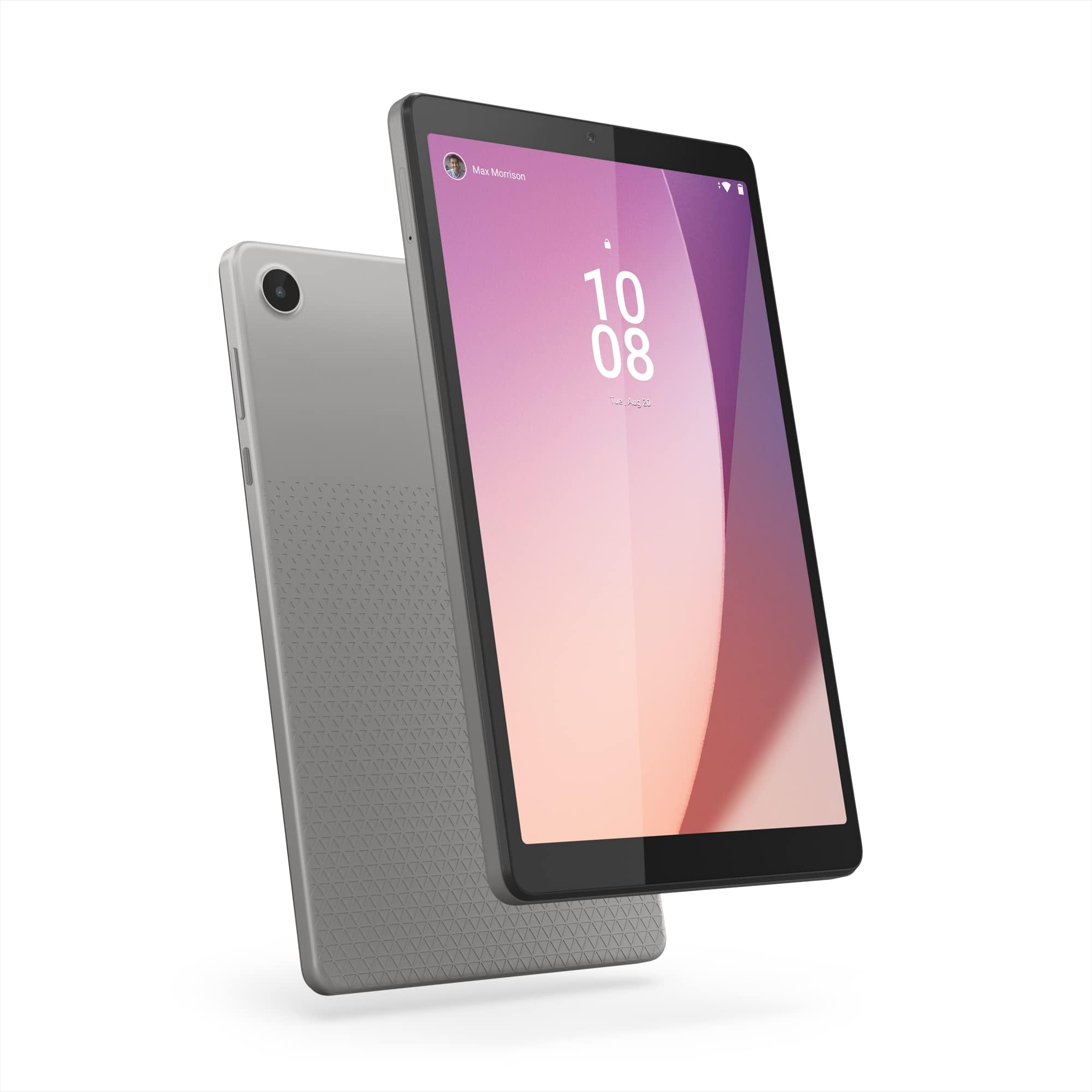
This is a really, really nice little tablet - had it a few weeks now and absolutely no complaints. It's fast, has bags on onboard space - 64gb - and with a 128gb SD card in the back - you're not going to get stuck for somewhere to put stuff anytime quick.The OS (Android 12) ships with a slightly different navigation system than what I was used to - you just swipe left or right for backwards and forwards with the new set-up: if you find the default gesture set-up a little hit-and-miss you can revert back to the old triangle/circle/square navigation method by just popping into Settings> Accessibility> System Controls> System navigation and switching to 3-button navigation.It's that easy - my hands are a bit big, swiping isn't necessarily for everyone and kind of makes everything feel a little like you're on a dating app.The battery is exceptionally good - takes very little time to charge, even if just left on trickle-charged plugged into a USB port on your PC/Laptop: I try not to charge to 100% - it hammers the battery less if you keep it roughly between under 90% and over 10% - and a few percent can get you through a movie or Box-set episode easily - but charging to 100% ever-so-often is perfectly fine if you're on-the-go.If you do you're actually looking at a good 11-18+ hours use, easily (possibly more) depending on use - I don't tend to charge mine much, just in-the-background while transferring files - you get good mileage out of surprisingly little battery use.Playing Video's and using Bluetooth with drain your battery quicker but, you probably know that and - under 90% the system engages a battery saver-app to help squeeze even more juice out of what you've got to help keep you going.You can easily leave this on all day and still have enough to watch a film, surf or read a book with charge left the next day.After several weeks use now I can honestly say it's worth it for the battery - my old tablet got hammered so badly in the end it burned more switched on while charging than actually taking power onboard and charging switched off was taking forever. When a tablet does that it's time to get something newer and you can do a lot, lot worse than this one.WiFi is *very* good - since updating I'm regularly getting much more bang-for-my-buck out of my broadband - 5-6mb a second may be a snails-creep to some but on average I was only getting around 2mb at best on my old tablet, so the built-in newer, more powerful WiFi card is making a considerable difference. Thank you, Hedy Lamarr...Your speeds will vary depending on set-up, obviously - but they're unlikely to decrease, put it this way.For the price there's nothing much to quibble over and it also comes with a free case/stand and a screen protector - I haven't used mine, I got something with a cover - but it's thoughtfully provided, if you need it.Also comes with a little tool to pop the SD card slot - a pin will do if you loose it.All in a really nice tablet - screen is pin-sharp, clear, responsive and the size makes it a lot more portable than my old 10 inch.My only gripes - and they're really minor, but you should get a heads up:Before setting up you'll find the off-state charge level indicator works fine and shows you your percentage of charge perfectly well as the fact you're actually charging - just quickly press the on-button and release - you get a charging/level indicator icon display.After set-up Lenovo issue a couple of firmware updates. I don't know if its the updates themselves or the fact I was plugged in to the charger at the time - but, post updates - that function no longer seems to work. You will get a battery icon but no indication it's actively charging or to what level.This isn't a bad bug - you actually *are* charging fine and, in switched-on state the battery level indicator in the top-right hand corner works fine as usual - go into settings to turn on battery percentage - this bug only effects the off-state charge level indicator. It's been suggested a factory re-set might fix the problem and starting over - I'm not that bugged about it to go through the trouble but - if it bugs you - contact Lenovo and flag support ticket.As problems go it isn't a major thing, really more one of those OCD things men get about technology....The other minor bug is the warrentee seems to be a good three-four months expired straight out the box: no idea why - I don't know if this is to punk you into buying extra cover or what - I've never myself used a warrentee on anything in my life so I'm not bothered remotely by this - just giving you the heads up that it's a thing, several other customers have reported it - again, as I say: not a major issue but you probably should be aware depending on what you paid for yours.If it's over a hundred - you probably want to nag someone about it until you get your full money's worth - if under - it's not something to get worked up over, or at least - it isn't in my case.Other than these really minor quibbles - and they are, quibbles - just pointing them out in the spirit of full disclosure - have to say I'm very happy with my new best friend as my wife continually scolded me I obviously preferred to her until I bought her one too - and now we're *both* happy bunnies.A good little tablet - bags of onboard space, memory, pin-sharp display and a really *great* battery - with a 128GB SD card popped in it - pretty much perfection, minor quibbles not withstanding.I hope you found something in here useful.