🔥 Dominate with the lightest, fastest, and most precise wireless mouse in esports 🖱️
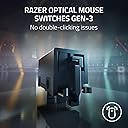
The Razer DeathAdder V3 Pro Wireless Gaming Mouse redefines competitive play with its ultra-light 63g ergonomic design, cutting-edge Focus Pro 30K optical sensor for flawless tracking on any surface, and Gen-3 Optical Switches offering 0.2ms actuation and a 90-million click lifespan. Featuring Razer’s HyperSpeed Wireless tech for ultra-low latency and up to 90 hours of battery life, this mouse is engineered for pro-level speed, precision, and endurance—making it the ultimate weapon for serious gamers and professionals alike.


| ASIN | B0BV3Z4V7H |
| Additional Features | 5 Programmable Buttons - 90 Hr Battery, 63g Lightweight, Focus Pro 30K Optical Sensor, Optical Switches Gen-3, Wireless |
| Antenna Location | Gaming |
| Are Batteries Included | Yes |
| Are Batteries Required | Yes |
| Battery Average Life | 45 Hours |
| Best Sellers Rank | #1,006 in Video Games ( See Top 100 in Video Games ) #58 in PC Gaming Mice |
| Brand | Razer |
| Built-In Media | Razer DeathAdder V3 Pro, HyperPolling Wireless Dongle, USB Type A to C Speedflex cable, Important Product Information Guide |
| Button Quantity | 5 |
| Color | Faker Edition |
| Compatible Devices | Personal Computer |
| Connectivity Technology | USB |
| Customer Reviews | 4.2 4.2 out of 5 stars (2,214) |
| Enclosure Material | Plastic |
| Hand Orientation | Right |
| Hardware Platform | PC |
| Item Dimensions L x W | 5.02"L x 2.66"W |
| Item Type Name | PC Gaming Mice |
| Item Weight | 63 Grams |
| Manufacturer | Razer |
| Model Name | DeathAdder V3 Pro |
| Model Number | RZDV3P |
| Mouse Maximum Sensitivity | 30000 Dots per Inch |
| Movement Detection | Optical |
| Number of Batteries | 1 Lithium Ion batteries required. (included) |
| Operating System | Compatible with common PC operating systems |
| Power Source | Battery Powered |
| Range | 10.0 meters |
| Style Name | 1000 Hz Polling |
| Theme | Gaming |
| UPC | 840272906798 |
| Unit Count | 1.0 Count |
| Warranty Description | 2 year manufacturer |
C**U
By far the best mouse I've ever used
As a gamer, I've owned and used many different computer mice. I usually look through some of the best mice money can buy, then compare them with less expensive or no-name brands and see what the differences are. Most of the time, it's just marketing jargons that pollutes the ad, making things seem better than they are. After some pretty extensive research, I purchased this Razer V3 Deathadder Pro and the Logitech G Pro Superlight gaming mouse - both of which stands at the very top of the food chain for gaming mice and are about the same price. Both of these mice are used by professional gamers (depending on which sponsors they're with), and both are extremely light. They both come in white with no RGB, and they also both taunt an outrageously high DPI that literally no one uses. At a glance, both are very comparable in everyway - which I assume you know this if you're looking to buy a mouse this expensive. The Razer V3 DA Pro has much better optimizations in the Synapse software, and while some other reviewers have had issues, my windows 10 and 11 devices all run Synapse perfectly. The mouse comes with a dongle that you can plug the wireless USB piece into, which allows for a better connection to the mouse when there is less space. Even with RF, the signal deteriorates after the first foot or so. As such, I leave my mouse and dongle fairly close to each other. The Logitech software, however, is a total mess and I find it very difficult to navigate. The software also crashes pretty often with Logitech, which has not been an issue with Razer Synapse. Neither of these mice have a DPI button on top, but both allow for customization in the software. The Razer DA V3P has a DPI button that allows you to cycle through the preset DPI options, which I'm glad they've put it on the bottom as I have only accidentally ever hit that on the other mice I use. The Logitech does not have a DPI button at all, but you could configure the side buttons. I use 800 DPI all around and never change it, so it does not affect me either way. I think for most people, ergonomics is what really determines the purchase but it's hard to describe ergonomics to someone who has never held either of these mice. If you have used a Razer Deathadder V2, the previous version, you'll find that the V3 is a completely different feel and design - for the better, at least for me. The Logitech is comfortable, but the Razer feels like an ergo mouse even though it isn't designed as one. Razer's advertising for this mouse is a little misleading. The mouse has a standard polling rate of 1k hz, but with a 40 dollar adapter, you can get a 4k hz polling rate. This is not an option at all with Logitech, as the mouse only has the 1k hz polling rate with no upgrades. Both mice have great skates to help with sliding, and in combination with the super lightweight, it feels even lighter than it is. I did weigh both mice and found that the G Pro is about 5 grams lighter - this is not detectable by my hands when I'm using it. If battery life is important to you, I find both mouse lasts for quite some time even though I'm constantly using them. Razer advertises a slightly longer battery life, and I find that to be mostly true. What Razer doesn't advertise is their charging speeds, as it is in fact much faster than Logitech. You can use either mouse while it's plugged in when they are charging. If you're getting the white variant of either mice, just know that the tape/grip comes only in black.
M**W
Good fast and accurate
Upgraded from my gpro super light and love the shape and agility this mouse offers, razer software isn’t that big of a pain and over all it stays charged for weeks only taking maybe a day to charge it’s very light and responsive and I love the white color it doesn’t smudge up or anything plus the macros you can apply are nice overall if you are looking for a good wireless mouse go for it
S**G
Amazing mouse
Love this mouse!! Used the deathadder before so I like the shape. It's a deathadder shape but super lightweight and it was very easy to set up it came with a wireless adapter that helps it to connect instantly like a wired mouse. The dpi button in nice because it's on the bottom so you don't accidentally click it.
K**E
I really like the shape of the mouse and the weight of it. But the quality control just isn't there.
The quality control on Razer mice just isn't there, if you get a good mouse then you get a really good mouse, but so often the mouse you receive has issues. The main issue that I have run into is that the scroll wheel now jumps up and down when scrolling instead of scrolling smoothly, for a gaming mouse this makes it completely unusable in many games. I think that Razer products have the best software of any product on the market, so if that's what you're looking for then try your luck with Razer. If you mainly care about getting a mouse that will last and not have any issues with the build, and quality assurance, then get a Logitech mouse. As for the mouse it's self, It's a very good mouse. it glides smoothly out of the box and is EXTREMELY light for how big it physically is. as I said with the software, it's the best on any mouse I've used, though be careful since they've made it worse and less precise in Razer Synapse 4, it's still better than what Logitech offer's for their software but it no-ware close to what synapse 3 has to offer. It connects well and has a cable to move the wireless dongle closer to your mouse pad, the battery life is very good and it charges quite quickly. Do I recommend it? maybe, I think for the $100+ price tag the fact that you have to gamble on whether you get a quality mouse or one that's broken is unacceptable. You also don't know what the quality of the mouse is until after the return window, it usually takes a few months of use before you can say whether it's going to last or part of it is just going to crap out on you.
P**K
Almost Perfect?
I've owned this for about a year now and I can say this "gaming" mouse is very comfortable/lightweight in my hand and performs very nicely. I use a palm grip, the clicks are crisp, and the scroll wheel is decent, but no infinity scroll. I do recommend replacing the stock skates with glass skates and then this mouse becomes a perfect 5 out of 5 stars, otherwise it gets a 4.4 with stock skates. I have had 5 other mice over the last couple years and this one is in my top favorite that ties with the Lamzu Maya X (Fnatic) which I also replaced the stock skates with glass. This mouse is bigger/wider than most lightweight mice (and Maya X) which is good for my palm grip. I prefer the Maya X side button layout and click switches but that is more preference than anything. Nice job to Razor because sometimes their products are big misses for me but this one hits just right.
M**D
I didn't find anything that deviates from all the popular reviews on YT. Great gaming mouse. Although the Razer software feels sluggish, but that's just my OCD about things running in the background.
L**A
El adaptador hyperspeed esta pesimo a la semana se despego , dejo de jalar y ahora solo lo puedo usar por cable
P**O
Super ligero, el mas cómodo de agarrar, excelente sin el cable, el mejor mouse. El precio es alto, pero si lo vale. Solo habrá que ver su durabilidad, espero me dure años.
A**A
Ótimo mouse, bem leve e com resposta super rápida. Carrega super rápido e é de fácil conexão e configuração pelo aplicativo da Razer. Super recomendo.
E**3
Amazing product arrived on time
Trustpilot
3 days ago
1 month ago