


🚀 Elevate Your Productivity: Turn Any Device Into a Powerhouse Dual Monitor Setup!
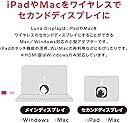
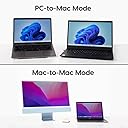
Astropad Luna Display is a compact USB-C device that transforms your iPad or Mac into a wireless or wired secondary monitor, compatible with both Mac and Windows. Supporting multiple connection modes and full touch/Apple Pencil input, it enables professionals to expand their workspace with retina-quality visuals and versatile setups, ideal for maximizing productivity on the go or at the office.




| ASIN | B0B1H2Q3RW |
| Additional Features | Touchscreen |
| Best Sellers Rank | #764,550 in Electronics ( See Top 100 in Electronics ) #14,481 in Computer Monitors |
| Brand | Astropad |
| Built-In Media | Luna Display USB-C hardware. Access to the Luna Display apps |
| Color | Red |
| Compatible Devices | Desktops, Laptops, Monitors, Tablets |
| Customer Reviews | 3.8 out of 5 stars 286 Reviews |
| Data Transfer Rate | 5 Gigabits Per Second |
| Hardware Interface | Thunderbolt , USB 3.0 |
| Item Dimensions L x W x H | 2.56"L x 2.56"W x 1.06"H |
| Manufacturer | Astropad |
| Mfr Part Number | Luna Display_USB-C |
| Minimum Required Operating System Version | Mac OS 10.13 High Sierra |
| Model Number | C0-Z4OL-TAIQ |
| Number of Ports | 3 |
| Operating System | Windows 10 |
| Special Feature | Touchscreen |
| Total USB Ports | 3 |
| Total Usb Ports | 3 |
| UPC | 196852559411 |
| Warranty Description | Astro HQ LLC (“Astropad”) warrants to the original purchaser only that your Luna Display device you purchased (the “Product”) shall be free from defects in materials and workmanship under normal use for a period of one (1) year from the date of delivery to the original purchaser (the “Warranty Period”). |
J**O
Can be tricky to setup, but works great for my situation: 2017 iMac 5K
I have a 2020 13" M1 Macbook Pro and a 2017 27" 5K iMac. Feeling drunk on the power of the Apple silicon, I decided I wanted to make the Macbook Pro my main computer. However, that screen... The 5K iMac screen is still great quality, and while the Intel-based iMac is quickly losing it's value, it still has value as a display. That being said, this model is not supported by Apple's AirPlay receiver, which left me with a conundrum: how can I use it as the primary display for my Macbook Pro? That's where the Luna comes in. Upon initial setup, I was a bit disappointed. There was a lot of input lag, and screen refresh lag was apparent when scrolling just about any web page. Additionally, video playback was stuttering. It was unusable. It defaults to a WIFI connection, which in my case was not usable as a primary display. So I dug into what would be required to get this working over a wire. There is an article in Luna's help section on getting the Luna working over Thunderbolt, and this is by far the preferred connection. It can be a little tricky, however. If you're having difficulty getting it working this way, here are a couple of pointers: 1) use a good Thunderbolt cable 2) make sure Internet sharing is disabled on both computers 3) connect the computers together via thunderbolt (I'm going through a hub on the MBP side), and check Network settings for both computers. Ensure that, on both machines, you see a Thunderbolt bridge listed in the Network settings with a Self-assigned IP address (there should be a yellow status indicator). 4) On the computer the Luna is connected to (the computer you want to see on the iMac, in my case the Macbook Pro) open the Luna settings, to to the Mac-to-Mac tab, and select "Connect via Thunderbolt only". If you follow these instructions, you should be able to use the iMac as a primary display. The quality is excellent (retina), the refresh rate is good (perhaps not as good as a native display, but close), and videos play back without stuttering. Here at my office, we also have this exact same setup working on a Mac Studio connected to another 27" 5K iMac, also working great. My only complaint is that once in a while (perhaps once a week), I will connect up to the iMac and lose my mouse cursor. It seems to come back after a few moments of mad clicking and shaking my mouse. Other than that, it's stable and looks great! Hope this helps.
B**L
Works Great, But Takes a Lot of Work
I purchased this item in order to use an older iMac as the display for my new Mac mini. Ultimately, this product does what I need it to and works rather well. That said, the setup process was definitely *not* easy and took a great deal of time. Astropad, the manufacturer of this product, does not offer over-the-phone tech support so I had to figure most of this out on my own. The lack of such support is pretty frustrating for a device of this price. I set up the app for the product so that it should boot when my Mac mini starts up so that I don't need a second monitor other than my iMac. However, I often have to quit and restart the app on my Mac mini at startup to get it to work. I use a secondary MacBook in my office that I can use to view the screen of my Mac mini, but I'm sure this won't be a satisfactory option for most users. So, buy this with caution. I wouldn't recommend this product to anyone that isn't an advanced computer/Mac user and would recommend such users to still be prepared to spend hours setting this device up. That said, if you do manage to get this all set up correctly it is close to an ideal solution for using an old iMac as a screen.
L**E
It's like magic - as long as you have an ethernet connection
I've been working from home for a few years now and have mostly used my personal late 2014 retina iMac for everything my agency does, but it's become clear over the last year that its obsolescence is approaching. My company sent me an M1 Macbook to keep up and I was excited to just link the two and continue using my 27 inch imac as a monitor, but quickly discovered that Apple apparently didn't support this vision. Research eventually let me to this device and having spent 48 hours with it - THIS IS THE FIX If you're planning to go mac-to-mac with this YOU NEED AN ETHERNET CONNECTION. There's no getting around it. Wifi works but there's a noticeable lag and quite a bit of screen tearing/stuttering. With an ethernet connection, it works pretty much like a legit screen extender or mirror should. When you first launch the software there is noticeable "resolution buffering" for a few minutes if that makes sense. Like if I move a window, it blurs like its low res then pops back into crispness. It's kind of like when you would start a Netflix video and its low quality for the first minute but then works its way toward 4k. It only does this for a few minutes after connecting each time and then it eventually settles. Once things are up and running smoothly this product is perfect and everything I wanted and needed to be able to use my old iMac as a monitor for what I do at least. Just know that the Ethernet connection is a must.
A**O
Works in 5K, but not for fast, productive work
I really wanted this to work – connecting my M1 Air to my iMac 27 Retina and using it as an amazing 5K display that it still is. It did work, but if you want to use Luna for work (in my case mostly graphic design), keep in mind that it won't be the same as using a wired screen. I connected the two machines via ethernet cable (forget about wi-fi connection, that, in my case, produced a massive lag), but even with the cable, there was a micro lag. I could get used to it over time, but that was not the only problem. My mouse cursor would sometimes disappear on the connected screen, which was super annoying. I could not adjust the brightness of the iMac. I would need to turn the dock on permanently, as the show/hide function wouldn't work properly. All in all, i think Luna Display seems to be the best solution available for anyone wanting to use their still very capable iMac 27 retina screen, however the solution is not for productive work. If you only deal with emails or want to display anything static, it's great. But once you start zooming in and out of artboards, opening drop down menus while your mouse pointer disappears, it's super annoying. I don't know how much of it is software related, I have Monterey installed on both machines and use Logitech MX3 mouse. It's a pretty expensive dongle and I think the price would be justified if everything worked and my iMac truly replaced an external monitor. I wish they will nail it one day.
C**F
Might work with older models, but just use mirror mode if you have newer items
I work from home full time. Have a 2021 MacBook Air from my job, and tried three different monitors (non Apple) before I realized for the price it was worth it for me (personally) to purchase an iMac to get the Apple quality Retina display + my first personal computer since 2011. Very disappointing (but not surprising) that Apple took away the ability to use the iMac as a monitor, did a ton of research, and the Luna was named as the better option. When it worked, it was fantastic. However, it didn’t work often enough to justify the cost/frustration. It muted some notifications but not others, was suuuuuper choppy/laggy, and overall made working slower. Not great. Was complaining to a friend who works as an IT person, and suggested I try the Mirror option. With some modifications, it works perfectly, and comes with the machine I already have, rather than having to buy a third party device (that barely works). So Luna is going back. Yes, it does mean my keyboard and mouse needs to be changed when I change devices (so not as seamless as Luna) but my work quality was suffering because of Luna’s buffering. It was NOT my Wifi — we even upgraded to try to make Luna work better, and nope. My fiancé tried to wire the computer to connect Luna directly to the Ethernet, but Luna doesn’t have that capability. So TL/DR, we tried, but Luna is too laggy to make work. PS — I’m mostly using Google docs/slack every day. It’s not like I’m doing anything that complicated….
I**A
PURE INSANITY
This works 100%. I have a brand new Mac mini M2 Pro, 1Tb, 32 memory, as a reference, and a late 2012 iMac. I had an old ethernet cable at home and I used with the adapter to the thunderbolt cable on the Mac mini. it lagged, I used the wifi, it lagged, I was pissed. Then, the new ethernet cable arrived. I connected them end to end, iMac to Mac mini ethernet plugs and BOOMMM. PERFECT. Zero lag. Make sure to set Luna settings and set to ethernet only. It has zero lag, I work with photo and video, my iMac is now my main monitor. READ what I wrote. this is the amazing cable I've got: Amazon Basics RJ45 Cat-6 Ethernet Patch Internet Cable Remember...end to end ethernet. Seamless. So many Old iMacs will be saved. This is great. I am so happy I want to cry. UPDATE 12/14/2023: Seriously. I never went anywhere for a review update. This is a fantastic little gem. It just works. I am so happy I felt compelled to come back and put any doubters out there at ease just remember, ethernet to ethernet, buy a new cable, and u are all set in 5 min. If it takes longer, you are the problem.
S**C
Works great!
This was easy to set up and is working great via wifi connections on both pieces of hardware. I am using it to allow my ancient 2010 iMac to work as large display for my new Mac Mini. The only hiccup was that the older Mac must run OS El Capitan or later. I was also able to set this up between the Mini and my iPad (Air, 3rd gen), for a more portable solution. The only issue I found was the company's site claims you can make a hard connection using ethernet or USB cables, but doesn't provide many details on how to achieve that (needed if your wifi isn't working). I could not get that hardwired connection to work and had to connect the Mini to a TV with HDMI at the start to get the wifi set up. I assume my Mac Mini ("headless") set up is the exception however, since most folks will be connecting a laptop to a monitor, etc, and won't have these sorts of issues. Great product!
B**E
Works Great - With Some Minor Wrinkles
I have a 2017 iMac (27-inch) that I replaced with a Mac Studio computer (M1) earlier this year. My hope was to use my iMac as a display for my computer rather than spending around $1,500 for a Mac Studio Display. Over the past 9 months or so I've tried Luna Display three times. In the first two attempts I had problems - the main problem was in the transition of my computer into sleep mode and then back to normal operation. This was a hassle as it required essentially that I go through the Luna install procedure again after being away from my computer for an extended period. But on my third attempt (Oct 2023) the stars aligned - Luna is now working close to flawlessly. I think some recent software updates by Astropad have solved the "transition problem". I should note here that I have the iMac connected by a Thunderbolt cable to the Mac Studio. I experience no delay or lag in the iMac's behaviour. Very happy with the result. Thanks Astropad! (I've rated as 4 stars rather than 5 because there remain some minor bugs that I expect Astropad will fix in due course).
株**ズ
これは良い!
ChatGPTにMacbook Air(M2)のセカンドディスプレイとして、iMac 2022を使い方法とリコメンドをもらったのが、Luna displayとDuetでした。Duetは使った事があり毎月サブスク代が必要で、Luna Displayは一括だったので、長く使う事を考えて、Luna Display(USB-Cドングルを使うタイプ)にしました。WiFi経由、USB-C経由のどちらでも対応可能で、テストした結果、安定性を考えてUSB-C接続で今は使っています。インストールは説明書はありませんが、本当簡単で5分とかかりません。画面品質、遅延等も全くなく快適に使えてます。本当、良い買い物でした。
S**G
Using an old iMac as display for M4 mac mini with Luna Display system
USB-C version for M4 mac mini connecting 2013 iMac to use the display. Setipup Connect with Lightning Cable (USB-C), Works very well. The setup instructions are detailed adequately. Additional Note: After loading the app program, restart both computers to activate the linkage.
M**N
No funciona bien con M2 mac
Es una buena opción si tienes una mac más vieja pero con las nuevas no es tan eficiente, es complicado conectar y cuando lo logras tiene un flicker o cambia de resolución intermitentemente. Lástima, es una buena idea...
D**W
Astropad Lunar Display
After installing Dongle display software is straight forward to download on both primary and secondary computers. This has allowed me to view files from my apple air computer onto my 27inch screen IMac. The Lunar Display does as described.
C**N
2021 Macbook Pro M1 -> 2015 iMac Retina
Wo fängt man da an. Dieses Produkt könnte fünf Sterne verdienen, es könnte einen Stern verdienen. Es kommt drauf an. Ich habe es gekauft um meinen 27-Zoll-Retina-iMac von 2015 als Monitor für mein 16-Zoll-M1-Pro-Macbook Pro zu benutzen. Kurz gesagt, es funktioniert. Zuerst funktionierte es via WiFi. Das ging auch, allerdings hatte man kleine Lags, Bildfehlerchen und Artefakte, die vermutlich von der Kompression des Bildsignals stammen. WiFi hatte offensichtlich genug Bandbreite damit es funktionierte aber nicht genug, damit es richtig gut funktionierte. Ich stieg also um auf das - wie ich dachte - Schnellstmögliche: Thunderbolt Nach Hin und Her und Ach und Krach hatte ich also per Thunderbolt-Kabel eine Thunderbolt Bridge laufen. Es war kein Vergnügen, es war nicht Plug and Play, man musste immer mindestens einen Rechner neustarten. Aber es ging. Und es ging besser als WiFi. Man konnte den iMac in voller 5K-Auflösung laufen lassen. Die Artefakte hielten sich in Grenzen. Aber sie waren da. Aber vor allem, wenn man etwas angezeigt hat, wobei sich A) sehr viele Pixel ändern und B) sehr schnell wie zum Beispiel ein Video, dann sah man Artefakte ungefähr wie bei einem Youtube-Video, das mit zu wenig Auflösung läuft. Gut, war mir egal, ich wollte damit Fotos bearbeiten, da läuft kein Video, es verändern sich nur vergleichsweise wenige Pixel gleichzeitig. Dafür reichte die Bandbreite. Das Ganze war also so Lala aber es ging. Wermutstropfen am Rande: Das Ganze funktioniert wie eine Screen-Recording-Software und man kann kein Streaming auf dem zweiten Monitor laufen lassen, weil Netflix oder Prime dann glauben, man nimmt sie auf und dann wird das Bild schwarz. Blöd. ***** So lief das eine Weile, bis faszinierende Dinge passierten: ***** Zuerst fiel die Thunderbolt Bridge aus, warum auch immer und sie wurde auch bisher nicht wieder lebendig. Also dachte ich mir, Du musst testen, woran es liegt. Anderes Macbook: Keine Reaktion. Also vielleicht Kabel oder Adapter kaputt. Was macht man? Ich habe also an den Thunderbolt3-zu-TB2-Adapter noch einen TB2-zu-Ethernet-Adapter geklemmt, daran ein Netzwerkkabel und das in den iMac. Das lief. Also TB3-TB2-Adapter nicht kaputt. Und Luna lief auch. Man SOLLTE jetzt meinen, dass Thunderbold (40 Gbit/s) schneller ist als Gigabit Ethernet. Das läuft hier nämlich laut Blackmagic Speed Test nur mit ca. 800 Mbit/s also UNFASSBAR VIEL LANGSAMER als Thunderbolt. Aber jetzt kommt der Knaller: Mit dieser Ethernet-Verbindung läuft Luna Display plötzlich absolut ruckelfrei, ohne Artefakte, ohne Firlefanz als würde man tatsächlich an einem externen Monitor sitzen. Tastatur und Maus des iMac laufen auch. Und natürlich war es immer so, dass je niedriger man die Auflösung des iMac eingestellt hatte, desto besser lief es. Mussten ja weniger Infos übertragen werden. NICHT HIER. Ich kann einstellen, was ich will... Maximale Breitseite oder nur halbe Auflösung. Ist ihm völlig egal. Keine Probleme. Also... wie viele Sterne gibt man dafür? Ich hab keine Ahnung. Ich weiß ja nicht mal, ob das anhalten wird. Vielleicht starte ich das Ding gleich neu und dann läuft's wieder langsam. Vielleicht hat es morgen keinen guten Tag.... Wenn Ihr das Teil also schon habt und Ihr fragt Euch, warum es so Lala ist... versucht mal Ethernet. Oder irgendwas anderes. Mit Logik darf man da jedenfalls nicht rangehen. Viel Erfolg.
Trustpilot
1 week ago
1 week ago