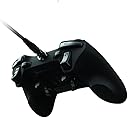
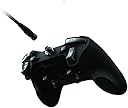


🎯 Dominate every game with precision and style — the Sabertooth is your ultimate power play.
The Razer Sabertooth Elite Gaming Controller for Xbox 360 elevates your gameplay with six fully programmable multi-function buttons, an integrated OLED screen for seamless customization, and a durable detachable 10-foot braided cable. Designed for pro gamers and enthusiasts alike, it offers cross-platform compatibility, ergonomic comfort, and robust build quality to keep you ahead in every match.
| ASIN | B00B1MXGDO |
| Best Sellers Rank | #117,778 in Video Games ( See Top 100 in Video Games ) #193 in Xbox 360 Gamepads & Standard Controllers #1,966 in Mac Accessories |
| Customer Reviews | 3.2 3.2 out of 5 stars (565) |
| Date First Available | January 17, 2013 |
| Department | accessories general |
| Is Discontinued By Manufacturer | No |
| Item Weight | 10.2 ounces |
| Item model number | RZ06-00890100-R3U1 |
| Manufacturer | Razer Inc. |
| Product Dimensions | 4.3 x 6.1 x 2.2 inches; 10.24 ounces |
| Rated | Everyone |
| Type of item | Video Game |
J**N
Razor Sabertooth Controller
I was looking forward to getting this controller and seeing if it was similar, or better, than the SCUF or MadCatz Pro Circuit. It is much lighter than the MadCatz and equal to the SCUF. The selling thing is the price at $80 bucks. I got the controller and quickly followed the instructions to map the buttons and set the analog sticks to the right level. This was quite simple to do and I enjoyed the fact that I could map to six different buttons where the SCUF comes pre-made and only has two mapping buttons. I played several games with it and was initially impressed. I turned BlackOps 2 off and came back to the games several hours later. I eagerly entered the public match and was hoping to dominate with my new controller. To my utter dismay, as I spawned into the game I was not able to aim my weapon. The left, front, trigger moved very smoothly but nothing happened. Needless to say, I got my butt kicked. After the game I re-set the controller to the default settings and the left trigger began to work again. I placed a few games this way and then mapped my A and B buttons to dominate. Once again, the left trigger did not work. I am returning this item and getting a replacement. I am hopeful that the Sabertooth I got was a lemon or made on a Friday or Monday. Razer does not have a great track record (Onza), but I'm willing to give them a chance because the premise of this controller is on the right path. **UPDATE 4/17/13** I returned my Sabertooth on 4/15/13 to Amazon and a new one was on my doorstep on 4/17/13 at about 1330 hours PST. What great customer service. The packaging was not quite as nice as the first package, but I got the controller very quickly. I tore into the packaging and immediately set up the new controller. To my great delight it worked perfectly. I did about a three hour gaming session last night and had no problems. I enjoy this controller for several reasons so I will list them below. PROS: 1. Cost: At $80 its affordable. It's similar to the SCUF except for the trigger stops. 2. Buttons: The ability to map six buttons is a great feature. This controller's buttons and triggers work perfectly. 3. Feel: This controller sits in your hands and is very comfortable. 4. Use: Super easy to use and set-up. You don't need the complete instructions just the "quick start" guide. There are also a few things that I don't like about this controller. CONS: 1. A,B,X,Y Buttons: These light up and I primarily play at night, in the dark. They are cool to look at, but do light up quite brightly and are a bit distracting. 2. Triggers: The triggers seem a little "short". I'm not sure if this is just my perception or not, but they don't seem as long as a normal controller. 3. Cable: This is a braided cable but not of superior quality. The MadCatz Pro Circuit controller has a much better cable. Overall this is a great controller. A basic SCUF is about $110, the MadCatz Pro Circuit (which has different features) is either $99 or $129. So, for the money this is a step up from a basic controller and makes your gaming session more enjoyable. I would highly recommend this item.
P**L
A sick, techy controller for silky smooth gameplay.
It does everything I'd hoped it would. I had the Razer Onza TE before this, so I knew it would be comfortable and I liked the ergonomics of it. Some people have problems with the design of the controller as it has a ridge on the underside that is supposed to cradle the middle fingers. Some feel it digs into their fingers. For me it's fine. I have large hands and it fits right into my hands nicely, at least with the way I grip it, but everyone is different. the rocker MFBs on the underside are just about perfectly placed for me. The d-pad is vastly better than the one in the original MS controller. The shoulder MFBs are also well placed for my hands. Rubberized surface is also nice. I won't go into too many details as there are a ton of reviews out there. I will say however, why I replaced my beloved Onza, and it wasn't just because of the extra multifunction buttons. I love Razer and every product I've gotten from them so far. A mouse, two controllers, a headset, and a keyboard peripheral. The Onza TE was a great controller too. It wasn't without it's flaws though. If the Sabertooth has any, they have yet to surface in my month or so of owning the controller. My Onza served me well, but after some time, the analog sticks started acting a bit funny. After the rubbery coating started falling off, they continued working fine for a good long while. Then, the sticks started to get hard to 'click' when I pushed them into the controller, to sprint in Call Of Duty for example. So I remapped sprint to one of the MFBs, and forgot about it, then the other stick started doing it too, which irked me a bit more because I like to play tactical, and have the right stick button set to couch, while I had the right MFB mapped to the B button so I didn't have to take my thumb off the stick to use my knife in game. Over time this worsened, requiring an extreme amount of pressure to actuate the button functions of both sticks. I believe this was somehow resultant of the adjustable tension on the sticks, which was an awesome feature that worked great, and was the whole reason for me purchasing the Onza TE to begin with. Every other function of my Onza TE works just fine still. I tend to think that if I hadn't been playing with the tension on the sticks all the way up, this issue may not have surfaced, but I was playing on very high sensitivities at the time, so whatever. Those were issues with the Onza. I'm using the Sabertooth now and loving it, no issues so far or signs of wear whatsoever. I was delighted that I could play with my Kontrol Freeks on it as well. I hear a lot of people in online reviews saying Razer makes crappy products, but that hasn't been my experience. Aside from the issues with the Onza TE, which are most likely design flaws do to Razer being new to console controllers, or just an idea that wasn't executed as well as it maybe could have been, every other Razer product I have owned has worked perfectly and given me no problems whatsoever. I wouldn't think twice about purchasing another Razer controller over an MS controller again if this one holds up, which so far it seems like it will. The improved d-pad is almost worth the price of entry by itself, then you get the configurable sensitivity in the sticks, and the six MFBs, which are an awesome thing to have if you really wanna smooth out your gameplay. It might not make you a better player. Just a smoother one, as I said. There are tons of amazing gamers who do just fine with the stock MS controller. Personally, I just prefer the feel of this controller.
A**V
Rockers are a great idea, but Razer's customer service and build quality ruin the experience.
First I'll start by saying I have used this controller extensively on Halo 4 for now over a year and feel that I am qualified to post my review. Let me start off with a list of current Razer products I have bought and used to show my experience with the company and to produce some credibility. Razer Naga wired MMO mouse Razer Orochi mouse Razer SWTOR mouse Razer Lycosa keyboard (I own 2 of these) Razer SWTOR headset Razer Carcharias headset Razer SWTOR mouse pad Razer Kabuto mouse pad So as you can see I have spent a lot of money and also purchased these items directly from Razer on their Amazon store or at Best Buy. That being said after using these products for the past two years or so I want to warn people of their customer service and general lack of build quality. For example my Lycosa keyboards have to be unplugged about once every day because at some point during use the keyboard will input one key infinitely until unplugged. I dealt with customer service and did all the troubleshooting and to this day the problem still hasn't been resolved. Just imagine being in a PVP battle only to have your keyboard only output the A button and leave your character spinning in circles. Would say in the past year this type of incident has occurred at least 100 times. Including in Microsoft Office and general internet use. The next issue I experienced was with the Carcharias headset. I purchased the product to use on 360 but accidentally ordered the item only compatible with PC. Again talked to customer service the day the package was received and they charged me a shipping and restocking fee. My fault on this one but still after spending an absurd amount of money on their products I continue to be treated poorly. Last is this Sabertooth controller which is the last straw and marks the last time I buy a Razer product. I purchased this product on February 2nd, 2013 and noticed around January of 2014 that the LB (left bumper button is becoming less responsive) wasn't performing as intended. An example is sometimes it wouldn't register when clicked distally on the button. If clicked on the proximal side the button worked as intended. Now the button only responds when pressed on the side close to the M1 button which is uncomfortable and difficult to reach. Also as a bumper jumper Halo player the LB button is quite important and now find the controller virtually worthless. Their response to this was for me to click the button in the location that produces a response. Really? With the design of this controller being for competitive gaming reaching the left and right bumpers most proximal side is horribly uncomfortable and definitely puts you at a disadvantage. I then e-mailed again asking if there is a repair option or a way to fix the problem to which their response was "We are very sorry but please be informed that usually we do not repair our products. Also we are unable to provide a replacement for your product, as it is no longer under warranty.Please see http://www.razerzone.com/warranty for our complete warranty terms, lengths and conditions. Sorry again for any inconvenience." Usually? But not in my case apparently even though I have now spent a combined 790$ in Razer products over 3 years mostly from their Amazon store with some purchases made at my local Best Buy. So Razer's response is, as i read it, well you got accustomed to our controller which has a significantly different button layout and now that it doesn't work we don't care about you as a consumer. I honestly couldn't be more disappointed. So after my customer service stories I will give my review of the controller. The rockers which are really the main selling point of this controller are a very good idea and work as intended. When I first used them it didn't take long before they became second nature and I stopped using the face buttons. I'm hoping that Razer doesn't have a patent on this design so maybe a company with better build quality would apply this to their controllers, but I'm guessing Razer will patent this idea. They worked wonderfully at first but become loose after significant use (somewhere around 100 hours if I had to guess). The screwdriver shipped with the controller will tighten them but I've noticed over time they never return to their original feel and are wobbly to the touch. The face buttons are a hyper responsive button that requires minimal pressure to use but when you have the rockers they become worthless honestly. The controller also has a nice rubber feel and fits nicely in my hands. Other than the rockers I'd say the controller is pretty standard. I use Kontrol Freeks on both joysticks so I don't have much experience with the sticks but they felt up to the Microsoft build quality. The rockers are a really nice feature but Razer's customer service and build quality leave much to be desired. I'd say before buying this controller at least check out some other options for competitive controllers that at least allow for repairs. Or you might have spent 80 dollars on a controller that won't last longer than a year. So all in all I thought the rockers were a great idea but do realize you might buy something that is going to work for a year and be offered zero support from Razer customer service.
N**T
Great controller- Worth the price.
This review is all based on a comparison with regular 360 controllers- considering them as a 2.5/5 all around (as a measure). This review is from a casual console gamer who plays xbox 360 almost exclusively with friends or just to play through a quality story. I am not a competitive gamer. I am not hard-core. I am 100% comfortable not having the latest gen console. FEEL- 5/5 The feel of this controller is great. I feel slightly dirty when I pick up a regular 360 controller now. It is light, but not 'cheap' feeling. The weight distribution is nice. The buttons are very quick and responsive. The thumb-sticks feel nice, but aren't drastically different to normal controllers. It actually feels quite nice not having a battery pack on the back. RESPONSIVENESS- 5/5 The responsiveness of this controller is really a step up from your normal controller. EXTRA FEATURES- (not a comparative score- since normal controllers don't have extra features...) 4/5 There are 6 extra programmable buttons, with 2 profiles. I currently have one profile for Gears of War and another profile for Mass Effect. Switching is easy. The lost point is in a small glitch that happened just the other night where my programmed A button just stopped working. I simply switched profiles twice and it worked again. The buttons, their ease of use, and locations are amazing. They change the way you play, allowing you to multi-press buttons in new ways. The only other downer would be that this is not wireless. Don't buy this if you don't want to be stuck to your xbox. For me, I have my own personal xbox that I play solo from. I then have what I call the 'party xbox' that has 4 wireless controllers hooked up to it with a big TV and couches. PRICE- 5/5 I live in New Zealand where 360 controllers are still up around $70-$80. To pay a little bit more for all the extra features and feel and quality is definitely worth. I would always choose to pay the little bit extra to get more than to save a few bucks for a norm. OVERALL- 4/5 It will not make you a better player. It will cost you more. It takes a while to get used to the feel of. It glitches at times. It costs a little bit more. Get rid of the minor glitch and I would have said 5/5. It is easily better than your average controller. Like I said, I don't like the feel of old ones anymore. Great controller. Worth the price.
T**.
Let me say that this is a great controller. Phenomenal
Let me say that this is a great controller. Phenomenal, really. The buttons are the best I've ever felt on a video game controller and that's saying something because they're not something one usually notices. The braided cable, while probably unnecessary, is a nice touch that lets you know you're dealing with a Razer product. I love Razer products and own quite a few. Their keyboards, especially the mechanicals, are worth every cent you'll spend on them. The reason for the three star review is because this controller broke within a month of my using it. I didn't throw it at the wall either, I really babied this thing! The right trigger, arguably the most important button on the whole controller for anyone playing shooters, just simply gave out. I tried to research the problem on the internet and found that many other people had experienced the same issue and that it could be fixed by dismantling the controller and placing a folded up piece of paper in the trigger switch tighten up its fit. I foolishly attempted what looked to be an easy fix (instead of just sending it in for warranty work as I admittedly should have done) and ruined my controller forever. The screws that held the thing together were so tight (loctite on them, maybe?) that I couldn't unscrew them with an eyeglass screw driver and ended up stripping the threads. Now they'll never be able to be removed and this controller has been relegated to the drawer of my nightstand, never to be used again. While that was entirely my fault, I don't believe that such an expensive controller should have broken so quickly. It also was not an isolated incident, as a quick google search will point out to you. Seriously, if there's a youtube video demonstrating how to fix a chronic issue with a particular product then there's a pretty good chance that the one you order will be defective as well eventually. I love every other Razer product I have (blackwidow ultimate, ourobos and orbweaver, in addition to some of their mouse pads and mouse wire caddy) but I won't be buying anything else from them until I've read plenty of reviews on it first.
P**K
Decent controller, horrible QA as usual.
Although I do mainly play games on my PC, I decided to go ahead and buy this controller for the xbox since most of my friends are huge fans of the xbox console overall and refuses to move to PC gaming, and i'd rather play with friends then alone. The design of the controller overall is decent. I know some people complained about the feel of the controller, but I found the controller to be quite comfortable. It fits in my rather large hands with ease and my hands don't seem to fatigue after about an hour or two of gaming on the controller. The analogue sticks seem to be decent, although I put the rubber caps that are included with this controller and boy, they work well. My fingers do no slip from the analogue stick at all. The d-pad is fantastic, as it's not the crappy single piece d-pad on the original controller that doesn't seem to understand what direction you click on the d-pad sometimes. The bumper buttons actually seem to click well (unlike my original controller with some problems with the R1 and L1 bumpers not clicking properly) and the tiny R3 bumper are easy to press and actually fit quite comfortably in the reach of my pointer finger. The rockers on the back are an interesting way of adding buttons, but I have no use for it and actually seem to get in the way of how comfortable the controller feel. I instantly took these off the chance I got a screwdriver small enough to fit into the tiny hole they have to take out the rockers. My only problem here would probably be the A, B, X, Y buttons, as they feel awkward to push since it's I guess..."Mechanical?" They just don't feel right for me, since they don't actually press down as deep as the original controllers. The profiles and programming of the Sabertooth is...confusing at first. I thought I could simply button through and figure everything out on my own since i've used other Razer devices. That is not exactly the case, as it's quite confusing on how to actually start changing the sensitivity or the button mapping. Of course, after reading the manual and a little more fiddling, I figured out how to use the profiles and map the buttons and I have to say, it's actually quite useful. I can change resolution on the fly to adjust my aim, and can change button mappings quickly in case I need to change the mapping at any case. Does it happen? Yes. Is it rare that I have to? Extremely, but it's still a nifty feature. Overall, i'd say I would be pretty happy with the controller. Now, as a owner of multiple Razer devices, i'd say i'm pretty happy with most of the products I buy from Razer. They make good products and whenever I do make a purchase, i'm typically happy with my purchase. But not this time. I'm actually quite furious at Razer with this product. First of all, it takes about two months from my order date for Razer to actually ship my product. I realized it was back ordered, but c'mon, two months? That seems a bit ridiculous. Now, this may be because i'm just an impatient fellow, but slow product delivery does annoy me. Second, when I finally get the controller, not TWO days after I get the device my R3 bumper is already jammed/broken. I can still use it, but it doesn't make a click anymore and it feels like I have to really FORCE my finger to actually use the button. Two days after I get the device this happens. I know I was crapshooting when I bought this controller from the previous reviews of the Razer Onza, but two days? I'm extremely disappointed. I have patience with Razer products as i'm typically happy with them, but two days after getting the product from a two month wait from my order date is just plain unacceptable. This has been my one complaint with Razer products and this still stands to this day. I enjoy your products Mr. Serious Min-Liang Tan, but please to dear god, do something about your QA. People constantly rail on Razer for their poor QA, and yet they don't seem to do anything about it. Now luckily, Amazon is willing to replace my device and I do not have to deal with Razer CS, as i've heard only negative things from their CS, so I will hopefully be receiving a controller that will ACTUALLY last me more then a month. But this is starting to get ridiculous, and now I will probably hold back on buying Razer products until I hear some positive feedback regarding the CS and the QA for Razer.
G**N
Sabertooth is Primo, but the braided cord isn't.
I ordered the Sabertooth 2 weeks ago after debating buying it for a few months. I had seen a video done by YouTube user shaun0728, or Hutch, and he had talked about how much it stepped up his game. I said aw hell with it and bought the controller. It said it was going to take a month to ship, but I was surprised when I got an email saying that it could ship a week and a half earlier. Out of the box, the controller is very nice. Compared to the Onza, which was not very durable, this controller is a breath of fresh air. It feels very sturdy in my hand, and it has a silicone like grip to it that is very nice. Many people say that it doesn't feel well made, but I beg to differ. It may be because they aren't used to the weight of a wired controller, but from someone who only uses wired controllers, it feels very nice. The re-mappable buttons on the back of the Sabertooth fit right where my middle fingers are, and are easy to reprogram. The re-mappable buttons on the top of the Onza have been moved in towards the middle of the controller, which is a great improvement. Overall, the Sabertooth is a great controller. The only complaints I have are barely even worth noting. The bumpers and M1 and M2 buttons all click a little loud, and the front of the controller isn't very curved, so in order to hit the Xbox home button, you have to reach over the analog sticks to get to it. Those are so minor though, and are probably me just being anal #firstworldprobs. If you are on the fence about buying this controller and really want to step up your game, buy the Sabertooth. I play a lot of CoD and Halo, and I remapped the bottom right trigger on the back of the controller to jump and the bottom left to crouch/prone. I am able to jump around corners and immediately lay down without moving my fingers off the analog sticks, allowing me to keep my aim steady while moving. This gives me a huge advantage over the people I am playing against. It definitely is worth investing in and something that will help your gaming abilities. Also, SUBSCRIBE TO HUTCH! He's a great guy who likes to have fun playing video games. In Addition: If anything comes up that is wrong with the controller, I will update this review and the rating of the controller. **UPDATE 3-5-14** I've had the controller since May of 2013 and have only really had one problem with it. That problem would be the cord. You would think that the braided cable would make the cord easy to manage but that is not the case. I had to replace the cord by contacting Razer Support because it would stop working intermittently and it would bend and the wire would get stuck like that which would eventually cause the braid to break. I sent the controller back to Razer and they replaced the cord and the customer support made it very easy. However, since then I have been having similar problems with the cord. The controller works perfectly fine, but the cord is very annoying because I don't want it to break just because of normal everyday use.
K**2
y) are literally mouse buttons (like the shoulder buttons on the standard xbox bamepad) which is kinda cool and kinda off puttin
i had to send mine back, and i wasn't actually interested in a replacement. the face buttons (a,b,x,y) are literally mouse buttons (like the shoulder buttons on the standard xbox bamepad) which is kinda cool and kinda off putting at first, although i started to like it in the week that i had the gamepad. the sticks were fine too, although i would be hard pressed to say that they were better in any way over the standard sticks (i am saying that with a 2 week old brand new xbox 360 gamepad sitting next to me) the dpad was completely unimpressive, fi they are going to go playstation with it go whole hog, it is a rubber domed 4 button array. the playstation uses a single button with four positions, the face of the gamepad just obfuscates the connecting points, (it makes a pretty big difference when pressing one direction doesn't effect the angle of any of the other directions, it just doesn't feel right regardless of it being far superior to the 360 dpad for modern games it is worthless for legacy games, even more so than the default 360 dpad) i can say that overall for this gamepad, i cannot claim that it is worth the purchase. if you think you will seriously make use of the buttons on the bac, and the dpad doesn't bug you i would say go for it, but the reason i returned mine was because the x button stopped working right, i might have damaged it by clicking hard, but that isn't an issue on 360 gamepads. while i was starting to love the mouse click sensation of the face buttons if they are less durable than my actual mouse they become much more of a liability than an advantage.
Trustpilot
2 months ago
1 month ago