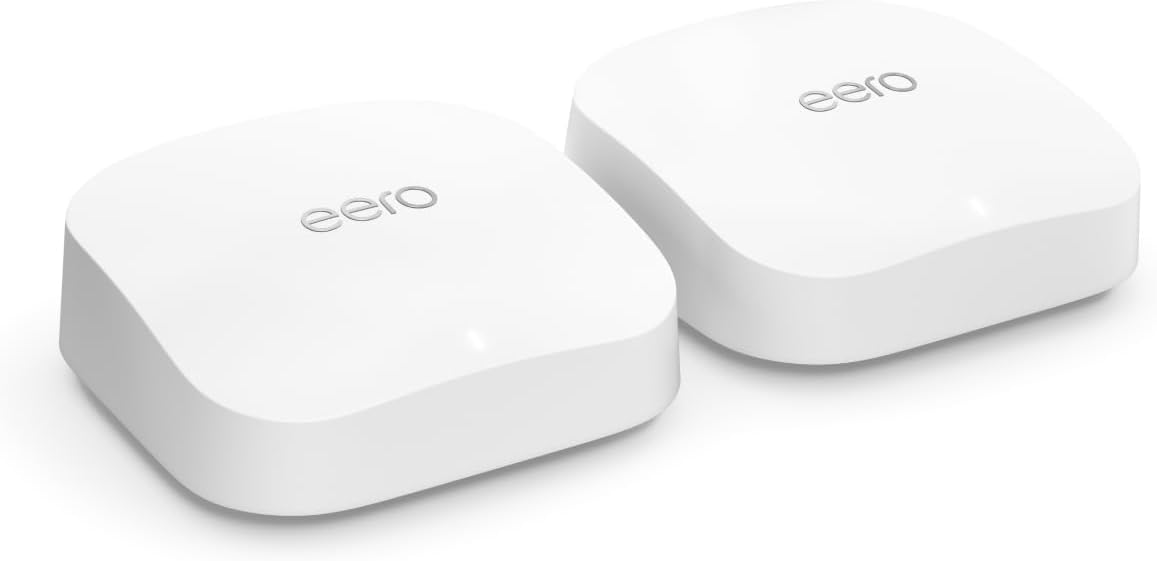
Amazon eero Pro 6E mesh wifi system - Supports internet plans up to 2.5 Gbps, Coverage up to 4,000 sq. ft., Connect 100+ devices, 2-pack
Product ID: 417894994
⚡2.5 Gbps max speed
📶4,000 sq. ft. coverage
🔗Connects 100+ devices
Desertcart purchases this item on your behalf and handles shipping, customs, and support to Morocco.
🚀 Elevate your home network to pro-level speed and coverage—because buffering is so last decade.
The Amazon eero Pro 6E mesh Wi-Fi system delivers cutting-edge Wi-Fi 6E technology with support for internet plans up to 2.5 Gbps. This 2-pack system covers up to 4,000 sq. ft. and supports over 100 connected devices, making it ideal for busy smart homes and professional environments. Featuring TrueMesh technology for optimized traffic routing, dual auto-sensing Ethernet ports including a 2.5 Gb port, and an easy-to-use app for setup and management, it ensures fast, reliable, and secure connectivity throughout your space.
| Wifi coverage | Covers up to 4,000 sq. ft. |
| Type | Router (connects to modem as primary router) |
| Supported speeds | Supports network speeds up to 2.3 Gbps, when using both wired (up to a gigabit) and wireless (up to 1.3 Gbps) client devices. Ideal for gigabit+ internet plans (up to 2.5 Gbps using the 2.5Gb Ethernet port). |
| Wi-Fi connectivity | 1-pack: Covers up to 2,000 sq. ft. 2-pack: Covers up to 4,000 sq. ft. 3-pack: Covers up to 6,000 sq. ft. 4-pack: Covers up to 8,000 sq. ft. |
| Wired connectivity | One auto-sensing 2.5 gigabit Ethernet port and one auto-sensing 1 gigabit Ethernet port per eero |
| Speed Rating | AX5400 |
| Smart Home Connectivity | Works with Alexa, Amazon Frustration Free Setup, 802.15.4 radio (Zigbee, Thread), Bluetooth Low Energy 5.0 |
| Electrical Rating | 100-240V AC, 50-60 Hz |
| Processor, memory and storage | 1 GHz dual-core processor, 1024MB RAM, 4GB flash storage |
| Network Security and Services | Profiles, WPA3 (eero Labs feature), WPA2, TLS v1.2+, VPN passthrough, IPv6, NAT, UPnP, port forwarding, DHCP, static IP, and cloud connectivity. |
| Required for setup | Supported iOS or Android device and internet service (with cable or DSL modem, if required). See requirements. |
| Temperature Rating | Operating: 32˚F-104˚F (0˚C-40˚C) Storage: -13˚F-140˚F (-25˚C-60˚C) Operating humidity: 0%-90%, non-condensing Operating altitude: <3000m |
| Dimensions | 5.6 in x 5.4 in x 2.0 in (142mm x 138mm x 51mm) Actual size and weight may vary by manufacturing process. |
| Warranty and Support | 1-year limited warranty. Free customer support is available 7 days a week. Learn more about warranty and support. |
| Software Security Updates | Learn more about these software security updates. |
| Subscription | 30-day eero Plus trial is limit one per new eero customer account. Additional terms apply, see the eero Plus Terms of Service for more details. eero Internet Backup performance will vary and you are responsible for data charges with backup connection providers. Learn more about eero Internet Backup requirements, performance, and compatibility here. |
| Legal Disclaimer | Some features require linking your Amazon account, and downloading the Alexa application or using a compatible Alexa device. Internet connection speeds and availability depend on your internet service provider; if your internet service provider does not provide you with the maximum supported speed, you will not experience that maximum speed. Maximum network speeds, if applicable, reflect combined supported speeds across wired and wireless clients. Maximum wireless signal rates are derived from IEEE 802.11 standard. Specifications assume wired Ethernet connection; your experienced speed may vary when connected to an eero device that is configured as a wireless extender. Coverage estimates are based on normal use conditions. Actual range and performance can vary, and maximum supported speeds may not be available to all customers, due to factors such as local regulations (including power limits), network configuration, interference, connected devices, device usage, building materials, and obstructions. Specifications are based on use of a Wi-Fi 6 or later generation client device that supports 160 MHz. For more information about eero performance, visit support.eero.com. Combining eero Pro 6E devices with older generation eero devices on the same network may result in reduced performance across the network. *“Wired speeds, without the wires” assumes a benchmark of 1 Gbps wired port speed, and use of either i) 6 GHz on mesh backhaul and use of a client device that supports 160 MHz, and/or ii) a Wi-Fi 6E or later generation client device that supports 160 MHz. |
C**N
FULL POINTS!!!
After repeated, torturous attempts with other routers to replace the wifi network provided by our beloved Apple Time Capsule, we are relieved and thrilled to have landed on the 2-unit eero Pro 6E router. Hallellujah! Among other things, the eero routers (and their mesh) were trivial to set up, the support was great (and barely needed), and a great surprise, the eero routers automatically connect to our wifi-aware HP LaserJet M401dw printer (via a feature in the eero routers called Universal Plug and Play, or uPnP), so that I don't have to choose the printer's wifi before printing. And oh yeah, the eero routers' mesh covers our 1,600-sq ft house nicely, with great signal speed and strength, and automatically chooses my Mac's fastest wifi speed. TIP (old news to most of you, I presume): To provide additional ethernet ports from the routers, I bought and installed the inexpensive, high quality "NETGEAR 5-Port Gigabit Ethernet Unmanaged Switch (GS105NA)", which required no setup at all, except that the switch must be connected to either of the eero routers after the eero router is connected to your cable modem, so that your ethernet service can recognize the additional ports provided by the switch. My only complaint is that setting up the eero routers requires a cell phone, and as I love macOS for its legacy self-evident user interface, I hate cell phones! But that said, set up with the cell phone was trivial. So... FULL POINTS!!! PS. Despite searching hard, I never found a router that supported Time Machine backups via wifi, which was possible with the Apple Time Capsule. Instead, I have adopted Apple's present guidance to make Time Machine backups to an SSD (removable flash drive). I use two, keeping one in the house and one in the car and swapping them with every backup. Works fine, but I miss Steve Jobs!
H**N
Impressive solution for the price
I'm a network engineer snob who won't hesitate a single second to give most of the home router and wifi junk sold today a terrible review when it's warranted. After having two router/wifi solutions made by that company that starts with Net and ends with Gear fail on me in less than 6 months, I was about ready to spend a few grand on a Ubiquiti solution and wire up my home for access points and cameras. Then a colleague and friend of mine suggested this eero mesh system as a lower cost/effort option. I'm not a fan of plug and play stuff and was skeptical but figured I could return it if not happy. I have to say I'm pretty impressed. The set up was almost too easy. Just download the eero app to your phone, plug a device in and connect the 2.5g port to your router and the app will walk you through it all. Most importantly, it worked really well when solutions like this from other vendors don't forcing you to connect a cable and manually set up. At first I didn't like that there isn't any ability to give the 2.4ghz and 5ghz networks different SSIDs (I had my previous router set up this way and changing this would have meant climbing up a ladder and reconfiguring several Ring cameras) but eero let's you change the name of the Guest Network to anything you want so this was an easy work around. As others have mentioned download the Wifiman app and shortcut and start scanning your house after you install the main router/wifi device. When you find spots that the signal drops below GOOD quality (-70dbm) drop another unit in between the first and where the signal dropped to poor quality. I bought the 3 pack thinking I'd need it to cover a 6,000 sq ft home. However one device was provided good coverage for most of my house and two provided either excellent or good signal strength everywhere inside and even outside on my patio and driveway. I only have one device on the first and second floors and both floors as well as the basement are all receiving good/excellent signal quality. I could have definitely saved $100 and gone with a two pack but I'm ok with having an extra device as a back up or if someone else in the family needs it (keep in mind any of these devices can act as a standalone router/wifi solution) or even to temporarily extend WiFi farther out into my yard in fair weather for outdoor gatherings etc.. Overall I'm impressed. The dashboard and tools/analytics included with the app are more than adequate for home users. You can even set up alerts for new devices connecting to your network. The GUI is modern and responsive and not like some of the traditional router vendors who still support an antiquated web login that takes forever to connect, lags between function and times out frequently. Time will tell if this is reliable but as mentioned a friend and colleague who owns his own network solution business told me he installs these in homes where the cost and wiring of a Ubiquiti or similar solution is prohibitive and he's never had an issue with their performance and reliability.
L**A
Sting signal throughout the house with over 50 devices!!
So I did a lot of research on this product from YouTube to PC magazine and everything in between. I was going to wait to pull the trigger until prime day or a better holiday sale but unfortunately my Orbi mesh just completely stopped working out of the blue. It was an older 2 pack (RBK50 ) I believe but it struggled to ever produce more than 100mbs in any given space. It had a pretty strong reach but couldn’t give me the 1 Gig speeds I was paying for. Set up on the eero 6e was very easy as everyone has said. I really liked that once it was set up it instantly did the necessary software updates all on its own while still giving a really good Wi-Fi signal throughput the house. For anyone wanting to know speeds and performance I’m using the 3 pack version for my 2500 SQFT house. The box says it covers over 6000sqft so technically this would be overkill but I have a 1/2 acre lot and some pretty thick old brick walls so I wanted to make sure it could produce well anywhere inside and out. I’m very pleased with the fast speed and strong signal I’m getting approx 2-400 mbps throughout the the house and 150-200 outside consistently. One thing to be aware of- follow the directions and ensure placement is not completely blocked by large electronics as it will shorten your range, however, I’m finding that even if it’s completely unobstructed the best signal from any of the devices is about 20 feet away. Being less than 5 feet actually had a SLOWER speed than 20 feet away in another room!! Can’t explain why but just know placement does matter and I recommend getting it as low to the floor as possible. The signal goes up and out rather than horizontally so keep that in mind for placement. Really like this system and I do not have any 6e devices yet but I plan on purchasing arc with Wi-Fi 6e and the new fire tv coming out later this month that features Wi-Fi 6e as well. I highly recommend anyone needing a whole home reliable wifi system go ahead make the purchase. Much cheaper than the Orbi 6e and I like the app better. Only thing the Orbi had better was 4 Ethernet ports on each satellite. This only has 2 but I just bought a external Ethernet bridge on Amazon for like 20$ so I can have my whole front room hard wired vice using the Wi-Fi. Great product overall and I highly recommend. I’m not a super tech guy and I didn’t get this as promotional item or anything. Just a regular dude who needed better wifi at home.
R**R
Installation can be frustrating
This product was my 2nd mesh network purchase. I have a netgear Orbi rbk852 system in my summer residence. I’ve been quite happy with this system, but it is pricey. When I decided to upgrade the network in my primary residence, I looked at options and found eero. It is manufactured by a relatively new company (February 2022 I think). They offer some phenomimal features and claim excellent performance. They have different models. I settled on the Eero Pro 6E. I don’t have enough experience with this product yet to comment on features or performances. I was on the verge of returning this product because of installation issues. I was swapping a Linksys ea4500 router for the eero. In theory all I should have to do is replace the old router with one of the eero devices. Initial configuration wasn’t too bad. The accompanying app guided me through the process. I ran into trouble making the connection from my home network to the internet. I don’t think my network configuration is unusual. I had a router, network switch, and cable modem. After configuring the Eero, I replaced the Linksys router with the Eero. Surprise. I could not reach the internet. If I connected my computer directly to the eero, network access was not a problem. When I reverted to going through the switch (DLINK 24 port gigabit unmanaged), sometimes I could get to the internet for about a minute and then lost access; other times I was not able to access the internet at all. I spent most 4 hours on the phone with 2 different technical support personnel. Both were very nice and had at least a basic grasp of networking. Both knew their product quite well. Neither person was able to resolve my issue. Out of desperation I tried swapping my old DLINK switch with a new netgear product. The new switch didn’t make a difference. I did discover by accident that the problem was related to when I powered up the DLINK switch. Here is what worked for me: - unplug the switch, router, and cable modem - after 5 minutes power up the cable modem. A shorter wait may work, but I didn’t want to introduce another variable. - wait until the cable modem boots. Typically all the lights will a solid green. I have not used a lot of different cable modems. Your modem may have a different interface., but it should have some indication that the boot process has completed - power up the eero. The light will be solid white at the end of the boot process - after the eero has booted, power up the switch. This process worked fine for the DLINK. I was never able to get the netgear switch to work My 3 star rating is based solely on the difficulty of accessing the internet. Had the eero support personnel had not tried so hard to help, I would have only rated it 1 star. Jan 8, 2024 update - change over all rating to 4 stars: I have used the eero for a few days. I think they have put together an excellent app. The throughput measured at the gateway node maxes out performance of the cable modem. Performance at the satellite node is lower than expected. I know that its location is not optimal, but I a limited by access to a network cable. It would be helpful to be able to test throughput directly at the satellite node similar to measuring performance at the gateway. It would also be helpful to see signal metrics. The bottom line is once the eero is working, it works well and is reasonably priced. The only issue preventing a 5 star review is the issues I had with the network switch and the inability of customer support to resolve this issue.
Y**3
Seamless setup for a tried and true Wifi Router for me.
To be clear, this purchase was an upgrade to my existing eero Wi-Fi system, not a first-time installation. Setup is straightforward and hassle-free as long as you follow the included instructions. The key step is to disconnect and power down your modem first. After waiting about 25 seconds, reconnect and power it back on before adding the new eero device. Following these steps made the installation quick and seamless. Having used several other high-end router brands over the years, I have found eero to be the best fit for my needs. One of its biggest advantages is that firmware updates are handled automatically in the background, eliminating the need for manual updates or ongoing maintenance. In addition, I have found eero to be exceptionally reliable. Its Wi-Fi coverage is broader and more consistent, with fewer dead spots and virtually no intermittent connection drops compared to other premium routers I've owned. As for the eero Pro 6E specifically, I chose it because its tri-band design is better equipped to handle the demands of numerous connected devices while delivering excellent speed and performance. An added bonus I discovered is that all eero models are backward compatible. My new tri-band eero Pro 6E works seamlessly with my older dual-band eero extenders, requiring no additional configuration or setup. That compatibility made upgrading my network both simple and cost-effective.
2**E
I feel like I am stuck in an abusive relationship with my eeros
Edit: I gave these away. They were terrible and a source of frustration in my life. Eero tech support was responsive, but basically had you reboot the system and the stupid things would get stuck during reboot often, which then started a whole process of unplugging them all and plugging them back in 1 at a time. Then a few weeks later it would crap out again. I bought some Max7s (felt stupid buying another eero product after the experience I had with these 6es) and the max 7s have been solid since day one. So much better, went from an abusive relationship and source of frustration to something that just works. I have a large home and 2 outbuildings. There is an eero Pro6e in each outbuilding and 4 in the house. (2 on the main floor, one in the basement and one on the second floor. When these work well, they are great. They make you think they are a good thing. But almost every week, they wig out and my Eero network goes down. My network is fed from a TMobile home internet box that is also broadcasting wifi. When the eero network is giving me speeds of less than one mbps, connecting directly to the tmobile device I will see speeds well over 100 mbps. I have spent so many hours with eero tech support. Most calls last nearly an hour and rarely ends with a satisfactory resolution. Basically, they check to make sure you have the latest firmware, then unplug and plug in eeros or have you reset / reboot your eeros. Over the course of 20+ calls with level 1 and 2 tech support, we have changed one setting, a DNS server. Other than that, all they do is reboot and hope. My last call really drove me crazy. I added another 2 echo devices. The echos have eero built in, but using it only seems to mess things up. Well I installed the two echos, and the eero built in is defaulted on. Of course, the network went down when I added them. I turned the built in eero off, but it was still down. I rebooted the eero network, it got stuck. After 20min I unplugged and waited 3 min then plugged it back in. Still dead. I tried the soft reset, but the device did a hard reset and removed itself from my account. I called tech support. They had me make a different eero the gateway and repeat the exact steps I just did. Guess what, the second eero took itself off my account. The tech support guy then asked me to make a 3rd eero the gateway and repeat the same steps. I lost it. Then he decided the issue was my TMobile internet. Yet everything connected to T-Mobile worked fine. I gave up, unplugged all the eeros and changed the TMobile network name to my main Internet. It doesn't cover half the area, but at least it works. I have never had the backup internet work. I called that one in to tech support multiple times, but again after over hours, they just reboot devices and don't fix anything. Level 2 is a little better, but they really haven't fixed anything. When they work, they are kind of awesome. I have fast coverage all over my home and shops. Unfortuntaely, it feels like more often than not, they are not working. Without notice or pertibation, it just wigs out. I really couldn't be more disappointed in these things and would throw them away had I not spent so damn much on 6 of them and their annual service.
R**D
It works!
This 3 unit eero replaced a Deco X55 system that had 6 nodes. The Deco was fraught with problems. Satellite nodes routinely dropped and sometimes would not rejoin without a factory reset; my 4 Nest security cameras would not stay online, dropping and rejoining many times a day; marginal signal strength in my woodshed; the Deco app is an exercise in poor coding, with many obvious defects - units erroneously showing online and vice versa, inaccurate error messages, and options that didn't work. Eero has been great so far. Setup was ridiculously easy - I've installed many Wifi products and this was, by far, the smoothest experience. Installing the base and satellites could not be easier. The best part, my Wifi network has been solid since the install. No more dropped satellites, security cameras are on 24/7, and I don't have to use the app at all. I was considering running ethernet to the woodshop, but now I don't need it. I don't usually leave 5 star reviews - but here it is!
D**.
Bomb.com
Not sure why this doesn’t have 5 stars from everyone! Got the three device set up and man this couldn’t have been easier to set up. This system is bomb, like I’m not sure how much easier of a setup people even want. Everything was basically plug-and-play, and the app walks you through it so smoothly it almost feels too easy. Performance-wise, it’s been amazing. The coverage is solid throughout the whole house, and the speeds are not just fast—they’re consistent everywhere on Wi-Fi, not just when you’re hardwired. I haven’t had any random drops or dead zones like I used to deal with. Compared to the Cox gateway, it’s not even close. They charge $15 a month to rent that thing and it doesn’t hold a candle to this setup—honestly kind of ridiculous. And the quality? Top tier. It honestly feels like an Apple product. From the packaging to the devices themselves, even the cords and the app—everything just feels super polished and premium. I’m actually glad Amazon acquired eero because you can see that level of refinement in the whole experience. My only complaint is the price tag. $400 is definitely not cheap. But when you break it down, Cox charges $15 a month to rent their gateway—that’s $180 a year. In just about two years, this system basically pays for itself, and you’re getting way better performance the whole time. Overall, 110% happy with this purchase.
Trustpilot
2 days ago
1 week ago