


⌨️ Elevate your Mac workspace with precision, style, and power-packed connectivity!
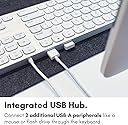
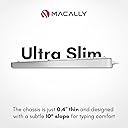
The Macally MLUXKEYA is a premium full-size Mac keyboard featuring a durable aluminum frame, 110 scissor-switch keys with 6-key rollover, and a numeric keypad with ergonomic 10° tilt. It includes two USB-A ports to expand your MacBook’s connectivity and offers 22 dedicated Apple shortcut keys for enhanced productivity. Designed to perfectly match Apple aesthetics, it delivers quiet, precise typing with no ghosting, making it an ideal wired alternative for Mac users seeking style and function.





| ASIN | B07JJBCQXQ |
| Antenna Location | Office |
| Best Sellers Rank | 137,928 in Computers & Accessories ( See Top 100 in Computers & Accessories ) 2,104 in Keyboards (Computers & Accessories) |
| Box Contents | MLUXKEYA, User Manual |
| Brand | Macally |
| Brand Name | Macally |
| Button Quantity | 110 |
| Colour | Silver |
| Compatible Devices | Laptop |
| Compatible Operating System Family | MacOS |
| Compatible devices | Laptop |
| Connectivity Technology | USB-A |
| Connectivity technology | USB-A |
| Customer Reviews | 4.2 out of 5 stars 780 Reviews |
| Enclosure Material | Aluminium |
| Generation | Compatible Apple Keyboard for Mac |
| Global Trade Identification Number | 00701107497464 |
| Hand Orientation | Ambidextrous |
| Item Dimensions L x W x H | 11.9L x 43.2W x 1H centimetres |
| Item Type Name | Macally MLUXKEYA Keyboard |
| Item Weight | 503 g |
| Keyboard Backlighting Color Support | Single Color |
| Keyboard Description | QWERTY |
| Keyboard Layout | QWERTY |
| Keyboard Plate Material | Aluminum |
| Keyboard description | QWERTY |
| Language | English |
| Manufacturer | Mace Group Inc / Macally Peripherals |
| Manufacturer Part Number | MLUXKEYA |
| Mechanical Keyboard Switch Model | Scissor-key |
| Minimum Required Operating System Version | Mac OS X 10.0 Cheetah |
| Model Name | MLUXKEYA |
| Model Number | MLUXKEYA |
| Number of Keys | 110 |
| Number of Sections | 2 |
| Power Source | Corded Electric |
| Product Features | Ergonomic |
| Recommended uses for product | Office |
| Special feature | Ergonomic |
| Style Name | Contemporary |
| Switch Type | Scissor-key |
| Theme | Apple computer keyboards |
| Total USB 2.0 Ports | 2 |
| UPC | 701107497464 |
| Water Resistance Level | Not Water Resistant |
D**S
Great Keyboard!
I love this keyboard. It is similar enough to my mac keyboard that there was no adjustment. Solid, good feel on the keys and best of all, no more batteries! It's nice having the number pad as well. Far less expensive than Apple originals and works very bit as well. I would highly recommend.
B**S
High-quality wired keyboard for Macs
It took some practice to discover the difference in layout of some of the the minor keys from my old Apple keyboard. But once I got the hang of it, I like using it.
A**Z
Mala experiencia!!
La caja al parecer ya fue abierta anteriormente, solo colocaron un poco de cinta para disimular, desafortunadamente el teclado no funciona, se ve de buena calidad!! Al conectarlo bloqueaba las computadoras!! Probé en pc con Windows, en Mac Pro y en un par de laptops, la falla era la misma en todos!!
S**I
A great keyboard for Mac desktops
I bought this to log back into my Mac Mini after my Bluetooth mouse and keyboard lost their pairing with the computer and I could get not them to re-connect in any way. Pros: 1. It worked right away from the lock screen just by plugging it into the USB port and I was able to sign-in to my Mac after 5 days of being locked out of it. 2. The keyboard is really premium & classy, just like an Apple keyboard, but at less than half the price. 3. The key travel is good (more than 1mm) and I got used to it easily. The key material and shape are also nice. 4. The inclusion of a couple of USB ports on the keyboard is a bonus feature and I use my USB mouse through one of those ports. 5. The shortcut keys at the top are also useful. 6. One year of extended warranty is available from Macally if you register the product on their website within 14 days of receiving it. Cons: 1. The Caps-lock light doesn’t work. But that is a small problem since you can always see on your screen whether you’re typing in Caps and MacOS displays a Caps-lock symbol next to a password field whenever it is on. 2. The USB cable could be a little longer, like it is on their mouse. 3. The keyboard is a bit heavy, but that adds stability to its location on a desk.
H**E
iMac用に探していた有線キーボードが見つかりました
これまでのキーボードが調子が悪く、買い替えで無線ではなく有線を探していました。iMac用に購入しましたがとても快適です。
Trustpilot
1 day ago
2 months ago