Desertcart purchases this item on your behalf and handles shipping, customs, and support to Morocco.
🎯 Lock your display settings, ditch the desktop drama!
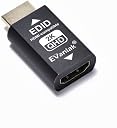
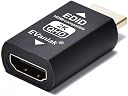
The EVanlak HDMI EDID Emulator Passthrough 3rd Generation is a premium aluminum adapter designed to maintain stable display resolutions and audio sync across multiple devices. Supporting up to 2560x1440 at 60Hz and true 4K resolutions, it prevents screen rearrangement issues when monitors are powered off or disconnected. Compatible with Mac Thunderbolt and various HDMI devices, it ensures seamless multi-display setups and enhances gaming and streaming experiences by locking optimal resolutions like 1440p/60Hz for devices such as the Nintendo Switch with mClassic.
| ASIN | B09KFYZ4PT |
| Best Sellers Rank | 142 in HDMI Cables |
| Brand | EVanlak |
| Brand Name | EVanlak |
| Colour | HDMI EDID 1440 -1P |
| Compatible Devices | PC |
| Compatible devices | PC |
| Connector Type | HDMI |
| Connector type | HDMI |
| Country of Origin | China |
| Current Rating | 1 Amps |
| Customer Reviews | 4.3 out of 5 stars 122 Reviews |
| Finish type | Aluminum |
| Input Voltage | 3.3 Volts |
| Item Weight | 0.02 Kilograms |
| Manufacturer | Evanlak |
| Model Number | RM |
| Number of Items | 1 |
| Number of Ports | 1 |
| Package Quantity | 1 |
| Power Plug Type | No Plug |
| Product Finish Type | Aluminum |
| Specific Uses For Product | Monitor, PC, TV |
| Specific uses for product | Monitor, PC, TV |
| Unit Count | 1.0 count |
M**D
Perfect niche use case
TL;DR This device acts as a middle man between the display and your device (PC phone tablet) and forces a specific resolution output. For some reason Samung tablets have been updated so many times that they now output weirdly to TVs when using USB C to HDMI adapters. On a standard 4K 60Hz TV, my Tab S9 is forced to 4K 30Hz. This makes the tablet run at 30Hz which is horrible and laggy. Plugged into a 1440p or 1080p screen and the tablet can run at 60Hz. Therefore this is entirely a software problem. Through much research I found this device. It acts as a middle man between the TV and device, essential lying that the TV is only 1440p! This avoids the TV and tablet trying to discuss what capabilities they have, and instead we force and option. Now I can get a smooth output on the TV and my tablet which will make live demos much nicer.
L**S
Allows output to 1440p for Switch with mClassic on LG 4K OLED TV
Allows output to 1440p for Switch with mClassic on LG 4K OLED TV - It does as intended, though I don't notice a huge difference between 1080p and 1440p because the mClassic is only slightly better than the OLED itself at upscaling the viewed image if sharpening is used (mClassic is amazing at antialiasing though so don't discount this). I.E. If you have the mClassic to OLED at 1080p then you just need to ramp sharpening up to 20 or 30 to get a really nice picture - this device goes straight to 1440p so no sharpening is needed (maybe 5). That being said, I think this device is well worth the money if you have an mClassic and OLED TV - because if you have an mClasscic then your already very picky about AV issues and this gives you piece of mind that you are getting the best from the mClassic.
D**K
No 1440p on LG B8 OLED even with this device
In case it saves someone some time - I can confirm that this will *not* get 1440p input working on an LG B8 OLED. It seems that only the 2019 models or later have any working 1440p input capability. Connecting something like a MacBook with SwitchResX appears to display working 1440p without this dongle, but it seems to be the MacBook GPU scaling it up to 2160p before it's output over HDMI.
K**S
it does support surround sound!
The description says it only supports 2 channel sound. i was hoping this only meant 2 channel PCM and it does! meaning you can still get compressed 5.1 surround sound out from the PS2, Xbox 360 etc. like others, i also bought this for the Mclassic and it does force it to output 1440p just as described but on my 55inch OLED i cant tell the difference. i tried 480p, 720p and 1080p scaling on different consoles and it certainly doesnt do anything negative to the image but 1440p on the mclassic looks just like 1080p to me. the biggest issue i found was that this does not support the PS3 at all. You just get a blank image. which i think is because of the lack of HDCP support. overall it does exactly what it says on the tin but your mileage will vary on wether or not its an upgrade for the mclassic
D**N
Brings MClassic to Life
This product is a god send, had an MClassic connected between my HDMI switch and 4ktv for a year and barely have it on due to marginal picture improvement. Worked out it wasn’t upscaling to 1440p as wouldn’t recognise as a resolution TV supported. Hey presto this little dongle tricks it into outputting at 1440p, the difference isn’t major but is definitely worth using MClassic now! Works with Switch, Wii U, Xbox 360 in my set up but not my PS3 for some reason.
S**O
Makes Mclassic output in 2k on 4ktv
Awesome
M**C
Tested with MClassic and 4k TV, turns the signal to 1440p
A**ー
switch2でWQHD出力確認
LGの34G630A-Bモニターを16:9で使用。他の方のレビューでもある通り通常だと出来なかったswitch2でのWQHD60Hzでの接続を確認しました。 ただモニターのせいなのかアップスケーリングが優秀なのかswitch2のフルHDとWQHD出力を見比べてみても変化はほとんどありませんでした。ゲーム側でWQHD出力されているマリオカートワールドでもモニターに目を近づけてタイトルロゴを見れば綺麗になっている?とかろうじてわかるレベルです。 それとゲーム機側にこの機器をつけるとカバーが閉まらなくなるのでモニター側につけることをお勧めします。 このレビューを書いている時点だと1700円で購入できるのでどうしてもWQHDで接続したい方はお試し感覚でも購入していいと思います。
P**.
Lifesaver for KVM over IP
I have a KVM over IP that is fairly reliable, but occasionally would wake up in a state that required me to power cycle both ends of the KVM to establish the signal. This was the answer. Connection comes up every time, no more power cycles. Make sure to get the proper signal format for your computer, by checking the resolution you currently have your commuter at.
B**L
Parfait pour la nintendo Switch
Permet d’avoir sa Nintendo Switch coupler avec un Mcâble pour avoir du 1440p.
S**C
Simpel, effektiv und tut genau das, was es soll
Der EDID-Emulator funktioniert absolut problemlos. Er gaukelt dem PC oder Server die gewünschte Auflösung perfekt vor, sodass Remotedesktop-Verbindungen oder Headless-Systeme ohne echten Monitor einwandfrei und in der richtigen Auflösung starten. Einstecken, vergessen, läuft. Klare Kaufempfehlung!
J**A
La solución para el Mclassic
Tengo una TV OLED 4K Samsung, y uso el Xbox clásico y el Nintendo Switch con Mclassic, para que funcionara a 1440p tenía que deshabilitar el modo juego, ya que activado solo iba a 1080p Con este dispositivo ese problema desaparece y ya puedo aprovechar el modo juego con mi Mclassic
Trustpilot
1 month ago
2 weeks ago