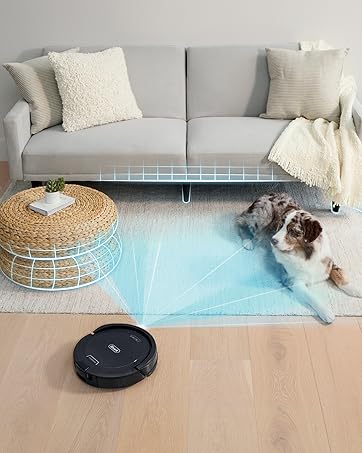
🤖 Elevate your clean game — the future of effortless spotless living!
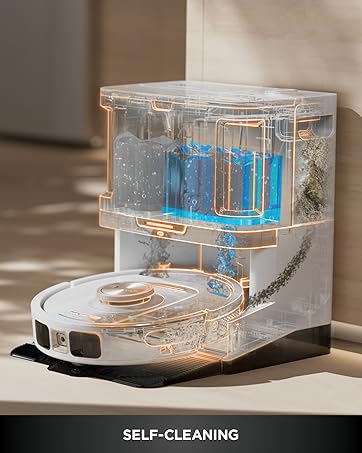
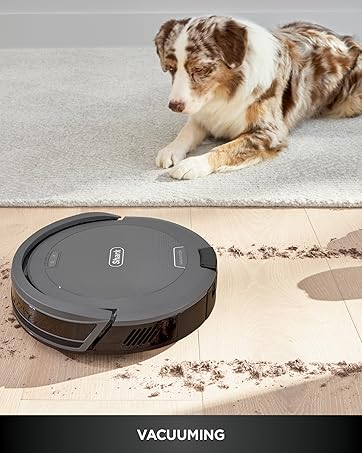
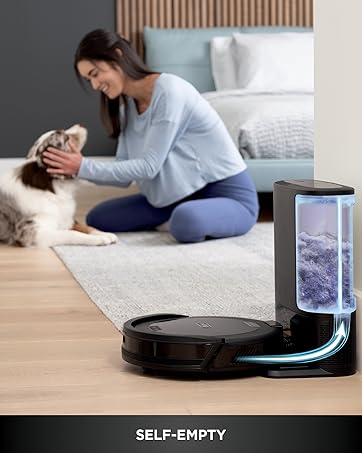
The Shark AV2501AE AI Robot Vacuum combines powerful 120-minute runtime suction with advanced 360° LiDAR navigation and Matrix Clean technology for thorough whole-home cleaning. Its XL HEPA self-empty base holds up to 60 days of dirt and allergens, making it ideal for busy professionals and pet owners seeking a smart, low-maintenance cleaning solution compatible with Alexa and Google Assistant.


| ASIN | B08QZVSC8D |
| Are Batteries Included | Yes |
| Assembly required | No |
| Batteries | 1 Lithium Ion batteries required. (included) |
| Batteries required | Yes |
| Battery Life | 120 minutes |
| Best Sellers Rank | #50,932 in Home & Kitchen ( See Top 100 in Home & Kitchen ) #55 in Robotic Vacuums |
| Brand | Shark |
| Cleaning Path Width | 5.67 Inches |
| Color | Black/Bronze |
| Compatible Devices | Amazon Echo, Google Home |
| Control Method | Voice |
| Customer Reviews | 3.9 3.9 out of 5 stars (14,073) |
| Filter Type | HEPA |
| Finish types | Bronze |
| Form Factor | Robotic |
| Global Trade Identification Number | 10622356574485 |
| Included Components | Filter, Self-Empty Base, Shark AI Robot, Side Brush |
| Item Weight | 15.25 pounds |
| Item model number | AV2501AE |
| Manufacturer | SharkNinja |
| Model Name | Shark AV2501AE |
| Number of pieces | 6 |
| Power Source | Battery Powered |
| Product Dimensions | 13.08"L x 8.43"W x 13.9"H |
| Special Feature | Bagless, LiDAR Navigation |
| UPC | 622356574488 |
| Warranty Description | 1 year limited warranty. |
O**I
Great Robot Vacuum that could be a bit smarter about obstacles
The vacuum works quite well. Programming it is straightforward. It does a very nice job of keeping the floors clear, and I have two long-haired cats that love the shed...constantly. I have not seen a fur dust bunny since I started using this device. I am very happy with it. It does tend to get caught up in my kitchen chairs, which required me to make adjustments. I wish the AI were a bit smarter about that, learning how not to get caught up, but it was a minor inconvenience. I love the large capacity of the stations bin, which means I do not have to empty it too often.
B**A
Great vacuum!
We had an old Eufy robot vacuum that just wasn't worth the hassle of using. Our dogs hated the old vacuum and would chase it around, flip it down stairways, etc. It was time to replace it. I purchased a new Eufy self emptying model and hated it after one use. It got stuck in sooooo many places! Plus it had these tiny little bags that it emptied into that would require me to spend a fortune on replacement bags. I returned it and began researching Shark robot vacuums. I ordered this and was in awe of how well it worked! It mapped out our home and let me set up "no go" areas. I have this run every morning and it covers a large area, returns to the base to recharge and then resumes cleaning. It does a really nice job and has cut down on the time needed to run a manual vacuum. With two dogs and a busy household it gets a workout every day! It would not hold 60 days of debris for our household due to the dog hair. But that is not a big deal. I typically empty the canister every two to three weeks even though it isn't full. It goes over area rugs like a champ! There are three floor vents that it will occasionally get stuck on if it hits them at the right angle...but that only happens about every other week.... and only on one of the three. Getting stuck once out of 14 runs isn't too bad. Especially when our old Eufy would get stuck multiple times in one run. The cons have been that recently I will get an error saying the bin is not installed correctly...but it is and the vacuum continues to run and works just fine. It's annoying that the app sends the notification while it is in fact working fine. The other complaint is about the app as well. If the vacuum does get stuck the app will not show where it is. You must activate the beeper on it to locate the vacuum. Not a big deal, unless of course the battery has died and it is unable to beep. Fortunately, we are aware of the three possible spots that it gets hung up and can check those if we are unable to locate it by sound. I do think the battery could last longer. It runs for about 45 minutes on normal power before it needs to return to recharge. Besides its cleaning ability the next best thing...our dogs completely ignore this vacuum! I don't know if the older one made a sound that only they could hear and find annoying or what. But they have paid zero attention to this since its first run!
C**0
1 year 3 months review - 80% good 20% annoying
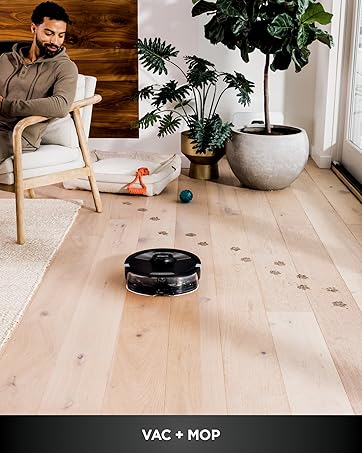
I’ve had “Lady Whistledown” for a little over a year. Yes I named her that, lol, cause she gets the “dirt” and spills the tea into its disposal, lol! It works 80% well enough to me. The other 20% it’s annoying. It picks up the dirt, it moves from room to room, I clean it on a regular, and does its job 80% of the time. The other 20% it misses the cat fur or certain dust at times and I have dropped it in-front of the vacuum to test it. The replacement parts fall off or don’t fit, it gets stuck at the edge of my carpet at times or folds my carpet over, and gets stuck by the sliding glass door at times. The mapping is horrible. I have tried a million times to set “No-go zones” and Lady Whistledown still goes there. My vacuum did not come with BotBoundary strips. I read on the Shark website under care and maintenance that I should charge it at least once every 3 months. The battery does not last a whole day. Other than that the vacuum does its job and goes off everyday at its scheduled time. I still use my regular vacuum and sweep over the areas to do an extra cleaning. The Shark AV2501AE does not have a mopping feature.
C**S
UPDATED -- app only gets worse and ruins an otherwise good product
UPDATE 9/27/2024 AFTER ~2 MONTHS OF USE As a vacuum I continue to love this device. It's app enrages me more every single day and I'm about to simply put it in the attic because without the app it becomes increasingly useless; I wish I could take away more stars this app is so bad. I'm hoping SharkNinja cares enough to read these reviews and actually takes action, otherwise they may go the way of Sonos with their horrible app decisions. This isn't 2005 when iRobot could do stupid things and get away with it because there was no competition. While I'm not one to throw money away, I will replace this with something else that actually works and doesn't need an app to do simple scheduled cleaning runs. I could give two hoots about whether it has a "map" at this point, just clean the doggone floor -- do the basic thing you claim to be able to do and do it well. Is that so hard? I'm guessing they don't care given they can't seem to do simple things like when I log into their website with exactly the same credentials I use in the app, it doesn't show my registered products, or when I scan the QR code in the app to store the Model and S/N it can't store it for more than about 5 minutes before it literally just disappears. If you can't do simple things, complex ones are probably out of reach. The system has some kind of serious software bug in it related to map storage. I work for a software company, and all the signs are present that there is a significant problem with the storage system for maps and/or the communication between the app and the robot relating to the map. I say this because our robot just lost its map one day about a month ago. No errors, no problems running, it just literally disappeared. The schedule continued to run, so I didn't notice it until I looked at the cleaning notification one day and noticed that it was reporting a run time of almost 2 hours (which sounded about right) but a 0 ft squared cleaned. It sure made a lot of noise and picked up a lot of dirt for not cleaning any square footage of my first floor! When I dug into the app, the map was gone. Just not there. When going into settings to look at the map, I just get the infuriating purple spinner. No messages, no indicators of a problem, just a total lack of communication about what is going on and no map. So I set about the task of trying to correct the problem. First, I delete the map and go to try and re-explore. It seems to delete, and it will run an exploration run, but then it just sits with that obnoxious purple spinner and the question about whether the map represents the home properly or should it re-explore, with the Accept button greyed out and NO OTHER OPTIONS AVAILABLE. I've re-explored 20 times and left it sitting on that screen overnight for 8 hours with it never finishing. Ever. And this is why it's about to become trash!!! Without running the explore successfully, you can't set the schedule! You can't run a manual cleaning run with the app! If I wanted a vacuum I had to physically go push the button on, I could have bought something a heck of a lot less expensive (which is what I'm likely to do at this point). SO then I thought, like most technology of this sort, it might just need a complete fresh start. Stuff happens, memory gets corrupted and needs wiped, no problem. So I deleted the robot from the app and had to go through the mind-numbing and excruciating process of re-joining to my post 1995 WiFi network which is too fancy and elaborate with its new-fangled 5GHz technology for these developers to figure out (or Shark is too cheap and obsessed with profits to use a more modern WiFi SoC). Go through that process and run the explore another 10 times with no change. Then I reset to supposedly factory settings. Same result. Same absolute rage-inducing nonsense getting it to connect to the WiFi (though I think I finally figured out the trick on that). I am not convinced it actually DOES reset to factory settings or wipes the memory clean, because I'm continuing to have the same problem. Exploration simply will not finish successfully and so I can't schedule or make it clean without having to go under the table and push the button. Total ridiculousness. A factory reset should restore a copy of the firmware as it was when it came out of the factory -- and mapping worked out of the box. Now it doesn't. I am left with the conclusion the reset does NOT actually reset the memory. This is just infuriating. Oh, and before you say "contact support". I have. Crickets and bullfrogs, ladies and gentlemen. So far, crickets and bullfrogs. If that changes, I'll post a new update, though. Message to SharkNinja -- when you released an app, you became a software company. That has certain requirements and sets certain expectations. You are FAILING to meet any of them. +++ HOW TO DEAL WITH MODERN WIFI AND THIS RIDICULOUS TWELVE CENT WIFI CHIP +++ The key to making this work is whether your phone is trying to access the Internet or any from anything other than the same 2.4GHz connection this unit is using. So what I have to do: 1. Log into Eero and turn of 5GHz (on my version this is under troubleshooting; nearly every mesh single-SSID system has a mechanism to temporarily disable 5GHz b/c this cheapness is so prevalent in so many devices) 2. Turn WiFi off on phone and leave off for a couple of minutes (this is a precaution to make sure 5GHz is truly not picking up the connection) 3. Turn mobile data off on my phone (airplane mode didn't cut it 2 out of 3 times; turning off mobile data always worked) 4. Turn WiFi back on and make sure Bluetooth is on; if you tried airplane mode and left bluetooth off and don't turn it back on again until the app prompts you, you're hosed and will have to start over from the beginning - I experienced this multiple times 5. Put robot into discovery mode 6. Connect to the robot and go through the unnecessarily plentiful prompts full of stupid and useless information in the "wizard" 7. When you get to the network selection screen, your WiFi network SSID should show up --- if it doesn't, one more thing to do is go into your phone WiFi settings and join your 2.4GHz network (keeping the Shark app in the background), which will disconnect you from the WiFi Direct connection with the robot; let it connect fully; then go disconnect from your access point and reconnect to the robot WiFi Direct AP in your phone settings. 1 out of 3 times I had to initiate that re-connection, which I'm guessing is due to some sort of timeout happening, but I'm not sure. ***** PREVIOUS REVIEW ***** I got a previous version of this vacuum robot for my wife's business space and was super impressed with it. It didn't really NEED me to use WiFi and the app to make it work, and wow, she knew the floors were dirty, but not THAT dirty. It's done really well for her in the couple of months she's had it. Come Prime Day 2024, I figured I'd pick something up for the house. Our Jack Russell terrier is getting older and shedding like a monster, and I abhor dog hair, so having something that could help us keep up with that was desirable. Having been an early adopter of the Roomba back in the day, the one thing I abhorred and has kept me from a robot vacuum since going through 2 or 3 early versions was emptying the anemic dust bins on these things. The self emptying on my wife's has been awesome and I was looking at this to be even better because AI, right? Well, yeah, not so much. As a physical vacuum, the unit cleans pretty well. I don't have any real complaints there, and the self-emptying is nice and has worked well so far. LOTS of dog hair in that bin. More than I realized was present, actually. Gross. But it is hands-free to empty which is pretty awesome. So it does clean (perhaps) even better than I expected. This unit leaves me utterly disappointed in the app and it's supposed AI, however. The intelligence is pretty artificial from what I can tell, and not in a good way. Getting the system to map the house took three tries before it decided it actually did need to go into the big 20 square foot, devoid of any furniture, people or other obstructions area in my mud room. It did finally map the full space, and shows the area to be roughly 900 feet. By my calculations that's roughly right, and the map is pretty close in its shape, though there is a big blob in one of the rooms I still don't quite think aligns to reality. But it's close enough, and the vacuum will still go into the area represented by the blob, so I'm not really sure what that's about. I guess I could be misinterpreting the display, after all I don't have Artificial Intelligence, I just have my brain. Where the app falls utterly short, though is there is no true practical use of the intelligence the system has built about the area. It has a map, but can't really use it in a meaningful way! The value of a robot vacuum isn't to make a bunch of racket while running around a specific room while I'm entertaining or trying to watch a movie. The value proposition of a vacuum robot is to automate tasks I don't want to do on my own. Like scheduling a cleaning job in a specific room at one time, and scheduling another cleaning job in another room during another time window. Being able to send the robot to a specific room ad hoc isn't in the top 5 basic requirements I would post for a system like this. Top 10, maybe? But not before actual honest-to-goodness helpful AUTOMATION. But Shark has not deemed the utilization of the map with the schedule to be an important feature for their app. It's an FAQ as to whether you CAN do that, so it isn't like they don't KNOW people want this capability. And multi-point scheduling is something that vacuum robots have been able to do for years (iRobot's app can do this for most models now, for instance, as can other brands). Multi-point scheduling is such a simple app task at this point there are libraries available for plugging that kind of function into a mobile app. Come on, Shark, you aren't in the least bit intelligent if you can't actually use the intelligence to do something useful!!! THIS IS SHAMEFUL and speaks to a complete lack of either 1) understanding your customer use cases or 2) caring enough about your customer to do something besides put your shortcomings into an FAQ. SO you can't schedule the vacuum to work on specific rooms it has mapped out at specific times, scheduled cleaning is an all or nothing thing. BUT, if you enable a no-go zone to try and, say, keep the dogs from being too overly disturbed during the all or nothing scheduled cleaning, that area is now apparently a black hole singularity for the vacuum and can never be gone into again as long as the circuits of the poor little creature draw power. Unless you of course go to the pain of deleting the no-go zone to get it spot cleaned, and then have to work with the app to maybe successfully recreate it. The creation of rooms and no-go zones has been a spotty and painful action within the app. Sometimes it works, sometimes it hasn't. I've had to go so far as to reboot my phone to get the "resizer" of a no-go zone to resize or move around on the map and the app acknowledge and save it properly. I'm done recreating the zones and will just sweep those from now on, I'm so fed up with it. The fact that you can't override these zones for a spot clean, is again a sign of either complete development laziness or incompetence. It's a simple matter of a question -- "you've asked to spot clean this area, would you like to override the no-go zone for this session" and then let the little guy run wild in his heretofore restricted space. It's AI, after all, not just common human intelligence we're working with here!! The reason that the all or nothing approach to scheduled jobs sucks so bad is that this thing is LOUD. My wife's unit is not loud like this one (I'm guessing the 'superior' AI brain of this model must be making the loud clacking sound on our home model, but I'm not sure). From the first run taking it out of the box, it has made a terribly loud clacking sound as it runs around picking up dirt. I've looked at all the troubleshooting steps and the brush isn't clogged, there's nothing stuck in it, and it is firmly in place like it should be, but it definitely seems as if the bristles or the little blue sweeper stripes are hitting the cross bar of the guard hard enough to make an obnoxious sound. I know it's brush bar related, because when the super brain was running around the house for three hours mapping things, it was actually relatively quiet -- enough so that if that's how it was when doing its job, I'd have no other problems; alas that's not the case. SO, when you're trying to get that scheduled all or nothing cleaning done overnight, and the kids are downstairs in the basement trying to sleep, all they hear is a thwack-thwack-thwack-thwack-thwack sound as it runs around the first floor. And since it seems ~900 square feet of space is too much for the system to do on a full charge, it starts doing that thwack-thwack-thwack thing at 3am after it has returned to the dock and recharged. I do really like the "return to recharge" and "return to empty" features, don't get me wrong they're awesome, but with all the racket and the all or nothing approach, I can't get the whole first floor vacuumed and the kids a full night's sleep. It's rather sad (first world problem, I know, I know, I should put brooms in the kids hands -- we do that too!) but for what you pay for this device (even on Prime Day) that claims to have an AI engine at play in its favor, I expect more. And just to be clear, this isn't a house that's filthy with layers of dirt all over the floor by the time the little dude gets going. We swiffer and sweep throughout the day to clean up spot messes and we're not living on a farm or something where we're tracking in mud three inches deep a day. There's kid chaff and some dog chaff around, but this isn't a "heavy" mess we're dealing with on a daily basis. While I don't love the unit, it does appear to me that proper app development and updates would resolve the problems I have (outside of the noise). I could work around the noise with more powerful intelligence brought to the scheduling, though, so I'm hopeful they'll put the work in and resolve the shortcomings. If that happens, stars could easily be added to the review.
C**V
The item arrived on time relative to the purchase date and in factory condition. The item was set up with no rating reduction-worthy issues. [One issue met during setup. WiFi connection established with the item immediately after only one failed attempt. The WiFi feature is non-critical to the operation of the product; the function still works as advertised after a second attempt and no troubleshooting.] Within a 24 hour interval of receiving and testing the product, the item operates as anticipated.
H**B
1- Does not work in the UAE as an app (need to download an apk) 2- after working for 2 days - it broke - does not self empty 3- Suction power and maintenance is bad. Do not waste ur money. other options are better i got the Roborock Q7 max and is wayyyyyy better and is supported.
A**F
This device kept breaking down and the company keeps stalling on my refund. Its been 2months since its been picked up But STILL they have not refunded me.
E**R
Tenemos problema con los pelos de perros y este nos ha ayudado bastante pero se suelen atorar seguido el cepillo, es más para puro polvo y pelos de mascotas por ejemplo si hay un pedazo de plástico de alguna bolsa se puede atorar y no sirve para casa de 2 pisos nomas crea el mapa de un piso en total no puedes tener varios mapas, es nuestra primera limpiadora robot y si nos ha ayudado bastante nomas por esa parte que mencionó le doy 4 estrellas
M**A
Muy buen producto si se utiliza en los lugares adecuados. Lo recomiendo ampliamente para pisos, areas con alfombras de pelo corto y areas despejadas y no muy amplias. Recomendaría un robot con sistema mas avanzado de navegación para areas mas extensas o con muchos cuartos. Nota: no funciona con alexa México, aunque utiliza su propia app y eso es suficiente
Trustpilot
1 month ago
2 weeks ago