We remain fully operational. Our teams are working around the clock to ensure your deliveries continue safely.

DOWNLOAD THE APP


Customer Services
Copyright © 2025 Desertcart Holdings Limited
DOWNLOAD THE APP

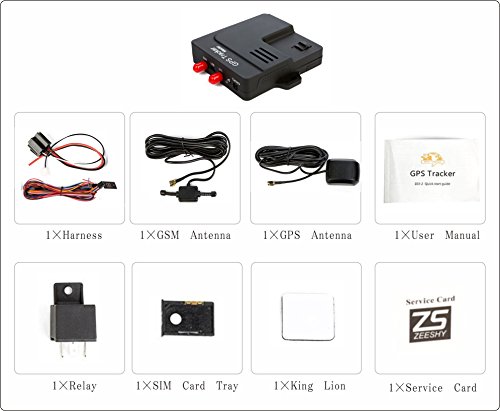
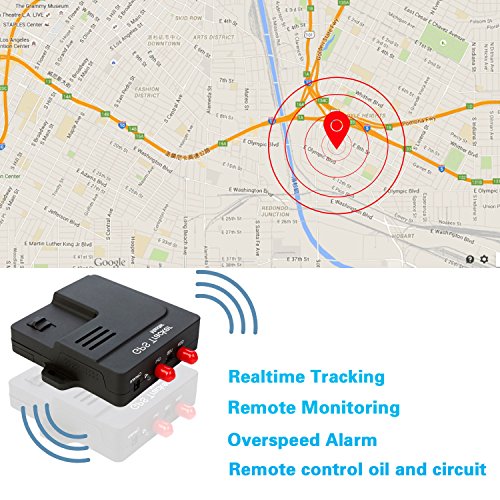

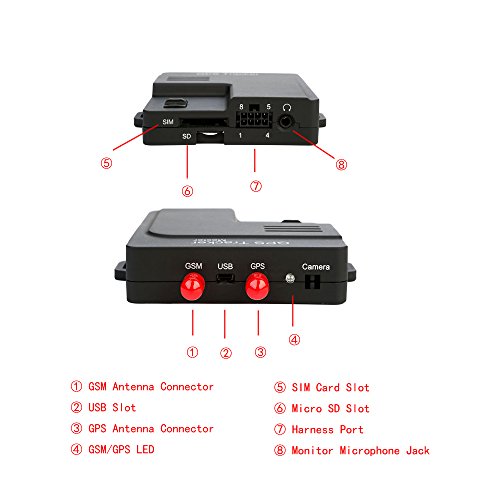
Master instructions for use1. Strongly recommend to car store to install the device follow the instructions.Our GPS Tracker Support only 2 kind of 2g GSM Net SIM Card Only: Cingular sim card and T-Mobile sim card;2.Insert the 2g GSM net SIM card, waiting for red LED 3 seconds flash once. Please use the phone to dial the device phone card number, if the automatic hang up, directly to the third step. If prompted to shut down, please re-install the SIM card and confirm that the device have enough power.3.APN settings: use your mobile phone to edit text messages sent to the device phone number,as follows:Cingular sim card123456apn isp.cingular [email protected] CINGULAR1T-Mobile sim card:123456apn internet2.voicestream.com4. Please note: the settings will be followed by SMS reply OK, but he does not mean that you set the correct, please ensure that each words and punctuation (space) is correct, if the input error will not be able to successfully locate. The reset will automatically overwrite the last setup.5. Serch "ifollowit"in app store to download APP, Open the APP, enter the user name: The back of the device is the IMEI number of the bar code, enter the password: 123456 login, congratulations you can monitor the vehicle mobile app. If you still can not view the current vehicle location, pls check the APN settings.Applications: Anti-theft of the vehicle/heavy equipment etc. Protection of the child/elderly/disabled/pet etc. Provide peace-of-mind for businessman. Personnel management. Covert criminal tracking. Item Includes: 1×GPS tracker 1×GSM antenna 1×GPS antenna 1×Relay 1×Harness 1×User manual Note: Please make sure the SIM card is for GSM network. SIM Card not included, customers need to get it from your own country by yourself.The instructions include both chinese and english instruction
Trustpilot
2 weeks ago
1 month ago