Some deliveries may take a little longer than usual due to regional shipping conditions.

DOWNLOAD THE APP


Customer Services
Copyright © 2025 Desertcart Holdings Limited
DOWNLOAD THE APP


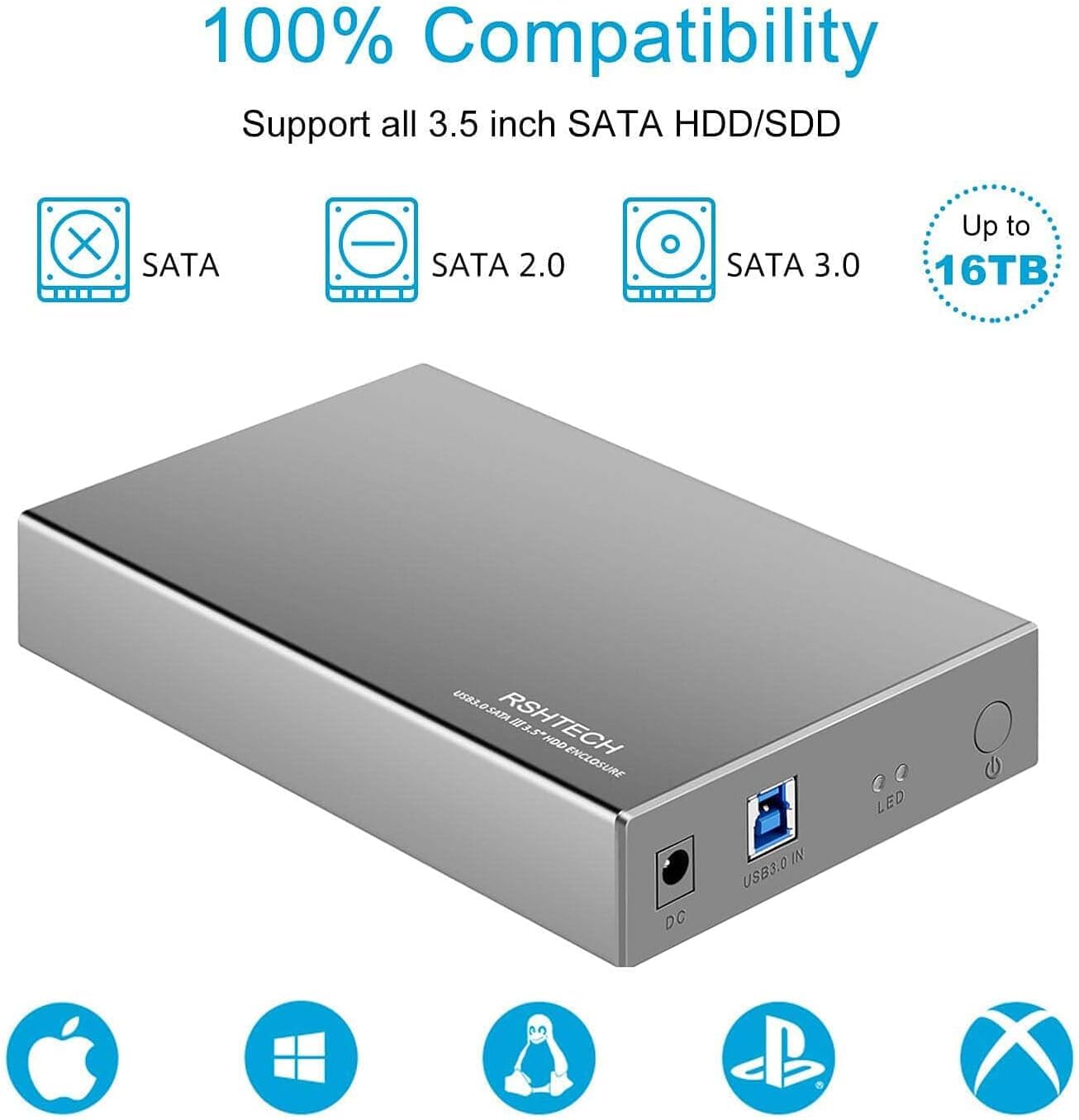
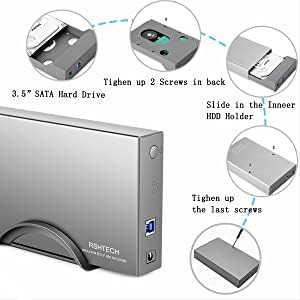
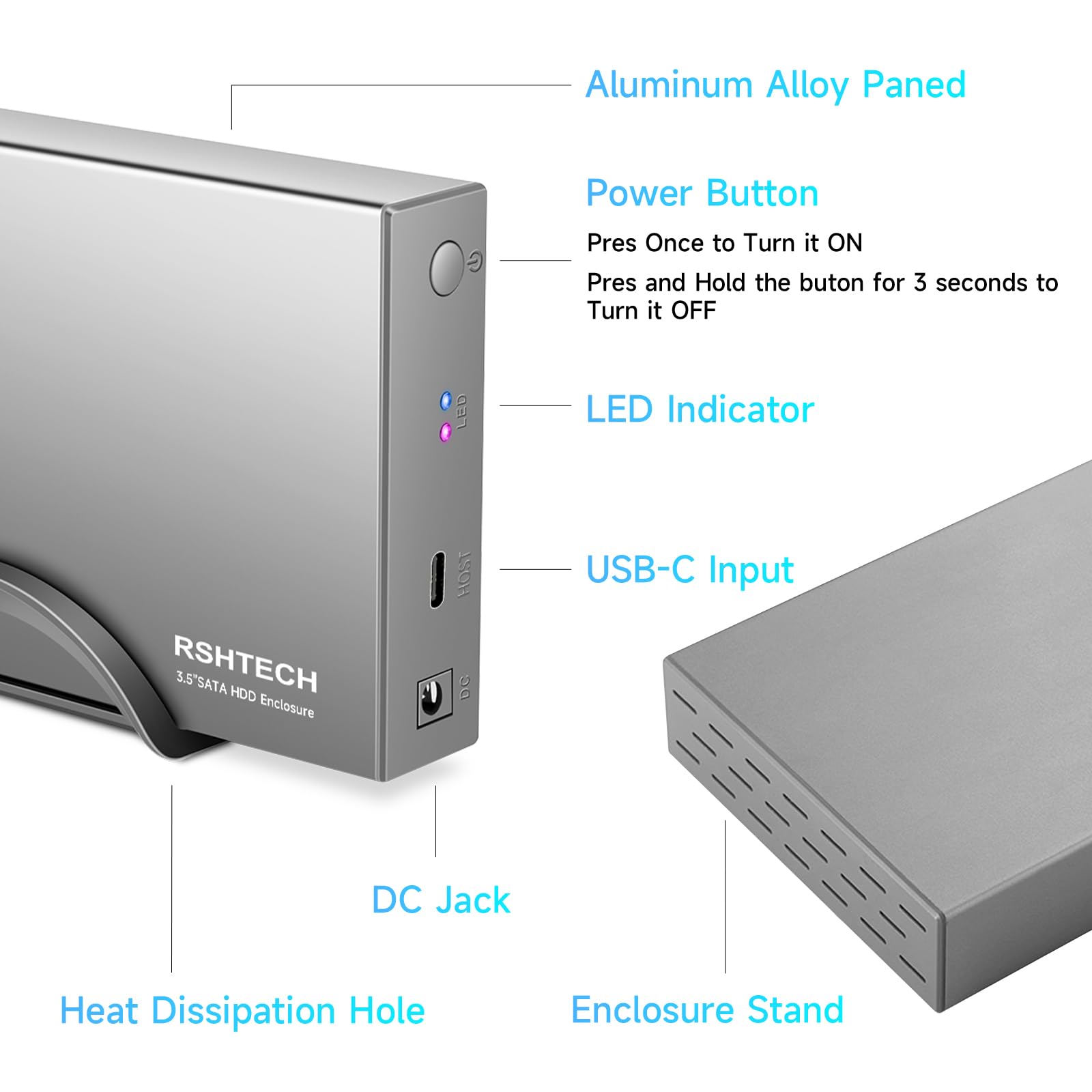
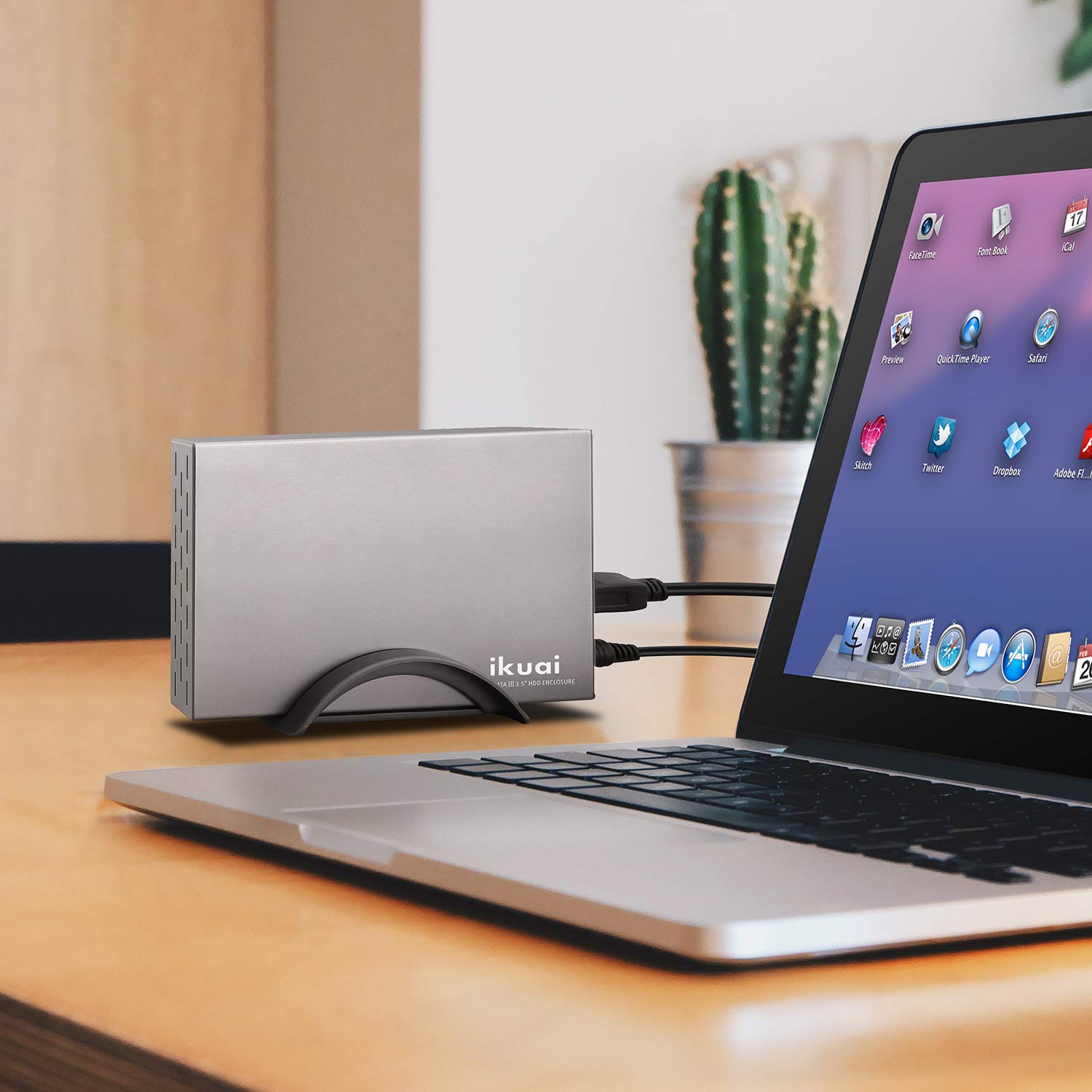

💼 Elevate your data game with sleek speed and rock-solid reliability!
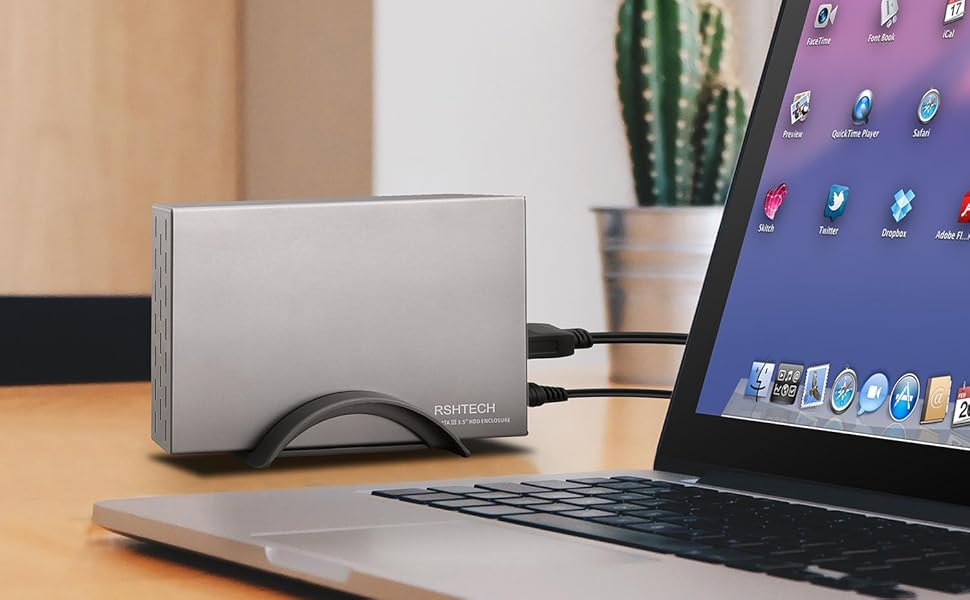
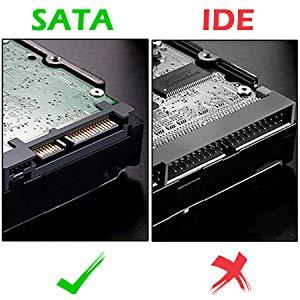
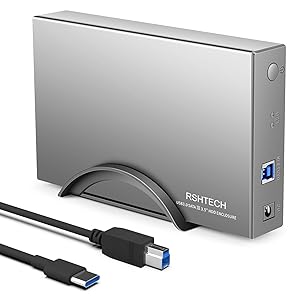
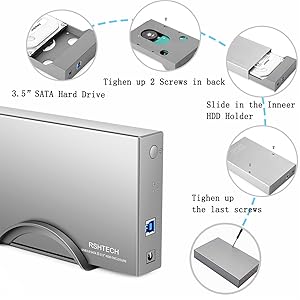
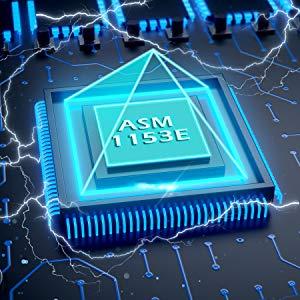
The RSHTECH Hard Drive Enclosure (RSH-339C) is a robust aluminum external case designed for 3.5" SATA I/II/III HDDs and SSDs up to 16TB. Featuring USB 3.0 with UASP for blazing 6Gbps transfer speeds, broad OS compatibility, and smart power-saving sleep mode, it ensures reliable, cool, and efficient storage expansion for professionals who demand performance and durability.






| ASIN | B083R4BC3Y |
| Compatible devices | Personal Computer |
| Data transfer rate | 5 Gigabits Per Second |
| Guaranteed software updates until | unknown |
| Hard disk form factor | 3.5 Inches |
| Item model number | RSH-339C |
| Manufacturer | RSHTECH |
| Material | Aluminium |
| Max number of supported devices | 1 |
| Memory storage capacity | 16 TB |
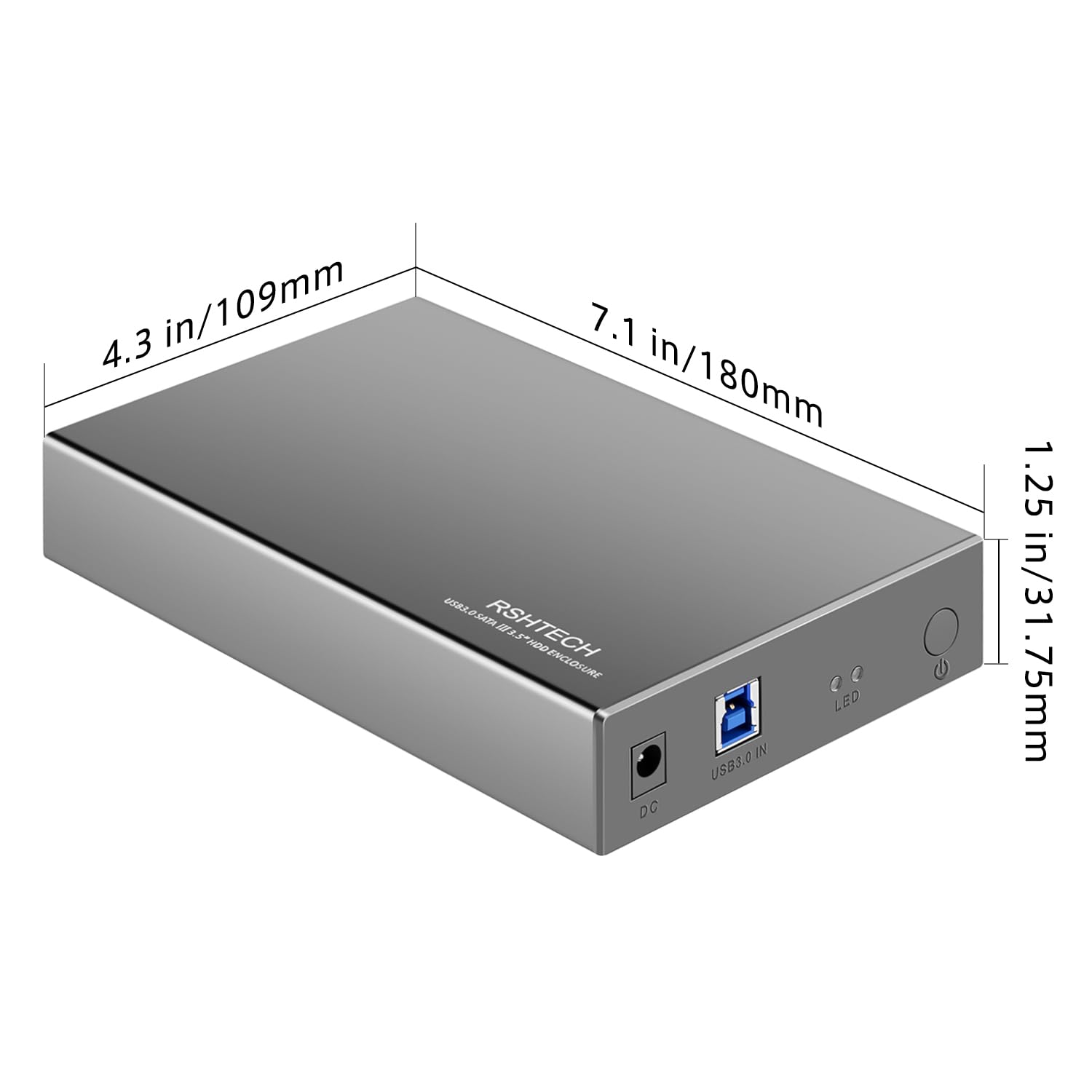
| Product Dimensions | 18 x 11 x 3.2 cm; 560 g |
G**S
Great product, solid stable construction,easy to install, reliable,great value.
I know , backing up on ‘The Cloud’ is the in thing nowadays but I personally do like a ‘hands on – physical’ back up plan . I have a lot of imagery files because of my photography hobby , an awful lot of music files collected over the years and many varying projects esp focused around my band , so I decided to create a bank of external hard drives to cater for my preference and decided on these hard drive housing units. These units are very sturdy, metal box in a gun-metal satin grey coloured finish. Very easy to build/install your chosen hard drive , simply by pulling out ‘the draw’. All the connectors, inside and out, and all 4 of the screw holes, line up perfectly. Once the drive is fitted you simply push back in for it all to seamlessly connect together. Once all fitted together you just pop in the final couple of screws , job done , all very quick, easy and secure. Being a novice at all of this , I really appreciated the instructions booklet provided, telling you how to get into the Disk Management application in Windows and format and initialise your hard drive, too. I had absolutely no idea that the PC would not recognise these new drives without a little admin and configuration work . Again , follow the instruction , very simple. NB , to power down , you just hold in the power button for 4 seconds. Great product , great reliability and functionality, easy to install , great value.
K**R
RSHTECH Hard Drive Enclosure
It was easy to install a sata hard drive in the case and to reassemble afterwards. A good quality usb connection lead is provided. The drive was recognized right away by my system and has run well since initial connection. Overheating does not appear to be a problem even after extended use and the tightness of the fit of the drive within the case with only limited ventilation. I have a linux operating system installed on the drive and have the option to boot from this drive or the internally installed system. So far everything is working well. Time will tell, of course but for the moment I am happy to give a five star rating. (I don't know what Amazon mean by 'sheerness' on their 'Create review' page so I've left that blank. My only slight niggle is that the drive takes a long time to spin down after restarting or shutting down the system - I often have to to switch off power before spinning down completes but this appears not to cause problems. The switch on the front of the device needs to be pressed when the drive is first connected but has no effect at the end of a session after initiating restart or shutdown (the power LED remains illuminated). The niggle is not enough to alter my opinion that this was a good purchase and on my experience, so far, I can recommend the device. UPDATE: still going strong although now used entirely for backup purposes. I added a second one after being pleased with my first purchase and that also continues to work well. Today, as I have just reclaimed a Seagate hdd from an eSata enclosure, I am ordering my third after first checking compatibility with RSTECH support team via email (very quick, helpful response received which increases my faith in the product). Further UPDATE: My new enclosure arrived very quickly after ordering. As with previous experiences, fitting the sata hdd was easy and quickly achieved. My MX-Linux 23 system immediately recognized the drive when it was connected. My opinion of the enclosure has not changed - the quality is excellent and the design of high standard combining simplicity, efficiency and unfussy good looks. I am better at using the switch now - previous comments I made were really a reflection on my usage and I have improved. This is a really good bit of kit that exudes quality beyond its extremely reasonable price - I can thoroughly recommend it.
D**T
Solidly built, works well, sleep function fiddly to set up
The product is easy to set up, well constructed and has a pleasing appearance in terms of design. Unless you upgrade the firmware, the drive remains powered up and spinning continuously, which obviously is not energy-efficient and may shorten the life of the hard disk you fit inside. It comes with instructions to download and update the firmware. I followed the instructions to the letter, and in my case this didn't work. The software tried three times and the final result was a big FAIL. With the original download I kept getting a message "firmware and device not matched". Not wanting to be beaten I spent about two hours Googling and browsing the web. Eventually I solved the problem by downloading a more up-to-date firmware from a third party driver site– Station Drivers. Search for AS Media then ASM-105x. the firmware version that worked for me was 140704_A1_A9_0. Just follow the instructions in the original PDF but substitute the new firmware file. Before you click the "play" to update, make sure you set the sleep timer to be something like 10 minutes (or 5 minutes according to your preference). I'm not sure that you can change this after you've updated the firmware, which might be the problem with the original download and instructions. I like everything about this product except the sleep function, which took me over two hours faffing about to set up properly, hence only 3 stars even though it's now working. Other than this, I can recommend this product. NB this is my own review. I purchased the product and no one has offered me any incentive to write this.
W**T
This is a no-nonsense metal disk enclosure for SATA and (at least some) SAS drives with good, solid connectivity and throughput. I received this enclosure in a plain cardboard box with a printed sleeve which has some basic specifications listed on it (photo included). Also in the box are a bracket to set the drive on its edge, and a small, printed manual that outlines all the steps to install the drive and prepare it for use (partitioning, formatting). Also included are the power adapter for the drive and a shielded USB cable that offers both USB-A and USB-C connectors on the computer end of it, making sure plugging it in is never a problem, regardless of which standard is in use on your device. The manufacturers wasted little on unnecessary marketing "fluff" and focused on delivering a straight-forward external drive bay that will fit 3.5 inch drives inside an aluminium alloy shell that does a reasonable job dissipating drive heat. It provides passive cooling only, so if you're using a drive that runs particularly hot, you may want to consider keeping it in a well-ventilated space. Of course the upside of this is that the enclosure itself does not produce any noise. I used this enclosure to mount one of my spare 3 TB enterprise hard disk drives (spinning platter drive with SAS interface) and the installation was very simple and literally a matter of a few minutes to complete, just as the box claimed. Everything needed is included in the box (aside from the drive, of course) - they even supply a small screwdriver to use with the total of 4 screws to complete installation. The enclosure has a firm plastic tray inside it that slides out, which will fit a 3.5 inch drive. The tray will only fit the drive in one direction/orientation, preventing wrong installation; when pushed onto the SATA connecter in the tray, holes in it line up accurately with the mounting holes in the bottom of the drive which are used to connect everything together. After placing the drive, it was a matter of simply securing it with the included short screws, sliding the tray back into the metal housing, and using the two long screws to fasten the tray and drive inside the shell. Truly plug and play, all I had to do was plug in the power, connect the USB cable to the drive and my system in a USB 3.0 port, press the little power button on the drive and presto! I had my 3 TB of space available in Windows (it had already been partitioned and formatted previously, so I didn't have to do that again). I performed a few tests and another nice surprise was that the disk's SMART parameters were transparently handed off to the operating system, preserving the drive's health monitoring. Read and write speeds were good, hitting the hardware limits of the drive I plugged in without any speed loss translating to USB, and it literally felt like I had just opened up my tower to install the drive natively. The only negative points I found with this drive is that there's a glaring misspelling on the packaging ("Enslosure" instead of "Enclosure") and the slightly less than optimal location of the button and the LEDs. They are side-by-side with the USB and power connectors on one side of the drive. This makes it so that you either don't see or have access to the LEDs and button, or that the cables will be sticking out the front of the drive which is not a very clean way of having an external drive hooked up. Speaking of LEDs, they are labeled with "LED" instead of more useful information like "power" and "activity". Overall, though, those are minor nits and don't really influence my impression of the enclosure which is functional, clean and easy to use.
F**O
Ottimo, veloce, con due cavi per collegarlo al pc, uno con usb 3 e uno con usb C. Unici difetti, il cassetto interno di plastica e il colore che è grigio medio/scuro non colore alluminio come da foto.
P**R
Das RSHTECH Aluminium USB 3.0 Festplattengehäuse ist eine zuverlässige Lösung für den externen Anschluss deiner SSDs und HDDs. Mit Unterstützung für 2,5'' und 3,5'' Festplatten und einem robusten Aluminiumgehäuse bietet dieses Modell eine optimale Kombination aus Design und Funktionalität. Das 2-in-1 Kabel (USB Typ-A & Typ-C) sorgt für maximale Kompatibilität, während das Netzteil (24W) eine stabile Stromversorgung gewährleistet. Ideal für schnelle Datenübertragungen dank UASP-Unterstützung 🚀. Hauptmerkmale: Kompatibilität: Unterstützt sowohl 2,5'' als auch 3,5'' SSDs und HDDs 💾. USB 3.0 & UASP: Für superschnelle Datenübertragungen von bis zu 5 Gbit/s ⚡. 2-in-1 Kabel: Enthält sowohl USB Typ-A als auch Typ-C für maximale Flexibilität 🔌. Robustes Aluminiumgehäuse: Für eine gute Kühlung und einen professionellen Look 🛠️. Automatische Schlaffunktion: Spart Energie, indem es die Festplatte nach Inaktivität in den Ruhemodus versetzt 💤. 24W Netzteil: Sorgt für eine stabile Stromversorgung, besonders für größere 3,5'' Festplatten ⚡. Vorteile im Detail: Schnelle Datenübertragung – Dank UASP wird die Geschwindigkeit der Datenübertragung deutlich verbessert 🚀. Vielseitig einsetzbar – Ideal für alle, die sowohl 2,5'' als auch 3,5'' Festplatten nutzen wollen, ohne mehrere Gehäuse zu benötigen 🧳. Energieeffizient – Die automatische Schlaffunktion schont die Festplatte und spart Strom 🔋. Stabile Konstruktion – Das Aluminiumgehäuse sorgt für optimale Kühlung und schützt deine Festplatte vor Überhitzung 🔥. Einfache Installation – Keine Treiberinstallation nötig, Plug & Play für Windows und Mac OS 💻. Anwendungstipps: Stelle sicher, dass du das Netzteil korrekt anschließt, besonders wenn du größere 3,5'' HDDs verwendest, um eine stabile Stromversorgung zu gewährleisten ⚡. Verwende das USB 3.0 Kabel für die schnellste Datenübertragung – achte darauf, dass dein Computer ebenfalls USB 3.0 unterstützt 🔄. Fazit: Das RSHTECH Aluminium USB 3.0 Festplattengehäuse ist die perfekte Wahl für alle, die eine schnelle und zuverlässige Lösung zum Anschließen von externen SSDs und HDDs suchen. Mit hoher Kompatibilität, schnellen Datenraten und einem robusten Design ist es ideal für den täglichen Einsatz und sorgt dafür, dass deine Daten sicher und schnell übertragen werden. Ein praktisches, gut durchdachtes Gehäuse, das für alle deine Speicheranforderungen bereit ist! 💻🔋
B**H
ZIEL: Eine Backup-Platte (3,5"; SATA 6Gb/s) sollte einsatzfähig gemacht werden, d.h. SATA/USB-Bridgecontroller, USB-Kabel (2.x/3.x) sowie eine Stromversorgung (12V, mind. 2A) musste her. Ein "fliegender Aufbau" war außerdem zum Schutze unerwünscht, weshalb auch ein Gehäuse gesucht wurde. Gewählt wurde das "RSH-339ST" von "RSHTECH": Alles komplett "Made in China", diesmal leider aber auch das Design/Gerätekonzept. VORTEILE: * Top-Materialien: Aluminium (dick, eloxiert) sowie ABS-Kunststoff. Beides lässt sich bestens verarbeiten (bohren, senken, kleben) falls man einen flüsterleisen 8cm-Kühlventilator nachrüsten möchte, was ich generell bei HDDs jedem an's Herz legen würde. * Vollständig zerlegbar: Dies erleichtert die Ventilator-Nachrüstung (da sonst Späne in den Controller wandern). Viel wichtiger aber: Man sollte sich UNBEDINGT die Platine des USB/SATA-Bridgecontrollers näher ansehen (siehe Nachteile)! * Top-Schaltnetzteil: 24W (12V, 2A) ist dabei. Der Einschalt-Strombedarf steht im HDD-Datasheet, aber mit diesen 2 Ampere kommen die meisten Platten gut aus. * Top-USB-Kabel: Ein hochwertiges (dickes) USB-Kabel mit Adapter (USB 2.x/USB-A auf USB 3.x/USB-C) liegt bei. Der Betrieb mit beiden USB-Arten war stabil. * Ein/Aus-Schalter: Zwar vorhanden, der Wermutstropfen aber steht bei den Nachteilen. * Activity- & Power-LED: Prinzipiell vorhanden, auch hier ein Wermutstropfen (siehe Nachteile). * Energiesparmodus: Defaultmäßig zum Glück deaktiviert! Wer aber unbedingt die Lebensdauer seiner Festplatten (abgesehen von head ramp/load cycle count) verkürzen möchte, der kann auf der RSHTECH-Website ein Utility zum Aktivieren und Einstellen downloaden. NACHTEILE: * Controller-Platine: Leider nicht nur eine unpräzise verlötete, minderwertige Fertigung. Es befanden sich sogar vereinzelte Lötzinn-Spritzer (kleine Kügelchen etc.) darauf, die man alle tunlichst VORSICHTIG VOR Inbetriebnahme entfernen sollte. Denn die lösen sich irgendwann ab und können dann Kurzschlüsse auf dem Controller oder der HDD-Platine erzeugen! * Lüfter: Vom Hersteller ist kein Lüfter vorgesehen. Wer die Lebensdauer seiner heiligen Backup-Daten verlängern, und auch in der Sommerhitze stabile Temperaturverhältnisse sicherstellen möchte, der muss selbst einen dazubasteln! Hierzu hätte das Gehäuse 5mm höher sein können, aber es geht gerade noch. * Anordnung: Diese ist unpraktikabel, da die Anschlusskabel und der Ein/Ausschalter (idealerweise ein Kippschalter statt einer hier leider eingesetzten Wartetaste) auf der Geräterückseite angebracht sein sollten. Den Schreibtisch will man schließlich vom Kabelsalat freihalten, aber in China scheint dies so nicht üblich zu sein. * LEDs: Diese sind verblüffenderweise mit "LED" beschriftet, statt mit POWER (rot) & ACTIVITY (blau) bzw. entsprechenden Symbolen. Leider ist die Activity-LED nicht mit der eines Mainboard-SATA-Controllers vergleichbar. Diese hier kann bestenfalls regelmäßig blinken, aber immerhin! Wer da was Besseres haben will müsste wiederum zum Lötkolben, oder zu einem Wechselplattengehäuse greifen. (Das ist ein bekanntes Manko des SATA Standards.) * Unnötige Plastikteile: Die Abdeckung beim Bridgecontroller sollte zur besseren Kühlung entfernt werden. Auch der Plastikständer zum Hochkantstellen des Gehäuses sollte aus Sicherheitsgründen (hoher Schwerpunkt, Kippgefahr) nicht verwendet werden. PRAXIS: Das Gehäuse war rasch und gut adaptierbar (Lüfterbohrungen, etc.). Im stabilen, tagelangen Backup-Betrieb (einige Terabytes) wurden im Durchschnitt die üblichen USB-Transferraten von 20 MB/s (USB 2.x) bzw. 80 MB/s (USB 3.x) erreicht. Die 6 Gb/s-Platte könnte natürlich ein Vielfaches davon, aber das ist halt USB und nicht SATA/eSATA! Dank Lüfter-Nachrüstung blieb die Platte immer unter 35°C bei normaler Umgebungstemperatur. FAZIT: Eigentlich (aufgrund der Lötzinnspritzer) NUR für Bastler geeignet, für diese aber dafür sehr empfehlenswert! Denn Preis/Leistung und Ausstattung sowie Zerlegbarkeit sind sehr gut! Positiv hervorzuheben ist der standardmäßig deaktivierte Energiesparmodus (Platte hat weniger Stress) sowie das Vorhandensein einer "gewissen" Activity-LED. => Jederzeit gerne wieder!
S**Y
Durch die Umstrukturierung meiner beiden Windows 10 und Windows 11 Desktop Rechner sind mir mehrere 3,5“ SATA Festplatten übriggeblieben. Für diese Festplatten suchte ich nach einem Gehäuse, um sie zur Sicherung meiner beiden Rechner weiter verwenden zu können. Ich habe mich für das RSH-339ST von RSHTECH entschieden, da das Gehäuse aus Aluminium besteht. Das schachtelförmige kantige Gehäuse (ca. 18,5 cm x 11 cm x 3,2 cm) besteht aus einer 1,5 mm starken Alu-Legierung, ist auf einer Seite offen und mit Lüftungsschlitzen auf der anderen Seite versehen. Auf einem Schlitten aus 3 mm dickem ABS-Kunststoff mit gekapselter Elektronik wird die Festplatte in eine SATA Steckerleiste geschoben, dann mit 2 kurzen Schrauben befestigt und in das Gehäuse eingeführt. Der Schlitten wird mit 2 weiteren Schreiben mit der Gehäuseunterseite fixiert. Damit sitzt eine 3,5“ Festplatte fest und die Schublade kann nicht aus dem Gehäuse rutschen. Die HDD ist nur nicht direkt an der Alu-Schachtel angeschraubt, sondern eben an einer 3 mm starken Kunststoffplatte mit 3 Aussparungen. Der Zusammenbau ist mit dem mitgelieferten Schraubendreher ein Kinderspiel. Alle Teile machen einen wertigen Eindruck. In die etwas wackeligen Halterung wird das Festplattengehäuse so gestellt, dass die Stromversorgungsbuchse an der Frontplatte unten ist. Der eingeschobene Kunststoffschlitten bildet die Gehäusefront mit dem Anschluss für das 2 A Netzteil mit einem Stecker mit 5,5 mm Außen- und 2,2 mm Innendurchmesser, einer USB-B Buchse, 2 LEDs (Rot = Power, Blau = USB) und einem Ein-/Aus-Taster. Neben dem 12V/2A Steckernetzteil (Gehäuse ohne Stecker ca. 70 mm x 38 mm x 28 mm, Kabellänge einschließlich Stecker ca. 1,25 m) liegt dem Festplattengehäuse eine Gehäusehalterung, ein ca. 1 m langes Kabel für die USB-B Buchse mit USB C und Typ A Stecker, 1 Schraubendreher, 4 Schrauben und eine Bedienungsanleitung bei. Die Bedienungsanleitung ist in Englisch und Deutsch. Für die Beschreibung des Zusammenbaus wird weniger als eine Viertelseite benötigt. Der Rest von 4 ½ Seiten handelt von Partitionierung und Formatierung. Dabei wird auch ein Win7- (!) und das Mac OS-System behandelt. In das RSH-339ST Gehäuse baute ich zum Testen eine 2 TB Festplatte von Western Digital (WD Red NASware WD 20 EFRX, 64 MB Cache, gefertigt 11/2012) ein und verglich sie mit einer meiner bewährten WD Elements mit 3 TB (Kunststoffgehäuse, Maße ca. 16 mm x 13,5 mm x 4,8 mm, Lüftungsschlitze auf 3 Seiten des buchförmigen Gehäuses unterbrochen durch Anschlussplatte mit Ein/Aus-Taster, Netzanschluss für 1,5 A Netzteil mit Stecker (außen 5,5 mm Durchmesser, innen 2,5 mm Durchmesser) und USB 3.0 Micro-Buchse). Die Challenge bestand darin, ca. 1333 GB, aufgeteilt auf 6 Partitionen, von meinem Windows 11 Rechner zu sichern. Dazu verwendete ich Acronis True Image 2021, welches 5 Backup komprimierte. Das oft benutzten WD Elements (oder auch die alten My Book, auch von Western Digital) haben mich noch nie im Stich gelassen. Deshalb war in 2 Stunden 42 Minuten die Sicherung mit dem oben beschriebenen WD Elements beendet. Das 1,5 A Netzteil blieb kalt, warme Luft strömte aus den Lüftungsschlitzen des Plastikgehäuses des Elements Gehäuses. Das RSH-339ST brach beim ersten Versuch nach 1 Stunde 45 Minuten die Verbindung ab. Das Gehäuse war warm und das Netzteil kalt. Bei einem zweiten Versuch am nächsten Tag wurde die komplette Sicherung von ca. 1333 GB nach 3 Stunden und 4 Minuten beendet. Während der Sicherung arbeitete ich am gleichen Rechner. Ich formatierte die 2 TB Festplatte in die GPT Partitionstabelle um und benötigte bei der nächsten Sicherung von 13604 GB komplett 2 Stunden und 28 Minuten und unterbot damit die Zeit des WD Elements. Allerdings arbeitete ich diesmal nicht am selben Rechner. Auf der Suche nach einem weiteren Festplattengehäuse fand ich das Networx-Gehäuse, welches fast die Hälfte des RSH-339ST kostet und ebenfalls aus Aluminium besteht. Rezension bei diesem Gerät.
Trustpilot
4 days ago
2 months ago