


🚀 Power, Ports & Performance — The Ultimate MacBook Sidekick
The Anker PowerExpand Direct 7-in-2 USB-C Hub is a compact, premium aluminum adapter designed specifically for MacBook users. It expands two USB-C ports into seven essential connections, including a 100W Thunderbolt 3 charging port, 4K HDMI output, dual USB-A and USB-C data ports, plus SD and microSD card readers. Supporting ultra-fast 40Gbps data transfer and dual-monitor setups up to 5K@60Hz, it’s engineered to boost productivity and streamline your workspace with zero installation hassle.


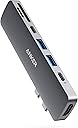
| ASIN | B07YZ48HCT |
| Best Sellers Rank | #388,054 in Electronics ( See Top 100 in Electronics ) #924 in USB Hubs |
| Brand | Anker |
| Brand Name | Anker |
| Colour | Grey |
| Compatible Devices | Keyboards, Laptops, Monitors, Mouse, USB Flash Drives |
| Customer Reviews | 4.5 out of 5 stars 11,434 Reviews |
| Data Transfer Rate | 40 Gigabits Per Second |
| Enclosure Material | Plastic |
| Hardware Interface | HDMI , USB 3.0 Type A, USB 3.0 Type C |
| Item Dimensions L x W x H | 12L x 2.9W x 1H Centimeters |
| Item Weight Unit of Measure | 64 g |
| Manufacturer | Anker |
| Manufacturer Part Number | A83710A1 |
| Model Number | A83710A1 |
| Number of Ports | 7 |
| Operating System | mac |
| Product Features | Powered |
| Special Feature | Powered |
| Total USB Ports | 4 |
| UPC | 194644018016 |
| Unit Count | 1.0 Count |
| Warranty Description | 1 year |
A**H
Amazing Gadget
Bought 3 years earlier, reviewing now. Using it regularly with MacBook Air M1. Product is very good
M**N
A trustworthy option for your MAC!
This is by far one of the best docks. Is it expensive? You bet it is. Is it good? Absolutely. It is fully metallic which just screams sturdiness. Its a 7 in 2 dock, so there are no cables that keep dangling. It becomes a part of your MacBook. I have the M1 MBA. Pros: 1. As for the ports all are working. 2. So with the USB 3.0 port, my SATA SSD gave a read speed of 350ish MBPS and a write of 250-280 MBPS. The second USB 3 port gives a bit more speed. I dont know why. I could attach my HDD and my USB wireless mouse and it works perfectly. 3. The HDMI supports 4k30, so there's that, I usually use a 1080p 75HZ monitor and it works perfectly. 4. There are 2 type C ports, one is a TB3 one, it is used for charging and can be used to connect to a USB C display. The other port is a regular type C port and supports a data transfer of 5GBPS (theoretically). I didn't have type c SSDs to test so cant tell you but since its Anker, I trust that it will work. Also this supports Pass-through charging, so if you use a 30W adapter (like my MBA), it will display as 30W and will charge at 30W 5. The SD cards slots work as expected, my SD cards advertised speed is 95MBPS read. I got 85MBPS read and 77MBPS write. As for the microSD, the advertised speed of my card is 48MBPS read, gives 45MBPS read and 35ish write. 6. As for stress testing, I used all ports at once and they work as expected. CONS: 1. My mouse lags sometimes but that's not a dock issue tbh, that's the unifying connector from Logitech, it doesn't play well with docks. 2. There are 2 Type C ports and only one is used for charging. This is a bummer as what if I connect my NVME SSD to the TB3 port, I wont be able to charge my mac. 3. I wish it had 4k60, even the Cable creation one provides 4k60. As for heating, It gets warm when a lot of action is happening i.e. if I connect all my devices, it will get warm but this is expected, it is already mentioned in the booklet as well as the device itself. Other than that, there are no issues with them. They give a 18 month warranty, which is just great. Yes, I spoke to customer service and they confirmed it. If the seller is AnkerDirectIN, it will have a warranty. Also it is a pick and drop warranty, so if this breaks, they will send someone to pick it up and they will deliver you a new piece. Stop buying those cheap docks. If you have a mac, invest in something good. All cheap docks are the same and most of them look the same because they are from the same manufacturer. So, I would recommend this dock if the cons aren't an issue for you. PS- I did return it eventually as I needed 2 charging ports. And I forgot to click pictures, so there are none. Cheers.
A**R
Overall a very good buy at 4K INR !!
I was very confused while buying a USB hub for my Macbook Air M1. Reviews in amazon and other websites are really confusing. I have watched lot of youtube reviews and finally concluded to buy this hub. Pros : 1. Light weight 2. Port works very well. Tested thunderbolt, usb ports and hdmi ports. 3. No lag when using the logitech keyboard and mouse. 4. HDMI output is very clear. 5. Little expensive but I got for 4K on offer. 6. Don't take risks with cheaper USB's. 7. Delivered in 3 days. 8. This hub comes with a pouch. Cons: 1. Color looks little odd on my Rose Gold M1 Macbook 2. When you use external cover for Macbook Air, then it has to be cut in shape.
T**Y
ANKER always proves the premium build quality and user compatibility more trouble free
My journey begins with ANKER when i started using Apple , ANKER joined the family thoughtlessly with its tremendous working performance and build quality. There is no other product brand that match ANKER when it comes to quality and compatibility with best course of action. There are many competitive brands in the market but it suits best for all my needs.
K**N
Nice portable and durable.
Definitely worth it. Its too shame that this brand has stopped producing it.
A**.
Good One
It is a good product. I got it for 3799, and I found it to be a total value for money in that. But it sometimes gets heated and can affect performance when used for a period. I would suggest you to go for it if you don’t have any heavy workload.
A**R
Works well for MacBook Air
Great product from Anker, comes with Pouch to carry. Tried SD Card slot & HDMI Ports for more than 2 Hours, heating problem not yet found. Must have for M1 MacBook users.
M**I
Really good product from Anker. Works great.
Good build quality. Feels sturdy. Inside part of ports looks not upto the Macbook ports. But can’t complain. It works. One thing to think about is the design. When we pull out cables, the adapter comes out of its ports connected, so you have to hold it to pull out connected devices or cables. I don’t think it is an issue with this device but a problem with the design
Trustpilot
1 month ago
2 weeks ago