Some deliveries may take a little longer than usual due to regional shipping conditions.

DOWNLOAD THE APP


Customer Services
Copyright © 2025 Desertcart Holdings Limited
DOWNLOAD THE APP

🚀 Upgrade your speed, secure your data, and future-proof your tech game!
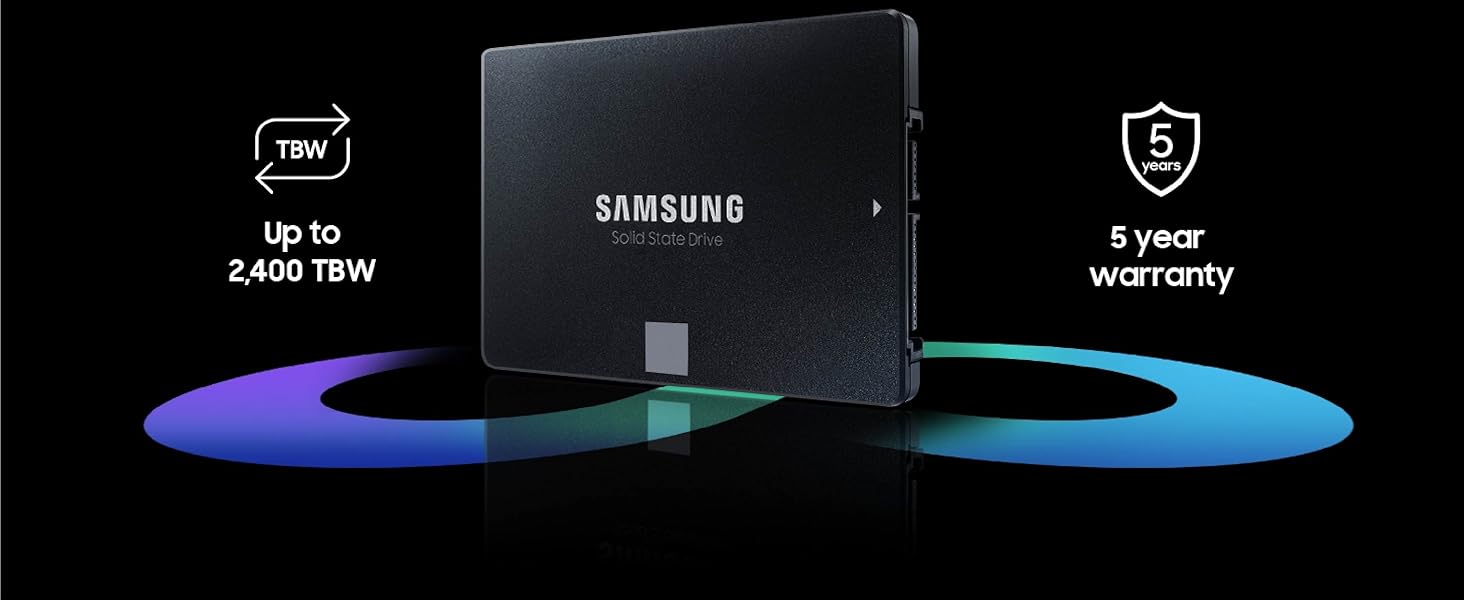
The Samsung 870 EVO 2TB SATA III SSD delivers professional-grade performance with blazing sequential speeds up to 560/530 MB/s, robust AES 256-bit encryption, and industry-leading endurance rated at 2,400 TBW. Its broad compatibility across major platforms and compact 2.5-inch form factor make it the ultimate upgrade for millennials seeking reliable, fast, and secure storage that keeps pace with modern multitasking and content creation demands.


| ASIN | B08QB93S6R |
| Best Sellers Rank | #3 in Internal Solid State Drives |
| Brand | Samsung |
| Color | Black |
| Customer Reviews | 4.8 4.8 out of 5 stars (44,993) |
| Date First Available | December 24, 2020 |
| Flash Memory Size | 2 |
| Hard Drive | 2 TB Solid State Hard Drive |
| Hard Drive Interface | Serial ATA |
| Hardware Platform | PC |
| Is Discontinued By Manufacturer | No |
| Item Dimensions LxWxH | 3.94 x 2.76 x 0.27 inches |
| Item Weight | 3.04 ounces |
| Item model number | MZ-77E2T0B/AM |
| Manufacturer | Samsung |
| Product Dimensions | 3.94 x 2.76 x 0.27 inches |
| Series | 870 EVO |
K**T
Reliable, High-Quality Samsung SATA SSD
This is a genuine Samsung 870 EVO SATA SSD, and it performs exactly as expected. Installation was quick and easy, and the drive was recognized immediately. Performance is excellent for a 2.5" SATA SSD, with fast boot times, smooth application launches, and consistent speeds. Samsung's build quality and reliability really show here. It's an excellent upgrade for older desktops or laptops and a solid choice for anyone looking to replace a traditional hard drive or a lower-end SSD. Overall, a dependable, high-quality SSD that delivers the performance Samsung is known for.
F**D
Great quality/great value. Highly recommended.
I got this Samsung 500gb 2.5" SATA SSD to upgrade from the 512gb HDD in an old HP Pavilion laptop (model HP 15-f233wm). It's a perfect fit and works great. It's made the old device MUCH faster and improved the overall performance immensely. I consider myself a functioning illiterate when it comes to computers. So, when I tell you that this drive was easy to install and get working you can believe it. Once I got the laptop open and ready it was an easy process to swap over the new SSD for the older HDD. With the ongoing phase out of Windows 10 I've decided to better educate myself on computer systems by tinkering around with this older laptop that cannot run the newer system (Windows 11). It was recommended to me that, given the outdated system and limited room for improvement, the best thing I could do to upgrade the old Pavilion was replace the original HDD with a newer SSD to improve overall performance. I was a little nervous as I've never done this type of thing before and I don't really have much tech savvy. I watched a few YouTube videos, ordered this Samsung SSD replacement, and got to work. It was a major improvement. The old laptop runs better than it has in years; faster, quieter, overall better functionality. It's still old and outdated but it works well for basic productivity. BOTTOM LINE: I think this is a great product and a wonderful value. I have no complaints at all and I highly recommend it.
M**E
Quantum Leap in Performance...
I have an older HP Envy, Windows 10 laptop from 2017 that laid down a few weeks ago. I upgraded to Windows 11 from the drop but it always struggled running 11. It finally became so corrupted that the graphics driver was toast. It would boot but dark screen no matter what. So, what's a guy to do? Punt and buy a new rig at todays prices and get a lesser unit for more money or...attempt a fresh install. After the fresh Windows 11 install I decided to update the rig before I loaded the backup. I formatted the EVO, and cloned the drive externally before cracking the case. Once open I replaced the network adapter w/Wi-Fi 6 unit, I removed the optical drive altogether, and using an adapter I moved the OE 1 TB HDD into it's bay and installed the 2TB 870 EVO in the main bay. My thinking was I could mod the boot order in the bios to load from the SSD, then format the HDD for extra storage and change the drive letters. This didn't work. Upon power-up, the bios kept seeing the HDD first and loading from it regardless the boot order in the bios. The fix was to remove the HDD from the optical bay, power-up the laptop, the bios sees the SSD and prioritized it (changed the drive letter to C:) automatically, then hot swapped the old HDD into the former optical bay. Powered down completely, rebooted and all is well. From there I buttoned it up and then formatted the old HDD. It boots as it should from the SSD and man, is it FAST! From power on to desktop is only seconds! The rig is silent! No more, power-on, listen to the drive wind up, and the fan come on and the HP circle going round and round...and the drive spool-up...and the circle go around and round...and...roun...you know the drill...while you age. Now, in spite of it's age, it runs like a new machine. For around $300.00 odd, it offers the performance and capability of an equivalent $1300.00 contemporary machine. If you're thinking of upgrading from a HDD to SSD, you'll be glad you did! So much more efficient, faster by an order of magnitude, more storage, weighs less, quieter and anecdotally is easier on the battery. Good value for the money! Highly recommend!
D**2
Ce disque dur SSD SAMSUNG en technologie VNAND (gage de fiabilité dans le temps) de marque réputée est d'un bon rapport qualité prix. Précision importante, le logiciel SAMSUNG DATA MIGRATION à télécharger sur le site du constructeur, permet de cloner très facilement le disque dur de son PC, sous réserve que le nouveau disque SSD soit de marque SAMSUNG, car le logiciel ne reconnait que la marque "maison".
R**O
Qualidade muito superior a outros ssd sata, velocidade e segurança. Teste da própria Samsung garantem a procedência e originalidade do produto. Acredito que seja o melhor sata a venda no mercado.
A**G
Sehr gute Qualität
L**A
Top! Top! Top!
G**K
Ottimo, con la sua app ho clonato un disco senza problemi e in pochissimo tempo ...
Trustpilot
3 weeks ago
1 week ago