Desertcart purchases this item on your behalf and handles shipping, customs, and support to Morocco.
🚀 Double Your Screens, Double Your Impact!
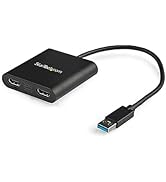
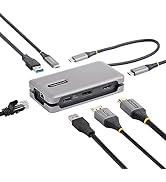
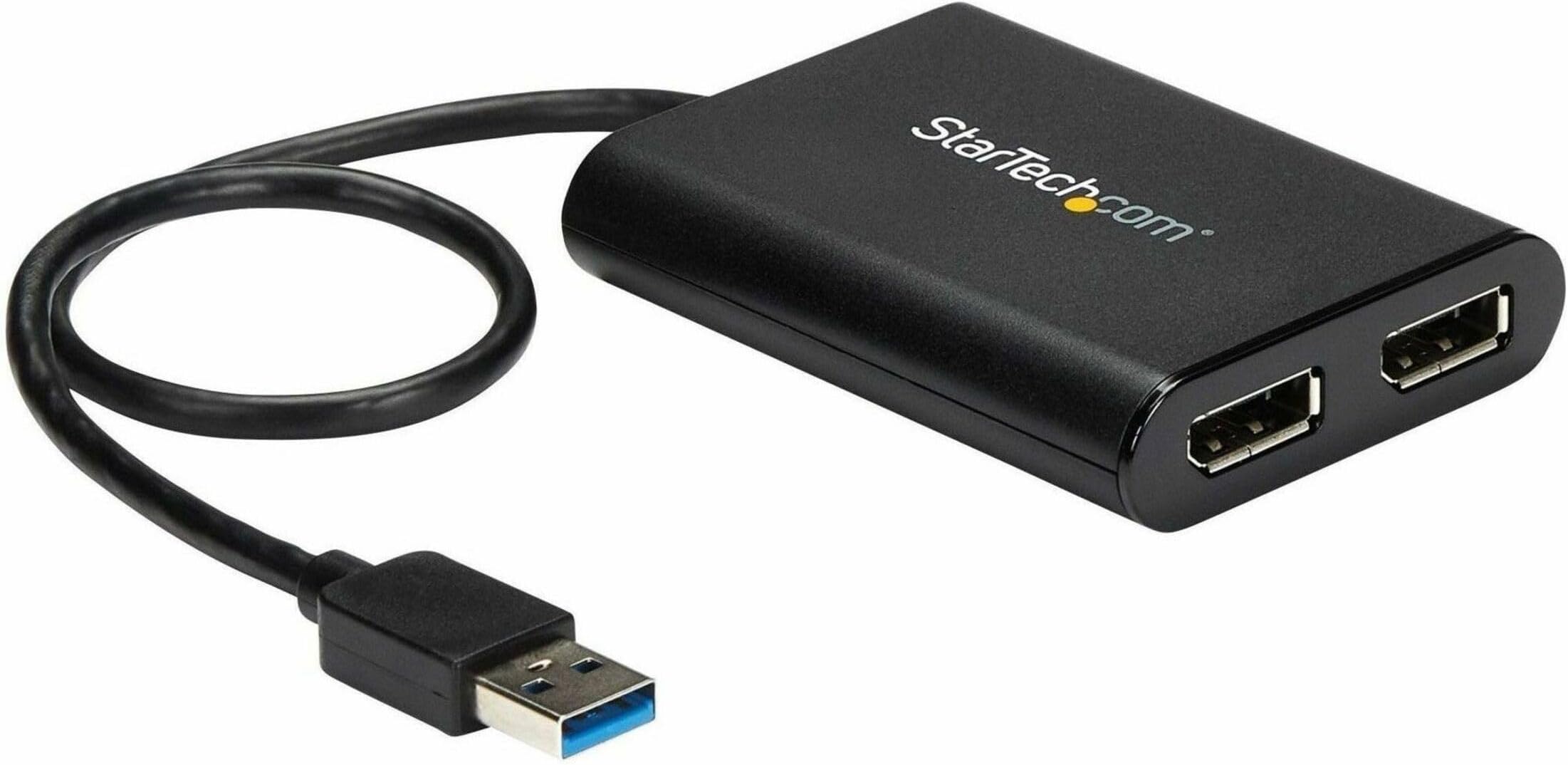
The StarTech.com USB to Dual DisplayPort Adapter transforms a single USB 3.2 port into two 4K 60Hz DisplayPort outputs, enabling Windows and Mac users to extend or mirror their displays effortlessly. USB-powered and DisplayLink certified, it supports ultra-high-definition visuals with plug-and-play convenience, making it a top choice for professionals seeking enhanced productivity and seamless multi-monitor setups.


| ASIN | B07C69HG33 |
| Best Sellers Rank | #50,551 in Computers ( See Top 100 in Computers ) #158 in Computer DisplayPort Cables |
| Brand | StarTech |
| Built-In Media | USB video adapter (1), quick-start guide (1) |
| Color | Black |
| Colour | Black |
| Compatible Devices | Audio/Video Device, Laptop, MAC, Monitor, Workstation |
| Compatible devices | Audio/Video Device, Laptop, MAC, Monitor, Workstation |
| Connector Type | DisplayPort/USB |
| Connector type | DisplayPort/USB |
| Current Rating | 3 Amps |
| Customer Reviews | 4.4 out of 5 stars 558 Reviews |
| External Testing Certification | CE, FCC |
| Finish | Matte |
| Global Trade Identification Number | 00065030878487, 00650308784876 |
| Input Voltage | 5 Volts |
| Item Dimensions | 15.5 x 14.2 x 3 centimeters |
| Item Length | 11.8 Inches |
| Item Type Name | A/V Cable |
| Item Weight | 0.16 Pounds |
| Item Width | 5.6 Inches |
| Item dimensions L x W x H | 15.5 x 14.2 x 3 centimeters |
| Manufacturer | StarTech.com |
| Mfr Part Number | USB32DP24K60 |
| Model Number | USB32DP24K60 |
| Nominal Power | 4.5 Watts |
| Number of Items | 1 |
| Number of Ports | 2 |
| Package Quantity | 1 |
| Power Plug Type | No Plug |
| Smart Home Compatibility | Not Smart Home Compatible |
| Specific Uses For Product | personal, gaming, business |
| Specific uses for product | personal, gaming, business |
| UPC | 065030878487 650308784876 |
| Unit Count | 1 Count |
| Warranty Type | Limited |
A**R
Works on M1 Mac to add 2 more monitors, but fails after a month due to heat issues
Works on Windows and M1 Apple for 2 large monitors 3k and 4k. No visible lag for web browsing etc. After a few weeks, the unit started overheating and picture output started dropping out after about an hour of use. There are more reports of this issue on the web, so it seems this might be a general heat dissipation issue with the product.
ひ**ん
2560×1440 144Hzで設定可能
仕事PCをHDMIケーブルで2560×1440 144Hzのモニターに接続しても60Hzまでしか設定出来なかったため、本製品を購入しました。 DP1.4ケーブルを使い、本製品を使用して2560×1440 144Hzのモニターに接続したところ、144Hzで設定出来ました。 ディスプレイチェッカーサイトで見ても144Hzになっています。ただフレームレートは使用状況によってはスクロールで60fpsほどに落ちていると感じることはあります。ただマウスカーソルはずっとヌルヌルです。 使用環境は 一般的なビジネスノートPCで、 CPU core i5 10210U メモリ 8GB×2(4GB×1から入れ替えました。) 内蔵グラフィックで普通に使う分には基本ラグもなく使用でき、USBの通信速度でどうやって実現しているのかわからないマジックアイテムです。 仕事PCで管理者権限が無かったためか、PCのUSB端子に挿しただけではドライバは入らなかったですが、サポートページからドライバをダウンロードしてインストールすれば動きました。 注意点はPCに直挿し推奨な点です。 USB3.0の延長ケーブルを使ったところ、ウィンドウのドラッグや、スクロールにてラグが発生しました。(私の使った延長ケーブルがダメなのかもしれません。) 直挿しなら問題なく使えるので直挿しで使用することにします。 1ポートしか接続していませんので、2ポート使った時の挙動は分かりませんが、とても良い商品だと思います。 耐久性についてはまだ使用し始めたところなので、期待を込めて星4としておきます。
D**O
FAN-TA-STI-CO!
Sui nuovi MacBook Air con chip M (1 o 2) c'è una limitazione e non gestiscono più di un monitor esterno. Con questo prodotto ne ho collegati TRE (quattro quindi con lo schermo del MacBook!) Due sulle uscite dello startech e un Arzopa USB direttamente sulla usb-c. Ricordatevi solo di installare i DisplayLink drivers ;)
A**R
Bang for the buck
I got a 2015 Macbook Air model that neither has a USB port and wish to extend the display to my dual screen set up. While my work laptop has consumed HDMI ports, I was on the lookout for DP adapters for 4K 60Hz display. After about 6 months of lookout, I am lucky to have my hands on this. USB 3.0 ports cannot transmit 4K @60Hz, this adapter processes the signal so you get what you are looking for. I am reluctant to upgrade my macbook yet and feel my current one has some life left in it yet. Cons: The device gets too hot on prolonged usage - about to 2 hours. Then the media starts to distort a bit, however this isn't a device made for streaming media on your large screen. Other productivity apps work mighty fine.
N**C
Perfect
Perfect working device
G**A
Works Perfectly
The product was easy to hook up and install on my Windows Laptop. For me, there was no need tp download any drivers, it just recognised the screens and functioned first up without any hassles.
Trustpilot
1 week ago
2 weeks ago