


🖨️ Elevate your home office game with wireless speed and smart printing!
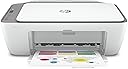
The HP DeskJet 2755 is a compact all-in-one inkjet printer designed for home and small office use, offering wireless printing, scanning, and copying. It delivers up to 7.5 ppm black and 5.5 ppm color print speeds with high resolutions (1200 x 1200 dpi B&W, 4800 x 1200 dpi color). Featuring Wi-Fi, Bluetooth, and mobile printing support via HP Smart and AirPrint, it’s Instant Ink ready and equipped with a user-friendly LCD display and control panel. Ideal for professionals seeking reliable, space-efficient printing solutions with smart connectivity.


| Additional Printer Functions | Copy, Scan |
| Asin | B08BYZ5N7Q |
| B W Pages Per Minute | 12 pages_per_minute |
| Best Sellers Rank | #761 in Amazon Renewed (See Top 100 in Amazon Renewed) #9 in Renewed Office Products #401 in Computer Printers |
| Brand | HP |
| Built In Media | HP DeskJet 2755 All-in-One, HP 67 Setup Black Instant Ink Ready Cartridge, HP 67 Setup Tri-color Black Instant Ink Ready Cartridge, Regulatory flyer, Setup guide, Reference guide, Power cord |
| Color | DeskJet 2755 (White/Grey) |
| Color Depth | 24 bpp |
| Color Pages Per Minute | 12 pages_per_minute |
| Compatible Devices | Laptops, PC, Smartphones |
| Control Method | App |
| Customer Reviews | 4.1 4.1 out of 5 stars (2,637) 4.1 out of 5 stars |
| Display Type | LCD |
| Duplex | Manual |
| Hardware Interface | USB |
| Ink Color | black, cyan, magenta, yellow |
| Item Dimensions D X W X H | 11.97"D x 16.7"W x 6.06"H |
| Manufacturer | HP |
| Maximum Copy Resolution Black And White | 300 x 300 dpi |
| Maximum Copy Resolution Color | Up to 4800 x 1200 dpi |
| Maximum Copy Speed Black And White | 7.5 pages_per_minute |
| Maximum Media Size | Letter |
| Maximum Print Resolution Black And White | 1200 x 1200 dpi |
| Maximum Print Resolution Color | 4800 x 1200 dpi |
| Maximum Sheet Capacity | 60 |
| Model Name | HP_DeskJet |
| Model Number | DeskJet |
| Model Series | DeskJet |
| Number Of Trays | 2 |
| Other Special Features Of The Product | Auto Document Feeder, Double Sided Printing, LCD Display |
| Paper Size | 5 x 11, 5 x 7 |
| Print Media | Glossy photo paper |
| Printer Connectivity Type | Bluetooth, USB, Wi-Fi |
| Printer Output Type | Color |
| Printer Type | Inkjet |
| Resolution | 4800 x 1200 dpi (color), 1200 x 1200 dpi (black and white) |
| Scanner Type | Photo |
| Total Usb Ports | 1 |
| Unit Count | 1 Count |
| Upc | 753575668358 |
| Warranty Description | 90 days limited warranty |
| Warranty Type | limited warranty |
| Wattage | 17 watts |
User
Super Light Weight
Pretty good printer. I still use it two years later and it hasn’t given me any problems. Super light weight too which is nice when I need to move it or to easily store while not in use.
User
Good quality
Printer works great
User
HP Deskjet is easy to install and use!
When I ordered this printer, I didn't realize it was refurbished. However, it was very easy to install and it works perfectly.Update...the second day I used the printer, it did not work. It said the paper tray was empty, however, it was not. If I were to name HP tech support after a movie, it would be MISSION IMPOSSIBLE!After much troubleshooting and no success, I uninstalled and reinstalled the printer on my laptop which finally made it work again.I like HP products but the lack of "human" customer support frustrates me!
User
Not user friendly - extremely difficult to consistently print - needs subscription to keep working
I don't do a lot of printing, but I like to have a printer available at home for when I need it. My old Canon printer wasn't really working so great so I decided to replace it....with this. Huge mistake. I didn't do a lot of research before buying this, so I guess that's on me. But it really shouldn't be too much to expect that if you buy a printer from a major tech brand that it just works... lesson learned I guess; avoid HP products.I've worked in IT for over a decade. I did tech support, desktop support and help desk roles for years before becoming an engineer... I'm very familiar with setting up printers and installing drivers, etc and troubleshooting. This is not a case of user error.Instead of just installing the drivers and sending my documents to the printer, I had to install some HP software, then create an account on their website... was tedious, but I did it thinking that once it's done then I can print no problem. not really.when i hit print on my document, and selected my new printer as the device to print to, nothing happened. Couldn't just hit CTRL-P and put it to paper... I had to open the HP application, login, then from their menu select the option to print documents, find the document I wanted to print (if you're on a website you have to download it to your computer first)... then it would print. Usually. Sometimes even then it wouldn't print. And it wouldn't tell me why. usually it tells me nothing. Sometimes it will give me a vague message that something is wrong and I must fix it or the print job will be canceled... Won't even give me a hint as to what the problem might be. See the screenshot I uploaded.Another thing... it offered to let me try a free trial of their ink subscription service. I think it was 3 months free. I signed up because it seemed reasonable, but mostly because everytime I interacted with the HP program it would nag me to sign up. So the ink subscription program is based on how many pages you print. cheapest plan is like $1 a month for 10 pages. That's reasonable. I sign up and they send me the first box of ink replacement cartridges. said not to install them until the 'free' ink that came with my printer ran out... like I said, I don't print a lot. My starter ink never ran out. Few months later I go to print and I can't... not because of the same bull5#!7 described before, but because my HP account was suspended for non payment. I COULDN'T EVEN FINISH USING THE INK THAT CAME WITH THE PRINTER I BOUGHT AND HP LOCKED ME OUT OF MY PRINTER.Do yourself a favor. Get a Canon or Brother printer. A simple one, without overly complicated, money draining features.... avoid HP printers.
User
Perfect for homeschooling!!
I recently purchased a refurbished printer, and it has exceeded my expectations. The printer arrived in excellent condition, looking almost new, and has functioned flawlessly since I set it up. Print quality is sharp and clear, both for text and images. It connects easily to my devices, and the speed is impressive for a refurbished model. The cost savings compared to a new printer make it a fantastic value. Overall, it’s a reliable and economical choice for anyone needing a good printer on a budget!
User
good refurbished printer
I was looking for a reasonably priced printer for home use. Found this on amazon. This is a very good printer for day to day use at home. this is not a heavy duty printer that prints over 100 pages a day but very good for about max 25 pages a day use. It was very easy to install and instructions were very clear. setup took about 20 minutes and has been working wonderfully since. Happy about this purchase.
User
Economical but the ink cartridges will empty your wallet
This printer was such a good deal that I wondered what was the catch. I had a few gripes immediately:1) There is no multi-feeder so you can scan a bunch of docs at once. You have to manually scan each page, which took me FOREVER when I had a 50-plus page doc. And the mobile app to scan is constantly logging off or not working. Don't even bother with the app; just use the desktop/laptop version.2) Although I print out the same amount as I did with my last printer that lasted for several years, this thing is CONSTANTLY running out of ink. I have spent more on ink cartridges in one year than I did on the printer, which was not the case with my last one. In fact, I have gotten to the point of buying ink cartridges almost every two to three weeks.3) The setup process is a mess. It took me forever to get it to connect to my Wi-Fi and computer. The instructions you get are this measly print test doc. If you're patient, you can do it. But it's truly annoying.4) There is no scan button on the printer, so you are required to use the mobile app or computer for every single scan.On an up note though, it was a good deal on the actual product. And it takes five times better (and clearer) scanned images of pictures and docs. It also will create default PDFs, JPEGs and so forth.I like the printer, even with all its flaws. I just wish the ink cartridges weren't so small and lasted longer.
User
Setup now has ability to deselect Ink Subscription
I actually wanted the 2755 and not the 2755e. However, I decided to keep the 2755e that I received. As I was going thru setup, I was allowed to deselect all items regarding ink subscription. You will need to create an HP account but no personal or credit card info was ever requested.Be sure you read thru the online setup. If you have a Fire tablet, there is info online on downloading another print app that works with Fire. The printer works fine so far. Be sure to set your printer to Draft unless you need the high resolution output (prints very slow). I suggest changing the printer defaults to reflect how you print the most. I will be purchasing HP printer ink because I'm not messing around with pulling chips, etc. I just don't print that much. Time will tell if this printer holds up. My last HP printer worked for 11 years.
User
Fue un útil regalo
Yo tengo un modelo anterior y me ha sido muy útil y practica
User
No hay cartuchos para este modelo de impresora
Dirigido conseguir los cartuchos en México.
User
Excelente producto.
Funciona perfextamente, solo hay un tema que hay que tomar en cuenta y es que cuendo quieres guardar multiples escaneos y al acercarse a los 30 escaneos la aplicaccion se cierra y pierdes todo lo escaneado. Posiblemente es por la mmeoria del aparato mismo. Aunque pensando que es para uso domestico no deberia haber problema y escaneas menos de esa cantidad.
User
Nunca sirvio
Llego y la guarde para instalarla . Cuando lo hice no se pudo echar a andar y menos configurar . Acabo en el cesto de basura pues ya había pasado el tiempo para reclamar
User
cartuchos demasiado caros
Muy buena impresora pero no la recomiendo fuera de EUA ya que los cartuchos que usa son los hp 67, cartuchos que solo se venden en EUA y en Latinoamérica son excesivamente caros por la importación
Trustpilot
2 weeks ago
2 months ago