Desertcart purchases this item on your behalf and handles shipping, customs, and support to Morocco.
✨ Stick your style, cut your edge! ✂️
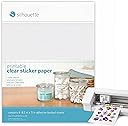
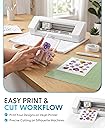
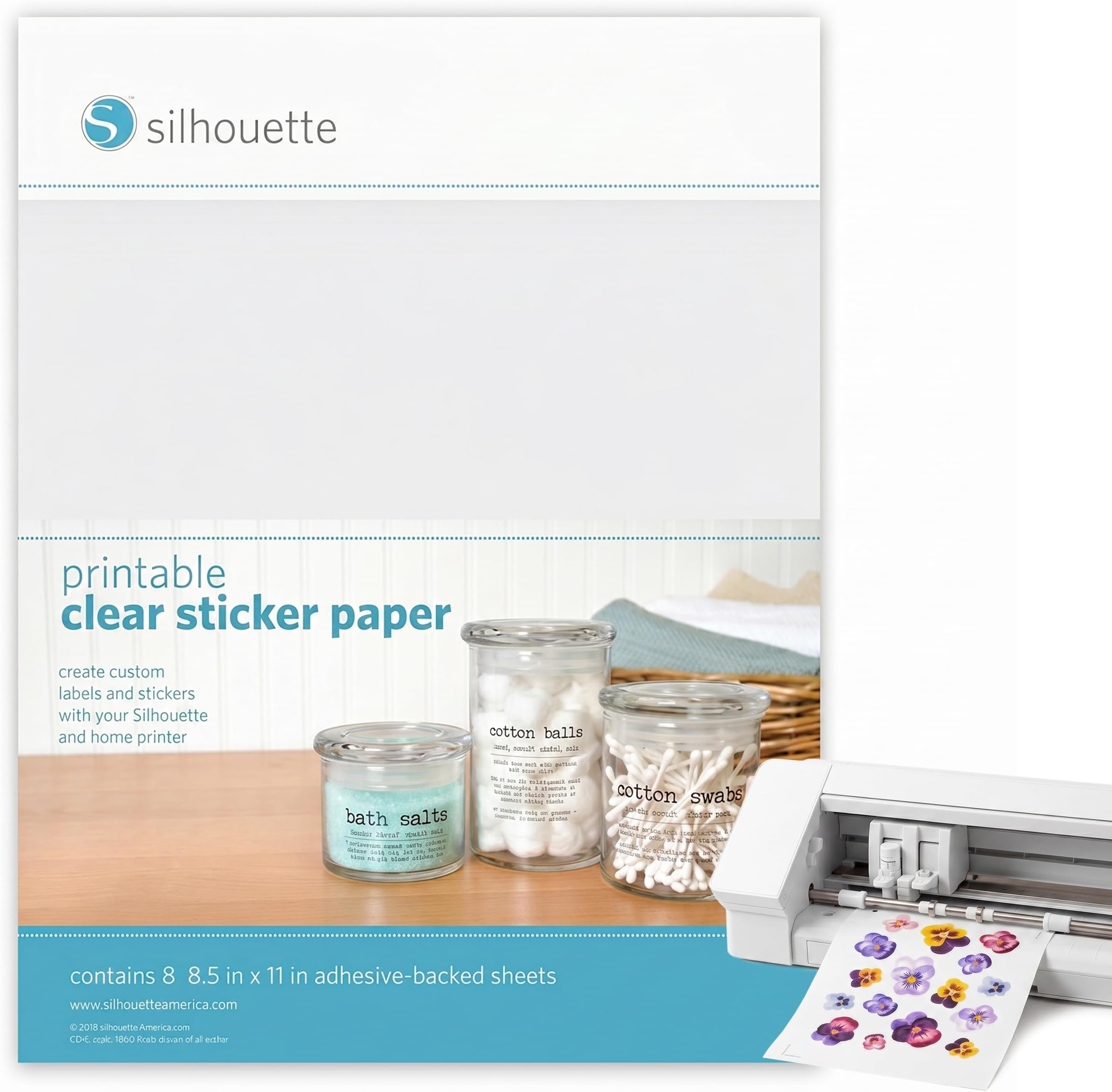
Silhouette America’s Printable Clear Sticker Paper offers 8 self-adhesive, transparent sheets sized 8.5 x 11 inches, designed for use with all Silhouette cutting tools. Perfect for creating custom stickers and labels with the print & cut feature, it’s a must-have for craft enthusiasts seeking professional-quality, personalized projects.


| ASIN | B00B9Q9QY0 |
| Additional Features | Self-adhesive |
| Age Range Description | All Ages |
| Animal Theme | no animal theme |
| Best Sellers Rank | #75,839 in Arts, Crafts & Sewing ( See Top 100 in Arts, Crafts & Sewing ) #2,080 in Scrapbooking Stickers |
| Brand | Silhouette America |
| Brand Name | Silhouette America |
| Color | Clear |
| Customer Reviews | 4.5 out of 5 stars 1,557 Reviews |
| Embellishment Feature | Crystal |
| Finish Type | Transparent |
| Global Trade Identification Number | 00814792012529 |
| Indoor Outdoor Usage | Indoor |
| Item Dimensions | 11 x 8.5 x 0.25 inches |
| Item Dimensions L x W | 11"L x 8.5"W |
| Item Form | Sheet |
| Item Weight | 8 ounces |
| Item dimensions L x W x H | 11 x 8.5 x 0.25 inches |
| Manufacturer | Silhouette America, Inc. |
| Manufacturer Part Number | SIL1252 |
| Material | Paper |
| Material Type | Paper |
| Model Number | MEDIA-CLR-ADH |
| Number of Items | 1 |
| Number of Pieces | 1 |
| Pattern | Solid |
| Product Style | Custom |
| Recommended Uses For Product | Scrapbook |
| Reusability | Single Use |
| Shape | Rectangular |
| Size | Sticker Sheets - Clear |
| Subject Character | Bubble |
| Surface Recommendation | Paper |
| Target Audience | Craft Enthusiasts and Home Decorators |
| Theme | Decorative Stickers |
| UPC | 814792012529 |
| Unit Count | 1 Count |
| Water Resistance Level | Not Water Resistant |
M**.
Easy to use and looks great
I was able to print full color without any issues. Even photos looked respectable. The resolution of the images was quite good. I printed photos and black and white fonts. I tested ink after only 30 minutes and it was dry to the touch. After an hour I tried vigorously rubbing it with a white cloth and only a tiny amount of ink came off (I would guess the same amount that would come off any paper), but it didn't mess up the print. I printed with an HP Officejet Pro L7780. One reviewer mentioned baking the paper for 1 hour on 190F. I tried this and it did not dry the ink any better for me, but the paper curled up and the glue page started to separate from the printed page after only 30 minutes. In my limited experience, I would not recommend baking. I also found the adhesive to be very strong, but I only tested it on painted surfaces of wood. I could not imagine the adhesive coming off as it was hard to remove when I pulled it. As far as the clarity of the paper, it is quite clear, but as some reviewers have stated, it does take on the grain of whatever you put it on. In other words, if you put it on a piece of painted wood that is not absolutely smooth, it will take on tiny air bubbles and not adhere totally smooth, but this is being very nit picky. It does a good job. I would guess smooth glass would take the sticker best, but it looked great on wood too. Your can mash it down after you put the sticker on to reduce air bubbles. But please understand, these are not big air bubbles. I did not use any templates or special software to print. I just used MS Word, created the document I wanted, set the printer to "other transparency films" and printed on the "best quality" setting. If you don't have that exact paper setting, I would suggest any printer paper setting that says "transparency paper" of some sort. If you don't have a transparency paper setting, other reviewers printed on "matte paper" with good results. Overall, this product performed much better than I expected considering some of the negative reviews suggesting runny ink or low adhesion. As with any paper, performance is going to vary depending on your printer, type of ink and the surface you're trying to attach to.
J**3
Works like a charm with Ricoh Laser Printer
After reading through mixed reviews about feeding this paper through a laser printer I decided to buy and try anyways. It worked flawlessly with the exception that - although it takes effort, I was able to scratch off the ink but I will seal the labels with something basic (krylon clear coat spray, probably) and these'll be perfection. I used a Ricoh C4503 model laser printer and set my paper to "thick" and to pull from the bypass tray. These turned out exactly like I hoped, color-wise, and were easy to peel and stick. I was able to remove the label after adhering it to the glass bottle and thankfully it didn't leave any residue but also didn't give me pause to worry about the integrity of the glue (the seal I plan on doing might serve double duty to ensure edges can't be accidentally lifted). ETA: Krylon sealer did not help; with some effort, I'm still able to scratch off the design. Oh well. Thankfully I don't suspect these labels will be put into potentially scratchy situations so I'm keeping the review at 5 stars, especially since I didn't technically use/print them per directions.
T**S
The quality of the paper is great. I've been using them with my Cameo cutter ...
I purchased a variety of Silhouette Printable sticker papers here on Amazon. You can't beat Amazon's price for this product. The adhesive paper is thick and made well. I've used this to make stickers for scrapbooking, stationary, cards, and also made planner stickers. The quality of the paper is great. I've been using them with my Cameo cutter and other tools, and it's worked well every time. My only advice for those with die cutting machines, is that you don't follow the suggested blade setting. I use it on a low setting like 1 on my Cameo, and it cuts fine. Anything higher tends to cut right through the paper which isn't great if you're trying to create sticker sheets. I think the suggested setting is fine if you're planning to make individual stickers.
K**.
Great quailty, but not for all projects
I bought these sticker sheets because I needed to label some glass vases for a bridal shower. I used a magenta color for my font, and it was a pretty thick font, but the writing hardly showed up once the labels were on the vases. I'm sure with a darker color ink it would have been fine, but I did not attempt to put the labels on until the last minute so I could not attempt to re-print them. The ink looked good as long as the white backer was on the labels, but once it was peeled away, I couldn't see it anymore. If I was going to fill the vases with something of a solid color, I think the ink would have been visible. The labels are thicker than Avery labels, so they actually didn't wrap around the curves of the round vase very well. Another reviewer said she used a hair dryer to get them to flex better and I would have done that if my ink showed up. It would have been perfect if I had a smoother surface and darker ink. In fact, I think they are very good quality and extremely clear (The Avery ones have a tint or haze, because they are not as glossy as glass).
J**N
Don't be afraid to try these - they are fantastic!
I have been scared to try this stuff in my printer for fear that it would smear. I printed the stickers from the Silhouette menu - I chose the high resolution paper setting on my Canon Pixma and fed the sticker paper in through the rear loading tray. My stickers printed perfectly - dry and completely set as they came out of the printer - no problem! The colors are true and exactly how I'd hoped they'd look. (And, I'm even using after market inks.....) It could well be that these stickers would print fine using other settings - but since this worked for me, I am gonna stick with it in future.
J**N
Beautiful Results
I love this paper. I've tried all the "clear" labels for inket printers. They were translucent but not really clear. This label is really clear, and the colors are beautifully vibrant. The package is lacking instructions so I used the same procedure as I use for other "clear" labels. You just need to be careful handling the sheets, feed only one sheet at a time, and give each sheet some drying time before handling it. Results may vary by printer. I use an HP Officejet Pro L7580, set for translucent paper. I was making decorated tiles for my kitchem backsplash. So, I had to make the stickers curve at the top. I found the answer to this problem was to bend the sticker before removing it from the label and clamp it that way overnight. I also used a heat gun to warm the label when applying it to the curved top of the tile. Since the tiles are for a backsplash around my sink, I put 3 coats of polyuethen on them and baked them on a tray in the oven at 190 degrees for about an hour after each coat. There's no way to know how long the tiles will last, but they're beautiful and I've been able to wash them.
C**I
Great vinyl paper, however too thick
This vinyl paper worked out pretty good for me, and I had no issues using it in my HP printer. The prints had very good quality, however they did need some form of clear coat to avoid smudging (which is to be expected). I just used clear packing tape over the image to act as a clear coat. As with all other clear vinyl papers, you need a light colored backing such as white to see colored images, or else they will appear translucent. Upon separating the adhesive portion from its backing, I noticed that the vinyl was very thick, and had more of a plastic feel rather than the rubbery feel vinyl should have. When applying the decals, you can easily see the edges due to the thickness of it. The thickness and "plastic" material also restricts the vinyl from adhering onto curved surfaces. This is a great product, but just not for my application
L**.
Great product
This is the best clear sticker paper. It prints well. and cuts well. I also emboss it with embossing power and it holds up to the heat.
M**E
)
Bueno
Z**C
GREAT
really clear and easy print on and cut :) BIG THUMBS UP
A**R
... a glass pane of our office and it is Brilliant and it was very easy to use with our ...
Have used them to put up a notice on a glass pane of our office and it is Brilliant and it was very easy to use with our existing office printer. Some have noted that the ink can smudge - yes it can, that is the ink from the printer and the fact that you have touched it! But I would say best thing for that if you intend to use it for something that has to be handled or in a spot that is exposed to water/rain (outside of a glass pane) - print one, stick it on your glass pane/object and then simply stick another clear piece over the top - ta da! Water resistant and just as secure. I can see it would work best for flat surfaces as the plastic has a certain thickness that may not lend itself to bending. But was perfect for what I wanted it for.
G**E
Great product!
Got this for custom guitar decals, worked amazingly. I would highly reccomend this for any art project!
M**O
se ve perfecto
la impresion es perfecta
Trustpilot
2 days ago
2 weeks ago