Desert Online General Trading LLC
Dubai, United Arab Emirates
Desert Online General Trading LLC
Dubai, United Arab Emirates


🚀 Elevate Your Data Game with Asustor's Lockerstor!
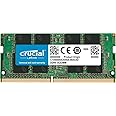
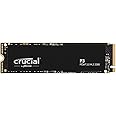
The Asustor Lockerstor 10 AS6510T is a powerful 10-bay NAS enclosure designed for professionals and businesses. Featuring a robust Intel Atom Quad-Core 2.1GHz CPU and 8GB DDR4 RAM (expandable to 64GB), it supports up to 180TB of storage with dual M.2 NVMe SSD ports for enhanced caching performance. With dual 10G and 2.5G ports, it ensures rapid data transfer, making it an ideal solution for demanding storage needs.
| Brand | Asustor |
| Product Dimensions | 23 x 29.3 x 21.55 cm; 8.89 kg |
| Item model number | AS6510T |
| Manufacturer | Asustor |
| Series | AS6510T |
| Colour | Lockerstor |
| Item Weight | 8.89 kg |
| Guaranteed software updates until | unknown |
Y**A
A Really Good NAS
Having worked with several different Networked and NAS devices over the years, both at home and work, I decided to replace my very old home Buffalo NAS. After reading a few reviews on home NAS's, it came down to what I wanted to do with it, in terms of hardware, software and upgradability. As the usual suspects, Synology and Qnap where also in the running, however, I went for another NAS I haven't used before, the Asustor Lockerstor 4 AS6604T.This is really a business NAS, rather than a home NAS, but it ticked all the right boxes for me, cheaper that Synolgy or Qnap for roughly the same specs. I installed 8GB ram in the AS6604T, rather than the standard 4GB, it also accepts a large selection of differrent compatible drives, has Dual M.2 NVMe SSD ports for fast caching, more specially 2.5 GbE ports with up to 5 Gbps under Link Aggregation, since my home computer came with a 2.5 Gbps port, this is a nice bonus for me.The Asustore software is available through it's App Central and has a load of applications, although it's still not quiet as polished as the Synology or Qnap applications, it is, however, catching up fast.For newbies using the NAS for the first time, you can install the OS and setup the NAS by running the default easy installer, it'll do all the install work for you, for the experienced user who wants control, you can manually install the OS.I install 4 x 4TB Seagate Ironwolf NAS hard drives, you'll need a screw-driver to install these, but it shouldn't be a problem, install went smoothly, and is set at RAID 5.I've had the system running for a few days now, no errors to report and I'm very happy with it, I'm glad I got this NAS, it is doing everything I needed it to do for a good price. Time to retire the old home Buffalo NAS.Yashi
C**S
Bought as a Plex Server
I've had this NAS since the 6th of April 2023.This is a limited review, using this NAS as a Plex Server.So, buying from Amazon was fine, and delivery was fine, the NAS had no hard drives in it, so no worries about the package being delivered.I had a Western Digital PR4100 before and I loved it....I bought this NAS for two reasons, 1. I had run out of storage, 2. This NAS will hardware transcode 4K HDR to 1080P, which my lovey Western Digital NAS could not do :(Let's talk about money, so Amazon had the best price... however, this was a BIG investment, we are talking over £600, so it needs to work and be good... and that is without hard drives!!!!!!!I was concerned at first about the ADM? operating system, having watched loads of videos on youtube, with many suggesting it's less refined then what you get with Qnap, or Synology, however, it's fine, in fact, it was easy to use, don't forget, I'm reviewing this as a Plex server, so I'm not experienced all the other NAS stuff.I installed 4 Ironwolf 4TB NAS drives, you have to use a screwdriver, and put very tiny screws in.... crumbs, it was a bit tricky at first, the screws are small, take your time and make sure you don't cross thread them...So it done a ADM operating system update when turned on... and started to build the volume... I'm using Raid 5....Is it a good Plex Server???? Yes, it's does do 4K HDR hardware transcoding, but only to 1080p, but you will not get anything else then that from any other manufacturer, that is what the chips do right now.It's is fast, so starting a video, and skipping forward is fine...The 4 drives seem a bit noisy, I will be moving it to a cabinet, so it should be okay, but if you wanted it in a living room, and not in a cabinet, it does make some noise...Do I like.... I do... it works just fine, I hated the ADM software at first, but I have now learned where everything is, and it's fine, in fact it's great.
L**N
Great little box for an unbeatable price
A powerhouse NAS and a real Synology rival. Handles multiple 4K transcodes without breaking a sweat—perfect for media servers.The OS isn’t as polished as Synology’s, but the built-in app library (Plex, Docker, ARRs) covers the essentials. Security features are a nice bonus.Pro tip: Get more drive bays than you think you need. I upgraded from a 2-bay to this 6-bay and that was my biggest regret. Hardware quality vs. price is unbeatable.Steep learning curve if you’re new to Linux/Docker (as a Windows user, I struggled initially). But tinkering with it has been a fun project.One year in, still 200% satisfied. Ideal for upgraders or first-timers willing to learn. Just budget time for setup!
J**H
Very impressive NAS but not quite perfect
I wanted a 6-bay NAS so the release notification email from Asustor came at the right moment. I compared the Lockerstor 6 Gen 2's specs with the similarly priced Synology DS1621+ and QNAP TS-673A. The DS1621+ lost out on its CPU and 1Gb/s network ports. The TS-673A nearly won as it has two standard PCIe slots for expansion and two NVMe slots for cache but, at 14 litres, it's 40% larger than the Lockerstor 6 which is a very compact 10 litres (the DS1621+ is 11 litres). The major downside of the Lockerstor 6 is that, if you want 10Gb/s LAN speeds, you're forced to use Asustor's dedicated 10Gb/s card which isn't available in this country yet and you have to give up all the NVMe slots to make room for it. The other problem is that the compatibility list hasn't been updated yet so you're guessing if you want to upgrade the RAM. The 8GB Crucial SODIMM I had didn't work but the 16GB Samsung left over from a laptop upgrade did.Installation went smoothly enough with six 6TB IronWolf drives in RAID10. These took almost 24 hours to initialise then another 17 hours to copy 12TB of data across (would have been 10 hours with a 10Gb/s card). The overall performance is excellent as expected and I expect the CPU will handle any apps I throw at it. The whole thing is very quiet, even when the disk are working. I've only had it for a week so it's early days yet but I don't think I'll regret my purchase, apart from the niggles noted above. It's well worth considering if you're after a six-bay NAS but do give the TS-673A careful consideration too.
Trustpilot
2 months ago
3 weeks ago