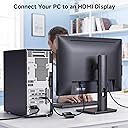
🔌 Elevate your display game—connect, stream, and conquer in stunning 4K clarity!
The Cable Matters Active DisplayPort to HDMI Adapter delivers high-definition 4K video at 60Hz and uncompressed multi-channel audio, featuring gold-plated connectors and a secure latch for reliable, portable connectivity. Perfect for professionals and creatives seeking seamless multi-display setups with AMD Eyefinity support.


| ASIN | B00EDT0072 |
| Best Sellers Rank | #32 in DVI-HDMI Adapters |
| Brand | Cable Matters |
| Color | Black |
| Compatible Devices | Laptop, Monitor |
| Connector Type | HDMI |
| Current Rating | 2 Amps |
| Customer Reviews | 4.4 out of 5 stars 1,134 Reviews |
| Finish | Hdmi |
| Finish Type | Hdmi |
| Item Weight | 1.2 Ounces |
| Manufacturer | Cable Matters |
| Model Number | 102021 |
| Number of Items | 1 |
| Number of Ports | 1 |
| Package Quantity | 1 |
| Power Plug Type | No Plug |
| Specific Uses For Product | Monitor, TV |
| UPC | 081159808693 |
| Unit Count | 1 Count |
| Warranty Type | Limited |
G**M
Only have DisplayPort? No problem!
We bought this product specifically for a PC connection. It is stated that it will not work for consoles. That being said... It works flawlessly can handle the high performance from DisplayPort (gpu) to monitor or capture card. Currently, we're testing it out to utilize a dual capture card setup. Internal capture card for main streaming and external capture for discord and tiktok live. The connection is excellent and you can't beat plug and play devices. The video brightness and quality is 1:1. There is no lag in the connection speed and can handle 2k and 4k displays. It is very portable and removable. Highly recommended if you only have an HDMI connection for your monitor or TV if the PC is hooked up.
X**R
perfect.
works perfectly for my HP Prodesk 405 G4 Mini! initially thought it wasn't working but i had to reboot with it plugged in.
T**Y
If you're having trouble using a Displayport to HDMI adapter, THIS is what you need.
I just wanted to share some information with people that I wish I'd had when I was putting together my most recent project. I recently built a four-screen computer monitor display, using four Acer 24" LCD screens. Two of those screens had HDMI connectors, while the other two only had DVI and VGA. My video card, a Nvidia GeForce 1070 GTX, had three DisplayPort connectors along with one DVI and one HDMI. I was able to readily connect a DVI-to-DVI connection for one screen, and used a DVI-to-HDMI adapter for the other. This left me with two HDMI only screens and only the remaining DisplayPort connectors for the other two. I initially just bought a passive DisplayPort-to-HDMI cable for each of those screens, but when I plugged in everything I received no signal on the screens and my PC didn't detect them. After much research I found that the 1070 GTX video card doesn't have what's called DP++ connectors, which means I needed an active adapter. I bought two of these adapters, plugged everything up, and I have a nice four screen setup with no further fuss. If you're trying to use the DisplayPort connectors on a 1070 GTX to go to anything but a DisplayPort connector on your screen, like me with having to adapt to the HDMI connectors, don't waste your time buying anything but these adapters. They work perfectly.
A**Y
A Solid Choice for an Adapter
I purchased this DisplayPort to HDMI adapter back in 2018, and it has performed exceptionally well for my portable monitor (used as a secondary monitor during gaming for btop). This adapter delivers solid and reliable performance for most of my display needs. Key Features I Tested: Resolution: It supports up to 2560x1600 without any issues. Refresh Rate: I was happy to find that it works flawlessly at 120Hz. HDR: Unfortunately, HDR is not supported at this resolution and refresh rate, but this limitation is understandable for an adapter of this type and age. And by not supported, I mean that you can select HDR but the screen goes completely wonky. Plugged straight in, HDMI-to-HDMI, HDR works how one would expect so it comes down to the adapter. Despite the lack of HDR support under those conditions, this adapter remains an excellent choice for secondary displays. It has been durable and dependable for years, and I highly recommend it for anyone with similar display requirements. If you don't care about HDR, consider this a 5-Star review.
A**.
Works as full 4:4:4 RGB adaptor for compatible TVs/monitors
I'm not sure why Amazon wanted me to rate "sheerness" or "thickness", but, um, both were ok. More importantly, this is an ACTIVE adaptor and so allows use of a 4:4:4 compatible TV/monitor with a DisplayPort graphics card. Current graphics cards typically have only one HDMI port. If you want to drive two HDMI monitors at 4K, this adaptor does the job. If you use a passive adaptor, you won't get full 4:4:4 color and computer text will likely be multicolored versus black. A passive adaptor won't work. As always with Cable Matters, it works and is reasonably priced. Note: most TVs don't support 4:4:4 color, so check the specs. And TVs that DO support 4:4:4 may do so only on one HDMI port and/or it must be set for "advanced HDMI" or similar.
M**O
Excellent product
AAA+
G**.
Works well
This works well using the DisplayPort input on my 10 year old Dell M4700 laptop. The internal graphics card is an AMD FirePro M4000 with 1 GB GDDR5. I bought a relatively inexpensive Dell SE2422H monitor as a replacement for an old Samsung that I was using for the extend desktop. I was not happy with the VGA quality of the image and was already using the HDMI input for the main monitor. I had never used the DisplayPort input prior to this so this was an experiment. The description of the adapter said that it would work with AMD Eyefinity so I gave it a shot. Worked perfectly for my needs.
J**K
Use Warrky DisplayPort to HDMI Cable Instead!
I purchased a HP Thunderbolt Dock and two monitors for a dual set up. Once I received the Dock, I discovered that the dock only provided DisplayPorts for the monitors which only had HDMI connections and accompanying cables. Therefore, I purchased two Cable Matters Display Port to HDMI Adapters. The adapters did not work properly. Every time I booted up my laptop, I was required to disconnect the HDMI cable from the adapter and then reconnect it to utilize the displays. I contacted Cable Matters and they claimed that it was my expensive hp dock which was the issue. Before I went down that rabbit trail, I decided to purchase Warrky's 4K DisplayPort to HDMI cables and see if the problem persisted. I also posted a question on Amazon and was answered by others who either had the same issue or worse. One reviewer told me that "at least yours works!" I then ordered the Warrky cables. I COULD NOT BE HAPPIER WITH THESE CABLES! Not only did Warrky's cables work wonderfully once implemented, but the braided cables are what one generally receives with the much more expensive offerings. They are very durable and eye catching. I work in the IT field and will recommend these cables to all of my customers. I am thrilled to be given such a product that works as designated, is high end, and sold at a very affordable price.
Trustpilot
1 month ago
2 weeks ago