

Desertcart purchases this item on your behalf and handles shipping, customs, and support to Morocco.
🚀 Elevate your Pi projects with touch—because your ideas deserve a screen that keeps up!
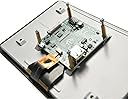
The Raspberry Pi 7" Touchscreen Display is a high-definition 800x480 capacitive touch panel designed for seamless integration with all Raspberry Pi models. Featuring a 10-finger multi-touch interface and a compact form factor, it enables portable, embedded projects without the clutter of keyboards or mice. The kit includes all necessary components for quick setup, powered via GPIO or USB, and optimized for the latest Raspbian OS.
| ASIN | B0153R2A9I |
| Additional Features | Touchscreen |
| Aspect Ratio | 1.67:1 |
| Best Sellers Rank | #1,278 in Single Board Computers (Computers & Accessories) |
| Brand | Raspberry Pi |
| Compatible Devices | Desktop |
| Connectivity Technology | GPIO, USB |
| Customer Reviews | 4.6 out of 5 stars 2,039 Reviews |
| Display Resolution Maximum | 800x400 |
| Display Technology | LCD |
| Display Type | LCD |
| Global Trade Identification Number | 00702658304126 |
| Hardware Connectivity | USB |
| Item Dimensions D x W x H | 0.79"D x 6.3"W x 0.79"H |
| Item Weight | 0.27 g |
| Manufacturer | Raspberry Pi |
| Model Name | raspberry pi |
| Model Number | 7TOUCH |
| Native Resolution | 800 x 480 |
| Number of Component Outputs | 1 |
| Refresh Rate | 60 |
| Resolution | HD |
| Response Time | 2 milliseconds |
| Screen Finish | Matte |
| Screen Size | 7 inches |
| Screen Surface Description | Matte |
| UPC | 013088392127 702658304126 |
| Unit Count | 1 Count |
L**I
This is the screen to get.
Wow! Plugged it in and it just works. No adjustments, calibration, driver loading, etc. I am running the most current version of the OS so that is probably the reason. At first I was afraid that the lower resolution would be an issue but at this size, I don't know if a higher resolution screen would make a difference. At least not for what I plan on doing with this. The photos show that the screen, posts, driver board, and ribbon cable are separated and I saw a video that says that you need to assemble all the pieces. My unit was already put together. I just inserted the ribbon cable into my Raspberry Pi. There are no instructions, but search Youtube and you'll find something. I purchased the Smarticase Case for the Official Raspberry Pi 7" Touchscreen Display - LEGO compatible front and adjustable angle and it fit perfectly. I highly recommend getting this case. Or some other case if you prefer, but definitely get something. There is nothing protecting the edge of the screen. It won't get damaged just by handling it, but leaving it propped up is just asking for trouble. Also the driver board is exposed so you are risking a short. One note. If you use this screen, the HDMI port on the Raspberry Pi is disabled. So you cannot use both this screen and a second monitor connected to the HDMI port. People smarter at this than I are working on this, but as far as I can tell, they haven't figured it out yet.
W**W
Nice display for your Raspberry Pi project
I originally purchased this display to use with Octoprint to install my 3D printer. I went with this screen because it is the "official" touch display for a Raspberry Pi and as such the drivers are build into the OS and I wanted a larger screen. Overall I found the setup to be fairly straightforward. I Googled and found several walkthroughs that not only helped me connect the display but configure the Raspberry Pi for my specific application. My only complaint and this is more for the Raspberry Pi then the touch screen is with the ribbon cable installed for the screen, it can be difficult to access the SD card on the Raspberry Pi. I found the touch screen is bright and has a wide viewing angle. The touch interface was both accurate and fairly responsive.
G**R
I've been using one of these in conjuction with a ...
I've been using one of these in conjuction with a Pi3 to provide a music center in my large workshop. It's incredibly simple to get setup and works "out of the box" with every distro I've tried. I've currently settled on RuneAudio which is an Arch Linux based distribution. The only "negative" is that turning the Pi off will still leave the screen "on" (displaying pure white IIRC), the only way around this is to physically remove power to the Pi after shutdown; as such just for ease of use I leave the whole thing on 24/7; and it's been operating in such a configuration since mid April without issue. I did initially have things setup on a Pi 1 I had lying around; but while playback was smooth the UI was sluggish and would miss input events entirely. "Upgrading" to a Pi3 provided enough horsepower that there is no longer any lag. Please note: I have not done any testing for video playback on the display. RuneAudio uses a web-interface for mp3/flacc etc playback
S**.
ZERO instructions provided!
Got one of these to use with a Pi 3 B CanaKit Raspberry Pi 3 Kit with Clear Case and 2.5A Power Supply to run Kodi along with this case RS Raspberry Pi 7-Inch LCD Touch Screen Case, Black . The hardware works fine, but....THERE IS NO SETUP INFORMATION WHATSOEVER! Inside the box is a large sheet of paper with "safety" information in every language known to man, but ZERO information on how to connect this thing to a Pi board! Connecting the ribbon cable is pretty much self-explanatory, but the minor detail of how to provide power to the device is nowhere to be found. You have the manufacturer's website printed on the box but that's the top level URL. After searching and drilling down several layers you can find setup information where you are told that you can use two of the provided jumper wires to pull power from the Pi board. The next minor detail is that if you use the housing linked above like I did to make a nice compact package, you find that the display is rotated 180°. The case's feet and holes for wall mounting won't work with the native Raspbian configuration. It's not a simple matter of rotating the display in the housing as housing is made for a specific orientation. There is a workaround, but you have to spend some time searching for it. Finally, I was hoping for a compact unit that I could run without having a keyboard or my monitor/TV connected to it all the time. Apparently, with this display connected, the Pi's HDMI port is disabled. So...I guess I'll be putting this display back in its box (which thankfully I did not trash) and putting the Pi back in the small box that came with the kit. In the future, I might buy another Pi kit if I want to do something else.
A**Q
Great display, easy to work with.
Built myself a Pi3 Touchscreen PC using this display and the new Raspberry Pi 3.. This display works as well as my Galaxy S4, and is more accurate with overscan turned off. When it boots, you may see a lightning bolt or a small icon like the boot screen (color chart).. this means this section is reporting a brownout.. the 2.5A power supply that comes in the Pi3 kit is not enough, but the 3A supply handles it just fine. This unit fits perfectly into the tilting container that also holds the Pi. The only wires I have connected to the display is the ribbon cable (handles video and touch response) and the 5V splitter.. they've included the wires to go from the 40-pin connector, but it might be better to use the 5V MicroUSB power port for it's protection. great color response, listed as 800x480, but I think it may be 720x480. Have even been able to scan barcodes from the screen. haven't played a video yet, though. For the 3A power supply: https://www.amazon.com/gp/product/B01L8DVOFM/ref=oh_aui_detailpage_o02_s00?ie=UTF8&psc=1
J**N
Quality and size are great!
Picture quality is good. Screen is sturdy. ETA Prime’s video review and instructions of this made it very easy to setup. I did not use the touch quality, so I can’t speak to that. Only flaw is that I don’t think it supports HDMI out while using this screen. There might be a software fix to this, but I didn’t bother to look into. I just tried plugging in the port to see what would happen. Not much. When not directly side-by-side, screen size feel is comparable to a Switch. Also bought a case with this that paired very well. Only issue was overheating with heavy use and the back cover on. I didn’t have a heat sink.
D**Z
Easy installation, widely supported.
This is a great plug and play solution to a lot of cool projects with Raspberry Pi. I have two of these now, one in a retro Volumio speaker project and one in a plastic case to use for Crankshaft Android Auto (car interface.) Both were simple to install and work perfectly. The jumpers to power from the Pi directly are a nice feature. The screen driver board is pre-installed and makes final assembly simple (you only need to attach the ribbon cable and power jumper wires, then mount the Pi with the supplied Phillips machine screws.) Touch is responsive and the display is bright and clear. Highly recommended if you just want it to work and have wide ranging software support.
J**E
Great concept, flawed implementation
I was shopping for small portable displays to put on my robot that is Raspberry Pi powered. Given that this is the "official" display, I figured I'd have the least trouble using this, so that's what I ended up getting. (I searched around on a few other sites as well; there are other options, with different trade-offs.) As long as you update the software on your Raspberry Pi (and ideally use a Raspberry Pi 2,) this is easy to get working. Touch and display works as advertised. However, there are a few cons: 1) The pixels are wider than they are tall. Drawing a circle to the display will draw a laying-down oval on the screen. In this day and age, that's unbeilevably bad! If I had more time I would return it, but I don't have time to keep shopping for other displays. 2) By default, there is a backlight timeout that blanks the display until you touch it again. When developing using a real keyboard/mouse (or, better, using SSH to the RPi so I can use a big window) this becomes quite annoying. 3) The "stacked pile of circuit boards" design makes it much thicker than it needs to be. A better design would have been to put the display controller board side-by-side with the Raspberry Pi. There's enough space on the back of the display to do this, and even some mounting holes that could have been moved to make this possible. You can make it slightly slimmer if you turn the GPIO pins into the display, but that will twist the thin display cable, and the USB/network ports get blocked by a stand (if you use it.) And I really need the GPIOs! 4) The resolution is quite small. Yes, you can watch SD television on that resolution. But other options are 1024x640 or even 1280x800. 5) The black bezel surrounding the screen is very big. This is actually a problem for me; I want it as small as possible. It could easily be a centimeter slimmer on each side without losing any functionality. I don't know why they did this; it looks bad and works bad and is fragile as well. If you need a plug-and-play thing that Just Works (tm) with the limitations I've listed above, this is the right choice. Else, maybe go look for something by Lady Ada?
I**R
Screen is broken on one corner
H**N
Poor Quality Control
Poor Quality Control, the LCD isn't even on straight.... Very disappointed DO NOT BUY
I**M
Excellent
Proper follow up and excellent quality
A**R
Great screen
I installed it in a SmartiPi where it fits perfectly. Now I have my Raspberry Pi accessible easily in a nice case with a perfect touch screen.
M**J
Excellent
Excellent LCD Display. Works without a hitch. The resolution is 800 x 480.
Trustpilot
3 weeks ago
1 week ago