Desertcart purchases this item on your behalf and handles shipping, customs, and support to Morocco.
☀️ Stay powered, stay protected, stay ahead.
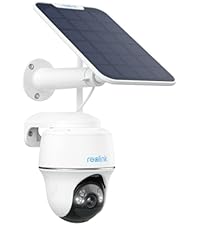
The Reolink Argus PT Solar Security Camera delivers 5MP HD video with 360° pan and tilt coverage, enhanced by color night vision up to 33 feet. Fully wire-free and solar powered, it connects via dual-band WiFi and features smart PIR motion detection for people, vehicles, and pets. With flexible local storage options and no subscription fees, it’s a weatherproof, easy-to-install solution for professional-grade outdoor security.


| Alert Type | Motion Only |
| Antenna Location | Outdoor Security |
| Asin | B07W6PXRR8 |
| Best Sellers Rank | #43 in Dome Surveillance Cameras |
| Brand | REOLINK |
| Built In Media | Camera, Solar Panel, Bracket |
| Color | (1) White |
| Compatible Devices | Desktop |
| Connectivity Protocol | Wi-Fi |
| Connectivity Technology | Wireless |
| Control Method | App |
| Controller Type | SmartThings |
| Customer Reviews | 4.1 4.1 out of 5 stars (9,666) 4.1 out of 5 stars |
| Effective Still Resolution | 5 mp |
| Effective Video Resolution | 5 |
| Field Of View | 110 degrees |
| Flash Memory Supported Size Maximum | 512 GB |
| Flash Memory Type | Micro SD |
| Focus Type | Auto Focus |
| Form Factor | Dome |
| Frame Rate | 15 frames per second |
| Indoor Outdoor Usage | Outdoor |
| Installation Type | Screw In |
| Item Dimensions | 8.53 x 6.25 x 7.78 inches |
| Item Weight | 1.7 pounds |
| Light Source | Infrared |
| Manufacturer | Reolink Digital |
| Memory Storage Capacity | 128 GB |
| Mfr Part Number | A-Argus PT+sp |
| Model Name | Argus PT |
| Model Number | REOLINK Argus PT+SP |
| Mount Type | Wall Mount |
| Night Vision | Night Color |
| Night Vision Range | 33 feet |
| Number Of Channels | 1 |
| Number Of Items | 1 |
| Other Special Features Of The Product | Time-Lapse |
| Photo Sensor Resolution | 5 mp |
| Photo Sensor Technology | CMOS |
| Power Source | Solar Powered |
| Product Grade | Residential |
| Room Type | Garage, Office, Store Room |
| Shape | Dome |
| Specific Uses For Product | 360 Degree Coverage |
| Unit Count | 1 Count |
| Video Capture Format | MP4 |
| Video Capture Resolution | 1440p |
| Video Encoding | H.265 |
| Viewing Angle | 360 degrees |
| Voltage | 5 volts_of_direct_current |
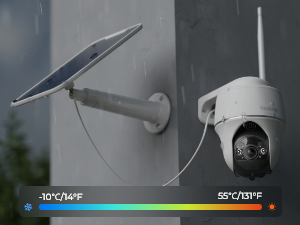
| Water Resistance Level | Water Repellent |
| Waterproof Rating | IP65 |
| Wattage | 5 watts |
| Wireless Technology | Wi-Fi |
| Zoom Ratio | 10 |
| Zoom Type | Digital Zoom |
User
UPDATE The best camera we've bought so far and we have several different brands !
UPDATE:I had recently got a new router, a Netgear Nighthawk and was having a problem getting the Reolink cameras connected back again but after much research......SUCCESS!I found a solution that worked for me, hopefully this info might help others too.After researching even more online I found a suggestion to try creating a guest wifi network on your router.So I gave it a try and it WORKED to get my 3 Reolink Argus PT cameras connected to me new router.Now while I feel like it wasn't necessary in my case to give the guest wifi network a password without any special characters I did it anyhow and used just numbers and letters (the cameras had connected to my old router with a special character in that password)Another point to remember is I think you need to have your phone on the same network when adding the cameras.Just checked and it seems you need to make sure your phone is connected to the guest network when wanting to access the Reolink cameras you connected thru the guest network. (now I have other brand cameras that I connect to the main network that I can still access when on the guest network but an indoor Reolink camera I have E1 that I was able to connect to the main network I can't access thru the guest network like the other brands.Now I did try seeing if I could switch the cameras back to the main wifi but it didn't work and I have to remove and reinstall the camera I tried it on and add it again to the guest wifi network to access it again.Well, I guess having to switch networks when wanting to go from the outside Reolinks to the inside Reolink is better than buying a new router or new cameras and I am simply thankful I could get them to finally reconnect as I was beginning to think I'd have to replace them with other brands of cameras.Original review:This is Karen's husband writing this review as I am the "tech guy" in our home.I am VERY pleased with how the camera is performing so far, so the 4.2 out of 5 rating seems well deserved. I admit I had some reservations when I read some of the reviews that were negative, in my opinion some may have been because of an individually defective product and some may have been due to lack of detailed enough directions.When I was first trying to connect the camera to our WIFI it wouldn't connect, then I realized I forgot to type in our WIFI password, DUH ! After I added the password it connected immediately. The camera is roughly about 85 feet from our WIFI router and goes thru 2 walls and still has kept connected very well.Also, we have Amazon Alexa and at first could not get Alexa to recognize the camera, so I did an online search for help and found a page on the Reolink support site with the steps needed to connect to Alexa, after reading that page I saw there was a step I didn't know about, once I followed those steps Alexa connected very well ! We can view the live camera feed from our smartphone app, from our "Echo Shows" via voice command, and even on our tv screens with Amazon Firestick (we have other brands of security cameras we view thru the Firestick also) so I can use a voice command and see different cameras on the screens including the Reolink camera, and I did not have to download anything to the Firestick, simply enable Alexa according to the directions on the help page I mentioned.I already had security cameras looking from our home outward, I wanted a wireless solar PTZ camera I could mount away from the house that I could turn to look at the house as well as turn to view other areas of our property not covered by the cameras we already had.So I mounted the camera on a thick (schedule 40) PVC pipe and mounted the solar panel on the very top of the pole, I used 3 hose clamps to fasten the PVC pipe to a 4 foot metal fence post I hammered into the ground, so far it seems to working very well. I will upload a picture of it.I do a lot of research before buying tech stuff, and it would be difficult to find ANY product that is perfect or that you might wish had more or better features, but for the features you get with this camera (including solar powered, PTZ capability, Alexa connectivity) I really can't complain for the price paid.Note: Remember this is not a commercial grade professional system, but commercial grade features likely cost much higher commercial grade prices, so again, for the price paid I really can't complain, I feel this camera does really pretty good for it's price level !
User
The hub really does store your video unlike some other brand that say they do, but don't.
Quality materials & workmanship. Functions as advertised. Good quality video. Numerous configuration options if you want to expand on factory defaults. Hub directly connects to router with Ethernet cable. Cameras easily pair with hub. Solar panels can mount on camera or up to 3 feet away. Sturdy mounts. Easy assembly. I would purchase this one again.
User
Auto-Shutoff cannot be disabled
What the description doesn't tell you is that because there is a battery in the camera, it has an auto-shutoff on it that cannot be turned off, even though the battery is 100% charged. I guess it is a safety feature to keep the battery from blowing up - or so I read on various forums. Too bad. It's a nice camera overall, and if you don't want constant streaming, it might work for you. I returned it and purchased another Reolink camera that is electric and made for the outside. Very happy with it, as I am with the first one I purchased about a year or so ago for inside. I trust Reolink, just the solar-powered one wasn't for me.EDITED TO ADD: Reolink is a STAND OUT company!! They reached out to me and gave me a partial refund on my new purchase of the Reolink E1-Outside camera, which connects to electric and doesn't have a battery! The electric one is working FANTASTIC, just like the one I have inside!!I really do love Reolink. I've tried a LOT of different cameras, and these are the BEST BY FAR!!
User
It works out of the box, simple setup, no optical zoom, get the newer model
Arrived as ordered. Just fiddling around in my office for a few minutes and managed to scan in the QR codes. Downloaded the app on iPad and iPhone without issue. Fired up the app, added the device, and it's working. Video and audio are good but there's no optical zoom (which shouldn't be a surprise at this price point). Don't have a thrombo if the image is upside down--read on.Best mounting is on a vertical surface. The camera's bottom it its top so it seems upsidey-downsidey until it's mounted with the camera on the bottom and then the aformentioned reverse image undergoes spontaneous remission.Installing: mount the solar panel. Take its power cable and run it through the camera bracket from the top down. There's a narrow channel for the cable in the part that screws into the wall. Screw the mounting bracket into the vertical surface. Install the Micro SD card if you have one. Plug the power cable ino the camera. Carefully screw the antenna into the little port--be careful! Mount the camera on the bracket and finger-tighten the mounting screw with the conveniently-supplied hex wrench; "Reolink" logo should face forward. Assuming you're on a ladder, DO NOT take a step backward to admire your handiwork.Vendor included templates for drilling pilot holes for the mounting brackets--nice touch. Pan-title-zoom icon is small and I can't make anything zoom digitally. Not sure about the solar panel's effectiveness because I have trees that partially block my western sun. A wall wart may be necessary in the winter; the sun goes away for six months near Seattle. The power port is behind the camera and you have to unscrew the mounting bolt to get access; not a deal-breaker.Overall: so far, so good.Update: battery drained due to inadequate sunlight, a result of shorter winter days in the Pacific Northwest. I was unable to charge the unit, went through the warranty return process, and then discovered most USB-C cables don't make a proper connection. The supplied cable works; half a dozen other cables from Apple and others did not. IMO this is a design/engineering/manufacturing issue; USB-C is a global standard and cables should be interchangeable. The other issue is the solar panel doesn't provide enough power to keep the system working during short and/or dark days.
User
Reolink Argus 5G, 2.4G
Revised 06Sept2023 10:07am EST as I sent off SCREEN CAPTURE VIDEOS, PICS to Reolink "support" after many many many emails of non-support (and they comment I refuse to work with them :) - yeehaw), anyway...:-- I, at this point asked for a refund, however I was refused since cited the 2-year warranty that *I had to remind *them they had. Otherwise, I was told, it was the Amazon 30 days - not true.-- So, today I had it cited back to me in regards to then ding me for the cost of the return to California - which came with many warnings (in their process) to follow their RMA Labeling PRECISELY or would not be received, would be destroyed and I presume no refund of any kind. It does not sound like a sensible option.So, after that/this now - once again, contrarian engagement with what I see as "customer support" and not any kind of advanced "Support" team which, is a different person *each time and *obviously had not read the email thread which answers the questions,1) what camera do you have? and2) how many, and... I'l add in as a new one -- 3) which I love is, "would you mind setting up a hotspot on your phone I can dial into with "Reolink 123456" as the password. Wow - that should simply "say it all".So, they likely do not have the Sandbox that this was developed in nor the original or any coders/developers it appears to me. [What do I know? ah... 30 year tech consulting for Bell-labs, AT&T, Verizon, Cingular Wireless/Mobitex (went back to AT&T Wireless) developers program, did the Y2K code renovation for Merrill Lynch back in 1998 ish etc. other - I feel qualified to have an informed opinion on this product deployment and how it's gone since March 2023 to date 06Sept2023.) So, just so, if you read this, understand my take on this to better help you in some small way - my intention here.Moving on:So, now after, I finally dug through the many menu interfaces, stopped climbing the Ladder (double hip replacement person here too!) and stopped listening to their "help" - not help - that even changes menus to legacy menus? - then disappears again!? (old stuff coming up for some unknown reason then changing back - maybe? they're in the camera anyway and have not TOLD ME SO since asked for the ID/QR code. It was confirmed from my initial support contact that "yes, the support team has seen and is close to a fix" (how?) - but nothing came of it.Again, today I was told, with all this here, my "special case they'd make an exception for (do me a favor?)" but I'd have to ** pay ** for the return and in a process that looks like it's made to be lost, the return package - as I see and read it. The special name to be sent to (I was warned better be correct) -- is 17 characters long - some hash code it appears as to me. They're in Pomona CA apparently.- They apologized at least one time for their English, reading and writing and looks very contrarian. I get it and understand ESL issues and was why I proceeded to engage, well, the one that finally seemed competent - now gone again - another person handed off too (wow, why?).So, again - I've had this since March 2023 and is now September. I wish I had heeded the advise of all the many one and two star reviews. So, as a "security system", like the other "dummy cameras" I put up as well, this may be a "visual deterent" however is not a 24x7 security system; if you can find and get into the "Advanced" tab and click "Reboot" which needs to be done every 4.5 hours or so it's and ad hoc check on an area in real time but not a "standing guard camera with alerts to then see" as ADVERTISED THAT IT IS supposed to be.WiFi is not a new technology.The platforms are all IEEE .org (our USA Standards, non-profit organization - I've engaged them many times over the years, even been there - attempted to recruit me).I have a "work horse" phone, that's been around for YEARS - and nothing special.As well, my major Carrier Fully Dedicated Internet Hub I purchased for "this" - nothing else is on it.I've proven to them and shown them that it is their hardware and software and nothing else to blame for any failures. I was even thanked and complimented by the Customer Service Rep prior to the one this morning for the in-depth and professional responses (surprised ? I guess). This one this morning accuses me of NOT WORKING WITH THEM :) lol!! and o m g!!)I'll conclude with that I spent about 30 minutes with our fine Amazon Customer Service that thoroughly went through all of this with me, and audited my actions at my request, and what they could do post 30 days. Nothing. Warranties are supported only by the selling company - of course :)- I informed Reolink as well whom don't seem to care. I don't think that a product supported in this manner is what Amazon Customers (me many decades old with > ~ 50K reviews) expects to fall prey too, unlike other platforms I no long shop at.I had hoped this update would be to boost this review with good news; but can't, or course per the above.I hope this, along with the other reviews of similar issues helps other and again wish I had believed them. That 2-years Warranty I guess fooled me and it being here on Amazon.- Best wishes to all!----------------------------------------------------------------------(Update above)Now we are at my initial attempting to hope to now have to degrade it to one-star but I am now:I've had this since March 2023 and is now August.My impression of it started okay, maybe 8/10 and now has degraded to 0/10.It would be to long to read - it worked reasonably well, and now, 4-5 months later it has gone from constant disconnecting, able to see the camera to not working at all.Looks like it all may coincide with software updates? Can't degrade to prior version either.Support is so far useless. They ask questions, you more than explain and then they ask again and again and again. Then ask stuff as busy work? I'm a Bell Labs engineer - the last thing I do is ask "support" for help and that is why. And so that is on going even now.I am hoping for a Amazon Warranty Refundor system that may work. The refund may be the wisest if they honor the warranty at all? I dunno. (Now i can't find the one year warranty from them I saw - well, we'll see.)I can't keep going up down up down the ladder - as a double hip replacement person it's especially frustrating and *unwise to boot.Anyway - my feeling is if simply rolledout simple manual entered configuration software and left it alone - they'd be far better off. All this QR code stuff is unnecessary.Bottom line is - all (ALL) is working but nothing sees each other - camera, wifi, cellular, all but simply does not connect. The system sees/knows all is there and working but won't connect - and it did until about two weeks ago - sw update?! I wonder is the Mobile Carrier changed their API? I can be two States away and used to be able to see the Camera, or from it, videos, etc. - so via wifi it spoke to my router and then via calculator to my phone (does no call and stream, it simply streams it like any app, eg whatsapp, facebook, et alia... from software phone to camera data live or recorded).Who knows - avoid this product or until they stop using customers to debug their "upgrades"? I see many great reviews - maybe they will be updated like mine? We'll see?I hope that helps someone. I hope I get a working system or my money back!
User
***Five Star Review? Buyer Should Have Serious Doubts About Buying From Reolink
Leaving five stars because most people only look at the great reviews...so here is a more rounded review that should give everyone pause before they buy.Let me start by saying that I love the cameras. Bought 4 here and 3 more directly from Reolink on their Ebay store. The cameras have great picture quality and if you follow the instructions for setup using the bar codes, it takes about 45 seconds to get them up and running.And I am returning all of them. Further, I would strongly encourage all prospective buyers to strongly consider looking elsewhere for their security camera needs. Reolink is simply INEPT when it comes to backing up their products.A couple of weeks ago I bought 4 of these cameras. At $150 a camera with the solar panel, they are not cheap. As instructed during the setup of one of them, I went to lift up the little 1/2 inch by 3/8 rubber flap that covers the on/off switch and secures it from rain. The flap is held to the camera with a paper clip thick protrusion that goes into the body of the camera. When I pulled at it, that extremely thin piece of rubber holding the flap to the camera, broke. I didn't pull it hard, and I do not have super human strength. It just sort of broke and although I can still place the flap into the camera, it needs to be repaired because if it ever falls off, the entire camera will be ruined.I didn't think this was a big deal.I was wrong.I wrote to the company and explained the situation. I explained that the cover tore and I wanted to know how I could get a replacement cover. I would be happy to cover the costs. No problem. And I made it clear that I only needed the little cover because the camera otherwise worked fine. I just need the cover!Their response was that they wanted me to send them a picture of the camera. Admittedly, I was irritated. So I wrote back that I was surprised that they wanted a picture of this because the camera worked....I just needed the small cover and that I could probably buy it on ebay for a few cents plus shipping. This thing seemed like a no-brainer to me.They wrote back and said...oh, now that we understand that the camera works they will refer it to their techs.Great.Next day (and keep in mind that their turnaround is always a day later) I get an email asking me to send them a copy of the invoice. No problem. I did that within a minute.Next day..we enter the Twilight Zone. Instead of simply writing back to me with something saying that they are shipping out the new cover, I get an email asking me to send them the link of the Ebay listing for the cover I found so that they can tell me if it will fit the camera. HUH? So they have gone from taking responsibility for making a cheaply connected cover to helping me ensure that a third party solution (that did not exist) would fit their camera? This was sort of nutso.I wrote back and said simply that I did not find a cover on ebay.This morning - another 24 hours later - comes the latest response...they want to give me a 5 dollar refund.Now you would expect that a company selling a 150 dollar camera with a rubber cover for the on/off switch would grasp that the cover that they designed for their own camera to protect the switch from rain/snow/etc had an actual purpose for existing...but these folks instead want to refund me five bucks to accomplish what exactly? Am I supposed to tape the five dollar bill over the switch to protect it? I just need a new tiny cover!So I am now a week into this silliness and I have had enough. These cameras are not cheap. So before you buy from these folks, think very seriously about the warranty and support that they give and ask yourself if you should be going for products made by Google or Netgear because there is no doubt that a similar situation with their products would have resulted in a replacement part coming in roughly 2 days.Reolink makes great cameras. But they simply have no ability to back up their products with support that should make people comfortable. I have lost confidence in this company.All of my cameras...a thousand dollars of cameras...are going back because they can't figure out how to send out a tiny rubber cover that cost them a few cents.Pathetic.
User
Don't buy the 5MP
This review is for the 5MP version, which is actually a completely different camera. The Argus PT Ultra is the '4k 8MP' SKU and seems to be a decent camera with auto-tracking and much better color night vision. The 5MP version is completely different and very disappointing considering the similar cost. The Argus PT camera also does not have any form of motion routes, or auto-tracking which makes a PT camera without 24/7 recording useless (It never moves unless I go in and move it myself).I decided to try Reolink after the network security issues with Wyze, and being nagged and annoyed by their annoying cloud service lock-ins. Reolink is much better in those regards, and has a much better software experience, but I can't at all recommend the Argus PT. Upgrading to the Argus PT Ultra (4k 8MP) is a no brainer, or if the budget isn't there, then just go with something else entirely and forget about these two.What annoys me the most is that this product listing seems to suggest that the only difference between the SKUs is the resolution with the styles listed as "4K 8MP" vs "5MP". I came to this page from a search and liked the features, but thought that 5MP was enough of an upgrade from my old 2MP cameras, so I pressed the '5 MP' before buying. Only by scrolling further down would you finally see in the more technical section that these are two completely different cameras, the "Argus PT", and the "Argus PT Ultra". If those names had been shown to me as my options, then I'd have quickly realized that these are likely completely different cameras, and I'd have read all of the technical section a second time to manually compare it to the '4K 8MP'.If this camera hadn't already been installed in a dangerous and hard to reach location, then I'd be returning it for a refund just as a matter of principle.Update: Reolink contacted me and has very helpful customer support, so I bumped this up to 3 stars from 2. They helped me select a camera I didn't even know about that best suits my use case, and helped me get a replacement for the old one. If the listing is updated to more clearly reflect the vast difference in capability between the 2 cameras, then I'll update this review to 4 stars.
User
Work and Charge Great
I've waited to review these for several months. So far, they are working perfectly! I was worried about cloudy/rainy days and whether they would charge and that hasn't been an issue at all. The app works perfectly and doesn't bug you with annoying ads to buy extra storage, etc. The app is easy to use, and it is easy to save and share recordings that you want to keep. It is easy to set up alerts to your preference. I did buy a new SD card because I had trouble with the one that came with it working, but that could have been something I did when opening the package. I bought a 128 GB card and have had no trouble with it saving videos for a good length of time. Sometimes I get some false reports particularly when the sun is setting, but I've had that issue with other cameras too during certain times of the year. Set up and installation was straightforward and simple. I'm really happy with these and would highly recommend them if you want camera but can't hard wire them in. No annoying batteries to change is a big plus and helps with its value.
User
コスパよいと感じた。
ソーラーパネルがセパレートタイプなのとFTP保存ができる希少なモデルなのが今回満足な点。パネルを陽のあたる場所に別途設置。ほぼいつも100%のバッテリー量。動作も今のところ問題なし。通行量が多いので自宅のFTP保存できるのは助かる。ただし挿入したMicroSDに何も記録されないアプリからの確認がすぐにできないのが残念。ダブルで録画するなどアプリの改善を期待。この価格で自動追尾、アレクサ連携など私はコスパよいと感じた。
User
الوصول للكاميرا يحتاج اتصال بالانترنت سريع
بعد شهر من الاستعمال، جيدة عموماً ولكن عيبها تحتاج اتصال انترنت سريع وايضاً استجابتها للحركة ليست كما يجب اذ انها لا تقوم بتسجيل الفيديو عند استشعار الحركة فوراً ، ولا يمكن ضبط هذا من الاعدادات.
User
ريولينك أرجس بي تي مع لوحة شمسية
افضل كاميرا من ناحيه البرمجه و استقرار الاداء و عيبها الوحيد ضعف الفريمات للقطات السريعه
User
Perfect for locations where power is not available.
Simple installation, a little cumbersome for wi fi connection but fine once done.mthinking of getting one for indoors now.Recommended.
User
Excelente calidad, fácil instalación y configuración.
La instalación no lleva más de 10 minutos con un taladro, y la configuración bajando la app no te lleva más de 5 min. Excelente calidad de video aún en la noche. Las alertas se tiene que ir calibrando para evitar falsos positivos, una vez que queda bien calibrada funcionan excelente.
Trustpilot
2 months ago
2 weeks ago