Desertcart purchases this item on your behalf and handles shipping, customs, and support to Morocco.
🎧 Turn timeless tunes into trendsetting tracks—digitize your sound revolution!
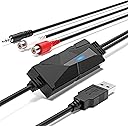
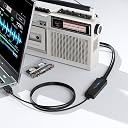
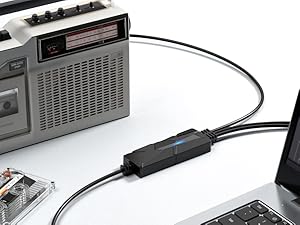
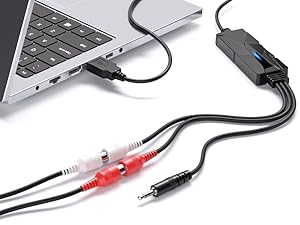
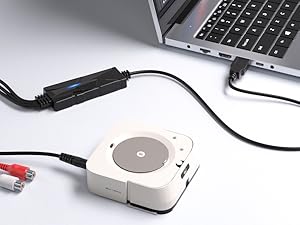
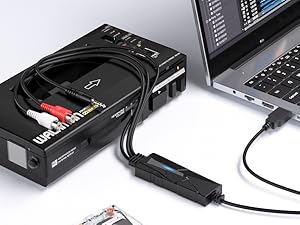
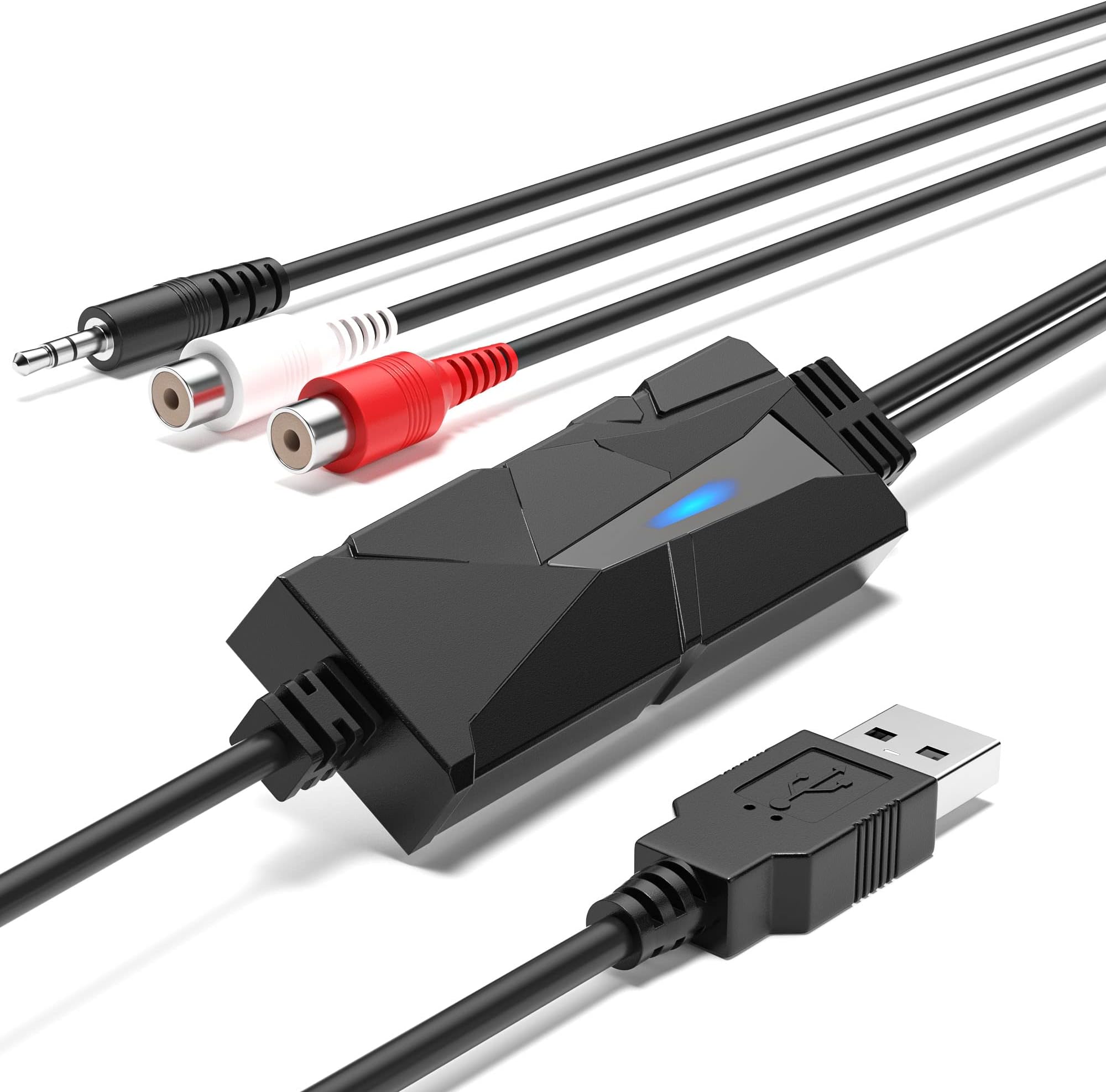
The AuralynX USB Audio Capture Device is a portable, plug-and-play converter that transforms analog audio from vinyl, cassette, and MiniDisc sources into high-quality digital files. Featuring dual RCA and 3.5mm inputs, it supports seamless integration with Windows, macOS, and Linux systems, enabling music producers and audiophiles to preserve, sample, and remix vintage recordings effortlessly. With no driver installation required and compatibility with popular software like Audacity, it’s the ultimate tool for modern music production and archiving.


| ASIN | B07BHGWBFY |
| Best Sellers Rank | 18,879 in Musical Instruments & DJ ( See Top 100 in Musical Instruments & DJ ) 8 in Digital Converters |
| Brand | DigitalLife |
| Compatible Devices | cassette player, record player, microphone, mixer, amplifier, mp3 player, computer, laptop, tablet, smartphone, camera, security camera, mobile phone |
| Country Of Origin | China |
| Customer Reviews | 4.2 out of 5 stars 439 Reviews |
| EU Spare Part Availability Duration | 2 Years |
| Included Components | 1 x DigitalLife AuralynX USB Audio Capture |
| Interface | USB |
| Interface type | USB |
| Item Type Name | USB Audio Capture |
| Item Weight | 99 Grams |
| Manufacturer | DigitalLife |
| Manufacturer Part Number | 712195289961 |
| Material | ABS |
| Model Number | AV202-B |
| Mounting Type | Portable |
| Mounting type | Portable |
| Number of Channels | 2 |
| Number of Pins | 4 |
| Number of channels | 2 |
| Number of pins | 4 |
| Product Warranty | 2 Year Limited Manufacturer's Warranty |
| UPC | 712195289961 |
| Unit Count | 1.0 count |
A**K
Quick, simple and cheap method for good quality audio for live streaming
I used this to live stream a DJ set on MixCloud. Worked straight out the box, not complex, sound quality was great. Can go up to 320kbps mp3 from what I could tell. Needed at short notice, got it the next day and worked immediately, no set-up required. Really happy with it. One tip, if you are using it to live stream, connect it to your laptop/computer BEFORE starting OBS otherwise OBS recognises your mic as this input instead and you get poor sound quality.
F**Y
Does the job very well
Dislike- nothing. Like- very easy to use, works very well, no complicated setup, just plug it in and it's ready to go, price. I bought this in order to copy my vinyl collection to my computer. When it arrived I decided to try it out straight away, plugged an RCA lead from my amp into the RCA sockets on the device then plug the USB plug into my computer and everything is ready to go and my first attempt at digitising an album to my computer was more or less success, the minor problem I had was with audacity software. The sound quality is excellent. I would have no hesitation recommending this device to anyone who wants to copy vinyl to their computer.
J**8
Works well but was scratched on arrival
I use this audio capture device with Audacity to digitise some vinyl LPs and a lot of good quality cassette tapes. It works well. One thing to note is that there does not appear to be any way to control the volume when recording, either on the device or within Audacity (the recording software which is freely available). My output levels are a few Db down, so after recording, I use the Amplify function in Audacity. If your levels are very high (above Line Level), you might have a problem. My one complaint is that the casing was scratched on arrival (see photo), which makes me wonder if this was a "Return" rather than brand new. However, it works fine.
A**N
Great product it works in both Windows and Mac
As my new iMac has no line-in for me to record my LP collection I needed some device to overcome this problem. Purchased this device hoping and wondering would it solve the problem. Connected cables and it worked perfectly on the software that I normally use on my Mac (VinylStudio). Didn't work with Audacity or Golden Records software, not the fault of the device as these software programs seem to need updating for Mac OS Catalina. Tried it with all the above software on Windows 10 and it worked flawlessly. Great product and highly recommended, worth the five stars.
M**O
Excellent performance --- but...
On paper and even in use this is a very good unit - noise levels are incredibly low - approaching that of professional gear. But now the caveat. To work well this thing needs an input signal approaching 5V - which is at least 5x the level most equipment can produce. Why 5V? Because the internal reference uses that - it's the USB power level. This results in one of two issues, either the signal has to be digitally amplified - that's almost 14dB! Which means that the quantisation errors are ALSO amplified by 14dB (and in reality it's going to be more like 20dB). Line voltage from most equipment is not supposed to be "louder" than that - so a small pre-amp is needed in the line - something most people won't have access to. This is should have been built in for a device that's fitted with standard RCA/Phono connectors used with "line" out from a typical device. Worse (for some of us) there's no input protection so if pre-amp delivers more than that 5V swing, the ADC is destroyed. The device should have an input limiter and a small pre-amp but that would add cost. As a result I've ordered a Beringer (https://www.amazon.co.uk/dp/B0023BYDHK) in the hope that it is properly configured in this regard.
D**K
Very easy to record your music.
Works well, the software it comes with can overwhelm you if you, I never realised you could do so much with the software. I only use a small part of its capability. Lots of support including a manual within the software as well as an online forum.
B**N
Might have been faulty
My one was probably faulty because looking through the reviews nobody else has complained of my problem. I needed this to live stream a DJ set to YouTube. The problem I had though was the audio would clip/crack once or twice every minute. It was a long process of elimination to finally work out that this didn't play nicely with OBS streaming software. I replaced it with a Behringer UCA 222 and the issue was resolved instantly. I think it may of had something to do with a sample rate mismatch. Where as the Behringer is 48khz which matches OBS. Either that or I had a faulty one who knows. Audacity did work fine with it tho, worth mentioning.
J**K
Used with Audacity
Great little adapter for cassette recorder digitisation. Works well with audacity on my system.
J**S
Works well, good value
Plug and play. Lots of messing around in Windows required, but that's normal. While Windows may see the device, it may also be necessary to go into sound settings and tell Windoze to actually use what it sees. Don't bother with the included Audacity disk if you can google "Audacity download" to get the current version via internet. So far, I've ripped a couple LPs and half a dozen cassettes, and am pleased with the results. Nice to get some of those old tunes on the server. The audio quality is excellent. A few thoughts on Ripping using Audacity: Once it's ripped, there are a few "Effect" filters you may wish to try out - 1) Amplify - Will apply gain to the ripped tracks, if the audio seems too low. Recommended. 2) Click - Does an OK job of handling the worst clicks and pops from LPs. It can be used selectively only where needed, or applied to the entire rip if needed. Not a cure all, but useful. Splitting into separate tracks: I've not been able to find a way to do that easily in Audacity, though you'd think there'd be a tool for it. Instead, I "File>Export" the entire rip as a single file, then use NCH's freeware Wavepad, which makes it easy to split. So, I'm impressed with this tool.
P**E
Calidad de sonido y facilidad de uso.
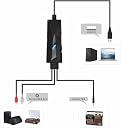
Nos llega en una cajita en donde se describen sus características y en el interior encontramos la propia capturadora de sonido y un manual de uso en varios idiomas incluido el español. La capturadora dispone de conector macho de 3.5 mm y conector hembra RCA L/R que conectaremos a nuestra fuente de sonido (equipos de sonido, reproductor de radio o CD, casetes, walkman, etc.); bien a las conexiones de salida o a la toma de auriculares. Por el otro extremo tenemos un conector usb que conectaremos al ordenador y desde la configuración seleccionaremos la entrada de sonido del usb; a mí me aparece como USB PnP Audio Device. Funcionamiento: Descargamos el programa gratuito Audacity (es fácil encontrar tutoriales) y comprobamos que la entrada de sonido está seleccionada correctamente y empezamos a reproducir en nuestra fuente de sonido, dándole grabar en el programa y veremos cómo avanzan las ondas de sonido. El volumen tenemos que controlarlo desde el dispositivo de salida Luego editamos a nuestro gusto y guardamos en el formato seleccionado. Yo en principio intenté con los cables RCA pero no conseguí resultados y al probar desde la salida de auriculares todo fue correcto. Me ha gustado: • Facilidad de uso. • Muy compacto. • Creo que da una buena calidad de sonido. No me ha gustado o mejoraría: • No le he encontrado ninguna pega. Conclusiones: Para un simple aficionado como es mi caso, me ha resultado muy fácil de utilizar y las grabaciones obtenidas me parecen de buena calidad; no serán profesionales pero nos permite recuperar grabaciones personales o de las típicas mezclas que hacíamos de jóvenes en casetes. Un saludo y espero que mis impresiones puedan ser de utilidad.
D**D
sur lenovo, je vous explique via audacity et en détail !
J'ai trouvé le bon système et je vous explique. 2 Platines vinyle 1980 (son pur et sans électronique), via un ampli numérique. - Tests avec connexion : prise jack, son de sortie casque de l'ampli (raccord jack 3,5 en 6,35 pour l'adapté) vendu sur AMAZON), le son est impec ! Il ne vous suffit que de monter le son de l'ampli pour régler le niveau d'enregistrement d'audacity (pas de basse ni subwoofer pour le son de l'ampli, NEUTRE). - Pour les prises RCA, il vous faut une table de mixage ou un petit ampli entre la platine (vendu sur AMAZON (marque JAIDA 30 euros) et ce système (grabber AV 202) (je vous l'explique pourquoi, après). 1 - J'ai connecté directement l'entrée sur la sortie casque de mon ampli. Vous connectez l'usb grabber sur votre PC (internet connecté pour la mise à jour automatique) Après , l'ordi met à jour l' "usb audio". Le son à l'enregistrement est nickel, rien à faire si le son vous convient . (norme entre 0,5 et 1 db maxi pour une bonne écoute avec audacity) 2 - sans ampli, test avec les jacks connectées directement de la platine sur le 'grabber A202', le son d'enregistrement est pourri., j'ai essayé de traiter le son via audacity (saturation). Il vous faut donc un petit ampli ou une table de mixage entre la platine et le "grabber AV202" en passant avec les prise RCA. - Réglage et paramètrage de l'audacity avant enregistrement et après. - dans le menu d'audacity - paramètre audio - périphérique d'enregistrement - réseau de microphone (USB PnP...) / Hôte - Wasapi / périphérique de lecture - haut parleur/écouteurs realtek / Canaux d'enregistrement - Stéréo. Menu audacity : -fichier-nouveau puis vous cliquez sur le bouton enregistrement d'audacity (Point rouge du menu) , vous mettez votre vinyle en route et vous verrez les niveau sonores s' afficher sur votre écran. (norme entre 0,5 et 1db). Si le son est très bas (par RCA (fil jaune et rouge) il vous faut un ampli ou une table, sinon le son sera dégueulasse et intraitable (saturation - 42 db à l'enregistrement pour mon cas. - Par la sortie casque de l'ampli, le volume de l'ampli règle le son pour l'enregistrement sur audacity, donc, rien à faire, Pour moi, le son est au top. A la fin de l'enregistrement du vinyle : le bouton noir à l'écran, vous cliquez dessus. "pour chaque modif du son sur AUDACITY : double clique sur la ligne d'enregistrement pour le mettre en surbrillance tout votre enregistrement. Gestion du son d'audacity dans le menu et avec votre souris : (si vous faîtes des erreurs dans le son , le menu à gauche : -édition - annulation - Effet - Volume et compression - amplification - soit vous l'amplifiez ou le normaliser (avec votre souris le curseur au milieu de l'écran vers la droite ou gauche ou vous le tapez dans le cadre juste au dessus. - autorisation de la saturation, ouille cela veut dire qu'il y aura un problème avec votre son final. Le plus simple normalisé le son et pour les aguerris , réglages du son via l'amplification et les égualizers. Rappel : vous n'aurez jamais un son parfait d'une platine vinyle connectée directement sur le grabber AV 202B, la platine vinyle à un son trop bas, donc intraitable en direct. Le grabber A202B est en sortie USB stéréo, le reste du son dépend de votre matériel. Résultat de mes tests , une platine SONY a un son moins bon qu'une ASUKI, j'ai fait le test. Je vous recommande donc ce produit, une fois la maîtrise d'audacity, c'est simple mais il faut s'y mettre et tester toutes les possibilités de ce très bon logiciel de traitement de son.
M**R
Funkar även med "WavePad Audio Editor" på Mac
Fungerade utan på problem på min Mac. Jag använde appen "WavePad Audio Editor" som finns gratis i Apples egen appbutik "App Store".
L**I
Campionamento efficace
E' un prodotto economico che però fa bene il proprio lavoro. La frequenza di campionamento, secondo la documentazione acclusa, è 48kHz: sufficiente per utilizzi non professionali. Non ho rilevato disturbi o fruscii significativi aggiunti dal campionamento. Con MacOSX 10.14 e precedenti si può usare Audacity per gestire l'ingresso. Il volume dell'ingresso è regolabile ma non è possibile cambiare la frequenza di campionamento.
Trustpilot
4 days ago
2 months ago