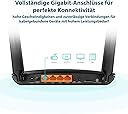
🚀 Unlock lightning-fast 4G+ WiFi and never miss a beat!
The TP-Link Archer MR600 is a versatile 4G+ LTE Cat6 router delivering up to 300 Mbps download speeds and dual-band AC1200 WiFi. Featuring four gigabit Ethernet ports, removable external antennas, and OneMesh compatibility, it offers flexible connectivity for home and small office environments. Plug in any major SIM card worldwide for instant, reliable internet access with minimal setup.
| ASIN | B07RS7HM59 |
| Antenna Location | Home, Small Office, Game, Streaming |
| Antenna Type | Fixed |
| Best Sellers Rank | 2,260 in Computers & Accessories ( See Top 100 in Computers & Accessories ) 15 in Routers |
| Box Contents | 4G+ Cat6 AC1200 WiFi Dual Band Gigabit Router Archer MR600, RJ45 Ethernet Cable, Power Adapter, Quick Installation Guide |
| Brand | TP-Link |
| Brand Name | TP-Link |
| Colour | Black |
| Compatible Devices | Laptop, Personal Computer, Smart Television, Smartphone, Tablet |
| Compatible devices | Laptop, Personal Computer, Smart Television, Smartphone, Tablet |
| Connectivity Protocol | Wi-Fi, 4G+ Cat6 |
| Connectivity Technology | Ethernet, Wi-Fi |
| Control Method | App |
| Controller Type | App Control, Web Interface |
| Coverage | Provides wireless network coverage |
| Customer Reviews | 4.4 out of 5 stars 20,883 Reviews |
| Data Transfer Rate | 300 Megabits Per Second |
| Frequency | 700 MHz |
| Frequency Band Class | Dual-Band |
| Frequency band class | Dual-Band |
| Global Trade Identification Number | 01210002618304, 06935364089832 |
| Has Internet Connectivity | Yes |
| Is Electric | Yes |
| Is Modem Compatible | Yes |
| Item Dimensions L x W x H | 20.2L x 14.1W x 3.4H centimetres |
| Item Weight | 8.82 Ounces |
| LAN Port Bandwidth | 1000 Mbps |
| Manufacturer | TP-LINK |
| Manufacturer Part Number | ARCHER MR600 |
| Maximum Upstream Data Transfer Rate | 100 Megabits Per Second |
| Model Name | ARCHER MR600 |
| Model Number | Archer MR600 |
| Model name | ARCHER MR600 |
| Number of Antennas | 2 |
| Number of Items | 1 |
| Number of Packs | 1 |
| Number of Ports | 4 |
| Operating System | Windows |
| Other Special Features of the Product | OneMesh |
| RAM Memory Installed | 300 MB |
| Router Firewall Security Level | High |
| Router Network Type | hybrid |
| Security Protocol | WPA2-PSK or WPA2-Enterprise |
| Special feature | OneMesh |
| Unit Count | 1.0 count |
| Voltage | 220 Volts |
| Wi-Fi Generation | Wi-Fi 5 |
| Wireless Compability | 802.11a, 802.11ac, 802.11b, 802.11g, 802.11n |
| Wireless communication standard | 802.11a, 802.11ac, 802.11b, 802.11g, 802.11n |
G**Y
Excellent - a great alternative to BT Broadband!
Despite living in London, we are in rather a dead spot as regards mobile reception. To add insult to injury, we cannot get fibre broadband and the 'copper' connection we get from BT is slow and unreliable. Indeed, over the new year, we lost BT broadband completely for 3 days until it was eventually fixed. Even now, we still get annoying intermittent drop outs - particularly exasperating when watching sport! Tethering using a mobile is not an option even in an emergency - the signal indoors is too poor. I initially purchased this TP-Link 4G+ LTE MR600 router to give us a backup solution. Given the bad mobile reception, I paired it with an external Poynting XPOL (V2) 4/5G antenna. Set up was easy - I connected the external antenna (in place of the ones provided with the router) using the SMA connectors, popped in a test "3" SIM and everything burst into life! The admin interface via a browser or the TP-Link Tether APP is straightforward and it's easy with a bit of practise to find your way around. It's all rather comprehensive for a router in this price range and there are also lots of settings and useful statistics. Note - if you want to use SIMs from a provider that uses another carriers network [GiffGaff (O2), Smarty ("3"), Tesco (O2) etc], you will need to adjust the APN settings manually. However, it is very straightforward and all providers publish their required settings on the web. The gigabit LAN ports allow us to connect to our home network with a NAS, printers, YouView, Blue-ray box and smart TVs etc. Currently, our BT Hub still acts as our DHCP server - but that will soon change - see below. I purchased a selection of cheaper pre-paid SIMs (EE, 3, O2, GiffGaff, Vodafone, Tesco, Smarty etc) to test out which supplier is best in our area. I had expected EE or Vodafone to be best but O2 / GiffGaff / Tesco were surprising but clear winners - with a solid 4G+ LTE connection (40-40 band), a consistent 75% signal (2 out of 3 bars) and download speeds averaging above 50Mbps (in a range of 28-67 Mbps). Uploads are 4-6Mbps. That result is more than adequate - we can watch streamed football on one TV, Netflix on another and stream internet radio in the kitchen - all simultaneously. We've never been able to do that before! The other good news with O2 is that I can use a GiffGaff SIM - as they run on the same network but are cheaper and contract free. The Tesco Mobile unlimited data options are also interesting (to us)! However, to be fair, performance will depend on location so you will need to test what is best for you. For my part, I am in the process of cancelling our BT Broadband - this 4G+ LTE router solution is so much better and more stable! UPDATE:- After a few days, we started to find that for about an hour at dawn and dusk, the router would suddenly flip to alternative LTE bands with a much lower download rate - which could interrupt streaming football or films - most annoying! We tried an alternative antenna (Poynting XPOL V3 directional, high gain) and while there was an improvement, the problem still happened occasionally. TP-Link support were great. They believe the issue is due to our odd situation with an alternative mast's broadcast reflecting off buildings causing interference particularly around dusk. They sent me a beta firmware that allowed me to set a specific LTE band thus effectively eliminating interference. It works a treat! Indeed, we also got an increase in download speeds and we often see 85 Mbps. The worst case (in busy times) we see is about 35 Mbps. The connection is rock solid. The result is very acceptable - and a big thanks to TP-Link support. It's worth paying a bit more! UPDATE 2:- I have subsequently upgraded to a V2 model as that has manual LTE band selection built in as a default option. This works absolutely fine and negates the requirement to run Beta firmware. Otherwise, the 2 versions are to all intents and purposes, identical. I returned my older V1 device to standard firmware and installed the device in my daughter's new flat (she has no requirement for manual LTE band selection). We are both chuffed!!
O**9
Good quality product at a reasonable price
I bought this WiFi router for its 4g capabilities as a "failover" second source of broadband for when my main Virgin Broadband link goes down. I work from home and can ill-afford to be off the internet for several hours while Virgin sort out their broadband act. My main link from Virgin Broadband runs at 500 mbs receive (35 mbs transmit) and is generally stable. The Archer only provides around 24 mbs receive (18 mbs transmit) on a 75% 4g signal but this is faster than BT can provide in my area and the 4g link is pretty stable. I find the 4g link provides a good stand-by replacement for general internet use. Both broadband links are fed into an Ubiquiti EdgeRouter Lite which has been configured in "failover" mode. If my main Virgin broadband link goes down the 4g link automatically cuts in. The Archer impressed me from the outset since it was only necessary to put in the 4g SIM card (a data unlimited phone SIM from Virgin Media supplied as a freebie from my main subscription) plugged it in to the mains and it immediately established connection with the 4g network despite then being in the poorest 4g reception area in the house. I logged in via the WiFi network using the default user id and password and was immediately able to access the web portal application which is clean and slick, sensibly arranged and easy to configure. Internet access was immediately possible from the WiFi connection and minutes later after a reboot I was able to use my own SSID and default password. Later I connected it to my home network and it works just as well over the wired network. In connecting it to the EdgeRouter it was necessary to make some adjustments to the Archer LAN IP and gateway address since the default LAN IP and Gateway are 192.168.1.1 which clash with the EdgeRouter IP default IP location. A change to 192.168.200.1 for the Archer fixed this and it now works very well. I will not go into the Archer's full range of features here but if you read the specifications it is a full-featured device and very capable. It will service a traditional broadband link if required to do so. However, for me the attraction is the 4g link and my experience is that it works very well indeed anywhere there is a workable 4g signal. That would include remote locations (on holiday for example) and even caravans/motor-homes assuming a suitable power supply is available. The WiFi signal it puts out is dual-band, stable and quite strong and can be picked up all over our house. It was easy to set up and has a fuss-free online interface application. In my experience there is a lot to like about the Archer MR600.
R**D
Does The Job Well
This works as it should, put a SIM in, turn it on, find the 4G signal sweet spot in your property, connect your devices and you're away. Mine is high up on a bedroom wall next to my Android TV Box that I've connected it to test, plus it's a good spot for signal strength. A couple of things you might want to know from my experience. On the 3 network there is no Signal Aggregation for 4G+ as 3 only use one of the bands covered by this router, however despite that I get between 30mbs & 60mbs download speeds, sometimes even higher. This comes to another point, the speeds vary a lot because the router 4G signal strength indicator constantly moves between II and III giving big fluctuations in download speeds, this is despite me using a 3 SIM in a phone to test the signal before buying the router which showed full signal strength throughout my flat. So once you find that 4G sweet spot keep monitoring it and tweak the position and aerials a bit. I found the best aerial set up is to have the blades at 90° to each other and each blade twisted so the flat sides are also at 90° to each other that way you cover all the signal angles. Obviously you can tweak them to suite you and if you're in a very strong signal area for your network you probably won't need to. I also tested the router with my EE phone contract SIM which has a very strong signal in this area and again the lights on the router fluctuated but I recorded 90mbs consistently. While EE has signal Aggregation here it didn't light up the 4G+ indicator on the router but then it doesn't on my phone either which strangely 3Mobile did but as I've said before that doesn't really matter if you're getting 30mbs and over unless you want to game or multi stream IPTV or the like. I've been using this a month now and performance wise it's been good to excellent however I have had a couple of annoying moments, firstly the IPTV that I was using as a test kept freezing which it doesn't on my main broadband connection so I hardwired it and it's fine now. I was surprised about this as I was getting 30mbs minimum but when I checked my upload speed I found it was very poor at the time at 5mbs, this is critical for streaming and video calling and the particular IPTV I was testing is very resource heavy. Now this is not the routers fault it was down to the network provider 3 but my point is that this type of broadband may not suit all types of day to day streaming activity if connectivity is variable even if the signal looks good. If you have strong high speed 4G then this probably won't be an issue but remember this router doesn't have the sophistication of phone hardware so data receipt and transfer from 4G to WiFi will have it's problems now and then. I connected to this router to work for a few days and it was faultless except it didn't like a conference call using Microsoft Teams it continually froze but as soon as I switched to my home broadband on a different router it was fine so it again it was a 3 Mobile bandwith problem but it did highlight issues on relying on this type of broadband if you don't have to. I haven't had problems with any functions or services on any other devices while connected to this router, just as mentioned with IPTV on my android box which hardwiring resolved and the conference call which was most certainly down to the network not the router. The router settings can be accessed either via an App on your phone or web interface, it's basic but effective and each one has a couple of different options so you'll probably be wise to access it through both depending on what you want to check. The nature of this beast is "Plug and Play" so not much you'll really want to tweak but it's there if you want to set up things like static IP's, enhanced security or parental controls. Overall good bit of kit and if you're in a very strong 4G or 4G+ area it could be a competitor for wired broadband or at the very least a more than capable back up.
J**E
Forget everything else!
Seriously...orget about the others under £100. I have an off-grid camper and in the 10 mile radius of my home, the signal is dire. I normally can't get any signal AT ALL in my home or the car park. I wanted to spend about £50 on one of the sim hubs for when im away fishing or hiking, but after reading A LOT of reviews, I opted for this Tp Archer for a bit more money because it has the 4G+ feature. I'm very pleased I did. This thing will give me 30Mb+ consistently in the car park (unheard of!) and 60mb+ regularly. There is no set up, and I mean NONE! Put the sim card in, switch on, connect device using the simple password on the router. That's it! Total plug n play. Never having issues. Never buffering. Never needed an additional antenna. Great bit of kit at a most reasonable price for the stress free connection you get. This is the one you were looking for. Trust me 👍🏻
C**S
Excellent 4G Router with Great Coverage and specialy made for playing games on a pc
I bought the TP-Link Archer MR600 AC1200 4G+ Cat6 router and have been very impressed with its performance. Compared to the Vodafone 5G Cube router I was using before, this router gives me much more control over my connection. After updating the firmware, it's very easy to lock specific LTE bands or even lock onto a particular cell tower, which is a huge advantage for anyone looking to optimise mobile broadband performance. I'm using a Vodafone 4G SIM card in the router, and the connection has been extremely stable. I regularly play online games such as Ark: Survival Ascended, Battlefield™ 6, SCUM, Rust, Once Human, and Dune: Awakening. Since switching to the Archer MR600, I have not experienced any latency issues, unexpected disconnects, or connection drops while gaming. With the Vodafone 5G Cube, I often had problems where the router would switch to a different cell tower in the middle of a match, causing either a complete loss of internet connection or very high ping. The Archer MR600 solved this problem because it allows band and cell locking after a firmware update, giving me a much more stable connection. The 2.4GHz Wi-Fi coverage is excellent. I use only the 2.4GHz band throughout my 50 m² house, and all my devices receive a strong, stable signal with no coverage issues. Another thing I like is the user interface. It offers a simple Basic Mode for users who just want to get connected quickly, but it also includes a powerful Advanced Mode with plenty of settings for those who enjoy tweaking and optimising their network. Overall, this is a reliable, feature-rich router with great wireless coverage, excellent network management options, and stable gaming performance. If you're using mobile broadband and want more control over your connection, especially for online gaming, I highly recommend it.
A**M
From being logged out of Zoom calls to streaming 4k video with ease!
We have a 4G broadband setup with low to average signal strength depending on the time of day. Upgrading our 6 year old Huawei router to the Archer MR600 has improved internet speed approximately x5 times over and extended its range. In simple terms, this is the difference between being kicked our of Zoom meetings due to low bandwidth and being able to stream 4k video. Set up couldn't have4 been simpler - just plug in the SIM and log in. A complete game changer.
P**Y
Good midrange device with some caveats if you're using Three UK
Bought primarily to deal with the poor WiFi on my Three HomeFi (B311s) with a chance at better LTE, pretty much worked straight out of the box slaved to the B311s or using it's internal LTE modem. WiFi now strong enough throughout the house despite sitting it in a window. I have poor signal quality here and LTE/3G performance isn't much different to the HomeFi. Update: had it a few months now and I can confirm carrier aggregation will not work on 3UK in most places and TPLink don't seem interested in correcting that, SMS (from 3UK at least) doesn't work in the router interface, again no sign they want to fix it. 1 star removed because if you're using 3UK it's effectively only a cat3 router and buying this is a gamble on TPLink ever updating the now 5 month old firmware. That said, following 3UK network updates and finally finding the exact window spot for the router, it gives a stable and acceptably faster speed. I strongly suggest enabling daily reboot in the advanced settings, otherwise it slows down and stutters after a few days. Also ignore the manuals advice on having the antenna vertical, try them splayed at 45deg as well, it significantly improves my signal which has disruption from all the buildings between here and the mast.
S**S
Works very well
Literally plug & play - helped us out while without our broadband and will be useful for using elsewhere, consistent signal and good range
E**A
top
Il migliore per il 4G plus
L**V
Top Router für reines LTE!!! Wer wegen Umzug direkt 5G sucht: Bitte Text lesen
Ich habe den Archer gekauft, da ich in einer sehr ländlichen Gegend lebe und mein Provider dort leider nur über das LTE-Band 20 (B20) sendet. Wer einen reinen LTE-Router sucht, trifft hier meiner Meinung nach die beste Wahl. Der MR600 hält, was er verspricht, und holt wirklich das Maximum aus dem LTE-Netz heraus. Ich habe das Gerät letztendlich nur zurückgeschickt, weil ich mich doch für einen 5G-Router entschieden habe: Da ich bald umziehe und dort 5G-Empfang haben werde, wollte ich einen Doppelkauf vermeiden. Erfahrungsbericht & Hardware-Tipp: Das Problem mit Band 20 und Außenantennen Eine wichtige Sache möchte ich euch nicht vorenthalten: Da ich mein Budget streng auf maximal 200 € begrenzt habe, war die Suche nach einem passenden Gerät ein wahrer Spießrutenlauf. In dieser Preisklasse einen 5G-Router zu finden, der das B20-Band zuverlässig über die Außenantenne annimmt und das Signal nicht auf die Innenantennen verschiebt, ist verdammt schwer. (Teurere Router können das bestimmt besser, aber ich habe mich bewusst nur auf Geräte bis 200 € beschränkt). Die meisten 5G-Router in diesem Segment sprechen über ihre externen Anschlüsse fast ausschließlich 5G an, während LTE auf die verbauten Innenantennen umgeleitet wird. Es gibt zwar Router, die explizit mit LTE-Support über die Außenanschlüsse werben – wie zum Beispiel der Mercusys MB520 –, doch selbst dort bleibt das B20-Band auf den Innenantennen, da der Außenport für B20 einfach "blind" ist. Falls du also gerade das gleiche Problem hast – sprich: du suchst einen 5G-Router bis 200 € mit Außenantennen-Ports, hast aber aktuell leider nur B20-Empfang –, sind diese beiden Modelle mein absoluter Tipp. Bei ihnen funktioniert es garantiert: 1. Zyxel FWA505: Dieser Router besitzt einen physischen Schalter, mit dem man manuell von den internen auf die externen Antennen umschaltet. Achtung: Zyxel hat auch andere Modelle mit Schalter im Sortiment, allerdings tritt bei diesen das gleiche Problem mit dem externen LTE-Empfang leider wieder auf. 2. D-Link DWR-978 5G: Ein älterer 5G-Router, der alles über die Außenports empfängt. Er wird im Netz teilweise für utopische Mondpreise von bis zu 400 € gelistet, aber hier auf Amazon bekommst du das Teil über Amazon UK problemlos für rund 150 €.
A**S
Solider 4G-Router für einfachen Internetzugang
Der TP-Link TL-MR110 lässt sich sehr einfach einrichten. SIM-Karte einlegen, einschalten und nach kurzer Zeit ist das WLAN verfügbar. Die Verbindung ist stabil und reicht für Surfen, Streaming und normale Alltagsnutzung völlig aus. Die Geschwindigkeit ist in Ordnung, auch wenn man keine Höchstleistungen erwarten sollte. Verarbeitung wirkt solide und zuverlässig. Für Zuhause, unterwegs oder als Ersatzlösung bei fehlendem Festnetz eine gute Wahl.
D**R
Internet rápida en zonas rurales
Este router destaca por su sencillez y estabilidad de conexión. Leer más para ver si te va a servir.... Nuestra Casa Rural: Estamos en una casa que no ofrecen fibra ni ADSL. Tiene buena cobertura 4g y con un iPhone XR (cat 12 para los que entienden) puedo alcanzar bajada de entre 0.2Mbps (nefasto) y 50Mbps (serve para todo, streaming, Netflix, ps4 etc). Pero es muy cambiante e inestable, y estoy hablando de puntos de fuera de la casa. Dentro con paredes de piedra olvídalo. Soluciones por empresas grandes de tlf (Movistar, Orange, Vodafone): Si no hay cobertura fibra ni ADSL ofrecen Internet por 'radio'. Es el mismo que captamos con el móvil 2g,3g,4g etc. emitida por los antenas. Pero nos ofrecen un router especial que admite una tarjeta SIM. Este SIM tiene datos ilimitados y con el router se puede conectar las dispositivos en casa mediante WiFi y/o cable. Movistar me dijó el máximo posible era 20Mbps. Tiene coste de unos €40 mensuales. Decidí investigar alternativas. La solución! Router TP-link y targeta SIM: Al investigar vi que se puede hacer todo por libre. Es decir, compras un buen router 4g como este de TP-link. Tambien contratas una targeta SIM con Gb ilimitadas (entre 30€ y 40€ mensuales). Pones este targeta en el router y desfruta de Internet como si fuera fibra. Por el momento la conexión es estable y rapido con una media de 50gb. Este router (cat 6) se alcanza velocidades mucho mejor con mi iPhone XR. Eso sí, hay que buscar la posición del router donde mejor alcanza la torre 3g/4g. Que SIM elegir? He probado con una tarjeta SIM de O2 (de mi hijo) y muy bien. Estoy esperando una nueva de Yoigo con Gb ilimitadas de 33€ mensuales (tienen cobertura tri banda de Movistar, Orange y el suyo propio). Conociendo las grandes empresas (Movistar, Orange) puede que ellos capan la velocidad (movistar me dijó 20Mbps max) y como intento evitarlas pues he eligido yoigo. Editaré esta sección en cuanto pruebo con Yoigo. En fin. Muy buen router, instalado en segundos y según tu situación una solución muy buena. Puedes viajar con el y si hay cobertura de 3g/4g siempre tendrás Internet!
D**N
Très bien !
Très pratique ! J'ai acheté ce routeur pour ça connectivité en 4G qui plus tard ce transformera en point Wi-Fi connecté en RJ45 depuis ma box. UTILISATION TYPE ⬇️ Actuellement je rénove une maison dans ça totalité, il me fallait un système de caméra sur enregistreur/serveur que je puisse accéder à distance et recevoir des notifications en temps réels (je ne vis pas sur place, et la maison ce trouve dans un hameau peu fréquenté), ainsi que quelques éléments connectés comme des prises connectées pour des éclairages de dissuasion, et un point Wi-fi pour mon père possédant un forfait 4G très limité. J'ai un doublon de ma carte SIM que je vais mettre dans cette box pour pouvoir avoir Internet pendant les travaux sans souscrire à un abonnement fibre (sachant qu'il ne reste que les quatre murs de la maison, donc difficile de faire intervenir un technicien fibre pour me l'installer) Lorsque cette maison sera rénovée, ce routeur sera dans ma dépendance/atelier et servira comme point wi-fi (le bâtiment est trop loin de ma future box internet et les murs de la maison sont épais), il y aura un câble RJ45 sous terre qui partira de ma box Internet dans ma maison, et qui sera branché sur ce routeur dans la dépendance, me permettant ainsi de ne plus utiliser le doublon de ma carte SIM, mais de pouvoir à la place ce connecter via un câble RJ45 partant de ma box fibre ! RESSENTI SUR LE PRODUIT ⬇️ Personnellement, la box fonctionne bien, là où je rénove ma maison la 4G est bonne, mais pas incroyable, et pourtant je n'ai pas de problème à voir mes caméras à distance, pas de problème à activer mes prises connectées, le signal est fluide, il n'y a pas de perte de réseau, dans les paramètres du routeur, j'ai programmé un redémarrage tous les jours vers midi, un redémarrage prends environ 2 minutes, je suis plutôt bluffé et satisfait !
Trustpilot
2 weeks ago
4 days ago