Some deliveries may take a little longer than usual due to regional shipping conditions.

DOWNLOAD THE APP


Customer Services
Copyright © 2025 Desertcart Holdings Limited
DOWNLOAD THE APP
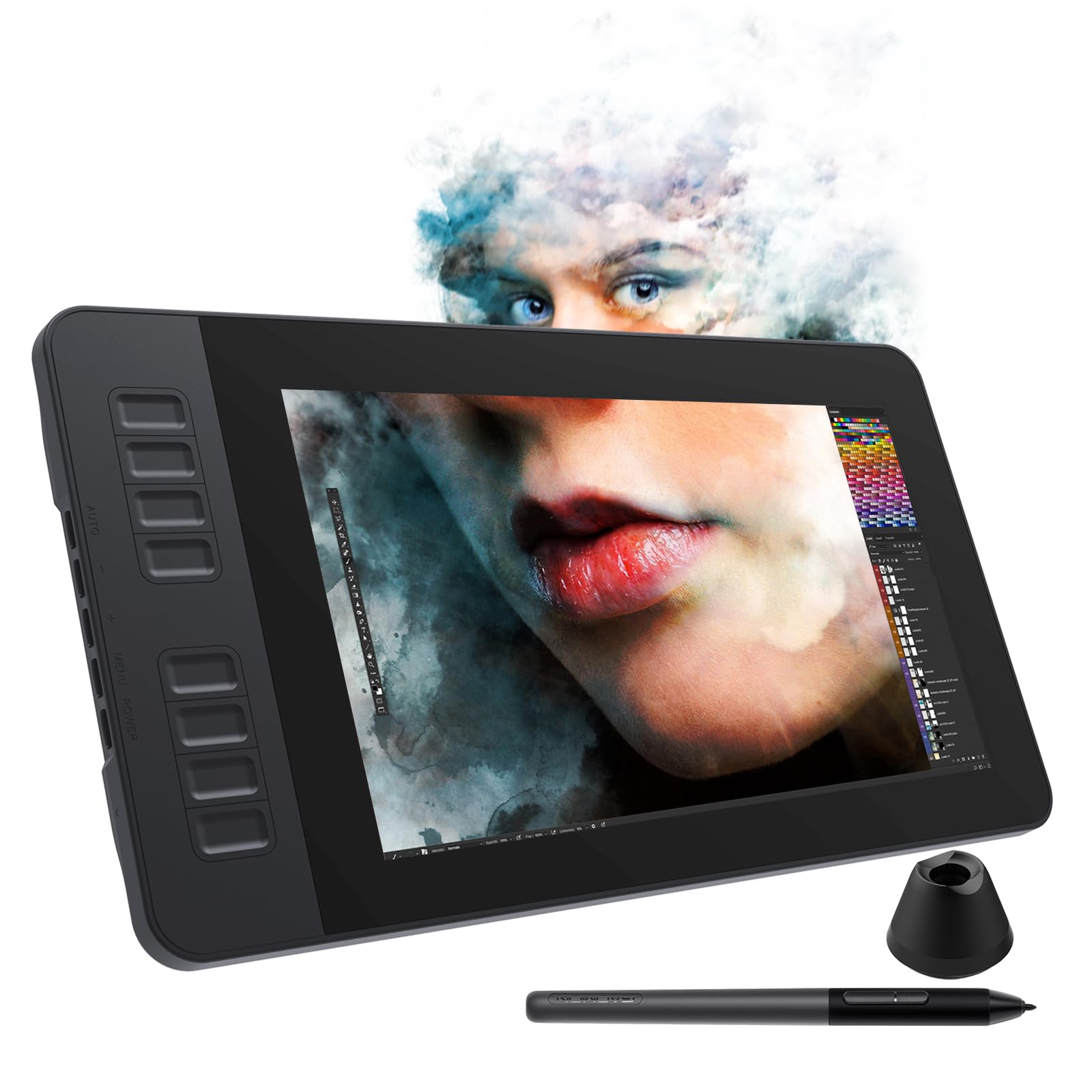
🎨 Elevate your digital canvas — create, customize, conquer.
The GAOMON PD1161 is a sleek 11.6-inch pen display tablet featuring 8192 levels of pressure sensitivity and tilt support for precise digital artistry. It boasts a Full HD IPS screen with an anti-glare film, 8 customizable shortcut keys, and a battery-free stylus with extra nibs. Lightweight and portable at 1.9 lbs, it connects to Windows, Mac, or Chromebook devices and supports a wide range of creative and professional applications, making it ideal for digital artists, designers, and remote professionals seeking a versatile, high-performance drawing solution.


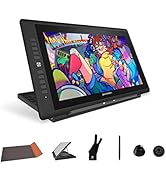




| ASIN | B07VTKYH9D |
| Best Sellers Rank | #69 in Computer Graphics Tablets |
| Customer Reviews | 4.3 4.3 out of 5 stars (2,025) |
| Date First Available | July 28, 2019 |
| Item Weight | 1.91 pounds |
| Item model number | A2.PD1161-0-EN0000-1-US |
| Manufacturer | GAOMON TECHNOLOGY CORPORATION |
| Product Dimensions | 14.21 x 7.87 x 0.04 inches |
C**_
Pretty good for my first display tablet (read full review)
I'm not sure if this drawing tablet was worth its price, but it's definitely not a bad one (I haven't tried out other models/brands, so I don't know how this one compares). I wish the screen were higher definition, but that might be just my problem since I have a bad habit of drawing small rather than zooming in... (Also, my fault for expecting iPad quality, obviously it's not going to live up to that!) I noticed the color accuracy was a bit off, but it was an easy adjustment to make thanks to the tablet's easy-to-navigate system settings. Another issue I ran into was the pen being a little off from where my mouse was, but again, easy fix with screen calibration! This tablet in general takes some getting used to, and you have to spend some time figuring out how to customize it to be comfortable. However, for my first pen display tablet, the functionality is 100% fine, and I like how it came with a glove, pen stand, extra nibs, and a tablet case and stand. That made it worth the extra dollars, I think. I love the paper-like texture and buttons on the side. I've used GAOMON before for my previous non-display tablet, so I might be biased. Honestly, I really like this tablet despite some other reviews saying it's not the best. I myself was on the fence about whether or not I should purchase it since the ratings seemed mixed, but I find it neat. Overall, would recommend. P.S. In my opinion, it works best when you set it as an extended display instead of mirrored. You can have a movie, reference, and chat open all while drawing, which is perfect for someone with an abysmal attention span like me!
C**D
Generally Great All Around Minus a Couple Quality of Life Quirks
I got this tablet on sale for about $300 USD in December 2020 and so far it's been a good purchase. This has been my first dedicated Pen Display tablet, although I've worked with Wacom Bamboo and Intuos Pro M and I can't tell the difference in term of input reading for the pen of either motion pickup or pressure sensitivity. I'm going to mainly be comparing it to those two tablets are a user who has made the leap from non-display graphics tablets to GAOMON pd156 Pro display drawing tablet. The display itself can be pretty bright, especially in a dark room, although I probably need to play with the hardware settings a little more. The shortcut buttons, in my opinion, are a step up from the Bamboo and Intuos Pro because they're very distinctly clicky with no annoying "half-press" that Wacom tablet buttons have as a result of the Wacom touch sensitivity on their tablets' buttons, the pd156 PRO buttons are strictly PRESSED/NOT PRESSED in function, which I didn't think I'd have to praise but it was a genuinely frustrating feature that couldn't be disabled on the Intuos. There is also an extra shortcut button available which has proven redundant at worst and highly convenient at best (with the second extra button being reserved for tablet monitor settings). The pd156 PRO also has, in my opinion, a more intuitive radial wheel button as it does not utilize touch sensitivity and instead opts for a simpler analog scheme wheel. It functions identically to other radial wheel buttons with the scheme of: Press interior button to cycle through customizable functions -> rotate wheel up or down to activate the function with each partial turn. As of now, there is only 3 customizable up/down function slots for the wheel button, for a technical total of 6 function slots. The stand is nice and made of sturdy materials, although it could be better as it just operates like a kickstand and a board. I've seen other stands that have a more complicated and customizable configuration, but if you're a stickler for stands, you've likely bought a specialized one anyway. The wire plugin for the tablet is also very stable, meaning you're unlikely to accidently knock it loose. To my knowledge, the tablet is exclusively wired. The pen is mostly a step down from the Wacom pens I've used. Its design is totally straight and cylindrical, which I have no real issue with, but if you find yourself needing that extra rubber padding or curvier design for a steadier grip then you're currently out of luck. There is no eraser on the pen, meaning you'll have to depend on your shortcut buttons or some other custom action if you have need of quickly accessing the erase function. Most importantly, the pressure sensor for the pen is located slightly farther up into the pen than the Wacom pens I've used, meaning that tilting actions and grip techniques are going to have less freedom at sharper angles, which is especially important to me when I'm in the zone drawing, tilt my pen at those sharper angles, and suddenly find that the cursor doesn't line up with the pen nib, instead lining up with where it is seated inside the pen, or even the plastic of the pen bumping into the display. My suggestion would be to either somehow extend the nib seating forward, or make longer or more projected nib seating in the pen. The driver software is also a minor step down from Wacom as it only provides two pips on the pressure sensitivity graph, where I believe Wacom supported at least 5, meaning that the pd156 PRO only supports a quadratic formula for pen pressure natively through the driver config, although this shouldn't be a dealbreaker as almost all drawing software has built-in pressure sensitivity options. The driver has also been upgraded in major ways several time since I purchased to improve stability and majorly any decrease software issues. The customer service was quick, friendly, and lenient. I had experienced a glitch in my pen causing it to continue drawing as I lifted it off the tablet, which the support representative informed me that it was probably because I dropped the pen, which had happened. Me dropping the pen should have voided the warranty, but they were nice enough to send me another pen free of charge after I provided proof of the issue. For its price of $350 , size (15.6 inch) , usability, comfort, customer service, and lack of major issues, I would definitely suggest this as a nice display tablet, especially for beginner and intermediate users.
D**D
Take this with a grain of salt.
This is the first graphics tablet I have ever bought; I am far from being an expert on these things. The tablet seems to come with a nice selection of accessories... cables, cover/stand, extra nibs for the pen. But what it doesn't come with is decent documentation. There's a quick start guide which is kind of useful but there is no actual owner's manual. Instead, there's a little card telling you to go to their website to download a manual. As far as quality goes, I'm not sure as I have yet to actually use it. I'm not sure if this particular model is beginner-friendly or not. For the price, however, I think it will be a good entry level tablet for me.
T**A
Amazing tablet for it's affordable price
I have had this tablet for well over a year now and it is probably one of my favourites! I cannot recommend it enough, especially if you are on a budget. Fits nicely in my desk area - not too big, not too small. Very light and comes with a leather case if you happen to travel - I don't, but it's still useful. Pressure sensitivity is awesome. Only issue I've ever had is with magma, but I that isn't really the fault of the tablet. Not everything will be compatible and that's alright. You can export your tablet settings too if you happen to move computers. It has never lagged, drawing feels smooth always and the screen has a paper-ish texture that makes it really comfortable to draw on. The only downsides I think is one button at the bottom doesn't seem to bind to anything and the wheel/button area seems to get dirty very easily, and is hard to clean. Sometimes the parallax messes up but it's easily fixed by lifting the pen away and repositioning. These issues are really easy to look past in my opinion because of the price - it's very worth it! Try not to get your cable damages though, as the replacement is much shorter than the original. My rabbit chewed my original, lol. But it still works great and customer service is very helpful on the chance you do run into issues.
K**S
Draw
Was perfect...my daughter love it.
E**A
vendedor honesto, e gentil, atencioso
I**A
já uso uma e comprei pra minha sobrinha. ótimo custo-benefício.
D**K
I'm thoroughly pleased with this purchase. As an educator using various drawing tablets for teaching, this one stands out remarkably, especially considering its price point. Its performance surpasses that of its smaller 11-inch counterpart. Writing with it is a delight; the experience is truly enjoyable. However, I've noticed a slight accuracy issue when nearing the edges. While this isn't a major concern for me as a math instructor, for tasks requiring pinpoint precision, this might be a decisive factor. Consider your specific use case before finalizing your decision.
G**I
Love it, good for beginners! P.s little bit laggy pen on edges but adaptable. Not an issue
D**D
The Device is the best in the Digital Drawing tablet category. Smooth whiteboarding is now possible. I have 2 monitors connected to the devices. It made my life easy. The pen works just fine. True value for money. Special thanks to Gamon service team for technical support. They helped me to power on the device and setup the device. Reaching out to Gamon service team was easy. Use Amazon message to contact Gamon service team or you can also leave a message at Gamon's official website. Very customer centric organisation Gamon. Thanks for such a wonderful product and Technical support
Trustpilot
2 weeks ago
1 month ago