🚗 Navigate smarter, drive safer, arrive faster!
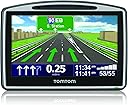
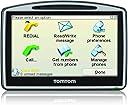
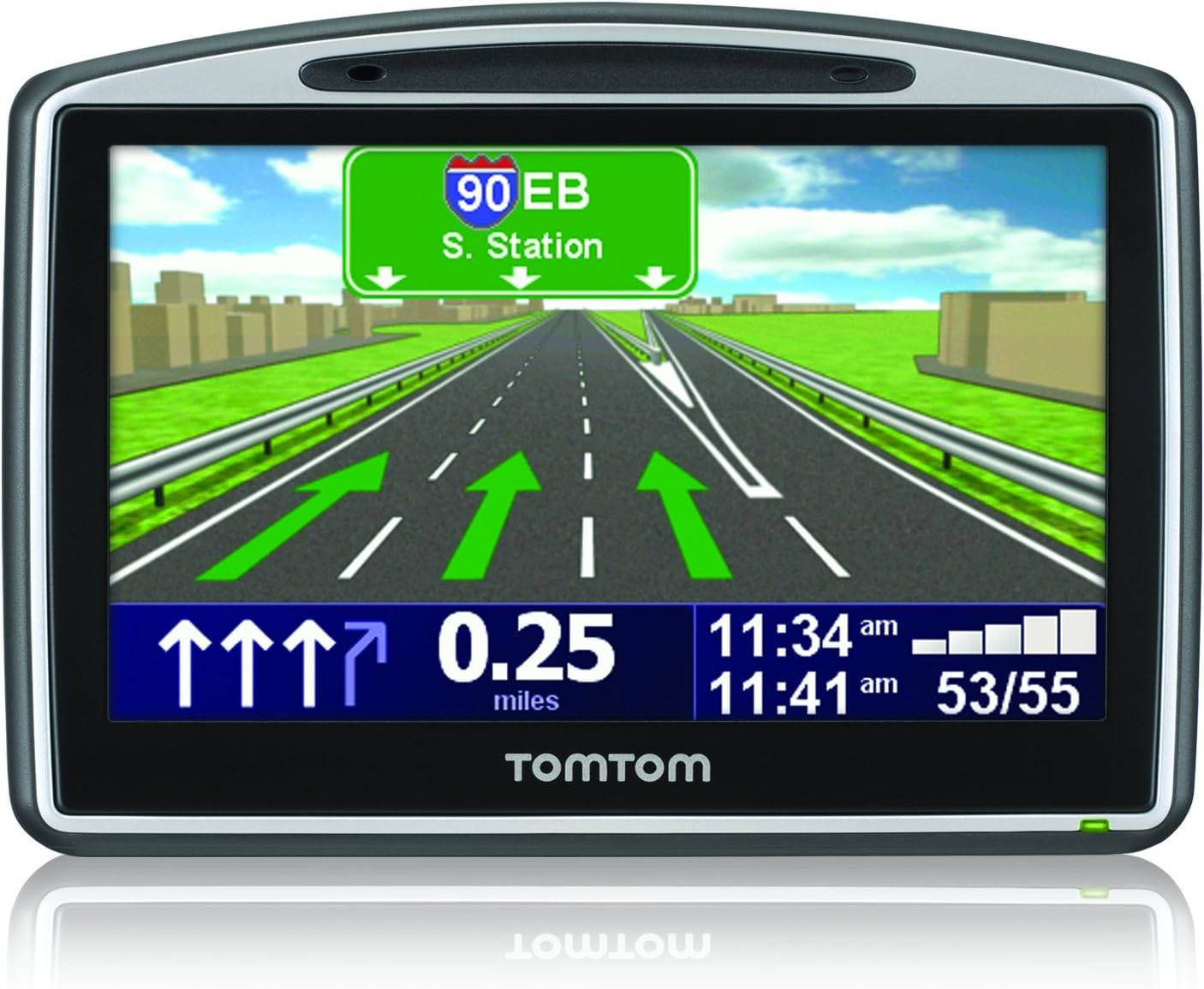
The TomTom GO 630 is a sleek, portable 4.3-inch GPS navigator featuring award-winning IQ Routes technology for the fastest routes, photorealistic Advanced Lane Guidance, and Bluetooth hands-free calling. With TomTom Map Share, users can instantly update maps, ensuring up-to-date navigation across the US and Canada. Designed for professionals who demand efficiency and safety, it offers voice address input, emergency access, and a rich database of points of interest—all ready to go right out of the box.
| ASIN | B001VEJEGU |
| Additional Features | Speed limit warning, Text-to-Speech (TTS), IQ Routes technology, TomTom QuickGPSfix, TomTom Map Share technology, TMC (Traffic Message Channel) ready, Built-in microphone, Hands-free calling via Bluetooth, Preinstalled POIs, Photo viewer, Audio recording, Automatic routing, Advanced Lane Guidance, Built-in speaker |
| Are Batteries Included | Yes |
| Battery Average Life | 5 Hours |
| Best Sellers Rank | #766,925 in Electronics ( See Top 100 in Electronics ) #785 in Handheld GPS Units |
| Brand | TomTom |
| Built-In Media | Magnetic Attachment, Charging Cable, Carrying Case |
| Compatible with Vehicle Type | Car, Minivan |
| Connectivity Technology | Bluetooth, Wi-Fi, USB-C |
| Control Method | Touch, Voice |
| Customer Reviews | 3.2 out of 5 stars 100 Reviews |
| Display Type | touch screen |
| Global Trade Identification Number | 00636926023566 |
| Human-Interface Input | Touchscreen |
| Item Weight | 220 Grams |
| Manufacturer | TomTom |
| Map Types | USA, Canada, Puerto Rico |
| Memory Storage Capacity | 2 GB |
| Mfr Part Number | 1CJ0.058.00 |
| Model Name | GO 630 |
| Model Number | 1CJ0.058.00 |
| Model Year | 2010 |
| Mounting Type | Handheld |
| Resolution | 480 x 272 |
| Screen Size | 4.3 Inches |
| Special Feature | Speed limit warning, Text-to-Speech (TTS), IQ Routes technology, TomTom QuickGPSfix, TomTom Map Share technology, TMC (Traffic Message Channel) ready, Built-in microphone, Hands-free calling via Bluetooth, Preinstalled POIs, Photo viewer, Audio recording, Automatic routing, Advanced Lane Guidance, Built-in speaker Special Feature Speed limit warning, Text-to-Speech (TTS), IQ Routes technology, TomTom QuickGPSfix, TomTom Map Share technology, TMC (Traffic Message Channel) ready, Built-in microphone, Hands-free calling via Bluetooth, Preinstalled POIs, Photo viewer, Audio recording, Automatic routing, Advanced Lane Guidance, Built-in speaker See more |
| Supported Satellite Navigation System | GPS |
| Touch Screen Type | Capacitive |
| UPC | 636926023566 |
| Vehicle Service Type | Car, Minivan |
| Warranty Description | 1 Year Parts; 1 Year Labor |
M**C
Poor Quality Control
The Tom Tom GO630 is supposed to have great applications. The problem is with the touch screen. The unit automatically switches to the help mode. No matter what you do, the unit switches to this mode rendering it useless. This problem is not unique and should have been found by quality control, and a recall issued. Customer service is a nightmare! I was deployed much of the time I was trying to find solutions and the warranty expired. If you want to spend your time contacting customer service, buy a Tom Tom product. It will not work as a boat anchor so it is in the trash box. I bought a Garmin product and it functions great. I know now that I should have returned the item to Amazon right away.
R**G
Great device, everyone should consider one!
Works like a champ, very useful when traveling to areas that you are unfamiliar with as well as finding routes to avoid traffic and construction delays. Speed limit reminders are mostly accurate, only complaint there is not all roads have the data for speed zones. Display is large and readable in the majority of sunlight conditions. Database is good, a few mistakes noted after 60 days of traveling. Device is fast at re-routes if you miss a turn or decide to pass up a turn. Very few nags about "make a U turn" that is common to other manufactures software.
M**S
So Far, So Good...
This is a reasonable, entry level GPS and has most of the features, if not all the features I want. Most reviews have covered this unit in detail so I won't repeat too much but here are my experiences so far. First, Amazon's pricing can make the price fluctuate wildly so watch for bargain days. I had this item on my wish list since late 2009 and when I went to buy it in early 2010, noticed the price was up about $40. I kept an eye on it and it dipped for a day so I bought it then. Since, it has been back up $40 so bear this in mind. Some users have complained about the suction of the windshield mount. If anything, I have had issues getting the thing off - it has stayed on just fine. Since then, I've mounted the included dashboard disc and so the unit can now go lower, out of my windshield view and is mounted between two of my air vents. I'm not 100% convinced it will stay on securely but in the short time I have had it installed, it has so far stayed on. The phone feature has been a little frustrating. Sometimes when you want to make a call, you find yourself pushing the phone and then address book buttons and nothing seems to happen - you push it again and the next thing, you've started to auto-dial someone you didn't mean to call because their name was under your finger when you pressed. As I bought the system more to take calls than make them on the move, I can live with this but it has led to some panicked attempts to cancel calls a couple of times. Pairing the unit with an iPhone has been relatively straightforward, although there was some awkwardness in the pairing procedure and timing out as you figure out who needs what sent when, to pair effectively. The most irritating aspect of this GPS unit is setting up with the latest maps. Another reviewer previously stated you MUST delete the old map before downloading a new one (because without an optional SD card installed, you will exceed the installed memory.) I forgot this and then rendered my unit unusable until this was taken care of. TomTom really MUST put this in their quick start instructions or at least the manual. The best procedure is to install the home software, backup the unit, delete the installed US map (which is bound to be out of date at purchase time) and then run the download/install of the US or other map. If for any reason the download fails and you need to try it again (if you forgot to delete the original map for example), you need to go into the TomTom Home, go to Tools and then click 'Latest Map Guarantee' to kick the process off again. The manual tells you none of this and I had to Google it for some time to find this out. It looked to me that I had messed up my one time for a free, one-time-only map update but it does allow you to try again - it just doesn't tell you any of this in the provided instructions. Anyway, for local use, this GPS seems to work just fine. I will take it with me when I travel and see how it does in other states. The demo route function is very useful and has allowed me to run through some trips in a simulation, before I try the route for real. I understand some of the frustration vented in other reviews but if you are at least slightly technically savvy and persevere, this is a pretty good unit. That said, people are right to be upset that TomTom doesn't provide simple, step by step instructions in how to use this unit out of the box.
A**S
Wont recharge.
Wast of money i wouldn't even recommend TomTom to anyone anymore (get a android/ios phone). This thing died and TomTom told me to get lost. i would have paid to get it fixed and gift it to some random person, but just got the two finger salute. Sorry TomTom your fail and its not like any of this stuff is useful with apps like Google Maps, Navigate and Waze. Disappointing.
A**T
Useless "features" were not worth it, horrible mount
I got this Tomtom because we moved to a new state and I was driving on unfamiliar roads all the time. When we lived in a familiar place, I could usually get away with looking directions up on Google before heading out - since we knew the streets already, you just had to make a mental note of a new street or two. Here, however, I sometimes had to memorize up to 15-20 "legs", which was hard, especially if you messed up at some point. On top of that, I was in the middle of switching my glasses prescription and could not always read the road names from far enough away, so I would often find myself just missing the road, or in the wrong lane for the turn... So, I decided to get the Tomtom. I opted for this one for 2 reasons: 1) Advanced lane assistance (which actually works alright, I guess, I ended up needing it a lot less than I thought I would) 2) Spoken street names Well, my first disappointment came when I opened the package. The way they want you to attach the Tomtom to your car is by a suction cup. Those never seemed reliable enough to me (shower caddies using those always fall, sooner or later), not to mention that in many states you're required by law NOT to leave the GPS mounting devices on your dashboard, and putting the suction cup on and taking it off all the time pretty much guarantees that it will soon lose its grip. I decided to research other mounts, and use the suction cup in the mean time. On the very first day of using it, it fell off the dashboard during a turn (not a violent one by any means), after staying put for 3 or so hours, hit my car key on the way down, turning off the engine... All that in the middle of a turn on a relatively busy highway, late in the evening - i.e. in complete darkness, and my daughter was in the car with me. It was one of the scariest experiences I had behind the wheel, it took me a few seconds to even realize what happened to my car, why it was barely moving all of the sudden, and I was so scared that it did something to my car, I didn't even have time to worry about the Tomtom breaking. Luckily, the car AND the Tomtom were alright, but I have not used the suction cup since. I've searched high and low for a different mounting device, and it seems that there are no good ones for Tomtom. For that reason alone, I wish I'd gone with Garmin, we've used their padded mount when we rented a car, and it was great - no "permanent" mounting required, plenty secure, perhaps a bit bulky, but a small price to pay in retrospect: with my Tomtom, I essentially have to throw it on the passenger seat and listen, stealing occasional glances at stop signs and read lights, which is not very convenient to say the least. Yes, I did find some third-party mounts that seem to replicate the ones made for Garmin, but the reviews here on Amazon seem to suggest that they might not stay put as well as Garmin's, limit the reach and tilt of the GPS, AND you still have to use the suction cup to attach Garmin to the device, if I understand correctly, so really, not an adequate alternative to Garmin. Then, more disappointments came. The biggest one is the "spoken street names". The fact that they even list it as a meaningful feature infuriates me. Maybe it functions better on more expensive models, but had I known how poorly it was going to behave on mine, I would have gone with a cheaper one. Basically, the spoken street names feature works well as long as you're on a highway or in the middle of nowhere. As soon as you hit a city center, it becomes completely useless, telling you the usual "turn in 500 feet", not only that, but often they don't even DISPLAY the street name until you're literally right there, giving you very little time to prepare, which in a downtown packed with one-way streets can mean a LOT of missed turns or risky maneuvers! My husband and I routinely find ourselves screaming at it for street names while driving. Then, there is the fact that the routes it plots are just downright wrong and weird at times. I do not know what kind of algorithms went into deciding what the best route is, but as I got to know the area better, I realize that a LOT of times it takes you on a a very convoluted route when there is a much simpler and faster one - in fact, I'm pretty sure that it's the kind of stuff that other reviewers complained about: for example, it tells you to take 3 lefts when you could have taken 2 rights (perfectly legal) to get to the same road, etc. It has taken me on a lovely tour of DC's inner city dead ends late one night, made me go past the destination and pull a U-turn when there was a light and an allowed/protected left, etc. On one occasion, it has taken us on a toll road when we told it to avoid them, and then on a toll-free road when we didn't say to avoid it. The mix-ups with locations are also not that infrequent, but I won't hold that against Tomtom specifically - Google has those locations mapped wrong as well. Just the other day we experienced yet another annoying particularity - we went on a picnic in a large park, and when we tried to get back to the major highway from there, Tomtom could not find a lock on any satellites for 15 minutes! I mean, we were right next to a park, and in a relatively rural area, but we on a road, not in the middle of the forest, and 5 minutes from a major beltway! Not exactly a desert... It did find a lock as soon as we got on the on-ramp, after we found our own way there, meandering about in the dark for 15 minutes or so - all kinds of helpful... Bottom line: it's an okay device to use on highways and road trips, but if not useless, at least very frustrating in city centers. The features are very disappointing, so while I cannot recommend a different model, this being the only one I have used extensively, I would say either get something more basic for less money, or splurge on something far more sophisticated in a hope that those features are more refined in higher-end models. This one does not seem to deliver what it promises. I do not use Bluetooth, so I'm afraid I cannot speak for that part of its functionality. And I'm afraid that due to poor mount choice, I'd have to recommend going with Garmin. I guess Tomtom could be fine if you just took it out to find the nearest restaurant in an otherwise familiar area, but if you're planning on relying on it for extensive trips and long periods of time, than I think the mount could prove problematic, and you don't want to be driving while keeping an eye on the passenger seat to see the map.
J**L
Fouled up, right out of the gate.
We had had a good experience with our TomTom 930; when it died after 4-5 years we were ready to stick with Tomtom. This unit worked right out of the box (although the touch screen required a surprisingly heavy touch to register), but after installing the PC interface software and carefully following the software update instructions, the unit claimed at first not enough memory to hold the latest map, then couldn't find the map when it finally accepted it, then ultimately couldn't find it's position. 3 hours of my life is enough to spend trying get a NEW $150 gadget to work -- back in the box, back to the seller. The way they're dropping the price on this baby, I think there's a bad batch out there, or it's about to be abandoned as a product.
D**X
A huge step up from my One130
This is a great product at a very reasonable price. Has all the features I want. My old unit worked fine, I gifted it to my brother in law, and he's using it on his MA to FL and back road trip, and he thinks it is terrific. I have no need to pay for real time traffic info, gas prices or anything like that, so this unit is perfect for me. Large bright screen. Around $152, I think it was. I believe TomTom lists it at $299 or so. (few things drop in value like a 6 month old GPS does!)
Q**O
Won't recommend - 3 Units - All Failed
Purchased Jan2010. Used on Summer 2010 Trip. Started acting up towards end of trip by flipping screens. If you had given it an address to go to, the map screen would start flipping to menus so you couldn't follow the map. No matter what you would do, screens would flip even if you were trying to give it an address or town or anything to drive to. It would act like someone was pressing the screen and choosing different menus or sometimes it would act like someone was holding down the zero or sometimes it would jump to the police station screen. It was totally unusable. I quit using it and went back to my paper atlas to finish trip. Under warranty, I called TomTom, they replaced with a scratched, refurbished unit. Now, Spring 2011 and on another big trip; just 2 days into trip, TomTom's replacement started flipping screens just like my new one did. Of course, I am out of warranty now, but I had purchased coverage thru SquareTrade. Thank goodness I did that. SquareTrade is sending me a check to replace this junk. Called my son to see if he wanted any of the extra accessories I purchased with this since he bought a Go630 about a week before me. He only used his a couple times and on his last trip, his started flipping screens. Imagine that! He was out of warranty and hadn't purchased any extra coverage, so he trashed his and bought a Garmin. Oh, and when I called TomTom when mine first started acting up, they knew right away what my problem was - had a name for it, but I forgot what they called it. Sounds like they know they have a problem and are still selling it???? I know of 2 buyers - both with the same issues - and a replacement with the same issue. 3 different units just happened to fail the same way? This is a manufacturing problem that TomTom is politely ignoring and is still selling them? I was a registered owner with TomTom and had bought the 1-year map package for it. If TomTom wanted to make it right to their owners, they have had plenty of time to do it. My advice - don't buy it. Nothing is worse that an unreliable gps in the middle of a trip. Neither of us will consider another TomTom.
Trustpilot
5 days ago
1 month ago