

🖨️ Small footprint, big impact: Color printing that keeps you ahead of the curve!
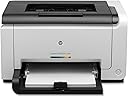
The HP LaserJet Pro CP1025nw is a compact, energy-efficient color laser printer designed for professional and home office use. Featuring wireless and Ethernet connectivity, it enables easy sharing across devices. It delivers high-quality color prints at a low cost per page comparable to black-and-white lasers, with quick setup and simple cartridge replacement. Ideal for document printing with vibrant color, it supports mobile printing via HP ePrint, making it a versatile and budget-friendly choice for millennial managers seeking reliable, stylish office tech.
| ASIN | B0044XSNH6 |
| Additional Printer Functions | Scan |
| B&W Pages per Minute | 17 pages_per_minute |
| Brand | HP |
| Built-In Media | Printer, Power Cable, Starter Toner Cartridges, Setup Documentation |
| Color | White |
| Color Pages per Minute | 4 pages_per_minute |
| Compatible Cartridge | HP 950XL/951XL Black LaserJet Toner Cartridge |
| Compatible Devices | Laptops, PC |
| Connectivity Technology | Wireless;USB |
| Control Method | App |
| Controller Type | Wireless, USB |
| Customer Reviews | 4.1 out of 5 stars 190 Reviews |
| Duplex | No |
| Global Trade Identification Number | 00885631350928, 00887758564493 |
| Hardware Interface | Ethernet |
| Ink Color | Color |
| Item Weight | 13 kg |
| Manufacturer | Hewlett Packard Office |
| Maximum Copies Per Run | 15000 |
| Maximum Copy Resolution Black and White | 600 x 600 dpi |
| Maximum Copy Resolution Color | 600 x 600 dpi |
| Maximum Copy Speed Black and White | 17 pages_per_minute |
| Maximum Media Size | 8.5 x 14 inch |
| Maximum Print Resolution Black and White | 600 x 600 dpi |
| Maximum Sheet Capacity | 150 |
| Maximum print Resolution Color | 600 x 600 dpi |
| Model Name | CP1025nw |
| Model Number | CE914A |
| Model Series | CP |
| Number of Drivers | 2 |
| Number of Ethernet Ports | 1 |
| Number of Trays | 1 |
| Other Special Features of the Product | Network-Ready |
| Paper Size | 8.5 x 11 inches inches |
| Print media | Card stock, Envelopes, Paper (plain) |
| Printer Connectivity Type | Wireless;USB |
| Printer Output Type | Color |
| Printer Type | Laser |
| Printing Technology | Laser |
| Processor Count | 1 |
| Resolution | 600 x 600 |
| Scanner Type | Sheetfed |
| Series Number | 1000 |
| Special Feature | Network-Ready |
| Specific Uses For Product | Office |
| Total USB 2.0 Ports | 1 |
| Total Usb Ports | 1 |
| UPC | 778889476925 046464749659 886111381821 887632561501 763615888325 887758564493 885631350928 999992526561 |
| Unit Count | 1 Count |
| Warranty Description | One year limited warranty product exchange |
| Wattage | 295 watts |
M**R
Great printer for seminary (graduate school)!
I'm a seminary student at Concordia Seminary in St. Louis. We write many many papers for our classes. I needed a laser printer as my old HP LaserJet 1100, which in "computer years" was 100 years old, was about to give up the ghost. But I really wanted color because I'm a visual learner and utilize charts and other colorful tools for my Greek and Hebrew and other classes. And, note that from a "cost-per-page" standpoint, lasers just about always beat inkjets, sometimes significantly. Enter the HP LaserJet Pro CP1025nw. I first spotted it at an Office supply store. It has a relatively small footprint compared to the other models. I looked at reviews here on Amazon and found that the only real problem with this printer is speed. And for me, that is not a problem at all. Also, some folks suggest this unit is not a great photo printer, and I would agree with that as far as it goes. But please note that generally speaking, Laser Printers are not interested in being the best at photo printing. **This is a document printer.** That means photos in docs are going to look great. If you want to print photos and then frame them, get an inkjet. Print quality is excellent, on par with the higher dollar color lasers. Wireless setup is okay, although I really wish these manufacturers would ditch the intrusive software installs. There are workarounds for this and once you get the printer's IP address set, you can run the whole thing via the built in Web server, just create a TCP/IP port on your PC or Mac, and just use the barebones driver. The built in Web server is great for checking toner status, etc., and won't slow down your computer with a bunch of software overhead. I agree that speed was clearly not an objective of the designers of this printer. If you need fast, you are going to need to spend more. However, it seems HP's objective was to bring a color laser printer to market that is less than $200 and still prints great...and in that regard they have succeeded very well! If you are someone who wants to print great looking documents that will cost much less than printing them on an inkjet (and look much better than those printed on an inkjet), then this printer is for you. I'm quite blessed (and very thankful) to own mine.
C**S
Great color printer even if you do not use it all the time
I bought this to replace an old black and white printer years ago. The old printer was never designed for casual use and had artifacting on the printed pages. I didn't change when I print (which is to say very rarely) and I haven't had ANY negative issues with this printer. It's still using the starter toner cartridges it came with and the print quality is still great to this day. The only oddity at all with this printer is that after you turn it off post print job it is almost guaranteed to turn itself back on to do some maintenance on the toners or whatever it is doing. When it gets done with that I turn it back off and it stays off until I turn it on for it's next print job. If that is the price to pay for perfection years after purchase I'll gladly pay it. :)
R**M
Adequate Home Color Printer
Pros: Inexpensive initial cost for a color laser with wireless/wired networking, web printing (HP ePrint) and support for Windows, Mac, and iPhone; Good color quality for home needs. Cons: Bad Installation Guide, unfriendly software interfaces; Potential cost of replacement catridges. I had to struggle to setup and install the printer. It came with a CD and one page instructions that simply said to pop in the CD and rest will be guided by the menu. Make sure you connect the USB to your computer and start installing the software. Once configured for wireless printing, it printed without any problems from both Mac and Windows 7 computers. However, there was a glitch. The printer goes to sleep after about 10 minutes and does not wake up by an incoming print job. You had to power cycle the printer to bring it online. Called the HP guys and they could not figure out the reason. Ultimately, I found that the firmware was a year old and tried by upgrading the firmware to the latest one. That fixed the sleep problem. Even the instructions for firmware upgrade were very misleading. It does not tell you to connect the printer with USB cable. If you try to upgrade the FW w/o USB, it gives you a very weird error like file not found and quits. One cool feature is the ePrint. Means you can create a unique email address ([email protected]) for your printer and print by simply sending emails to this address! This is enabled in the latest firmware and may not be present in the older versions. I also heard that printing from iPhone works well also. I recommend this is or home use where you/your kids need color prints for projects and short Black and white documents. It is not a fast printer and emits higher than average noise.
C**T
HP LaserJet Pro CP1025nw Color Printer (CE914A)
This is the second time I've bought this printer. The first time was for myself. It worked so well, and did such a great job that I bought one for my son as a gift. It does everything that it's advertised to do, and does it very well. It is not a photo printer, but it will print pictures pretty good. I had no trouble setting up the wireless function and neither did my son. He really likes his because of the lesser cost of toner versus printer ink.
M**T
Disappointment Turned Nightmare
This printer was purchased as the primary printer for a small business office. What began as simply a disappointment has been turned into a nightmare due to HP's firmware debacle. Pre-Firmware Update Death This LaserJet prints absolutely beautifully under both Mac OS X Lion and Windows 7. The letters are crisp and clear under any colour, as are simply images. However, the printer runs incredibly slow over USB, Bonjour, and Wireless, and has not yet had the upgrade to work with the HP ePrint Center. Additionally, with documents containing actual photos, the printer simply does not print them - those parts of the documents are just blank. This happens under Word, Pages, and even if the document is exported to a PDF with downsized images. It's blank every time - we had to have FedEx print those documents that contained photos. And, as mentioned, the time between hitting print and the printer actually running paper is incredibly long. HP Firmware Update Debacle Last week, we found that there was a firmware update for our printer while checking to see if it was ePrint enabled yet. We downloaded and installed this and it killed the printer - the emergency light came on, the motor stopped, and that's how it's been ever since. We rebooted the computer and the printer. We tried reinstalling under Windows 7 and Mac OS X Lion. Nothing worked. We then spent an hour chatting with customer support - this actually went well after the 30+ minute wait. We did everything that had already been done, but also tried unplugging the printer and even tried taking out the print cartridges - of course, since none of the motors are functioning, removing the print cartridges wasn't possible. The support tech decided that the printer was kaput and said HP would replace it under warranty and that we'd be getting a new one in the mail. The next day, HP called and left a voicemail with a case number stating to call about the printer replacement and that they would be available 24/7. We called after working hours to get the least additional impact on the business. This went badly. The number was the regular tech support line. When we finally got through the computer spoken-tree to the replacement order status option, it couldn't find our case number (we didn't have the type of number it wanted). We then called back (the tree kept repeating that it didn't like our number) and got through to technical support - this was a bust, as they weren't open. We called back again and got through to someone else that could barely understand our business name, or my name, or "printer". We finally got him to look up the case number - he left to talk to his supervisor. He came back - we let him know (again) that we wanted an update of the replacement status - he left to talk to his supervisor (again). He came back - he asked if we use a Mac - we said we use Mac and Windows and that both are connected. He said that he'd direct us to Mac Tech Support - we reiterated that we use both operating systems and that we didn't need tech support, just an update on when we would get our new printer. He said he understood that problem and was sending us to the correct phone number. He confirmed that we are in the US and sent us over - we then got the tech support message that they weren't open. So, after hours, another hour wasted and still no functioning computer. We've couldn't face the spoken phone tree again and have emailed HP with an ultimatum for fixing this problem - our business has been without its primary printer for a week now. If they don't get this fixed by COB Monday, we'll contact Amazon, who is always incredibly awesome to work with, and see if they'll return the printer. It's been longer than normal for a return, but perhaps they'll give us credit under the circumstances. We're looking to buy a different printer (faster with more options than the 1025nw) and, if HP doesn't fix this themselves, will be converting to non-HP printers. That would be a life changer, as I have used HP printers since I was a kid, worked at HP when I was young, and insisted on this company using HP printers and scanners. Based on the customer support, though, we may be switching away from that. Bottom line for this review - buy a different printer than the HP CP1025NW. Maybe you'll have no problems and love yours, but why take the chance?
X**R
No complaints on this great little printer
I have been using this for a little over a week now and find that the print quality is much nicer than the Dell 1320C I replaced. It was also very easy to set up using a wired LAN connection (I didn't try the wireless). I set up using two different platforms, Windows 7 and Mac OS Lion. It will also work with the iPrint feature for iPhones and eprint is available for printing using other smart phone devices. At $179, I don't think there is a better deal out there, yet...
F**R
Unhappy with the product after time has passed. READ UPDATE!
What I loved was that it is plug and play. I had the same model for a few years and it was on its way out. I had JUST bought all four toner carts for it a couple weeks ago and was just about to print several hundred invoices for our Fall cycle when the circuit board died. I ordered this one from this seller and received it promptly. Plugged it in expecting to have to go through the whole re-install and setup baloney. Nope! After thirty seconds my computer said Printer Ready! I didn't have to get some other printer and fight with installation as well as learn how to use it, all ahead of a deadline. The bonus is I get to use 150 bucks worth of toners I would otherwise have had to toss. UPDATE: I have been having repeated problems with this printer since networking it to operate wirelessly (Bluetooth). Same issues I had been experiencing with the previous one which had forced me to revert to running it wireless over ethernet (WOE). It ran on BT for a couple months with no issues whatsoever. The it started failing to wake from sleep mode over BT and I would have to go press the power button. I lived with that for a while, then it started waking but not printing. I reinstalled it and it worked for a few days then went south again. I hired an IT professional and he went through the entire process of uninstalling it, wiping out the prior software, reinstalling it etc. No dice. Back to WOE. It isn't all THAT big of a deal as the printer is five feet from the router and it weighs about fifty pounds so it isn't like I am going to take it out in the backyard for a printing party, but dang it, it is supposed to work completely wirelessly. (which is also faster, BTW, No delay between clicking print and having it kick out pages) It also is back to going into persistent sleep mode (Which I call COMA mode) meaning I cannot send something to the printer from the laptop from the living room and have it be waiting on the printer when I come into the office. The power button has to be pushed any time I haven't printed something in the last fifteen minutes. Now that IS a major PIA. All in all, in my opinion a fine printer if you are sitting right next to it. A piece of crap if you want reliable, intermittent, totally wireless color laser printing.
L**S
Nice printer, good prints, wifi great.
Good printer thus far. Bought this printer "refurbished" and missed the fine print that toner carts "not-included", so the $100 printer turned into a $150 printer. Still a good deal I think. Be prepared for a l-o-n-g first time startup time (say 5 minutes or so). I thought the printer was broken, but apparently when you change toner(s), it cycles through a long list of checks etc. After that first startup however, power-on/power-off cycles are normal - just long enough to warm up the fuser drum (10 sec maybe). First 10 prints I did were full-page, full-color photo prints on glossy thick stock - very impressed. I bought a laser to print these color photos. The previous set of ink-jet based prints I have mounted in my hall are between 5-7 years old and most are faded to the point of being worthless. I'm curious to see how the toner based prints compare over the years.
A**R
Five Stars
Very Good Product ...no problem at all ... working well
M**T
Ok
Toit ok
R**Z
Excelente producto
Muy en producto, excelente calidad de impresión. Los consumibles se pueden adquirir en compatibles sin perder calidad al momento de imprimir
N**O
Five Stars
Works like a charm.
N**N
Four Stars
good
Trustpilot
2 days ago
4 days ago