Some deliveries may take a little longer than usual due to regional shipping conditions.

DOWNLOAD THE APP


Customer Services
Copyright © 2025 Desertcart Holdings Limited
DOWNLOAD THE APP
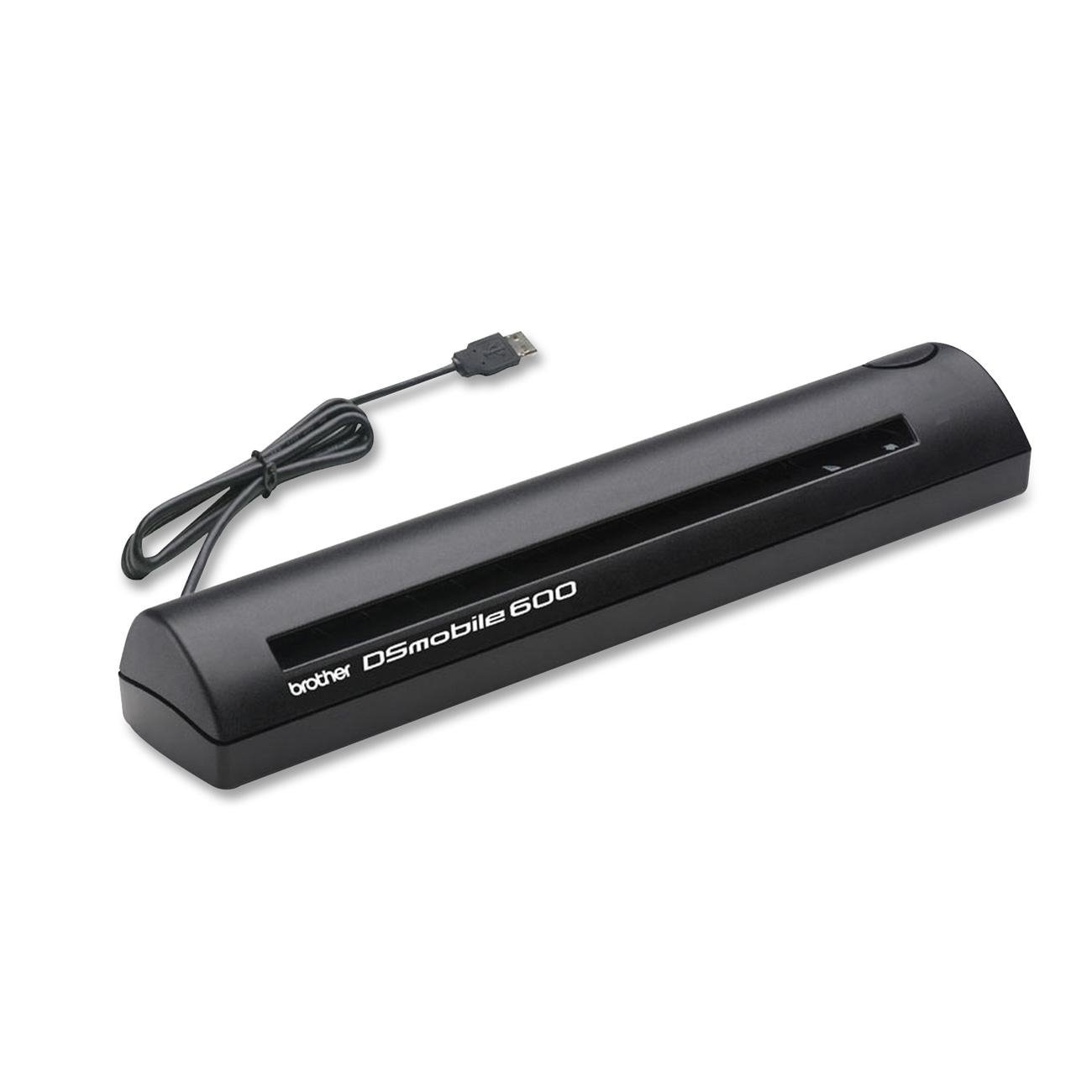
📠 Scan Smart, Scan Anywhere — Your Mobile Office Essential
The Brother DS-600 DSMobile Scanner is a compact, lightweight scanner designed for professionals on the go. It supports scanning from business card size up to legal documents, powered directly via USB 2.0 with ultra-low standby power consumption. Packaged in eco-conscious frustration-free packaging, it combines portability, efficiency, and ease of use for seamless mobile scanning.
D**C
Excellent scanner which continues to get better with newer drivers
I purchased my first DSmobile 600 in 2007 when it was under the Pentax brand, and I picked up two more last year for my son's schoolwork and for my office. I continue to be impressed with the quality, support, and ease of use of these scanners. The Windows 7 calibration problems mentioned elsewhere in these reviews appear to be gone in more recent drivers, and the TWAIN drivers also (at some point) added auto-crop and deskew, which makes receipt scanning a breeze. Brother continues to support and improve on the software behind this product to a level I don't often see from other similar companies.For reference, I run both 32-bit and 64-bit Windows 7, and I haven't had any problems recently on either version.Note that many receipts use a thermal paper which tends to overexpose with heat/sunlight. Either scan these receipts quickly, before that happens, or clean and calibrate the scanner regularly. I've found that a simple calibration can often improve the image quality quite a bit without the need for a full cleaning. Calibration has even helped with (but not solved) a problem on one of my scanners which was slightly damaged due to a staple I didn't see.
G**E
Pretty good, but it'll take some practice.
In retrospect, I would likely have been better off purchasing a standard wireless printer and keyboard combination, but I wanted a nimble scanner to digitize my pay stubs. This scanner does a better job than many similar products, but it certainly takes some work! While I would not actively recommend it to anyone, I certainly wouldn't recommend against it-- so long as you know what you're looking for.PROS+ Light, sleek design. The included pouch is pretty minimal (and it doesn't even have anywhere to store the included cable), but you can slip it into a backpack with minimal fuss. That being the whole reason you'd buy a portable scanner, I'd say this has it down in aces.+ Relatively simple operation. It's a push button scanner, and when connected to Windows 7 (x64), it launched the Fax & Scan application with minimal fuss. It'll also accept sending the scan command from the computer itself.+ High quality scans. The images you get are easy to read and perfect for paystubs. You can use color, but since I'm more interested in content I never really bothered with the color mode.+ Quick operation. Major caveat; you definitely will need some practice (see CONS below). Once you've got the hang of it though, you can scan at a pretty good clip.CONS- Difficult to use with a Mac. This scanner is TWAIN compatible, but it really doesn't play very nice with OS X 10.7 Lion or OS X 10.8 Mountain Lion. Image capture often does not want to recognize this device, so be aware that it can be a real hassle to use. (I have a background in IT service, so I'm very familiar with peripheral trouble; this isn't necessarily hard to use, but it's much more annoying than it's worth).- Not plug-and-play compatible with Windows 7. This personally drove me a little bit nuts, because I hate having to use manufacturer disks if I can at all avoid it. In this case, however, you do want to install your drivers from Brother's site or the disk before scanning. It will not work otherwise!- It's somewhat difficult to scan documents correctly. You need to line the paper flush against the scanner's right side and press forward. If you do this correctly, you will hear a motor whirring and feel the paper feed pulling your sheet in by about a tenth of an inch. If you don't feel this, you will have to keep playing with it until you hear the motor. Otherwise, the scanner will not pull your document after you press the scan button.- There's no paper guide. This was the biggest failing of the product in my eyes, and one I hope to remedy with a DIY fix later. The lack of a paper guard makes it very difficult to align the document you're scanning and preventing it from skewing during the scan.- The weight of the included cable will cause the scanner to tip over if you're not careful, which will definitely ruin a scan. Use this on a wide flat surface! This also helps because scanned documents exit out the back on a flat angle, so anything behind the scanner will cause the sheets to jam.- Even fully aligned against the scanner, you're going to get annoying black bars along the side of the documents you scan. This is probably my biggest gripe, because this scanner does not work that well with a Mac, yet Image Capture is much, much more useful than Windows Fax & Scan.On the whole, this is a good scanner, but know exactly what you'll be using it for before you buy!
L**D
Not Mac-friendly at all
I bought this Brother scanner for my MacBook Air 2011 model with Lion 10.7 and it was so unsatisfactory I sent it back - maybe the 2nd time I've ever returned an item to Amazon. First of all, the documentation is a joke for Mac OS (maybe it's perfect for PC) and then there are the problems: 1) it's very difficult to insert the item you wish to scan without it going in crooked. 2) the scan quality at 75 dpi was poor. 3) you can only scan to three paper sizes: A4, letter and legal. If you scan, say, a business card on letter-size, your scan shows an entire sheet of black except for the small card. The only way to correct this is to open the scan in an application (e.g., Preview) and then crop and save.If you were to scan, say, 10 receipts and print them on a single sheet, you'd spend an hour finishing the project. Furthermore, each scan requires repeating several steps. 4) it scans to any TWAIN application, but the only one that a Mac comes with is Image Capture, which is pretty weak. 5) most of the other software is Windows-only. I then ordered a Fujitsu ScanSnap S1100 for $54.00 more and, wow, what an improvement. This scanner is typical Mac. It just installs and works. All of the above-mentioned problems are gone and this one scans to a folder of your choice in pdf, jpg, etc or it scans to a Word or Excel document because it has a decent OCR program. It also stays on for about 10 seconds after a scan in case you are ready to scan another item. It's terrific and well worth the extra bucks.
T**R
Good portable scanner
I bought this to scan expense receipts and other assorted information needed by my company. Since I am on the road constantly, I needed something like this instead of constantly looking for scanners and digital senders everywhere I go. PAY ATTENTION to the instructions and load the software BEFORE you plug this into your computer. Make sure even little receipts are snuggly against the right side of the in-feed, and don’t stuff them in past the stop. The little feed rollers work as designed and will grab your items and feed them through. If you try and feed little receipts into the middle of the in-feed, they will turn and not go through straight and your image will be skewed, but that’s not the machine’s fault. I was hoping for a carrying “case” to protect this a little better (it is getting stuffed into a back pack) but what you get is a carrying “bag” with a draw string closure. Better than nothing I suppose. I’m waiting for the Afghanistan moon dust to kill it like it does every other piece of IT you bring out here, but this is holding up well under some pretty harsh conditions. Highly recommend.
Trustpilot
3 weeks ago
1 month ago