


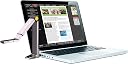


HoverCamMini 5 Portable Document Camera
Product ID: 1155037
💻USB plug-and-play
📏1.2 x 1.2 x 7 in
📷5.0 MP resolution
Buy anything from 5,000+ international stores. One checkout price. No surprise fees. Join 2M+ shoppers on Desertcart.
Desertcart purchases this item on your behalf and handles shipping, customs, and support to Morocco.
📚 Elevate Your Teaching Game with the HoverCamMini 5!
The HoverCamMini 5 is a portable document camera designed for educators and professionals, featuring a compact design, 5.0 MegaPixel resolution, and the ability to record video and audio. It connects easily to computers and includes software for efficient document management and sharing.
| Manufacturer | Pathway Innovations and Technologies, Inc. |
| Brand | HoverCam |
| Item Weight | 1.8 pounds |
| Product Dimensions | 1.2 x 1.2 x 7 inches |
| Item model number | HCM5R |
| Is Discontinued By Manufacturer | No |
| Color | Silver |
| Manufacturer Part Number | HCM5R |
A**B
Great hardware (with one caveat), lousy software.
My application is primarily conference presenting. There's never a whiteboard, and I often need one. I've tried using Airplay to mirror my iPad on the computer's screen, but that's a marginal solution at best. It's hard to write legibly on an iPad, even with a good-quality stylus, and the airplay client I'm using on my mac is flaky, so the image freezes regularly. I didn't want to lug around a larger document camera, so I went with the mini. This camera is a perfect solution to my problem. I can set up in a few seconds, I have a full-size piece of paper to write on. I can be flexible with the presentation, adapting it to questions rather than marching in lock step to a slide deck. At the end of the talk, I can give everybody an electronic copy of everything I've written. I've also used the camera as a scanner. It's not as good as a real scanner with a paper feeder, but it does the job, and it can scan books if you can get them to lay flat (I scan sheet music so I can read it on my iPad). If the book is oversize (sheet music is), you need to prop your computer on a couple books to get the camera high enough to see the full page.The hardware is great. It's small, very light, folds up nicely, seems very well constructed. When you use it in document mode, a standard 8.5x11 sheet of paper fills the screen. (If you're using A4, you'll lose a cm or so off the bottom). It comes with a nifty little folding square that you put around the corner of your paper, so you can position the next sheet exactly without messing around. It also operates as a memory stick, so you can put a backup of your presentation on it. The ambient light in the rooms I've presented in has been more than enough (at least when augmented with the built-in LED) to see the paper. Exactly what I expected, so five stars for the hardware.**** THE ONE CAVEAT: The case will, conveniently, serve as a base if you can't plug the camera directly into the side of your computer. HOWEVER, the USB connection on the case requires a NONSTANDARD USB-A male-to-male cable. The decision to require a nonstandard cable is so brain dead, I can't imagine what they were thinking. I've a drawer full of standard USB cables that won't work. I didn't notice this problem until I showed up to do an important presentation with the wrong cable! I was (and still am) a bit miffed about this.The software is not great, though. First of all, it's an Adobe Air app. I could live with that except that you're running the video through three layers of software, and you can tell. There's almost a second of lag between when you do something in front of the camera and when that something appears on the screen. (Most of that lag disappears when I use the HoverCam as the camera in the Skype app, so this is definitely a software problem.) I can live with this lag for my whiteboard application, but if you intend to record as you write or draw, your video will lag the audio by almost a second. Not good. The other problem that's giving me fits is that, when you minimize the app (on a mac, at least) there's no obvious way to bring it back. Clicking on the icon in the tray has no effect. It turns out that there is a way (when you minimize, an icon appears on the desktop that you can click to get a dialog box, where you can check a check box and bring it back, but that's ridiculous. Finally, getting rid of the keystoning on the paper is an incredible pain, requiring a minute or so of fiddling around with camera angles, distance to the paper, etc. There should be an auto-keystone correction in the software (even better, put it in the hardware). Given that the camera shows up as another webcam to the operating system, I may be able to find some software that eliminates these problems, but I shouldn't have to.
R**L
Tiny Powerhouse for Teachers
I LOVE this little powerful document camera. I've only had it a few days and keep discovering amazing features. Can't wait to play with it more and I'll submit a video review. I love the quality of the zoom in, being able to zoom in using the scroll on the mouse. I realized if you hit the enter button, it will automatically take a photo. From a photo, you can easily use your mouse to move around in the picture. I LOVE the annotation feature. Great when I teach math.My one an ONLY complaint so far- the directions to set it up are non-existent for a PC. It made it seem like it would set up automatically. It didn't. It took me an hour of poking around all over my computer to realize the software was hidden inside the drives. I found it under "My Computer" and then had to open the file and choose SET UP. At that point, it set up a short cut on my desktop and we were good to go.I had two other teachers at my site get this and I was able to set them up in a few minutes. They have Windows 8, so there software was in their documents/download folder.
B**S
Low quality scans, heavy weight, and unstable design
It works, sort of... There was great promise (per the description on the Amazon.com web page) that I have not been able to duplicate. It is unstable when set up, and has to be precisely set up to even make a "scan" of a document. It is almost as large as my Fujitsu 1100s scanner and at least as heavy, yet the former makes high quality scans of any single sheet document. Even a free app on my iPhone (ScannerPro) makes far better copies of documents when I am on the road.
A**L
Great Quality but Trouble Downloading
I am an online teacher that really needed something to show my note taking as I conducted my lessons live. I was highly contemplating purchasing an EPSON document camera from knowing how high quality they are. However, with the high quality comes a high price that is a damper on a teacher's salary. Thus, I was drawn to this product mainly for the cost. My budget was $100 and the HoverCam Mini 5 came darn close to it!Once I connected the document camera to my computer, I did have problems installing the software onto my Dell laptop. Luckily, I was able to find the file just by doing a simple google search. I just downloaded the HoverCam Flex at this website:http://www.thehovercam.com/software/hovercam-flex-downloadAs far as the quality, I'd give it a 4 our of 5. The positive aspects is its compact size and ability to zoom in close to documents. It also can snap pictures and record videos. I have yet to play with this thing more to find out what else it can do. I docked off one star because it lags just a little bit with the display. Overall though, I am absolutely satisfied with my purchase!
M**A
Just an OK Product, might as well use a smartphone to scan docs ..
The quality of the scans is not great ... besides takes a lot of effort to along the pages et all ...
D**R
Excellent document camera at a great price!
So convenient and so portable. Easy to use right out of the box. Scanning documents was a breeze when I extended the arm fully. Convenient carrying case which also stabilized the camera when I used it as a base. Better than using a phone because I don't have to hold the thing the whole time while I am working on something. Able to organize and email docs easily from the HoverCam software. Best document camera at this price and size! Great for the classroom and the road.
Trustpilot
1 week ago
1 month ago