

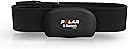




Polar H7 Bluetooth Smart Heart Rate Sensor
Product ID: 912521
📶Bluetooth Smart tech for seamless connectivity
🔋User-replaceable battery for uninterrupted use
❤️ECG-accurate heart rate monitoring
Desertcart purchases this item on your behalf and handles shipping, customs, and support to Morocco.
❤️ Stay ahead of your heart game with precision and style! 📶
The Polar H7 Bluetooth Smart Heart Rate Sensor delivers ECG-accurate heart rate data in real time via Bluetooth Smart technology. Compatible with a wide range of iOS and Android devices, Polar monitors, and gym equipment, it features a comfortable, adjustable chest strap and a user-replaceable battery for extended use. Trusted by thousands, it comes with a two-year warranty to power your fitness journey with reliable performance.


| ASIN | B007S088F4 |
| Best Sellers Rank | #450,094 in Sports & Outdoors ( See Top 100 in Sports & Outdoors ) #228 in Heart Rate Monitors (Sports & Outdoors) |
| Brand Name | POLAR |
| Color | Black |
| Country of Origin | China |
| Customer Reviews | 4.2 4.2 out of 5 stars (10,425) |
| Date First Available | April 20, 2012 |
| Included Components | H7 Bluetooth Smart Heart Rate Sensor, Replaceable Battery, Soft Fabric Chest Strap |
| Item Dimensions LxWxH | 0.79 x 0.39 x 1.18 inches |
| Item Package Dimensions L x W x H | 7.8 x 3.86 x 1.02 inches |
| Item Weight | 0.13 Kilograms |
| Manufacturer | Polar |
| Model Name | FBA_92053175 |
| Model Year | 2013 |
| Number of Items | 1 |
| Package Weight | 0.14 Kilograms |
| Part Number | 92053175 |
| Size | Medium/XX-Large |
| Suggested Users | unisex |
J**.
Works great with iPhone 5s
I read some of the bad reviews about this and was a little worried but ordered it anyways because overall the rating was around 4/5. And all I can say is that it was a great purchase and I should have never hesitated. This is my first HRM and first Polar product. I read a page or two in the manual which is basically all I needed. It said to turn on my Bluetooth and then open the apps I wanted to use the HRM with. First I downloaded and opened the Polar app. I told it to connect to the HRM and it connected but then a popup said "connection lost" About 30 more dialog boxes of "connection lost" came up over the next few seconds. Finally behind all of those I saw that it had successfully paired with the app. I had to click "ok" on all the "connection lost" boxes but I finally got back to the app and saw my heart rate being displayed. Yay! This is the only time the sensor/app had connection "jitters." All the additional times I've used the HRM with the Polar app or any other fitness apps there have been no issues at all. I only had to pair it once, not every time I use it like other users have reported. I just put on the monitor, turn on bluetooth on my phone, open the app and I'm good to go. I tested pairing it with Runtastic and Wahoo fitness apps; both picked up the sensor just fine, no issues. I was afraid that I'd have to pay money to "upgrade" the Polar app like other people have said they had to do, but honestly for HR monitoring the "free" version is awesome. It shows your current heart rate, the zone you're in, your average HR and max HR and you can display these a couple different ways depending on what is important to you. A tap on the screen lets you change the display on the fly. At the end of the workout it tells you how your time in a zone is affecting your fitness. Also you can sync it with the free Polar Flow website, this allows you to keep track of all your training. Currently I'm using the Polar app along side the Nike Running app. Even though the Polar app does GPS tracking/mapping, timing, etc I use the Nike app because all my old runs are on there. But having both open at the same time and with both using GPS is a non-issue, surprisingly it works great! So if you want to use the Polar app for the heart rate only and keep your old fitness app that is not a problem. I had no issues with dropout/spikes in the heart data and I barely used a few drops of water on the conductive strap as it said in the manual. I have not had any battery issues like other people reported. I think they forgot to unclip it from the strap when they were done working out and as a result drained the battery. It uses a CR 2025 button style battery that is user replaceable. The manual states that it has a 200 hour battery life. Also another reviewer said that there must be a problem with these because amazon stopped selling them for a short while. I looked at the used section and saw about six "amazon warehouse deals." They all had minor cosmetic issues I believe. I think the problem was that amazon was sending these in padded envelopes and they'd been mangled and returned. Amazon started selling them again this week which is when I ordered mine. It came in a sturdy box and arrived in perfect condition. All in all this is an awesome piece of tech that is easy to setup and does exactly what it promises. The Polar app is great for HR monitoring even without paying for the special "training" upgrades. I've only had this unit for about a week but I love it and have used it during multiple runs without any issues. I'll update this review and report how it's working out after a few weeks. I'm sure it will be performing great. And if you have any questions just comment and I'll try to answer them if I can. If you found this review helpful please click the button.
J**H
Works Great with my iPhone 4s and iPad 3! (Plus Some Advice on Interference)
I love this toy so much. It's basically two parts -- an elastic belt that goes around my chest and a transmitter that snaps onto the front. You wet the side of the belt that touches your chest, snap the transmitter into the front and you're good to go. I like that better than the all in one units because when I am done with my workout I can unsnap the transmitter and be sure that the unit is off. This is compatible with regular 5 hz heart rate receivers, like the watch from my older Polar FS2C , or the display unit on the Velocity Rower that I use, so I can use both of those to display my HR while exercising. What makes this awesome, though, is that it also broadcasts my heart rate over low energy bluetooth. The good news is that that's a new bluetooth standard that uses less power than old bluetooth. The bad news is that it's only compatible, as far as I know, with the iPhone 4S and the iPad 3. It's theoretically compatible with some of the newer android phones, which are low energy or "smart" bluetooth compatible, but from what I understand, those phones don't have the drivers that they need to use this monitor at this time. (Since that's a software problem, I assume it will get fixed sooner or later, but have no idea when.) I love using this with my iPhone and iPad. When running or biking, I use the RunKeeper app to track my hr and pace. When working out in my basement, I use DigiFit on my iPad - the screen shows me my current HR, average, what "band" I'm in relative to my maximum heart rate and other stuff. Having that info displayed on the iPad helps me monitor and step up the intensity of my strength circuits and my rowing. Unlike some of the other reviewers, I haven't had any problems with pairing. The sensor paired the first time I tried. (Note - you pair from inside the Runkeeper and DigiFit apps, not from the general settings screen.) I love it, and highly recommended for people with the new iOS devices. Update 11/12/12: after a few weeks, I noticed that when the Polar H7 is paired with both my iPhone and my iPad simultaneously, I get weird results -- occasionally, the iPad won't pair at all, or will give wild heart rate numbers. (bouncing from 45 to 170 and back over the course of a minute.) I solved the problem by going into my iPhone apps and depairing, or just turning off bluetooth on the iPhone during the workout. If you're having problems, check to see if you might be paired simultaneously with more than one device.
A**B
Fantastic Training Tool
I recently decided to take my cardio training up a notch with the latest technology, Bluetooth 4.0. So far, I've been mostly delighted with the simplicity of the H7. It's nice to have no interference at the gym from non-digital HRMs--with the H7, I know I'm looking at my heart rate, not my treadmill neighbor. In the package, you get a strap (it hooks), the HRM unit snaps on via buttons on the strap, and the owner's manual. When using the H7, you've got to lick the strap before you put it on, prior to your workout. If you don't, you may get wacky readings until you start to sweat a little. I forgot to do this once and my HR rocketed to 220 and back down to 30 bpm within the span of a few seconds. Once I figured that out, the H7's been fantastic. This product works with the iPhone 4S and iPhone 5, though I'm not sure what the compatibility is for Android devices. To start getting your heart rate, you'll need to download an app to your phone. Unlike other Bluetooth devices, you do not connect the HRM via the phone's global Settings menu--the H7 connects from within the HRM whatever app that you choose. There are many choices re: HRM apps that I'll summarize: 1) Polar Beat - Nice basic app, but you've got to pay for it (it's ~$8 for everything). I didn't feel like I got my $8 worth with the app. The data does upload to Polar's website where you can view it after your workout. 2) Endomondo - I can see how runners would love it, but I'm a treadmill/weight guy, so it doesn't appeal to me. 3) Digifit - I've had the best luck using the H7 with Digifit's app. Digifit will prompt you for your age, weight, height, and gender. With that data, it will create heart training zones for you. There are some "fitness tests" within the Digifit app that will gauge your health and enable you to make tweaks to your "zones" based on your fitness test performance. That's where the H7 gets fun. Once you've got your zones customized for you, Digifit lets you set up routines (ex. 5 mins in Zone 1, 50 in Zone 3, 5 in Zone 1, cooldown) and will coach you based on the information transmitted from the H7. If you're not going fast enough, a nice lady will say "Below target zone" and she'll tell you when you get to the zone you've got set. You can also set up your app to just record your heart rate, but not coach you. It will periodically audibly notify you how long you've been working out, calories consumed, etc. When you're done working out, Digifit will upload your workout data from the H7 to Digifit's website, which also integrates with MyFitnessPal, a calorie tracking app. Using the Polar H7 with Digifit and MyFitnessPal has changed the way I eat for the better. Digifit computes calories burned during my workout using the data from the H7. After workouts, I have my Digifit account linked to my MyFitnessPal account to update my caloric intake for the day. MyFitnessPal will tweak your fat & carb intake to account for fat & carbs burned in different heart zones (lower zones burn more fat, higher zones burn more carbs). I would recommend that you get a pair of bluetooth headphones, while you're at it. I've had great luck with Kinivio's BTH220 headphones. http://www.amazon.com/Kinivo-BTH220-Bluetooth-Stereo-Headphone/dp/B005LKB0IU I'd give the H7 5 stars if I didn't have to shell out for Polar's app and if the strap weren't occasionally flakey at the beginning of workouts.
P**S
To help you start
This is just a quick heads up for new buyers; I'll review the product in more detail as I use it. The instructions that come with the sensor are terrible. There's basically a description on how to put the strap/sensor on, but not really anything about pairing to Bluetooth. There are no pairing buttons or switches, the bluetooth and pairing start when you attach the sensor to the strap which contains the electrodes. There are no LED's to tell you that you are paired or in pairing mode. In order to pair you need three things which the instructions, in a sense, tell you. However, the instructions make it seem as if these steps are used to wear and use the sensor, not that it is necessary to follow the steps for pairing. In short, you must: 1) Wet the electrodes (which is the plasticized part on the strap, although the illustration makes it appear that you wet the strap) 2) Place the strap on your chest! This is required because it helps the electrodes to connect, I suppose. Or maybe it needs to receive a heartbeat. In any case, in order to pair, the strap must be on your chest and 3) you need to attach the sensor to the strap (which should be obvious). My Samsung Galaxy 7 (Android) would not find the sensor after a scan until I first installed the Polar Beat app (free) on the phone. I had to use the Polar Beat app to pair the sensor to the phone, it would not pair up using the phone's Bluetooth setting. Once it paired up, pairing with my other app, MapMyRun, was very easy. It would not seem likely that you'd need to wear it in order to pair it, and it would be a lot better if the instructions made that clear. Research on the web also mentioned "keeping it close, like in your front pants pocket". It took me a while to realize that they were talking about the phone, not the sensor. I hope that this helps you in setting up and saving some frustration. One other thing: I have seen reviews where people cannot get the battery cover open without stripping it. Indeed, they say to use a coin to unscrew the cover but since this was designed in Finland, perhaps they are thinking of a Finnish Marrka or Euro coin. In any case, I found that a 1980's era NYC subway token worked fine but that, as others mentioned, a US quarter or nickel would strip the screw slot. So far, with a very light workout, once set up, the sensor seems to work just fine. I compared the results with a hospital quality blood pressure meter and a finger pulse oximeter and the readings all matched, so that part is great. I'll review further as it gets more use. So far, so good. 5 stars with one deducted for poor instructions and lack of a visible pairing indicator. Edit: June 2018 - I've been using this at least 5 hours a week for about 18 months now. I have changed the battery just once in that time; I imagine I'll probably replace it again in another month or two. The strap is washed every time I wear it (I just take it into the shower with me after I run) and it's starting to fray a bit, but will likely last quite a while longer before I may need to replace it. I am upgrading my review from 4 stars to 5 because, despite the trouble I had setting it up and getting a bad unit, it has worked very well and very consistently. I also deducted 1 star due to the lack of a pairing indicator. While this is true (it would be nice to have a light on the sensor) you can tell if it's paired by checking the app on your phone. As regards the instructions, this has been out long enough now that all you need to do is look online and find reviews such as this one and you'll find help if you're having issues setting it up.
C**.
LOVE IT after a little trial & error
Received the Polar H7 today. I have a Motorola Droid RAZR, running Ice Cream Sandwich. I wanted to use this device with Noom Cardiotrainer app, but it would not recognize the Polar H7, even after pairing the device with my phone in the Bluetooth settings. Thought I was doing something wrong, so I followed the instructions to a T -- I wet the section of the strap where the electrodes were located, I applied Buh-Bump electrode conductive cream to the strap... nothing. I searched for some time around the Internet and found other users having the same problem. Tried a few different apps - Endomondo, HRNavi, etc. Nothing worked. I tried searching the forums on Polar's website (which I have other issues with, by the way) and found nothing. A bunch of other users with the exact-same problem. So, I searched Google Play until I found an app that finally worked - MapMyRun. Its heart rate monitor settings picked up the H7 the first time with no issues. Then, I found that the developer that created MapMyRun had also created a set of apps such as MapMyWalk, MapMyFitness, MapMyHike, etc. They ALL work with the H7. So, I fired up a Shaun T Insanity video, strapped on the H7, launched MapMyFitness, and the app tracked my peak heartrate during my workout, the average heartrate, and even a calculation of calories burned. Worked flawlessly. So, the issue is not my phone. The issue is not the H7. The issue is the apps that are not fully compatible with the H7. If you check the Google Play descriptions for the apps I tried above, they all say to use their apps with the Polar Wearlink+, not the Polar H7. Funny... it would have been nice to find this information BEFORE completing my purchase. But, you know... I searched on Amazon's website for "polar wearlink+" and every device that came up in my search results was not what I was looking for - either I found the "Coded" model, or the "Nike+" model, but no model that specifically said "Wearlink+". So, I bought the H7. Well, I'm stuck with the H7 now. So, yes, I will chalk this up to me not doing my research fully. The device works GREAT with my Droid RAZR and the MapMyFitness suite of apps, so I rank it FIVE STARS for that reason. It will not work with the apps I wanted to use it with - specifically, Cardiotrainer - but I will not downgrade my rating just because I did not do my research. For those of you looking to purchase the H7, if you have an iPhone 4, this is the device for you. If you have a Motorola Droid RAZR and want to use this with the MapMyFitness suite of apps, this is the device for you. However, if you have any Android device and want to use any other HRM-compatible app, I highly recommend you search for the Polar Wearlink+.
W**S
Great product - lousy customer service (reminds me of Icon Fitness)
This review is more about Polar customer service than the product. The V800, the Polar Loop, the H7, and the H7 strap are great, really great in fact, but customer service is horrible - here is the exact feedback (below) that I sent to Polar. Please note, this is the 4th H7 unit I have used or purchased and I have a Polar Loop which is great also. I have recorded hundreds of workouts with the H7 and it works really well - but after about 10 months my went a little wanky. It was covered under warranty which was good, but I felt that I need to post my feedback to Polar to let everyone know about my customer service experience with them. So here are all my customer service issues below. To Polar: BTW - this exact feedback is going on heartratemonitorsusa.com, amazon.com, AND dcrainmaker.com and any where else I can find to put it. Poorly and improperly staffed - no information about doing inventory so I would wait on the phone for 20 minutes to have your voice service tell me that someone would call me back which they never did - waste of 20 minutes - this happened 4 separate times. End of year update broke automatic GPS start location which I have reported 2 times - the first time the CSR did not record the error message - found this out when I called back in about a separate issue and decided to do a follow-up. The error message is as follows - "A. lap location not saved. No GPS data available." I assume that A. means "automatic ". So when Automatic Lap is chosen in a sport profile and set to Location - this error message pops up. Never happened before the update. Server maintenance was not re-announced after an announcement saying it would be delayed, so I spent an hour and did a botched factory reset on the day the servers went down because the error message in Polar FlowSync said that it COULDN'T sync with the V800 - nothing about the servers being down - I thought I had an issue with the watch. You have our emails - send out a notification for gosh sakes. How hard is that to do? It is the little things that make the difference. You "lost" my warranty repair replacement watch band (sitting on a shelf per the CSR) - so I had to zip tie my watch onto my wrist for almost a month. I would not have know about this unless I would not have called in to follow-up because I was waiting for so long for it to arrive in the mail. I was told 3-5 business days and I waited an extra week because of the holidays. I you would have sent it out the first day I called (which you could have) it would have been here before the new year. You "repaired" my HR7 improperly - in fact you didn't repair it - you sent back a new strap instead of replacing transmitter - when I received the unit back, it still did not work (after almost 4 weeks) which is totally unacceptable. Poor technical support delayed my return of the unit for a week - the CSR REFUSED to listen to me about my understanding that it was the transmitter and NOT THE STRAP. Luckily I had decided to buy a new Polar HR7 from a store - I did this before I sent the unit in to be repaired. And guess what - the new unit worked instantly. In fact, I had access to another Polar HR7 and it worked perfectly also. I was so irritated when I tried out the unit you sent back. I couldn't believe you guys just didn't send out a new unit. And your repair notes STILL say it was the strap which is a lie. At this point, I don't think you even tested the unit. Your alert messages in the IVR are complete lies. You did not have high call volume, you were understaffed doing inventory. I know this because I was in call center work for almost 15 years. Quit lying to your customers - it reduces your integrity. You have wasted my time, stretched my patience, and lied too many times for me to trust you. Sad thing is that your products are awesome and have helped me lose 45 lbs after being sick for several years. The more I deal with you, the more I am reminded of all the sorry customer service that ICON FITNESS provides for all their treadmills and such - just horror stories that never end. That is why we have not purchased a home treadmill - TRUST. As you try to gain ground in the activity fitness tracker world you better learn this - trust, integrity, and customer service generates and RETAINS customers. You have too many competitors to screw up for even a short period.
O**N
Bought for Wife to use w/ iPhone 5 & Endomondo - Now we have Two
Wife and I have gone on a big time fitness kick. I've always been an on-again off-again jogger, but this time we're staying consistent. I have a $400 Garmin wrist computer w/ Garmin Chest strap, which is awesome, but the heart rate monitor tends to throw a lot of "spikes" early in the workout, before you get a good sweat going. Not really a big deal, just annoying. Anyway, when wife started jogging she was really interested in tracking her workouts, especially heart rate. I offered to buy her a Garmin, but suggested that with the really cool free running apps available for smartphones, let's try the far cheaper solution of a bluetooth heart rate monitor. It came promptly, and I offered to try it out. I think there were a couple of comments that pairing the device is a little tricky. I paired it with my iPhone 5 running the app Endomondo. I'll just say it was a little "different" because I had to pair the device within the app, and not within the system preferences. It took me all of two minutes to figure out with no instruction manual. Here's how I did it: 1) Go to system preferences, and make sure discover bluetooth is on; 2) Open endomondo, go to settings, go to monitor, and pair it. Endomondo (and hence, the iPhone 5) found it right away. No penalties for difficult set up. Paired in a snap. The real surprise came next when I ran. This strap was picking up my HR more accurately.....even early in the workout! No false spikes before the sweat came! I also discovered that this free endomondo app gives me more information online then Garmin did! I immediately ordered a 2d Polar H7 for me, and Garmin was sold on eBay. Wife LOVES it, too. The only downside is that my wife's lap time is a full 2 minutes quicker than mine.....not the products fault! :-) What a great, low priced alternative to the expensive GPS wrist devices! Highly recommend!!! PS - Knocking down to 3 stars. One of the two sensors broke. That said, I quickly bought a replacement. If polar replaces the one unit, then I'll ramp back up to 5 stars.
D**E
Love it, but it has its frustrating moments!
Like others, I had initial trouble getting my 1st copy to pair with iPhone 5. Once I got it to pair with Polar Beat app, it worked with all the other Bluetooth apps I tried. Eventually I sent my 1st copy back to Amazon because I drained the battery fairly quickly and it wouldn't work after I replaced the battery. Now I know better... read on if you have issues with the Bluetooth dying suddenly and not coming back after a battery change. WHAT TO DO WHEN IT STOPS WORKING: What I do know now, is that when the battery gets low, the Bluetooth signal stops transmitting first, while the Polar signal is still working but weak (range the polar watch picks up signal is reduced). Changing the battery sometimes doesn't fix the issue, as a lot of posts here mention. There is a review here that explains how to properly replace the battery to restart the Bluetooth transmission. 1) Basically there is residual electrical power that needs to be fully discharged before the HRM will reset. 2) Do this by touching a paper clip or screwdriver or something metal to the gold battery contact and the silver contact on the side inside the battery compartment for a couple seconds. OR allow the HRM to naturally dissipate (hours or days?), which unknowingly I did the first time I replaced the battery because I had to buy it online. 3) Put in new battery. Should start pairing again. WHEN IT WORKS: Once it is paired it works like a charm. Super reliable, and as accurate as old school Polar chest straps. Found the signal strength less powerful than the standard "polar signal" used for Polar watches, but I guess Bluetooth doesn't go well through the body or water. I like the fact the H7 does transmit the old style signal so it will pair with my polar watch and cycling computer. I always unclip one of the 2 snaps to prevent accidental drain on the battery. I also don't store it, unconnected, with sweaty gym clothes (I think I killed my first one that way?). Honestly there is a lot of mystery surrounding the reliability of these HRM. But since its both backward compatible with other Polar gear, and works great with apps like Digifit, its the only HRM I will use atm. Just needs special care to replace the battery.
F**4
Funciona muy bien con el iPhone 6s Plus, iPad, con todos mis dispositivos. Ojo, compra pilas adicionales con él!
¡Estupendo! Pero compra pilas adicionales con él! Pila: CR2025. Hago estudios que usan la variabilidad del ritmo cardíaco (HRV), así que quería realizar un seguimiento de la mía en casa - y esto es una gran manera barata y fiable para hacerlo - además lo puedo usar mientras se ejecuta. De hecho, hay numerosos estudios académicos que verifican lecturas precisas de la HRV con la Polar H7. A falta de un ECG, esta es una opción bastante buena y barata para la medición de la HRV. LO BUENO: Es barato, es fiable, viene con todo lo que necesita para empezar, si usted tiene un movil inteligente ya. Se puede utilizar con la mayoría de dispositivos, por lo que no es necesario comprar un reloj específico. Es muy sencillo de utilizar, en mi iPhone 6s Plus y el iPad he activado Bluetooth, y allí estaba. Se tomó unos segundos para conectarse como se puede ver en mi video. Hay un montón de aplicaciones gratuitas que se pueden usar con él. Para mirar mi HRV utilizo... Para la aptitud y la formación, se puede conectar fácilmente a las aplicaciones gratuitas, como RunKeeper, MapMyRun, y Endomondo, además hay un montón más. LO MALO: No es cómodo para largos períodos de tiempo. La pila necesita ser reemplazada después de un corto período de tiempo. Hubiese preferido tener una opción recargable. No puedo quejarme demasiado. Hace exactamente lo que dicen que debe hacer, y es un buen precio en comparación con otros productos.
P**0
A sturdy HR Sensor from Polar
I first started using a Polar coded wearlink coded HR sensor along with Polar's RS100 HR monitor after reading Chris Cowley's "Younger Next Year". Since then, I've benefited from using this combo. Recently I read about the H7 device that could pair with my smart phone, while also providing data to the RS100 and decided to buy it. I am very happy with my decision to buy the Polar H7 Bluetooth HR sensor. It feeds in data to the Polar Beat app running on my iPhone 5. The Polar Beat app has a bunch of options (you have to upgrade / pay for to use some of these functions) that allows one to train for a benefit target. The app shows the route taken and also the amount of calories burnt. The new strap that ships with the HR monitor is much improved over the earlier one - it needs to be moistened very lightly to create contact with the skin. One can export the exercise data to the HealthKit app via the RunGap app (available from the iTunes store). The Polar H7 HR Monitor also works with the Adidas MiCoach app (http://micoach.adidas.com/), which is great because that app has videos of stretches and graded plans for running and many other fitness activities. All in all, a great product to have.
H**E
Einfach, funktioniert und macht was er soll!
Da ich ein iPhone 5 besitze, lag es nahe einen Brustgurt der Bluetooth unterstützt zu kaufen. Zur Wahl standen neben dem Polar WearLink H7 noch zwei andere, aber letztendlich ist es der Polar geworden und ich bin voll und ganz zufrieden. :: Installation :: Eine richtige Installation gibt es nicht. Der H7 kommt mit einer eingelegt Batterie so das man ihn nur anlegen muss. Am Iphone gibt es kein Pairing über die Bluetooth Einstellungen, sondern bei eingeschaltetem Bluetooth stellt jede App automatisch eine Verbindung zum Polar H7 her. Dieser wird innerhalb von 2-3 Sekunden gefunden und zeigt sofort die Herzfrequenz an. :: Brustgurt: Handhabung :: Etwas irritiert war ich anfangs das einige Rezensenten geschrieben haben, dass der Brustgurt schwer azulegen sei. Dem muss ich aber wiedersprechen. Der Gurt besteht aus einem dehnbaren Material und hat an einem Ende eine Stoffschlaufe und am anderen einen Haken. Man spannt den Gurt um die Brust und der Haken gleitet ziemlich leicht in die Schlaufe. Danach richtet man das Bahn nur noch mit der Hand so aus, dass der Sensorbereich vorne unterhalb der Brust liegt. Das geht schnell, leicht und ich habe da keinerlei Probleme. Nach dem Sport empfiehlt Polar das kurze Auswaschen des Gurts damit sich kein Schweiß ansammelt. Auch das ist kein Problem und der Gurt ist bis zum nächsten Tag auf jeden Fall wieder komplett getrocknet. :: Funktionen :: Der Gurt selbst bzw. der Sensor ist ohne Smartphone und App bzw. einem Gerät im Fitness Studio (Laufband, Croostrainer, eben alles was die Frequenzen unterstützt) ohne Funktion. Sprich wer draußen joggen möchte ohne Smartphone, der sollte lieber zu einem anderen Produkt greifen. Der Sonsor selbst wird bei mir ohne Probleme vom iPhone bzw. der App erkannt. Ich nutze ihn sowohl mit runtastic, als auch mit der hauseigenen Polar App. Zu Verbindungsabbrüchen kam es bislang noch nicht. Bei jeder Trainingseinheit wird der H7 einwandfrei gefunden. :: Fazit :: Ich habe mich für den Polar WearLink H7 entschieden, weil er erstens mit meinem Smartphone per Bluetooth kommunizieren kann und andererseits auch im Fitness Studio von jedem gängigen Trainingsgerät unterstützt wird, man also auch dort bequem und ohne Aufwand seine Herzfrequenz kontrollieren kann. Der Gurt ist bequem, sitzt auch bei längeren Einheiten fest unter der Brust und kommuniziert tadellos mit meinem iPhone.
C**改
Galaxy S5 対応とありましたが・・・。
GALAXY S5 の健康管理アプリ S Health 3.0 には非対応でした。
E**E
Cardiofrequenzimetro base, 100% suo dovere
Fascia con cardiofrequenzimetro, che si collega alle classiche applicazioni per monitorare l'attività fisica, quindi non direttamente accoppiata col telefono. INDOSSABILITÀ Praticamente la versione M-XXL va bene per la maggior parte di persone poiché ha una circonferenza che va da 70 a 110cm ma essendo molto elastica si adatta volendo anche a qualcosa in meno o in più. La cosa più positiva rispetto ad altre fasce che ho provato è che funziona anche senza inumidirla, chiariamo però che sono abbastanza magro e non so se sia la stessa cosa con persone più robuste. Come sempre poi bisogna utilizzarla più volte per riuscire a capire la giusta regolazione di larghezza per evitare che stringa troppo senza però essere troppo larga da non riuscire a percepire il battito. In ogni caso lascia sempre quel fastidioso segno/sagoma a fine allenamento. PRECISIONE Come la maggior parte dei cardio a fascia è vicino alla perfezione. L'unico problema è se la fascia è troppo larga perde qualche secondo i battiti, ma non è mai successo come riportato in altre recensioni che impazzisce con battiti altissimi o bassissimi. Se vogliamo essere super pignoli ho notato un leggerissimo ritardo di qualche secondo nella frequenza cardiaca confrontando con un pulsossimetro. COMPATIBILITÀ In pratica compatibile con la maggior parte delle applicazioni del settore. Unica accortenza su Runstatic Pro bisogna cercarla come "Runtastic Combo Hr Monitor" e non come fascia generica. BATTERIA CR2025 Usata quasi tutti i giorni per 3 mesi, staccando però il terminale dalla fascia a fine allenamento. Per non compromettere la capacità della batteria quando si cambia sarebbe preferibile usare guanti in lattice e pinzette senza toccare a mani nude. CONCLUSIONI Rapporto qualità prezzo migliore in assoluto, a meno si trova la GEONAUTE di Decathlon ma ha una qualità sicuramente minore. CONSIGLIATA 5/5
Trustpilot
1 month ago
2 weeks ago