


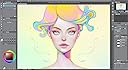
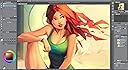
CLIP STUDIO PAINT PRO - Version 1 - Perpetual License - for Microsoft Windows and MacOS
Product ID: 83588816
📦10,000+ free assets
🖌️Powerful coloring tools
🖥️Windows & MacOS compatible
Desertcart purchases this item on your behalf and handles shipping, customs, and support to Morocco.
🎨 Create, Innovate, Dominate!
CLIP STUDIO PAINT PRO is a versatile illustration and comic creation software available for both Windows and MacOS, featuring powerful coloring tools, a vast library of free assets, and a $5 credit towards the CLIP STUDIO Asset Store, making it the ultimate choice for artists and creators.
| Asin | B07DYSR1QH |
| Best Sellers Rank | 10 in Illustration |
| Is Discontinued By Manufacturer | No |
| Item Model Number | CSPPR10ENFULP |
| Manufacturer | Graphixly |
| Product Dimensions | 13.46 x 1.52 x 19.3 cm; 17.01 g |
O**E
They are so generous with their pricing…!
This digital painting software is great, I can’t believe how affordable it is considering it can Simulate almost everything you can do with a paintbrush and paint. Most software for artists, designers, or photographers can’t be purchased these day's; several companies are offering monthly subscription fees, and if you find a legitimate version for sale you’d be lucky to get it for £800. I’ve been using Photoshop from 2002 for graphic design and digital paintings. Although Photoshop is more versatile, using Clip Studio Paint Pro will carry you a long way. If you’re using this specifically for painting you shouldn’t have any problems, but if you prefer adding effects to your artwork then that’s when Photoshop can do more for you. But this software has a lot to offer and includes tools that can also be used to create effects, you can add 3D models to your work, or even incorporate animation into your paintings. But, most importantly, skilled artist’s can use this to create a master piece again and again. I must say, they have a ton of free tutorials and a great community for educational purposes, aimed to help you improve your art skills. This software definitely offers value for money, it’s actually a steal and I would recommend it to anyone.
J**M
Easy app to learn for the digital artist
Great app for the budding digital artist.
J**O
Great
Great software
V**Y
Easy install
Super easy to install just a lot to read and understand when it comes to using the actual software if you've never used anything lime it before. Very professional and well worth the money.
P**L
good for everyone
easy to install and useable
K**T
Great, value/results/price
My daughter got spoiled by grandparents this Christmas by receiving a drawing tablet. I purchased 2 paint software so she could do more with her tablet. Her review, she loves it and prefers using it to the other one I also purchased (which was allot more expensive). She told me she thought it was allot easier to use and loved the options it gave her. So she’s keeping this one.! My review, I found it very good and will admit I prefer it to the other one. Great value Very easy to use Great results So for the price and what you receive we give it a double thumbs up. !
P**H
Budget graphic software which is - despite the title - aimed at the happy dabbler.
Paint packages are like bicycles in that they take time to adjust to and do things automatically. Often you prefer riding the old ones where everything comes automatically and autonomically. So I gave myself time to learn and try and do things on here, if not in the way I was used to before. First the good news. You can do all the basics well and for the average user with average needs that will be enough. But this is so dated and outmoded. Doesn't even allow a liquid function and even the net mode is not adjustable. Are the programmers asleep? Filters are so limited as to look second best to most - even to free packages on the net! Looking at the box gives you a clue to being dated. Making a big play of a bucket fill while bucket fills have been around since Moses was in short pants. What is this package doing that makes these fills special? Nothing that I can see! The good part is there is pixel by pixel control of everything. Colour picking is also spot on. For stuff like blends you can work by trial and error - but this isn't new. Although how many hours you want to spend on pixel-by-pixel is up to you. For non professionals not that many. If I was alone in a jail cell with this paint package would I be able to produce my best work? Well nearly! Wouldn't want to. If it wasn't for the user community and low price I would give this two stars. Indeed call it two and a half while we are about-it..... The Good Basics relatively easy to use out of the box. Fully adjustable lines, brushes and colours. Thoughts to those creating clip art, comics and manga. User community and web space. May work better with a direct draw tablet. Blend/smear function is both good and controllable. Bad Just totally dated and could have been produced 10 years ago. Makes hard work of performing even certain basic functions. Cluttered screen with too many icons. Some functions are a total mystery as to what they do or why they would help an artist. Limited brushes and filters. Help function and tutorials seemingly thrown out to users.
J**S
Great programme
Loving it so far. I'm a complete digital novice and recently decided to buy a tablet as I wanted to get back into producing artwork. Saw good reviews of this online & didn't want to pay for a subscription art package so decided to give it a go. Very impressed with everything so far, the textures, tools and features are great. I'm nowhere near proficient in using it yet, but there are a huge amount of tutorial videos available online which is really helpful. Looking forward to fully exploring all the features and rekindling my love of drawing, painting and creating!
D**N
Outstanding multi-functional art software
I’m thrilled with the program and currently use it for inking hand-drawn artwork in vector format on my Mac. So much easier and better than trying to use Adobe Illustrator for the same thing. Vector layers in an otherwise raster environment is amazing! There’s minimal lag in my strokes, and they confirm very closely to my actual hand movement, so it’s much more like inking with real media. I’ve not used the software for digital painting yet, but look forward to it. I normally work in Photoshop and Corel Painter, but this seems like a more-than-adequate, more affordable replacement for either or both. I’m also looking forward to using its animation and comic page features, as I’m an artist of multiple interests and mediums. If you’re already familiar with working in Photoshop, you’ll notice the similarities in commands and features right away. The learning curve might be a bit steep for folks who’ve not used similar software, however. Ultimately, the software is much more flexible and art-oriented than Photoshop, and with a seemingly smaller processing footprint to boot (very, very rarely feels like it “chugs” while working). You really can’t beat the cost of this introductory version of the software, which is more than enough features for people who “only” do drawing, painting or inking. I’ll be looking forward to upgrading to the deluxe version one day to take advantage of the expanded animation and comic book features, but I can get countless hours of usage out of the basic tier for now.
A**R
Good
good
T**S
An absolute must have for beginners and professionals alike
I have used this program for several years and am here to share my general experience with it and give you some recommendations. PROS: First off, this program is extremely intuitive and the learning curve is low to low-medium. The tools are simple to use but have a lot of power to them and are versatile for a wide range of applications of use The biggest benefit to this program over all other programs i've seen including adobe is its 3D model library and model! This program comes with several 3D assets that can be dragged into your canvas super easily, and it has an in-built store where you can find a lot more for free or paid ones made by content creators which is great. This is even better because at least with the disk version, you get a code that gives you $5.00 in credit in the store. But that's not the best part of this, what is the best part is the male and female 3D models that come with the program. These basic characters are proportionally accurate and can be adjusted to any position on your canvas. They also have sliders that can adjust their body type which I use all the time. This is an absolute life saver when you are inexperienced with figure drawing or drawing within proportion. This is what makes this program truly great for beginners. No other program as far as i know even includes this with it. This is amazing if you want to make comics. I've only made a couple of pages over the years but the quality of those comics are mostly due to this program. It is perfect for comic makers. This program is CHEAP. A ONE TIME PAYMENT! You get everything+free updates with only one payment. And this program is super cheap compared to most art programs. It very rarely crashes so it is a stable program. CONS: (mostly nitpicks) Adjusting the positions of the 3D models is a little clunky and slowish process, but definitely not something to be off-putting. Just needs optimization. Sometimes you can't get into an art file by clicking in it in a folder in order to boot up Clip Studio Paint with it. It will give an error. However, you can open it by booting up Clip Studio Paint, go into open file, then select it that way. This is something that really needs to be fixed and is my only major complaint. Making new brushes is a pain and I haven't figured it out yet, but downloading new ones is still super easy. The EX version is too expensive for what more it offers. Should you get this program? If you are a digital artist my answer is an absolute YES regardless if you are a beginner or a pro! It has tools that make making comics easy and fun, It's 3D model library is UNRIVALED and is amazing for beginners. The program is easy to use and can do a lot, and it's CHEAP. I can guarantee that you will not regret purchasing this program over other ones like corel or adobe. The price is just too competitive for what it offers, and it doesn't constantly break. GET IT.
R**L
Für Anfänger perfekt - Für Fortgeschrittene absolut ausreichend
Das Produkt: Clip Studio Paint Pro ist eine Allround-Zeichensoftware mit integrierten Comicmalfunktionen für den Mangastil, aber auch für herkömmliche Illustration in jedem Bereich. Meine Erfahrung: Ich nutze Clip Studio Paint Pro bereits seit den Anfängen, begann mit Manga Studio Debut vor gut zehn Jahren. Nachdem für die Vorläufer keine Updates mehr herauskamen und ich die Software über das Intuos Bundle kennenlernte verliebte ich mich sofort das Programm und entschied, es mir in der "lebenslangen" Vollversion auf Amazon zu kaufen. Für den Anfänger: Die Software ist bedienerfreundlich und in deutsch installierbar. Man findet sehr viele Funktionen, kann auf Tonerfolien für Schattierungen zugreifen, sich des Comictools bedienen, um so leichter Aufteilungen der Seiten einzurichten und Sprechblasen hinzuzufügen. Für den Illustratoren in den Anfängen eignet sich das Programm besonders, weil es mit einem in der Branche unschlagbaren Preis besticht. Man erhält hier keine limitierte, sondern eine Vollversion, mit der Zeichnungen, wie auch Colorationen ohne Probleme möglich sind. Ich selbst habe mir das Programm durch Ausprobieren selbst beigebracht, es gibt aber insbesondere auf Youtube tolle Erklärvideos, auch direkt vom Hersteller. + Kann mit Photoshop für Illustrationen mithalten + Ist bedienerfreundlich + Eignet sich für Mangas, Comics, Illustrationen, Grafikdesign + Bietet eine riesige Vielfalt an Zeichentools und wunderbar kreative Imitationen von analogen Künstlermaterialien (z.B. Airbrush, Pinsel, Öl, Pastel) + Hat online viele Hilfen und einen guten Kundensupport Ich betone: Für die Nutzung ist unbedingt ein Grafiktablet (mit Stift) zu empfehlen. Mit einer herkömmlichen Maus lässt sich kaum arbeiten, auch ist das Programm auf Stiftetablets konzipiert. Die Handhabung ist zum Anfang ungewohnt - Es lohnt sich aber wirklich. Für den Fortgeschrittenen: Clip Studio Paint Pro bietet mehr als kostenlose Alternativen und im engeren Sinne genauso viel wie weitaus teurere Produkte. Das Programm hat einen ähnlichen Aufbau wie Photoshop, die Funktionen ähneln sich stark, jedoch bietet Clip Studio Pro meiner Meinung nach mehr zu einem fairen Preis. Die Strichführung und der Übertrag sind hervorragend, das Programm ist stabil und beinahe selbsterklärend, wenn man bereits Erfahrung mitbringt. Für den Preis und die Leistung gehört es absolut zu den Must-Haves für Kreative. Fazit: Clip Studio Paint Pro ist eine vielseitige, überzeugende Alternative zu herkömmlichen Konkurrenten und besticht durch Preis und Leistung. Ich selbst nutze es für alle meine illustratorischen Projekte und bin restlos zufrieden, wie begeistert. Auch empfehle ich dieses Programm für kreativ-schaffende Kinder im Mittelschulalter, welche bereits mit der digitalen Malerei beginnen wollen. Gerne beantworte ich Fragen zum Progamm, wenn es hier unsichere Eltern gibt, die ihrem Künstlerkind eine Freude machen wollen. Das Programm macht alles richtig, was es richtig machen soll. Und sogar noch ein bisschen mehr.
A**O
Programma eccezionale
Il programma è fatto veramente benen. Utile per disegnare fumetti e vettorializzarli nello stesso momento. Possibilità di scaricare gratuitamente disegni base da utilizzare nei progetti. Ottimo
Trustpilot
1 month ago
3 weeks ago