

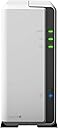

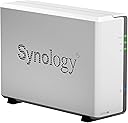

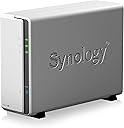


DS119j
Product ID: 83226660
Details
- BrandSynology
- ColorWhite
- Size1-bay; 256MB
- MaterialMetal
- Compatible DevicesCPU
⚡112 MB/s read speed
📱Mobile app remote access
🔒Hardware encryption engine
🚀 Elevate your personal cloud game with Synology DS119j – speed, security, and style in one sleek box!
The Synology DS119j is a budget-friendly, single-bay NAS designed for personal cloud storage. Powered by a dual-core CPU and 256MB DDR3L RAM, it delivers fast sequential throughput of over 112 MB/s reading and 108 MB/s writing. Featuring hardware encryption for enhanced data security and seamless anytime access through iOS and Android apps, it runs on the intuitive Synology DiskStation Manager (DSM) platform, making it ideal for beginners and tech enthusiasts alike.

| Asin | B07HK5T3KM |
| Brand | Synology |
| Built In Media | DS119j main unit, Quick Installation Guide, Accessory pack, AC power adapter, RJ-45 LAN cable |
| Color | White |
| Compatible Devices | CPU |
| Customer Reviews | 3.9 3.9 out of 5 stars (154) 3.9 out of 5 stars |
| Enclosure Material | Metal |
| Global Trade Identification Number | 00846504003006 |
| Is Assembly Required | No |
| Item Type Name | Synology 1 Bay NAS DiskStation (DS119j) |
| Item Weight | 1.54 Pounds |
| Manufacturer | Synology America Corp |
| Mfr Part Number | DS119j |
| Model Number | DS119j |
| Mounting Type | Tabletop |
| Size | 1-bay; 256MB DDR3L |
| Upc | 846504003006 |
| Warranty Description | 2 Years |
User
Great item
This works great for backups over the network. Not blazingly fast, and it doesn't have a large set of add-on features but if you want a simple one-disk NAS this one is perfect. WAY better than the WD MyCloud I tried first.
User
Well, it's a bit slow.... but it's still a decent budget NAS
This definitely is not a fast device. When I first got this, it was going quite slow. REALLY slow. It was installing the DSM and all these default services that I never use. The Synology music service, video service, Drive service, etc. And it took hours before it was fully usable. I'd tell it to install Cloud Sync and it took a while before it did install. And most of that could be because I didn't have a NAS drive, I bet, but even my older 118j didn't seem this slow.But it works just like my 118j otherwise except now they seem to have Plex for it. Cloud Sync is excellent and I use that for synchronizing and keeping an offline copy of my Dropbox for my local PCs.But you can't escape the fact that the unit runs slow. I uninstalled all the Synology services I don't use (Music, Moments, Drive sync, Video) and it appears to be better.So if you want a blazing fast NAS, this really isn't it. But it's real easy to set up and easy to install too just like the 118j. Go to find.synology.com to get it set up through a web interface. And make sure to run the security advisors in the unit if you're not familiar with it. My 118j was once attempted with some people hacking in... they're the "good guys" as they say as they email you telling you that they saw it publicly on line if you turn on that option.... but they still couldn't get into it. So I checked the security advisors and it made changes that it let me approve. Eventually I took that off since I'm just synchronizing with Dropbox and those files are accessible via the web anyway.So, all in all, it's a good unit.... just a bit slow to setup and it will feel slow when you use it. But if you're using it just to store files and have Cloud Sync to synchronize to OneDrive, Dropbox, etc., then it's probably just fine. This cost me $72 for the unit as a Warehouse item, so I got about what I expected for my money..After 1.5 days, it seems to be moving much better now. Still a little sluggish but good enough. Also, one good feature is to turn on Google Print and hook up a printer to it via USB. I have an old Samsung laser printer which doesn't work with the network or wifi anymore, but USB is always fine. This still lets me have a remote printer, in a way, so that I can print from anything using Google Print service. A very nice feature.
User
Does the Job at a Great Price!
I already had a 2 bay Synology NAS. I added this to separate a surveillance function from general household backups. Doing both on one mirrored NAS (network attached storage) tends to put your backup data at risk due to the constant disk writes from the surveillance application. Built in app, Surveillance Station, works well. It comes with two licenses for this app standard, and you can purchase more as needed. Cheaper and superior to low-end security DVR's.
User
Crude and sloooooooowwwwwww
The backup software that comes with this is so crude I can hardly believe this company is still updating it. Once you set up a backup using Drive and upload all of the files you want backed up, you can't change, or in my case, add a new folder to the backup task without deleting ALL of your backed up files and the task and start over.For example, if you set up a backup of your Documents folder and run the backup (which will take DAYS to finish) then you realize you also wanted to backup your Programs folder, you can't just add that folder to the task, you have to delete everything and start over and add the Programs folder to the initial setup.You can use third-party backup software for this but why am I spending this much money on a NAS then having to spend even more money on a backup program? Win 10 backup fails to see the NAS so I can't use that either.Another thing I can't understand is how the formatting and OS take up ***400 GB*** on the drive... yes, the format and crude OS take 400 GB from your backup space - this is unbelievable. Couple that with there is no obvious way to empty the trash and basically on my 4TB drive I have less than 3TB of usable space, and if I delete more of the backups to add new folders to the task I lose that space as well.Once said and done on a 4TB drive I will have about 2TB of backup space, so if you insist on using this horrible product then I would strongly suggest you get a 10TB drive so you have room for all of the mistakes and unemptiable trash you are going to run into.The third major problem I have run into is I have the NAS connected to my router/modem via ethernet and my main work computer also connected via ethernet, but we have a few other laptops connected via WiFi. The hard-wired computers are able to mount the backup folders as network drives but the ones connected via WiFi are not - they just simply fail to see the NAS and are therefore unable to be backed up using this device.I should have listened to the bad reviews on this and just went with a WD My Cloud Backup drive.In my opinion you could probably get this thing to work if you are a very advanced networking person but for the average user like me it is 80% useless as an everyday backup source.
User
great software however cpu is to slow for simple tasks
gave it 3 stars get what you pay for. it being $100 however it is to slow.
User
Best nas every. Easy to work with. Feature rich.
Synology is a Swiss Army knife NaS. I have about 20! of them running. They have so many features and options... went to a partner day recently and their forward focus on what it does is great. Very innovative.
User
Terrible Product
As a buyer and user of numerous Synology NAS products over the last decade, I can say without hesitation that they should stop making single drive NAS units and in particular, this one.During my testing, I first used a known working 500GB conventional hard drive and the NAS stuttered and exhibited extremely poor throughput (48mbps... half duplex?) so having never experienced such poor performance in a Synology product, I swapped in a known working 250gb SSD and got the same result.Normally, with such poor throughput, changing the ethernet settings (to be sure it was gigabit) and/or the ethernet cable and/or switch should improve the situation so I disconnected my DS718 and put this unit in it's place and once again, I got the same result.In all fairness, it might have been just this one but for all practical purposes, a one drive NAS sort of defeats the purpose of having a NAS since a drive failure would result in disaster in every case despite having a USB backup because of the inconvenience of having to reconfigure the NAS with a new drive. That notwithstanding, this particular product has far worse performance than my DS213 which is still running flawlessly with a 70mbps transfer rate after 6 years in continuous use.Not recommended.Thanks for reading!
User
As good as it gets
Solid and reliable, NAS, we use to back up very important databases.Easy to manage , great interface.
User
Bravo synologie
Dans mon reseau personnel je peux expérimenter plein de choses.
User
Utile, non così immediato da configurare
Qualche problema con la traduzione in italiano delle istruzioni, ma tutto sommato ci si arriva.Ma ottimo prodotto ed affidabile
User
非常に有用なファイルサーバー
設定も簡単。マックでも、ウィン10でも全く問題なし。グーグルドライブ、ドロップボックスとも自動で同期出来て、非常に有用なファイルサーバーとして機能しています。しょっちゅうアクセスするわけではないですが、容量を気にせず、自宅のファイルを外出先でダウンロード出来て、安心が違う。
User
Budget friendly
It works well, my only complaint is that the os seems very dated and do find it slow when you are navigating inside the nas. Nevertheless, I am aware this is a budget product and I guess this is the way it is if you don't want to spend and additional 200$.
User
Era lo que esperaba, me gusta.
Si lo compras a buen precio, me parece una forma barata de tener tu nube en tu casa, yo lo utilizo para copias de seguridad de fotos y videos de mis moviles y tablets, funciona correctamente.
Trustpilot
2 weeks ago
2 weeks ago