🚀 Elevate your workspace: Power, speed & triple displays in one sleek dock!
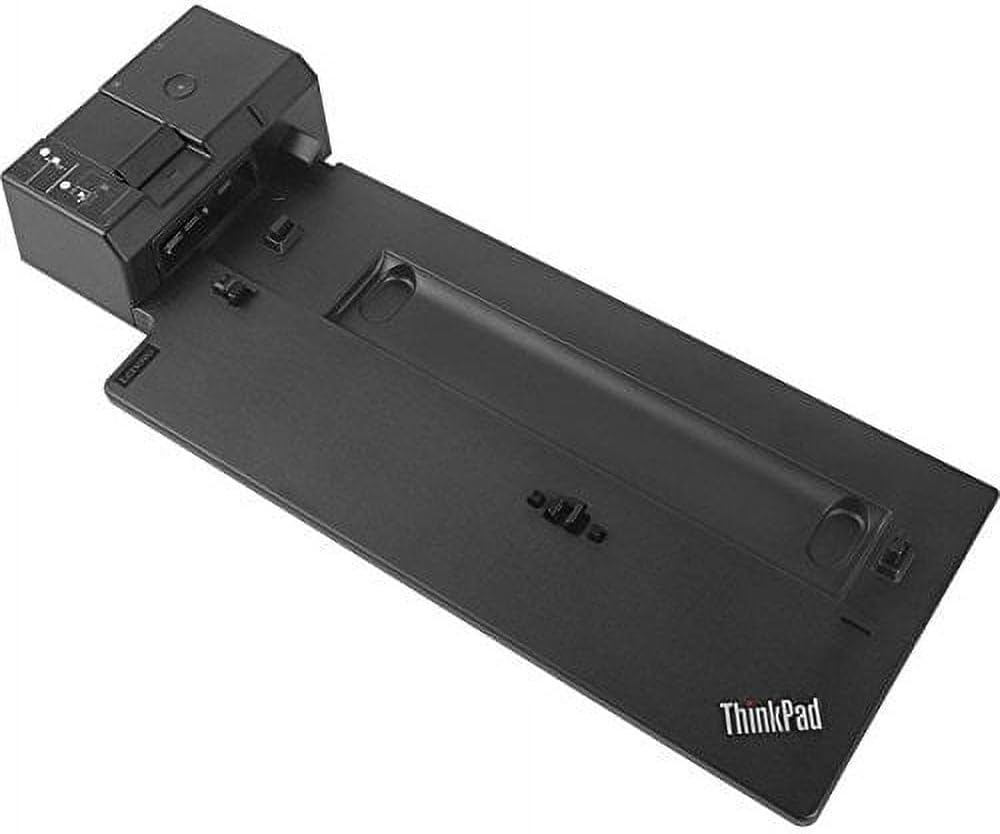
The Lenovo ThinkPad Ultra Docking Station (40AJ0135US) is a premium docking solution designed for select ThinkPad models, offering a compact side connector, 135W power delivery, and support for up to three UHD monitors. Equipped with multiple USB 3.1 Gen2 and USB-C ports delivering 10Gbps speeds, it ensures rapid data transfer and device charging. Enterprise features like Intel vPro, PXE boot, Wake-on-LAN, and optional master key lock make it ideal for professional environments. Its space-saving design and mirrored power button provide seamless, driver-free docking for enhanced productivity.


| ASIN | B079NM5JK4 |
| Best Sellers Rank | #6,411 in Computers & Accessories ( See Top 100 in Computers & Accessories ) #477 in Laptop Docking Stations |
| Brand | Lenovo |
| Built-In Media | Lenovo docking station |
| Color | Black |
| Compatible Devices | ThinkPad A485, L480, L580, P52s, T480, T480s, T580, X1 Carbon 20KG, 20KH, X280 |
| Customer Reviews | 4.4 out of 5 stars 1,019 Reviews |
| Global Trade Identification Number | 00192076019915 |
| Hardware Interface | USB |
| Item Dimensions L x W x H | 14.9"L x 2.1"W x 6.3"H |
| Item Type Name | Lenovo ThinkPad Ultra Docking Station - VGA, HDMI, 2 x DP - for ThinkPad A485, L480, L580 and More |
| Item Weight | 1.79 Pounds |
| Manufacturer | Lenovo (United States), Inc. |
| Number of Ports | 6 |
| Product Dimensions | 14.9"L x 2.1"W x 6.3"H |
| Total Number of HDMI Ports | 1 |
| Total USB Ports | 9 |
| Total Usb Ports | 9 |
| UPC | 192076019915 |
| Unit Count | 1.0 Count |
| Warranty Description | 3 years limited warranty |
| Wattage | 135 |
R**N
Works as expected, new product from Lenovo Store is sealed and includes new keys taped to dock.
Further update (03/13/25): After my 6th purchase of this Ultra Dock, I continue to be impressed that a new, OEM, quality product can be sold at this price. My latest purchase happened to also include a European 2 prong plug in addtion to the standard US 3 5-15P plug and 2 keys wrapped and taped to the bottom of the dock. Firmware updates for this dock can be found on Lenovo Support by entering its part number, 40AJ0135US. The dock has 4 different firmwares (USB audio, USB hub, DP (display port) hub and PD (power delivery) control). Only the last 2 needed updating by the single update program. This hub works on the T470, T570, T480, T580, T490 and T590 Thinkpads. The T490 and T590 tend to run very hot in maximum performance mode and/or with an i7 processor, but the design of the dock allows you to place a laptop cooling pad (with fans) underneath the laptop and in front of the dock itself to keep the temps under control. Update: Purchased this same product from a 3rd party seller after returning the 2 products sold by the Lenovo Store. This latest product was obviously brand new in its original packaging, AND IT INCLUDED THE KEYS! After attaching the T490 laptop, Win10 recognized a couple of new USB devices. Running Lenovo System Update installed new firmware for this Ultra Dock, and then new Realtek Audio drivers. All set, and it works perfectly, as originally expected. (Now 5 stars.) Original review (3 stars): Like all Lenovo docks I've bought new in the past, this Ultra Dock is easy to setup and use, providing additional USB 3.0 ports and a VGA port for older monitors. However, unlike previous purchases from various vendors, this item sold by the Lenovo Store was missing its key to lock the dock to the Thinkpad T490 laptop. The setup instructions included in the box had a packing list that explicitly showed that a key should be present. Thinking this was somehow a packing error, I returned this and requested a replacement, also from the Lenovo Store. It arrrived the next day, and was also missing a key. It seems to be a deliberte choice by Lenovo to leave out the key. I ended up returning that one and ordering yet another (at a slightly lower price) from a 3rd party seller. Hopefully that one will include the key.. After reading similar comments from other Amazon customers, I didn't even try to resolve the problem thru Lenovo support.
A**N
Amazing packaging of an amazing product!
I absolutely loved this seller for how they packaged the dock first and foremost, it was bubble wrapped, had fragile stickers and stickers saying it was sensitive electronic equipment, and even a nice and cute message on the box from them! Everything inside was packaged neatly and perfectly, and the dock works wonders! The dock works amazing of course, being a genuine Lenovo dock, and I use it with my Thinkpad T14 like a breeze. It was easy to setup and has a whole lot of connections on it for anything I could need, since I use my Thinkpad for a lot of my IT work. You really can't beat this for the price! It's a great value for the money! Thanks so much for the amazing dock and the amazing service and shipping!!!
M**T
Great dock for such a price!
After firmware upgrade, it can support three monitors (4k, 2k, 2k [but this one in 1080p). It is working great with T480! You have to use display ports for the monitors. The other ports work well as well!
A**.
Solid
Legit OEM, came with legit US charger. Would buy again.
P**Z
Horrible dock...
Feature-wise, I'm still determining if I like it or not. I have two 30" monitors attached (HDMI and DisplayPort). Resolution and responsiveness both look pretty good. I have the USB ports all filled (mouse, keyboard, video camera). All of that is working well so far. Where I have an issue is the horrible side dock. Before turning anything on, tried docking and undocking multiple times. The computer has to be in the dock in a very specific way or the side dock doesn't engage. It will only come out part way. You know the computer isn't in the right position because the side dock slides easily when the laptop is positioned correctly. However, I tried about 3 dozen times to dock/undock. In 3 dozen tries, I literally only positioned it correctly maybe 3 times. The point of a dock is to be able to get up & go and return. If it takes me minutes and lots of frustration, I'm likely to not want to dock. At this point, I would not recommend the dock. After using it a while, if it appears it is me not understanding how to correctly position the dock, I'll review my review. UPDATE: I contacted Lenovo support. They said it should not be that difficult to dock. They were very responsive and sent me a replacement. I have the same problem with docking and undocking. Now I'm having the problem another reviewer stated where it doesn't always recognize both of my monitors.
A**R
Weird, but okay.
This is my first laptop dock, and I bought it just to see what it was about. Ultimately, I'd say it does succeed in getting a bit more out of my laptop, and making it a lot easier to use it at a desk with lots of USB devices hooked up. I probably wouldn't need it if my T480 weren't so pathetically lacking in interface ports, but such is the world we live in. Other reviewers have said that it's awkward and clumsy to try to fit the computer into the dock, and I have to agree. I also don't like how it props the keyboard deck up at an angle; for me, this is ergonomically counterproductive and makes my wrists bend too far, so I use an external keyboard instead. It's no longer any surprise to me that most docking stations just hook up to laptops with a single flexible Thunderbolt 3 cable instead of trying to hard-dock it to a thing like this, but I guess the ability to lock the laptop into it with a key is probably the main selling point for institutional users. I'm not going to rate it any lower that four stars because apart from the somewhat awkward mechanical aspects, the user experience has been pretty good. I haven't noticed any flakiness in compatibility between the laptop and the dock, nor bad connections. Once I've finally wrestled it into place, everything mostly just works. I also clearly am not the primary type of user that the designer had in mind, since I'm just some gal using it for her personal machine, rather than a company or school or something that wants to make sure their equipment doesn't walk away. It is quite a shame that there's no separate microphone jack - I was really hoping to at least be able to get one of those on a dock, since no laptop has had one of those on its own for some time - but I guess those are just so unfashionable now that they're considered even less relevant than VGA (which this dock does have). Overall, I'd say I don't quite regret buying it, but I probably would not buy another one. I'll be trying out one of those cable-type ones next time.
J**S
A very reliable and affordable T480 dock
Works perfectly, good price.
R**R
Works with Lenovo T480, new, excellent - buy this!
Works great with my Lenovo T480 laptop! Connected to Monitor via 15 Pin Connector Male VGA (has HDMI and 2 Displayports as well), speakers, USBs, and power! Come with power cord which essentially is the same cost of this docking station - so a bonus! (can use your current power cord elsewhere). Docking station is NEW! Allows me to use this laptop like a desktop!
ترست بايلوت
منذ أسبوعين
منذ 3 أسابيع