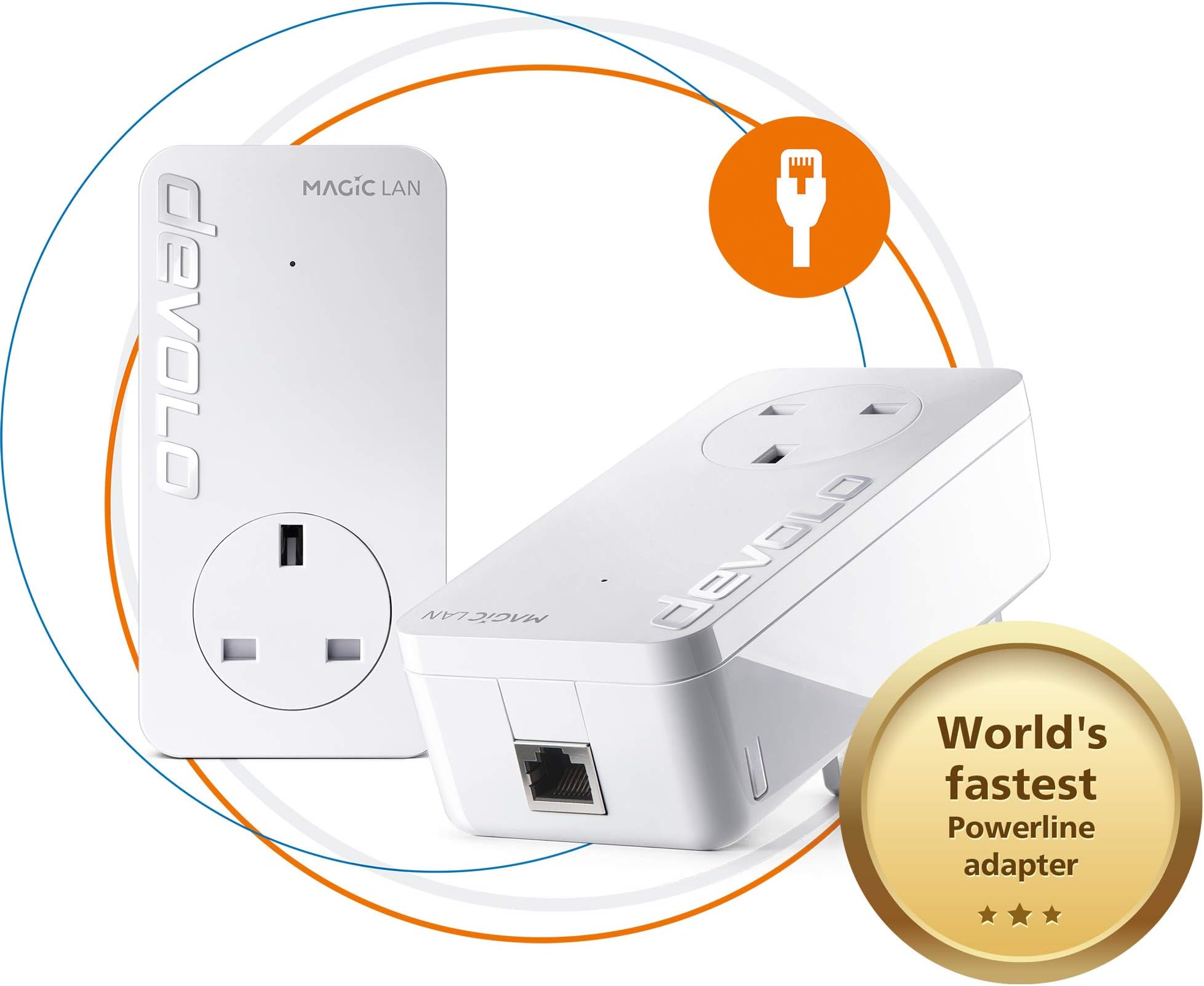
⚡ Power your home network like a pro—fast, stable, and future-proof!
The devolo Magic 2-2400 LAN Powerline Starter Kit delivers ultra-fast internet speeds up to 2400 Mbps using advanced G.hn technology over your existing power lines. Featuring gigabit LAN ports and a simple plug-and-play setup, it’s ideal for 4K/8K streaming, online gaming, and stable remote work connectivity. Compatible with all devolo Magic adapters, this kit future-proofs your home network with reliable, wired-speed internet in every room—no new cables needed.


| ASIN | B07H5VNN3T |
| Best Sellers Rank | 1,912 in Computers & Accessories ( See Top 100 in Computers & Accessories ) 12 in Powerline Network Adapters |
| Box Contents | 2 x Ethernet Cable, 2 x devolo Magic 2 LAN Add-On Adapter, User Guide |
| Brand Name | devolo |
| Color | White |
| Compatible Devices | Desktop |
| Compatible Operating System Family | Linux, Windows |
| Customer Reviews | 4.0 4.0 out of 5 stars (1,872) |
| Data Link Protocol | Gigabit Ethernet |
| Data Transfer Rate | 2400 Megabits Per Second |
| Hardware Interface | Ethernet |
| Item Dimensions L x W x H | 42L x 66W x 130H millimetres |
| Item Type Name | devolo Magic 2 LAN Starter Kit |
| Item Weight | 1.17 Pounds |
| Manufacturer | Devolo |
| Manufacturer Part Number | 8262 |
| Minimum Required Operating System Version | Mac OS 10.15 Catalina, Mac OS 11 Big Sur, Mac OS 12 Monterey, Mac OS 13 Ventura, Mac OS 14 Sonoma, Ubuntu 20.04 Focal Fossa, Ubuntu 22.04 Jammy Jellyfish, Windows 10, Windows 11 |
| Model Number | 8262 |
| Product Warranty | 3 years |
| Unit Count | 1.00 Count |
A**R
Devolo Magic 2-2400 Lan Triple Starter Kit
My house isn’t very big—just a terrace house. For my setup, a fully wired connection is ideal so I can directly connect my PC, NAS, and CCTV camera. This kit is perfect for me. I love it—it works like a dream. I have it already for a month I previously had an older TP-Link model, and after buying this one, the difference is like day and night. The setup is very easy, there is nothing even to talk about - more or less plug and play. It’s also nice to know that this high-quality product is made in Europe.
D**M
Good speeds - but a warning if you are on Vodafone
Good speeds - was synching at greater than 1200Mbps so I thought this was the perfect solution in my house (new build). However, when these are plugged in, it completely kills the Vodafone Wifi 7. I cant fathom how or why, unfortunately neither can Vodafone. Tried multiple sockets but these just don't work with Vodafone Superhub Wifi.
D**C
Easy set up of quality poweline plugs - although expensive!
Bought to replace my failing dLan set up - had given 5+ years of service with one plug failure but was often a pain to reset/reboot when needed (too often). Debated but decided to stick with Devolo, glad I did. These were so easy to set up and add to - just plug in, add network details, and wait a few mins. All good so far, speeds up a bit but not massively, main limit is the part fibre 60 odd feed. Now have 3 wifi plus one non and all work 100% - need as internal walls have blocks with high metal content.... Expensive, almost twice that of the equivalent(ish) competition but I'm happy with both ease of set up and functioning now installed.
S**N
Don't buy for gaming!
I have used Powerline adapters for many years, always TP link because that is all I knew and to be fair they always worked. My house wiring is a mix of old and new and the main reason I have the Power line adapters is for my business in a seperate garage. I have never had a problem with consistency of signal with TP links and only changed from 500's to 1300's to increase band width. 5 Years on from my last upgrade to the 1300's I thought I'd look into the subject again and discovered the Devolo Magic2 2400 units and claims of fastest etc etc and the app looked practical so thought, right I'll give it a go. They install and pair very much the same as the TP Links and I did gain around 5 to 10Mbps over the 1300 TP Links in the workshop although the PING went up from around 9ms to around 12ms but ultimately no a big deal. HOWEVER, I use my connection for a online eSports where PING and consistency is far more important than band width. Whilst internet speed looked great, in an online race I started getting packet loss warnings and other network connection issues, something I've never had before! Two weeks of settings changes within the Devolo App, PC software, relocating plugs, checking Firmware, restarting and rebooting Routers and Magic 2's with no significant reliability gain followed. In the end I thought I cannot risk this again, so changed back to my old TP Link 1300's and straight away, 9ms PING and ZERO Packet loss or connection issue warnings. I contacted Devolo who passed the buck to Amazon who pass the buck to an automated system that goes no further than requesting a return but never actually allowing me to activate a return. I've chnaged every possible setting within my PC, I've checked Firmwares, Unit Pairing and Low and high power modes and the only minor improvement was returning it to low power mode where the tempuratures dropped from scarey 90 deg CPU top a still crazy 65deg CPU. The simple fact that swapping back to the TP Links after weeks of wasted time problem solving a moving goal post and the problem dispeared tells me all I need to know that the Devolo product is not as developed as it should be, latest Firmware from Devolo dated 2023 says something to! Adequate but over priced if all you do is watch TV and surf the net but do not touch if you use them for gaming. BUY TP LINKS I know they work.
D**F
Superior connectivity over cable and WiFi, but setup not easy
I had been using TP Link devices, to get cable bandwidth over my mains sockets at the other end of my house to where the router is located. However, I started to get low signal strength and disconnecting, which rendered them useless. Having done some research, I decided to take the plunge, and try these powerline devices. Initial setup failed completely, so I decided to follow the manual process for pairing the devices, which worked perfectly. I did notice you must have them not all on the same circuit, especially if there are lots of other mains devices connected, as it will cause a weak signal warning over the cables. I placed the 2 Wi-Fi/LAN devices in the same sockets where my TP-Link devices were, and they both connected to the device at the router end perfectly. To configure the Wi-Fi on them, I strongly recommend you download the app 'Devolo Cockpit' onto your mobile first. It will automatically detect the Wi-Fi and allow you to configure and make changes to SSID and password, so you will not need the key from the back of the devices. It is a brilliant app, and easy to use, but sometimes you need to keep re-connecting until it recognises the devices, so be patient. I get nearly 100MB on Wi-Fi, and full bandwidth of 200MB over the cables. Expensive, but well worth the money, as you are paying for superior performance and signal quality.
A**R
المنتج جيد لكن ترد. المنتج 50Hz لا يتوافق مع تردد مصدر الطاقة في المملكة العربية السعودية 60Hz
F**S
Devolo claims "up to 1000Mbps LAN speed". I've tested multiple combinations of power sockets across rooms, real world speeds I got: - 35 Mbps - 58 Mbps - 98 Mbps - 115 Mbps - 237 Mbps - 289 Mbps Even when connecting both devices at neighbour outlets, the "best" it can give is ~500Mbps. This is at best, false advertisement, at worst, malice. If they were upfront saying "real life speeds between 35-250Mpbs", I'd never have bought it. Glad to have used Amazon, returning it.
J**5
Achtung - Gerät ist aufgrund UK Steckdosenanschluss nur für den Gebrauch in UK geeignet - das geht nicht unmittelbar aus der (deutschen) Beschreibung auf dieser Seite hervor.. Der Irrtum kostet einen dann in der Rücksendung 30 EUR
ترست بايلوت
منذ يومين
منذ شهرين