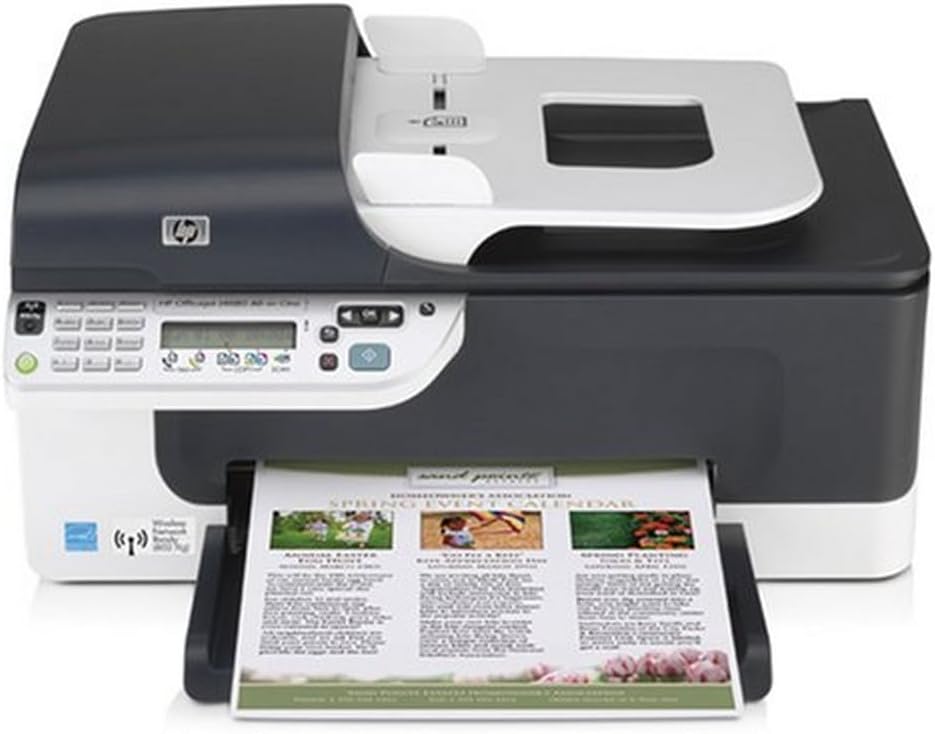
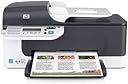

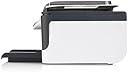
HP OfficeJet J4680 All-in-One Wireless Printer
Product ID: 7458499
🎨High-Resolution Printing
📶Wireless Connectivity
🖨️All-in-One Functionality
📸 Print Your World in Style!
The HP OfficeJet J4680 All-in-One Wireless Printer combines advanced wireless technology with high-resolution printing capabilities, allowing you to print, copy, scan, and fax with ease. With stunning photo quality and direct printing options, this versatile device is perfect for both home and office use.
| ASIN | B001ARZ9KS |
| Additional Printer Functions | All In One |
| B&W Pages per Minute | 28 ppm |
| Brand | HP |
| Built-In Media | Printer, Inkjet Cartridges, Power Cable |
| Color | White/Black |
| Color Depth | 1 bpp |
| Color Pages per Minute | 22 ppm |
| Compatible Devices | PC, Smartphones |
| Connectivity Technology | USB |
| Control Method | App |
| Controller Type | Android |
| Customer Reviews | 4.0 out of 5 stars 145 Reviews |
| Dual-sided printing | No |
| Duplex | Simplex |
| Global Trade Identification Number | 00883585786008 |
| Hardware Interface | USB 2.0 |
| Initial Page Print Time | 2.78 seconds |
| Ink Color | Black, Cyan, Magenta, Yellow |
| Item Weight | 13 Pounds |
| Manufacturer | HP |
| Maximum Copies Per Run | 120 |
| Maximum Copy Resolution Black and White | 1200 dpi |
| Maximum Copy Resolution Color | 1200 dpi |
| Maximum Copy Speed Black and White | 28 ppm |
| Maximum Media Size | A3 or larger |
| Maximum Print Resolution Black and White | 4800 dpi |
| Maximum Sheet Capacity | 100 |
| Maximum print Resolution Color | 4800 x 1200 dpi |
| Model Name | J4680 |
| Model Number | CB783A#ABA |
| Model Series | OfficeJet |
| Number of Drivers | 1 |
| Number of Ethernet Ports | 1 |
| Number of Trays | 1 |
| Other Special Features of the Product | Network-Ready |
| Output sheet capacity | 100 |
| Print media | Glossy photo paper |
| Printer Connectivity Type | USB |
| Printer Output Type | Black and White;Color |
| Printer Type | Inkjet, Laser |
| Printing Technology | Inkjet , Laser |
| Processor Count | 1 |
| Resolution | 4800 x 1200 |
| Scanner Type | Photo |
| Series Number | 4680 |
| Special Feature | Network-Ready |
| Specific Uses For Product | Office |
| Total Usb Ports | 1 |
| UPC | 883585786008 |
| Unit Count | 1.0 Count |
| Warranty Type | limited warranty |
| Wattage | 17 watts |
M**3
AWESOME for home use
I spent 2 days researching and looking for a printer. Our HP printer which is about 20 years old finally died and we needed a new one. Lucky for us, black friday came around and I was fortunate to get this printer at such a low price, I cannot post it here. From day one, I loved it. I'm waiting until Jan 30 to make my final decision whether I am keeping it or not, but we all agree it stays. I love the wireless capability as we have several computers which can now print without emailing to the main and printing from there. It is so simple to use that my non-computer savvy parents can fax and scan documents with ease. I don't know if this will be a good machine for a high volume office, but this is perfect for a home business or personal use. Quality is great, we printed pictures and put them in frames - quality was that good. Regular draft printing is lightning fast and ink usage is not as bad as everyone is making sound like. I will agree with the other review that if you don't want a bulky download of the software, get the basic version available online. I went with the full version download because of the extra features it offers and I have not had any problems with slow system or printer crashing. I was very excited to print my envelopes and greeting cards this year with ease and in high quality. No complaints, love this printer and hope it will serve me for another 20 years. P.s. the ink refills are very affordable for this printer. That was one of my biggest decision makers.
D**B
Works with Ubuntu Linux 9.10!
After setting up a wireless network for my friend, she requested me to buy a multi-function printer that works with their current laptops running on Ubuntu linux 9.10. After reading the reviews, I noticed 2 major issues with this printer... 1) either the user doesn't know how to properly setup a network printer 2) or the complaint is based on expecting more for a low cost printer which according to price/performace ratio is a really a great multi-function printer. My friend is new to Ubuntu and Linux in general so, I made sure that she can install it herself and more importantly works out-of-the-box. I was really expecting her to call me after delivering the printer but, she never did. When we finally talked after 2 days, she was ecstatic about the printer. Everything works out-of-the-box including the fax and the print quality is outstanding! She was totally surprised it was that easy to install. Based on her update after a month of use...the printer is still working flawlessly. To Ubuntu and Linux users in general..HP officejet j4680 is highly recommended and 100% compatible. BTW, take note this is a verified purchase from amazon.
T**.
Awful Printer!
I have been a loyal HP customer and am EXTREMELY disappointed in this product. And I mean EXTREMELY!!! I spent well over 10 hours with tech support trying to get this printer set up. Finally I got it working and then the scanner gave me nothing but problems. The scanner refuses to work to this day! I'm ready to give up and demand my money back. My computer won't recognize the stupid printer to this day either! For future customers, for your sanity, DO NOT BUY THIS PRINTER!!!
S**.
Don't believe those derogative / negative lies, this is a good 4-in-1
I read a lot of reviews about this all-in-one machine, and most of them are negative. I bought it eventually because I like the size of it and the wireless feature. So far my experience with the product has confirmed my original judgement that those negative comments were either posted by industry competitors OR by really stupid users who have no common sense in using a good product. They either expect too much or they have a sick view of the general world. If you are a reasonable person, use most of your daily products in reasonable ways, you will love this printer. I use it to print double-sided books (of course, odd and even pages separately, I know how to do it, I don't complain that the feature is not supported, I just feel thankful...)
B**N
Purchased on Amazon in 2009. Still working in 2024
I know they don't make these anymore, but I felt the need to leave this review because this printer survived 15 years of regular use. I think I got my monies worth. I just upgraded to a newer printer, but I am putting this old one in storage in case the new one takes a dump.
G**Y
Excellent choice
The HP OfficeJet J4680 is an excellent addition to a home/office. Setup took no time at all. I'm using the "all-in-one" device with a MAC OS X based laptop using the Airport Extreme router. The network found the J4680 and added it with no problems. The owner's manual steps you through setup using an ethernet cable initially. I was able to successfully set it up completely using its wireless capability. Print quality is good and very quiet (a nice feature in a home/office). HP missed an important feature, however, by failing to backlight the LCD display. You don't need the display often, so it's not a huge miss. But, when I need to see it, I have to get out the flashlight (that's annoying).
A**R
HP OfficJjet J4680 All-in-one
The printer installed easier than most printers I have used. The wireless connection set itself up with no problems. When I started detection of the printer from my second laptop, Windows 7 installed the printer, drivers and control programs without using the HP install disk. Print quality is slightly poorer than some cheap printers, but for $65, I am not complaining. I just wish the printer manufacturers could figure out how to do automatic FAX reception when you have voice mail or an answering machine.
L**Z
Ink Hog
Just a couple of things I can share on my printer. 1. I made approximately 21 copies, standard written pages, some not even full pages, and after approximately 21 copies, the black cartridge said EMPTY, or seriously low, change cartridge. This was the one reason I got rid of my older Dell all in one model 962, the ink cost so much, and now I replaced it with an all in one that empties in 21 copies of standard print, no thanks. This could be a result of HP packing a cartridge with literally no ink in it as part of the original purchase, but I could not take that chance. 2. This machine had a slight ticking sound that would just start after it was powered up for a while. Just loud enough to bother the user. 3. Once the PRINT command was made, it took this machine approximately 10-15 seconds to respond and start printing. I never got past a few copies and a few prints, never scanned anything, as I was done when I viewed that empty cartridge deal after just a very few copies. I sent the printer back to Amazon for a refund. I purchased the HP Photosmart C4599 to replace it, and so far, so good! Once this printer started printing, it is lightning fast. One final thought, the on and off button was not right. I would have to push it twice to turn off and on, or the reaction time of the switch was slow, as I would depress the power button, and it would take several seconds to light up green. Just too many strange things going on with this particular model for me to be comfortable with.
Trustpilot
1 month ago
3 weeks ago