We remain fully operational. Our teams are working around the clock to ensure your deliveries continue safely.

قم بتنزيل التطبيق


معلومات عنا
حقوق الطبع والنشر © 2024 Desertcart Holdings Limited
قم بتنزيل التطبيق


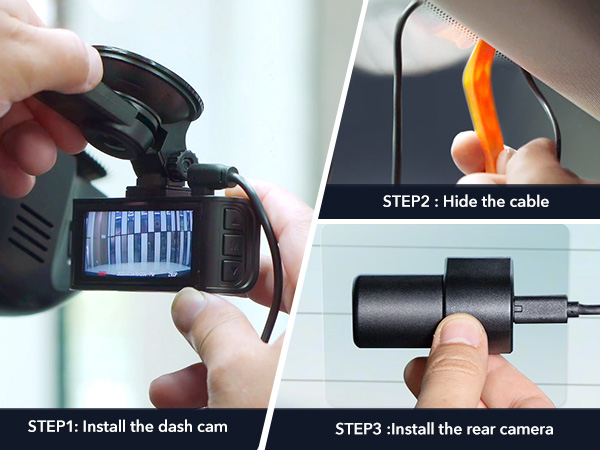
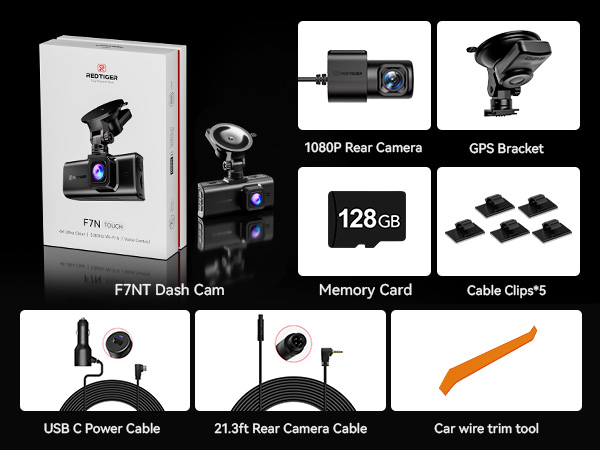
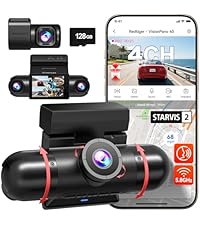
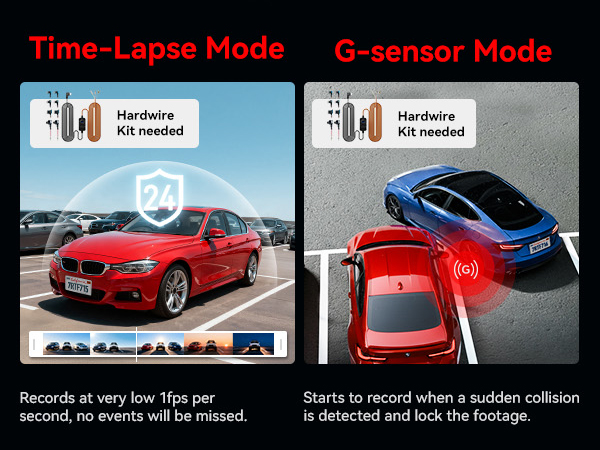
REDTIGER 4K Dash Cam Front Review: Tried others but this is the best, apart from the quality of the cam and it’s excellent performance, I initially had problems with connectivity but the after sales service is fantastic (thanks Emma) nothing is too much trouble as they just want the customer to be satisfied with the product. Review: Purchased with the hardwire kit and CPL lens filter. Watched multiple YouTube videos on the install. Watch the bad ones as well just to get an idea of how NOT to do the install. After preparing myself, tackled the install over the weekend. Easiest part was installing the back camera. My Hyundai Santa FE SEL has a hatchback, and for most that was their hardest part. I guess the videos helped me prepare. The rear camera was installed in less than an hour. Plenty of cable, routed along the top down the passenger side. The harder part was finding the right place to plug the hardware kit for power. Key points (1) install the ground wire first, (2) install the battery wire on a fuse (or empty) spot that is always on, the battery voltage will read on the display box on the adapter, (3) install the other on another fuse preferably for ACC (needs to be OFF when car is off and ON when the car is on), when you get this one attached start the car and verify the box display changes to say ACC on the display instead of the battery voltage. Then route the power wires to the camera and the rear camera connections to the dashcam. The video is great when playing from a computer. 4K all around and the player you get from the website even has a ZOOM feature. I started using the 12-hour time-laps recordings, this takes up a lot of memory on the card so you only get about 2 days for the 128G card they supply. I've switched to just using the G-sensors now to turn on when it detects motion (jarring), and record as I am driving. Overall happy with my purchase, there are a few things I wish it had: (1) ability to adjust the delay between frames for the time-lapse feature would make it better at not using a lot of memory, (2) my model seems to record the front and rear with slightly different numbers at the end and the player doesn't know how to sync up the timestamps in the video when playing back (for the time being I can rename the rear to end in the same numbers as the front to fix), and (3) the manuals are very light on content only explains the features by name but doesn't go into detail what they mean... example they talk about the G-sensor with settings for Off/Low/Medium/High but don't describe which is more sensitive... in some languages Low translates to higher sensitivity to movement. Also the instructions on the video player for the computer is very light in content even the phone app has huge untapped potential. With it you can see real-time your path on a map and the video sent to your phone while driving. Could be expanded to supply directions. Great product overall... may update later with more details as I try and research all the features. Even better support! Their people are on top and respond quickly to try and answer your questions. If I wasn't such a computer geek I'd probably have a lot more questions.




| ASIN | B0C6YBHKJ5 |
| Are Batteries Included | No |
| Auto Part Orientation | Front & Rear |
| Auto Part Position | Front |
| Brand | REDTIGER |
| Connectivity Technology | Wi-Fi |
| Control Method | Touch |
| Customer Reviews | 4.4 out of 5 stars 5,603 Your Review |
| Field Of View | 170 Degrees |
| Included Memory Card Size | 128 GB |
| Item Dimensions D x W x H | 60D x 32W x 97H mm |
| Item Weight | 113 g |
| Manufacturer | REDTIGER |
| Maximum Aperture | 1.8 f |
| Mfr Part Number | F7N TOUCH |
| Model Number | F7N TOUCH |
| Mounting Type | Self-adhesive |
| Real Angle of View | 170 Degrees |
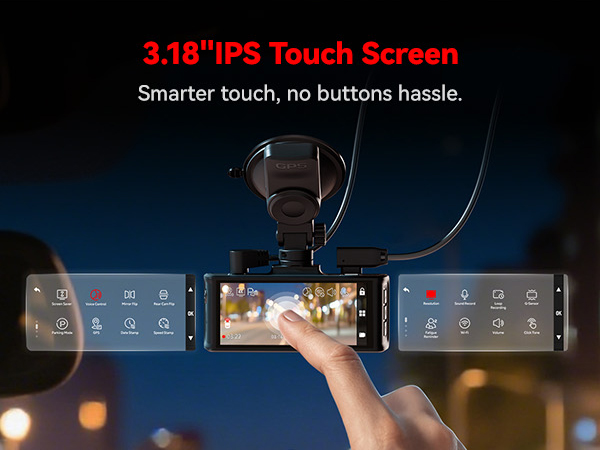
| Screen Size | 3.18 Inches |
| Video Capture Resolution | 2160p |
J**H
Tried others but this is the best, apart from the quality of the cam and it’s excellent performance, I initially had problems with connectivity but the after sales service is fantastic (thanks Emma) nothing is too much trouble as they just want the customer to be satisfied with the product.
J**)
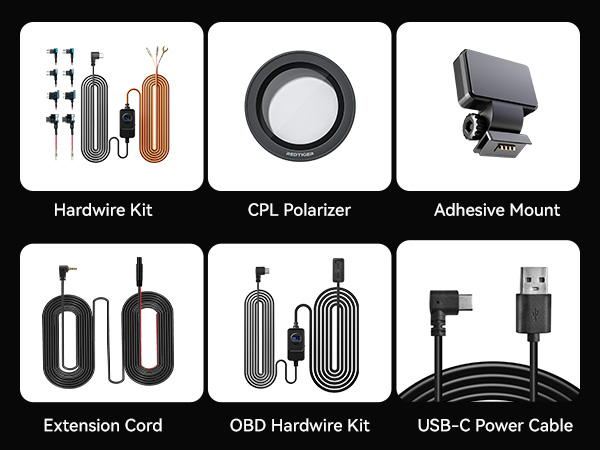
Purchased with the hardwire kit and CPL lens filter. Watched multiple YouTube videos on the install. Watch the bad ones as well just to get an idea of how NOT to do the install. After preparing myself, tackled the install over the weekend. Easiest part was installing the back camera. My Hyundai Santa FE SEL has a hatchback, and for most that was their hardest part. I guess the videos helped me prepare. The rear camera was installed in less than an hour. Plenty of cable, routed along the top down the passenger side. The harder part was finding the right place to plug the hardware kit for power. Key points (1) install the ground wire first, (2) install the battery wire on a fuse (or empty) spot that is always on, the battery voltage will read on the display box on the adapter, (3) install the other on another fuse preferably for ACC (needs to be OFF when car is off and ON when the car is on), when you get this one attached start the car and verify the box display changes to say ACC on the display instead of the battery voltage. Then route the power wires to the camera and the rear camera connections to the dashcam. The video is great when playing from a computer. 4K all around and the player you get from the website even has a ZOOM feature. I started using the 12-hour time-laps recordings, this takes up a lot of memory on the card so you only get about 2 days for the 128G card they supply. I've switched to just using the G-sensors now to turn on when it detects motion (jarring), and record as I am driving. Overall happy with my purchase, there are a few things I wish it had: (1) ability to adjust the delay between frames for the time-lapse feature would make it better at not using a lot of memory, (2) my model seems to record the front and rear with slightly different numbers at the end and the player doesn't know how to sync up the timestamps in the video when playing back (for the time being I can rename the rear to end in the same numbers as the front to fix), and (3) the manuals are very light on content only explains the features by name but doesn't go into detail what they mean... example they talk about the G-sensor with settings for Off/Low/Medium/High but don't describe which is more sensitive... in some languages Low translates to higher sensitivity to movement. Also the instructions on the video player for the computer is very light in content even the phone app has huge untapped potential. With it you can see real-time your path on a map and the video sent to your phone while driving. Could be expanded to supply directions. Great product overall... may update later with more details as I try and research all the features. Even better support! Their people are on top and respond quickly to try and answer your questions. If I wasn't such a computer geek I'd probably have a lot more questions.
D**S
Très bonne qualité, je conseille cette Daschcam pour son rapport qualité, prix.
S**A
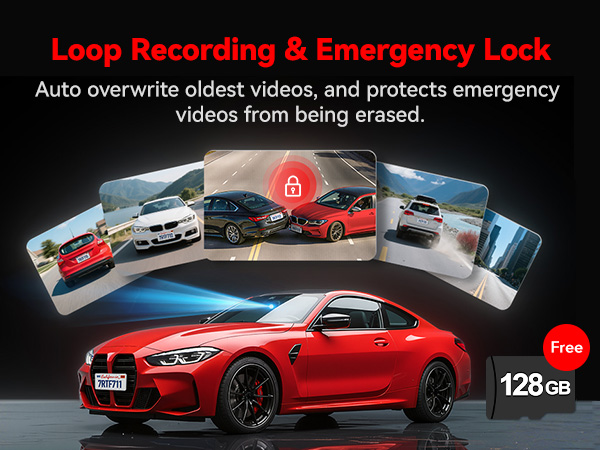
The dash cam is excellent. The setup was super easy. The product is small, so you can hide it behind the rearview mirror. Picture quality and camera performance are awesome. It's lightweight, but not cheap. Only you have to be careful about the hardware kit to use parking mode loop recording: you have to use a pro hardware kit with 2 separate wires (yellow and red wires) for parking mode. Otherwise, it works like a dummy, with no parking mode menu and features.
C**R
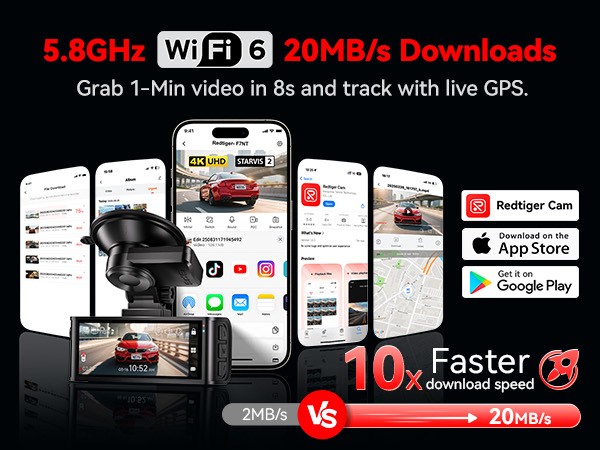
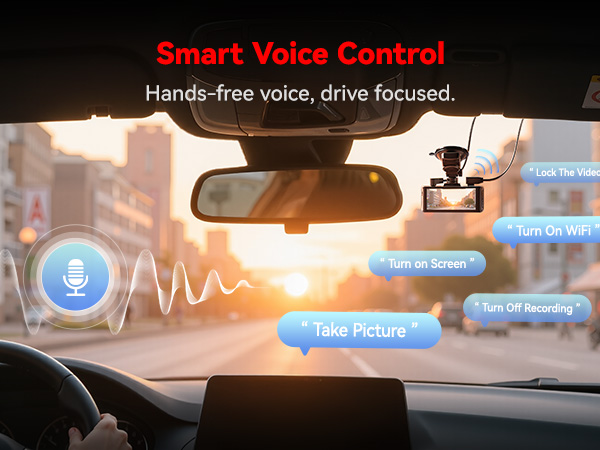
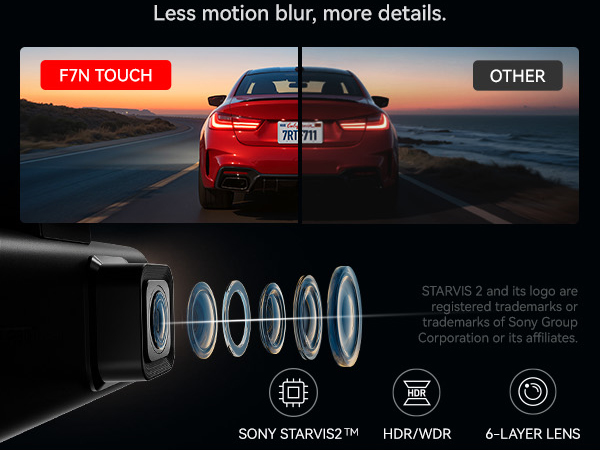
Die REDTIGER 4K STARVIS 2 Dashcam Auto Vorne Hinten hat mich wirklich beeindruckt – besonders im Vergleich zu vielen anderen Geräten. Ich arbeite täglich mit Dashcam-Videos und weiß daher, wie selten man wirklich gute Qualität bekommt – selbst von vermeintlich teuren Profi-Geräten. Hier setzt Redtiger mit Abstand die Messlatte deutlich höher. 📸 Bild- & Videoqualität Die Dashcam nutzt die Sony STARVIS 2 Sensoren, was vor allem bei Tageslicht und schlechten Lichtverhältnissen klare, detailreiche Aufnahmen ermöglicht. Gerade bei schnellen Fahrsituationen oder in der Dämmerung merkt man den Unterschied. Die 4K-Auflösung vorne liefert gestochen scharfes Material – für berufliche Auswertungen oder als Beweismittel ideal. 🛠️ Alltagstaugliche Bedienelemente Der 3,18-Zoll-Touchscreen macht die Bedienung direkt am Gerät einfach und intuitiv. Mit der Sprachsteuerung lassen sich wichtige Funktionen wie Wi-Fi oder die Rückkamera völlig hands-free bedienen – ein echter Pluspunkt, wenn man viel unterwegs ist. 📱 Konnektivität & Smart Features Dank 5,8 GHz Wi-Fi lassen sich Videos schnell auf Smartphone oder PC übertragen – besonders praktisch bei der täglichen Arbeit mit mehreren Clips. Auch die App-Steuerung ist intuitiv und erleichtert die Verwaltung von Aufnahmen enorm. 🚗 Nützliche Funktionen für Sicherheit Loop-Recording sichert kontinuierlich alles auf der Karte. G-Sensor speichert Unfälle automatisch. GPS-Tracking dokumentiert Geschwindigkeit und Route. 👍 Was gut ist ✔️ Unvergleichlich gute Videoqualität – vor allem für professionelle Anwendungen. ✔️ Touchscreen + Sprachsteuerung für sichere und einfache Bedienung. ✔️ Schnelle Wi-Fi-Übertragung für effizientes Arbeiten. 📌 Fazit Beruflich habe ich schon viele Dashcamvideos gesehen – teure Geräte eingeschlossen – und Redtiger bietet mit Abstand die beste Qualität. Scharfe 4K-Aufnahmen, einfache Bedienung und smarte Features machen sie zu einer echten Empfehlung. Wer auf verlässliche, hochqualitative Dashcam-Videos angewiesen ist, wird hier bestens bedient. Meine Bewertung: Absolute Spitzenklasse – die beste Dashcam für professionelle Ansprüche. 🚗📹
ترست بايلوت
منذ شهرين
منذ شهر