Buy anything from 5,000+ international stores. One checkout price. No surprise fees. Join 2M+ shoppers on Desertcart.
Desertcart purchases this item on your behalf and handles shipping, customs, and support to Morocco.
🎯 Elevate your game with precision, power, and style — don’t just play, dominate!
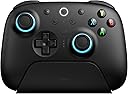
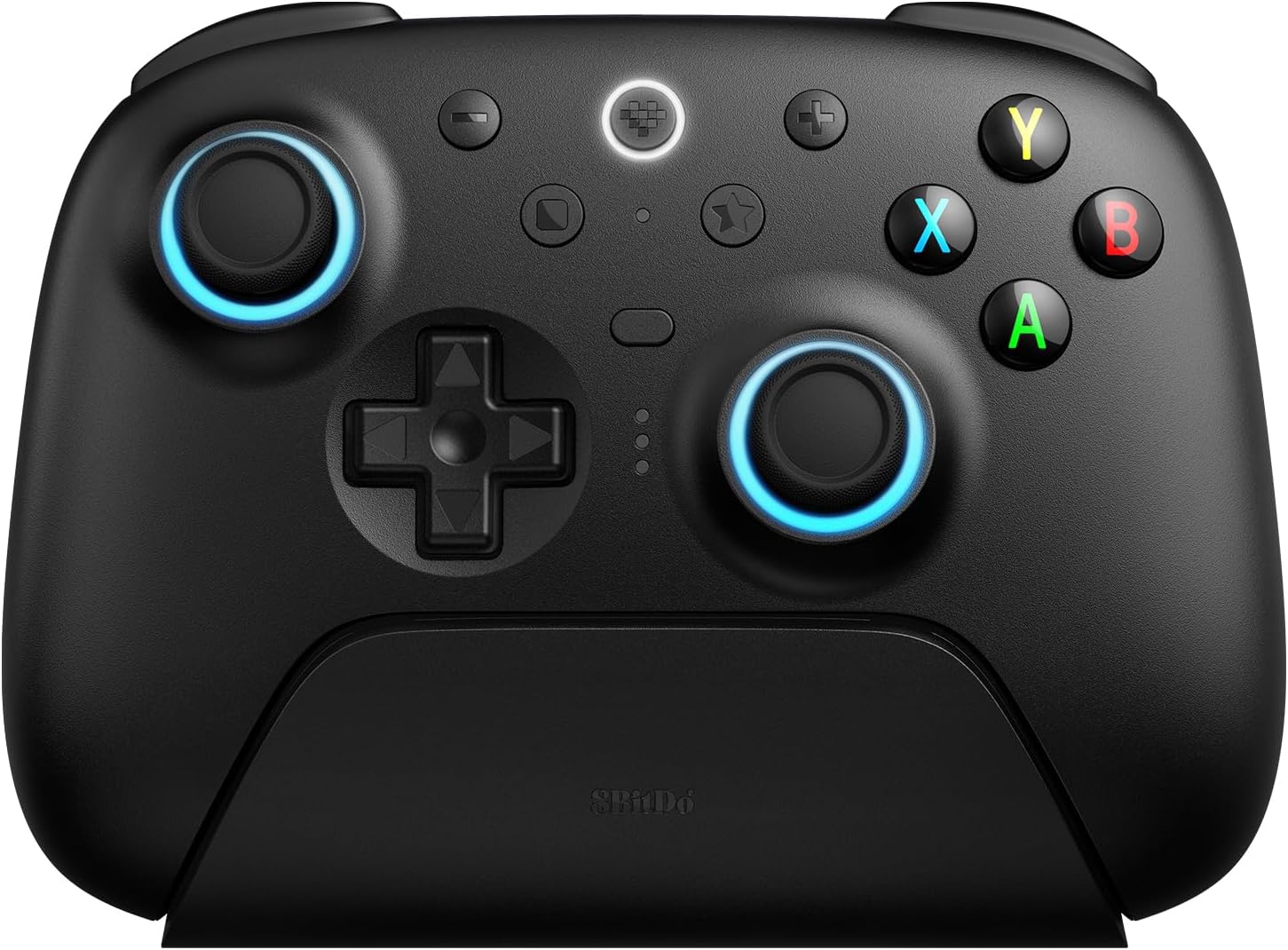
The 8Bitdo Ultimate 2 Wireless Gaming Controller combines cutting-edge TMR joysticks, switchable Hall Effect and tactile triggers, and exclusive 8Speed wireless technology to deliver ultra-responsive, lag-free gameplay. Featuring 6-axis motion control, customizable RGB lighting, and broad compatibility with PC and Android, it’s engineered for pro-level performance and seamless versatility. The included charging dock and advanced software customization make it a must-have for serious gamers seeking precision and style.


| ASIN | B0DRCWSX17 |
| Batteries | 1 AAAA batteries required. (included) |
| Best Sellers Rank | #63 in Videogames ( See Top 100 in Videogames ) #2 in PC Gamepads & Standard Controllers |
| Customer reviews | 4.2 4.2 out of 5 stars (152) |
| Package Dimensions | 16.51 x 14.5 x 8.31 cm; 640 g |
A**D
ولاشي
لم استلم المبلغ المسترد
K**I
Excellent controller
R**.
Amazing & top quality but confusing to configure at first.
Amazing controller, Top quality and really nice to use. I really wanted to give it 5 stars because I'm in love with it, but it was very confusing to use at first as it has some extra bottoms that are very easy to accidentally press and had unwanted functions, so I needed to spend over an hour checking the manual and looking online for solutions and eventually resorting to downloading the app to disable those extra buttons. Other than that, it's an amazing controller.
J**R
Superior Steam Deck Support over Bluetooth Connection
Great product that feels solid and is still the perfect controller for Steam Deck / Steam OS! [XBox Mode] You can emulate an Xbox controller on PC and Steam Deck with the included wireless dongle, but L4/R4 and back buttons (M1/M2) won’t be recognized - don’t worry! There is a simple fix for this that I’ve included below. [How to enable and customize extra buttons] Using Bluetooth mode on your Steam Deck or PC will automatically inform Steam of the additional buttons and will even show this controller’s custom layout! 1. Switch to Bluetooth mode on the back of the controller 2. Enable bluetooth on your PC/Steam Deck 3. Connect to this controller from the list of Bluetooth devices. 4. Visit Steam’s Controller page for whatever game you’re about to play and find the L4/R4 buttons and M1/M2 back buttons to customize them :) [Bonus Tips] - if you choose to use the included wireless dongle (not in Bluetooth mode), you will benefit from slightly improved input latency. In practice, I didn’t notice any difference, but it could have a minor impact on heavily input-reliant games like fighters (but again, I didn’t notice any meaningful difference - a bluetooth connection from any device isn’t expected to be any faster than Bluetooth on this device) - the back paddles are extremely satisfying; in the perfect position, *just* out of the way to not be pressed accidentally (like Switch 2 Pro controller), but requires even less force to actuate and provides a satisfying click - lights have several modes and intensity adjustment, all controlled from the device and its onboard memory - no need to connect to a computer to change or disable them - direction pas (cross) is fantastic, all controls feel extremely satisfying, and the chassis of the case is very similar to Switch pro controllers (which I’m good with but I won’t appeal to everyone) - the charging wire is very short, but… if you have the Valve Dock for Steam Deck, you can plug this controller’s dock into that! No additional charging DC plug is necessary, keeping your entertainment console feeling clean - some (not most) games on PC support split-screen co-op - Divinity Original Sin series and so does Baldur’s Gate 3.. but both players need controllers (no keyboard/mouse config for one of two players). So! I am planning to buy another one of these exact same controllers the next time they go on sale :D
K**A
Great controller for anyone.
I picked up this controller as I was tired of my GuliKit Kingkong2 Pro Controller NS09 through a wired connection. For Games that have time sensitive inputs like parrying in games you need to either use wireless or wired connections. Bluetooth is too slow and adds lag. I've been using my GuliKit Kingkong2 Pro Controller NS09 with a wired connection and got tired of dealing with cables so I bough the 8Bitdo Ultimate 2 Wireless Gaming Controller to get free from the wires and still be able to meet my time sensitive inputs. This controller is great, it plugged right in and was detected without having to install any software. I run Linux so you never know what will be detected. You can leave the USB-C wireless dongle in the charging dock, and plug the dock directly into your PC with the included USB-C to A cable. This single connection allows for charging and powering the USB-C 2.4Ghz dongle. The toggle of changing the R/L2 buttons from long travel or short travel allow you to set the gaming experience for your preference. I would highly recommend this controller to anyone wanting wireless controller that can work for SteamDeck/Windows/Linux gaming, It works with Steam controller detection as well.
K**8
Quality
One of the best third party controllers I've used. The buttons feel great, triggers are smooth, I love the auto on when removed from its charging stand, and even has good gyro aiming. I'm likely going to get another one.
Trustpilot
3 days ago
2 months ago