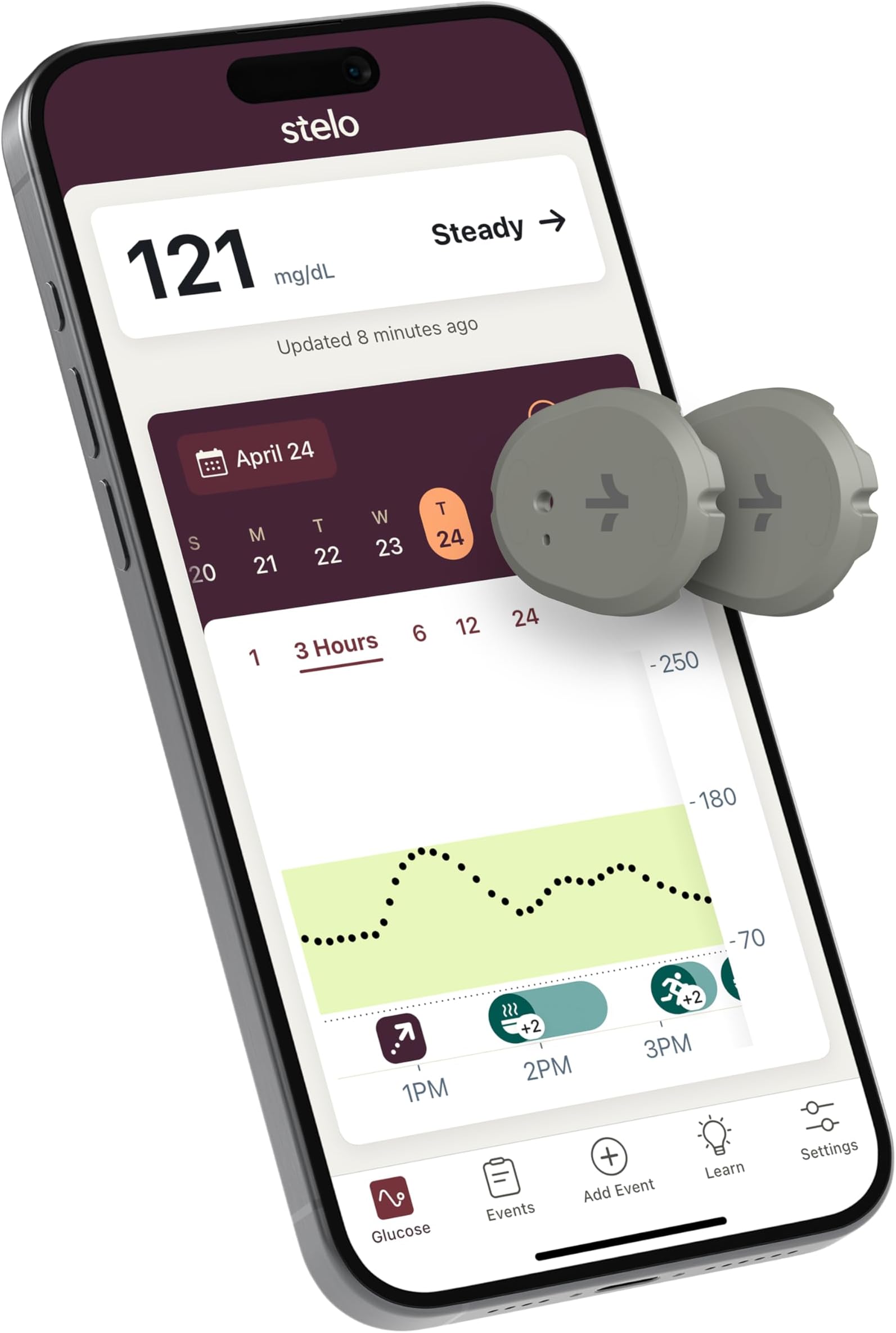
📊 Stay ahead of your glucose game—because your health deserves next-level tracking!
The Stelo Glucose Biosensor & App by Dexcom offers a prescription-free continuous glucose monitoring solution designed for adults not using insulin. Featuring up to 15 days of sensor wear per unit, waterproof durability, and compatibility with both iOS and Android devices, it delivers personalized insights by analyzing glucose patterns in relation to food, activity, and sleep. With 24/7 virtual support and a risk-free replacement policy, Stelo empowers proactive glucose management with convenience and confidence.


| ASIN | B0DTZ616WZ |
| Battery Cell Composition | Lithium Manganese Dioxide |
| Battery Life | 30 days |
| Best Sellers Rank | #750 in Health & Household ( See Top 100 in Health & Household ) #1 in Blood Glucose Monitors |
| Brand Name | Stelo |
| Customer Reviews | 3.0 3.0 out of 5 stars (3,251) |
| Included Components | 2 applicators, 2 biosensors, 2 overpatches |
| Item Dimensions L x W x H | 1.1"L x 0.9"W x 0.2"H |
| Manufacturer | Dexcom, Inc. |
| Manufacturer Contact Information | Dexcom, Inc. 6340 Sequence Dr., San Diego, CA 92121 |
| Model Name | Stelo |
| Operating Time | 30 Days |
| UPC | 386270004857 |
| Unit Count | 2.0 Count |
S**Y
CGM
When ordering these I saw reviews about issues contacting customer service as well as problems with adhesion and even pain for some people but after I looked in to documentation and how this device works and what support is expected and how to handle issues I felt pretty comfortable ordering. I ran though two sensors and each lasted entire 15days and I am on the third one right now 3 days in. My overall experience has been great and I will try to address some of the common issues and pitfalls you may want to avoid. This device is a derivative of Dexcom G7 that are sold for diabetics by pharmacies with prescription only, main differences between Dexcom G7 and Stelo from what I know are: 1) Dexcom G7 is 3 sensors 10 days lifespan each, while Stelo is 2 sensors with 15 days each 2) Dexcom G7 has calibration in the app, white Stelo does not have this feature. 3) Dexcom G7 has live support because it is a medical device for patients with diabetes and is only available by prescription. 4) Dexcom G7 costs more - that I think is the obvious one. Lets go over each one, Stelo explains in its documents that it expects over 80% of its sensors to last all 15 days it also mentions that should a sensor fail before 15 days they will replace it. They also mention that over 90% or so will last 10days This means that medical device G7 is limited to 10 days because of much higher survival time %, while Stelo is allowed to run 15days with bit higher probability of failure which reduces costs to the consumer - as they only get two sensors and they are protected from failures by replacements. There is no calibration because accuracy is not as important for average person without medical condition, and incorrect calibration may mess up accuracy. Consumer version is targeted for general trends and not for precision accuracy, I agree with this decision. Medical grade devices have phone support but they also cost significantly more and require prescription and doctor visits. When using Stelo you will be limited to chat and email support, but in most cases sensor failures will be reviewed and decision will be made about the nature of the failure. Company can monitor these devices and it knows when device fails and how based on telemetry form the sensor and how it failed. Expect that support will be weak but they will address failures and if they meet criteria - these will be replaced. If sensor fails for me I will post the process and update. Now about the device and user experience - it is important that you apply the sensor properly and in the correct are, if you make a mistake here - sensor will not be covered by warranty. Watch some videos, learn how prep the area, how to find the right area, how to best position the applicator. Simple rules are to look for fat on the back of the hand, with your finders find the fatty are - avoid muscles. if you apply this to a muscle - you will bleed, you will be in pain and you will kill the sensor. If you use the included patch it lasts 15 days no problem, but this patch is soft and you will notice the sensor more, if you get high quality patch with a hole for G7 then it is thicker and will distribute movement better and sensor basically disappears. I added photos of the patch I use from Onida and it made a big difference. The app is very simple and well made and works amazingly well, you can bring sleep data, exercise data and food data right on to the chart via Google Health Connect if you track and monitor those activities in other apps. Over that last 30+ days I saw disconnected sensor few times, it was always when i was not near my phone and it reconnected on its own once I was close. Having a phone on, in the same room works fine, it is only when you go in to another room it may loose connection. Apple seems to have support for direct connection to watch so sensor talks to the watch and phone is does not need to be close by. Spend time making sure area you apply the patch to is clean - use alcohol to remove oils, make sure you place the sensor in the right area, add high quality patch. Placement is most important part of the process, take your time note what worked. For me placing the sensor with release button facing the shoulder was resulted with best experience, actual filament entry is on that side. Some advice I got from others, is to apply next sensor while existing one is still working and let that new sensor warm up before switching to it, some people do it 30min before and some people do it 12 hours before the switch so data is most accurate and there is not gap in the data. Sensor will continue to work 12 hours after 15 days are up and I tested that on my last sensor, where app said sensor life is over and it showed 12 hour countdown reminding me to switch over to new one. *** This is first update on Jan 23 and I plan to update again after I complete all 4 sensors. *** This is an update on Feb 8, I completed third sensor that also lasted all 15 days and worked 12 hours after it expired officially.
D**.
Malfunctioning Sensor….You will need to check for Accuracy..
I was so happy to get this to manage my husband’s type 2 diabetes. This kit includes the sensors along with the online app to track your glucose and so much more. The first two sensors seemed great at first. They were easy to apply, very little pain if any (according to him) and they stayed put, lasting the entire 15 days. Although, he does says they are a bit painful when removing the adhesive surrounding the sensor, when it needs to be replaced. The app even tells you how many days you have left with each sensor. Additionally, the sensors were pretty accurate when testing against the finger stick glucose meter. However, this third one is showing numbers that don’t correspond with the finger stick meter. The Stelo Sensor is showing a glucose reading of around 224 which is consistently almost 100 points off the finger stick meter and there are still 9 more days to go. At one point, it showed a reading that was above 250. Although, it doesn’t show what the exact number is above 250. It just shows a broken dotted line. If this continues with the other sensor that was sent (got a pack of two) I am going with a different brand. I can see being off a little, but this is ridiculous! It’s been consistently like this now for the past day and a half. These sensors are too expensive to be malfunctioning. So, if you get a high or low reading make certain to check it first against the finger stick meter to verify if it is, in fact, correct. I am disappointed with this. But, will give an update on the next sensor. UPDATE: I contacted the company, via their chat box. You can then choose the option to connect with an actual person (live agent) via text, during normal business hours. Once I explained what was wrong, they gave me a link to open a case and fill out a form. I then received an email stating that they will send me a new sensor. Seemed easy enough! UPDATE: So, after experiencing issues with the 3rd sensor and waiting on the replacement, we decided remove the defective one and put on the other sensor we had. Well, we couldn’t get it to pair with the app we tried everything that was recommended with the troubleshooting advice and to no avail. Therefore, we had to open yet another case via chatbot (after business hours). They said it could take up to 1-2 business days, before they can reach out. At this point, I feel that although the company seems to try and help with these issues, there are a lot of glitches with this these otc continuous glucose monitors. I have even looked up the Lingo Continuous Glucose Monitor and it doesn’t look much better and It has about the same ratings. I have read that there are many things that can impact the monitor’s functionality. Pressure from laying on the sensor at night and even certain otc med such as acetaminophen can cause false highs and lows in glucose readings. However, when you have issues pairing the device with the app, that is a whole other matter. Especially, when you go through all the troubleshooting and still can’t find the issue (closing all apps, then restarting the Stelo app. unpairing any previous sensors with Bluetooth, turning Bluetooth off and then back on, making certain the sensor code is correct…and on and on! It seems to me that if the same company can make a prescription monitor that is more accurate, why can’t they make the OTC monitors more reliable? My husband isn’t on insulin, and according to the doctor, he isn’t eligible for a prescription monitor that is covered by his insurance unless he uses insulin. Needless to say, this is a very frustrating issue and it almost seems like it would be better to switch back to the finger sticks at this point, with the expense and issues which this monitor, it doesn’t seem like it is worth the hassle. I will continue to update on this issue.
ترست بايلوت
منذ شهرين
منذ يوم واحد