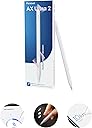
✍️ Penoval AX Ultra 2: The smart stylus that keeps up with your hustle.
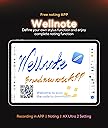
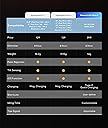
The Penoval AX Ultra 2 stylus offers broad compatibility with iPads from 2018 to 2024, featuring magnetic attachment, auto-wake/sleep functionality, and customizable shortcut taps. Paired with the exclusive Wellnote app, it delivers pixel precision, palm rejection, and tilt sensitivity, making it a cost-effective, professional-grade alternative to the Apple Pencil.


| ASIN | B0DNF77HVY |
| Are Batteries Included? | Yes |
| Are Batteries Required | Yes |
| Battery Average Life Standby | 5 minutes |
| Battery Description | Lithium-Ion |
| Best Sellers Rank | 971 in Stylus Pens |
| Brand Name | Penoval |
| Colour | AX Ultra 2 |
| Compatible Devices | iPad 6-10th |
| Compatible Tablet Computer Models | Apple iPad (6th generation), Apple iPad Air (3rd generation), Apple iPad Air 13-Inch (M2), Apple iPad mini 5 |
| Customer Reviews | 3.8 3.8 out of 5 stars (25) |
| EU Spare Part Availability Duration | 5 Minutes |
| Enclosure Material | Plastic |
| Item Weight | 0.08 Kilograms |
| Manufacturer | Penoval |
| Minimum Required Operating System Version | iOS 16 |
| Model Number | AX Ultra 2 |
| Number of Batteries | 1 C batteries required. (included) |
C**E
It *was* good, but...
I only bought this in May (it's now October). At some point in the last month or so, they removed the Penoval app from the UK app store, so now you can't edit any of the pen's functions and it's basically no better than a £10 stylus.
B**Y
I’m fed up with Apple upgrades making some expensive accessories useless ,,, like the two versions of the Apple Pencil I already own. After much research the ideal answer for me id the Penovol Pencil. It does almost everything as the Apple Pencil and even clips magnetically to tkr iPad Pro 13” … the one drawback is that it doesn’t charge on the iPad but uses a USB C cable … a minor inconvenience as this versatile pencil charges very quickly, is of top quality and saves almost $200 by choosing Penovol over Apple. Highly recommend this pencil.
S**S
Pour une fraction du prix de celui de Apple, il fait la job. Très heureux de mon achat. 😉
J**E
OK... so, I bought another stylus (for $15), then an refurb Apple Pencil Gen 1 (for $65), then this one (Penoval AX Ultra 2), not really knowing which direction I'd ultimately go. The First stylus I bought was a simple, Turn On and use. it worked ok, but skipped everyone once in a while (leaving a gap when writing, or simply wouldn't write at all for a second or two). So, I knew that an Apple Pencil would be better....so, I bought one from Best Buy. The Apple Pencil, of course, worked great. Easy paring, no skipping, and ..... Pressure Sensitivity, which I wasn't really sure I needed. Since it stays paired (unless you turn Bluetooth off) when you're not using it, the battery of the Pencil and iPad is affected. I saw the battery drop quite a bit from intermittent use. (Clarification... I don't know what the battery health of the Pencil is...it may be a bit degraded). It's going back to Best Buy. Now, The Penoval.... Downside: No Pressure sensitivity (Same for most third party Pens). That's it, every thing else is a Plus. If you connect it via Bluetooth (IF... you don't HAVE to in order to use it), you get shortcuts, via tapping the pencil, and clicking the On/Off button on the end of the pencil. Through the Note App they mention, you can map different functions for both, to different apps (GoodNotes, Notability, etc...) So, you can double or triple tap to erase, change to highlighter, undo, redo, switch to a specific tool within an app, etc.... Click the button to switch apps, return to Home Screen, and much more. So, that's amazing. Even the Gen 1 pencil (and Apple USB-C pencil, I believe) can't do that. However, there is a battery reduction due to the bluetooth connectivity. I don't know what's Normal, but I did notice a dip in iPad and Pencil battery --- Oh, when connected, it shows up on the battery widget, which is handy. It can be used without connecting as well, either turning Bluetooth OFF, Forgetting device or never connecting it. It still writes wonderfully, and rejects palm interaction the same. But, from what I can tell so far, definitely reduces battery drain. I'll probably use it mostly like that...but, it's nice to know that the rest of the functionality is there when I want it. Great Pencil.... I hope it's durable, and last a while.
F**M
tutto ok. Vedremo con il tempo
J**.
This pen has some good things going for it. However, I give it three stars for two reasons. 1) I like the idea that it turns on by motion. However, it turns off while I’m using it, and moving it around. A great idea the manufacturer hasn’t refined yet. Example. The description page says it turns off after five minutes of inactivity. My pen barely stays on for one minute, even when I'm using it. 2) I downloaded the app, but I can’t get past the paring screen. I tried multiple processes, but they all failed. The pen pared quite easily, but the app won’t go past this screen. Disappointed in what could be one of the best pens on the market.
ترست بايلوت
منذ شهرين
منذ 3 أسابيع