


Buy anything from 5,000+ international stores. One checkout price. No surprise fees. Join 2M+ shoppers on Desertcart.
Desertcart purchases this item on your behalf and handles shipping, customs, and support to Morocco.
🔌 Bridge the tech gap with flawless clarity — don’t let your gear hold you back!
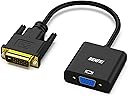
The BENFEI Active DVI-D to VGA Adapter converts DVI-D 24+1 signals to VGA, enabling seamless connection of modern desktops and laptops to legacy VGA monitors. It supports HDTV resolutions up to 1080p at 60Hz and PC graphics up to 1920x1200 at 60Hz, featuring a quad-shielded PVC jacket cable to prevent signal loss. With plug & play ease and an 18-month warranty, it’s the reliable, cost-effective solution for extending the life of your VGA displays in professional and home environments.


| ASIN | B07D3XZ9SD |
| Best Sellers Rank | #53 in DVI-HDMI Adapters #367 in Audio & Video Connectors & Adapters |
| Brand | BENFEI |
| Brand Name | BENFEI |
| Cable Type | DVI, VGA |
| Color | 1 Pack |
| Compatible Devices | Laptop, Monitor, PC |
| Compatible Phone Models | No compatible phone model |
| Connector Gender | Male-to-Female |
| Connector Type | DVI, VGA |
| Customer Package Type | Standard Packaging |
| Customer Reviews | 4.6 out of 5 stars 6,185 Reviews |
| Data Transfer Rate | 1.65 Gigabits Per Second |
| Frequency | 60 Hz |
| Indoor Outdoor Usage | Indoor, Outdoor |
| Item Shape | Round |
| Item Weight | 1 Ounces |
| Manufacturer | Benfei |
| Model | 000185black |
| Model Name | BENFEI Adaptateur actif DVI-D vers VGA |
| Number of Items | 1 |
| Number of Pins | 40 |
| Other Special Features of the Product | Data Transfer |
| Outer Material | Polyvinyl Chloride (PVC) |
| Part Number | 000185black |
| Recommended Uses For Product | connecting DVI-D systems to VGA displays, office work, home entertainment, conference room presentations |
| Special Feature | Data Transfer |
| UPC | 606682479006 |
| Unit Count | 1.0 Count |
S**4
Works well
Arrived intact and delivered at front door..not a neighbor's house. Works as it should.
A**R
Works great. Good quality
Works great for connecting a vga only monitor to the dvi port on a graphics card.
M**T
Works great!
Previously I was using a Moread HDMI to VGA adapter and it worked on an old Windows install. I had it hooked up to my intel onboard video. Had to reinstall Windows and the Moread adapter shrank the image. No matter what I tried I couldn't fix this. I ended up ordering this Benfei DVI-D to VGA adapter. It was cheap and had good reviews. It worked as soon as I plugged it into my video card's DVI port. Very happy with this little adapter. If you need something that just works, get this!
K**Y
Exactly as described.
Exactly what was described. Well packaged. Timely.
A**E
Bought to use 1920x1200_60 mode, but highest res EDID is 1920x1080
I might be doing something wrong. Got this converter to connect a new nVidia gt 1030 GPU to an existing Dell VGA monitor. The monitor has been working at 1920x1200 for over 5 yrs. I'm a Linux desktop user. No Windows. After connecting this adapter, only 1920x1080 is allowed by the nvidia driver. This is because the adapter EDID highest resolution is 1920x1080. In debug mode, the nvidia driver outputs all the EDID information that this adapter provides. Basically, it has resolutions from 1920x1080 down. Nothing higher, so nVidia GPUs won't use any resolution that isn't provided by the EDID information. I was stuck for a few weeks at 1080. I used another computer connected to the monitor over VGA which was working at 1200p resolution to pull the EDID data directly from the monitor. I took that data and put it into the computer in a binary/raw file and found the nvidia driver option to use it. That didn't work. Seems nvidia trusts what the hardware says over anything provided in the CustomEDID setting of the xorg.conf file. I kept searching for a solution. In the end, I had to tell the nvidia card to ignore the HW-provided EDID data, use the customEDID settings, and setup the highly specific "modelines" for each resolution I wanted to support. Basically, the monitor, this adpapter and my computer are extremely tightly coupled together now. For anyone else going though this, the xorg options you should customize are: Horizsync, VertRefresh, Modeline (I have 10 entries for these), CustomEDID, and Option "ModeValidation" "NoExtendedGpuCapabilitiesCheck" After forcing all these overrides, the EDID for my monitor was used and 1920x1200p resolution is working. I'm afraid to post too many details, because it is highly unlikely that anyone else would have the same card, same monitor, with the same timings. Using the wrong timings can harm a monitor. I haven't tried all the valid modes, but 1920x1200 is working nicely. [ 22.082] (II) NVIDIA(GPU-0): Mode "1920x1200_60" is valid. [ 22.082] (II) NVIDIA(GPU-0): Mode "1280x960_60" is valid. [ 22.083] (II) NVIDIA(GPU-0): Mode "1280x1024_60" is valid. [ 22.083] (II) NVIDIA(GPU-0): Mode "1600x1200_60" is valid. [ 22.083] (II) NVIDIA(GPU-0): Mode "1680x1050_60" is valid. [ 22.083] (II) NVIDIA(GPU-0): Mode "1920x1080_60" is valid. [ 22.083] (II) NVIDIA(GPU-0): Mode "640x480_60" is valid. [ 22.083] (II) NVIDIA(GPU-0): Mode "800x600_60" is valid. [ 22.083] (II) NVIDIA(GPU-0): Mode "1024x768_60" is valid. many more modes/resolution are listed as invalid now: [ 22.083] (WW) NVIDIA(GPU-0): Mode "800x600_56" is invalid. [ 22.083] (WW) NVIDIA(GPU-0): Mode "800x600_60" is invalid. [ 22.083] (WW) NVIDIA(GPU-0): Mode "800x600_72" is invalid. [ 22.084] (WW) NVIDIA(GPU-0): Mode "800x600_75" is invalid. [ 22.084] (WW) NVIDIA(GPU-0): Mode "800x600_85" is invalid. [ 22.084] (WW) NVIDIA(GPU-0): Mode "1024x768_87i" is invalid. [ 22.084] (WW) NVIDIA(GPU-0): Mode "1024x768_60" is invalid. [ 22.084] (WW) NVIDIA(GPU-0): Mode "1024x768_70" is invalid. [ 22.084] (WW) NVIDIA(GPU-0): Mode "1024x768_75" is invalid. [ 22.084] (WW) NVIDIA(GPU-0): Mode "1024x768_85" is invalid. [ 22.084] (WW) NVIDIA(GPU-0): Mode "1152x864_75" is invalid. [ 22.084] (WW) NVIDIA(GPU-0): Mode "1280x960_60" is invalid. [ 22.084] (WW) NVIDIA(GPU-0): Mode "1280x960_85" is invalid. [ 22.084] (WW) NVIDIA(GPU-0): Mode "1280x1024_60" is invalid. [ 22.084] (WW) NVIDIA(GPU-0): Mode "1280x1024_75" is invalid. [ 22.084] (WW) NVIDIA(GPU-0): Mode "1280x1024_85" is invalid. [ 22.084] (WW) NVIDIA(GPU-0): Mode "1600x1200_60" is invalid. [ 22.084] (WW) NVIDIA(GPU-0): Mode "1600x1200_65" is invalid. [ 22.084] (WW) NVIDIA(GPU-0): Mode "1600x1200_70" is invalid. But I bet all the 60hz modes could be forced with my Dell monitor. Summary: I wish the correct EDID was passed through from the VGA monitor so that none of the extra steps required had to be taken. OTOH, once again, the flexibility of Linux allowed a determined end-user to accomplish something unexpected.
B**E
Trouble free and cost effective adapter for VGA monitor
We are in the unusual position that the technology of our PC has outpaced the technology of our monitors. We use two VGA monitors on a PC with one HDMI and one DVI-D connector. This DVI-D to VGA adapter works perfectly for our application. The monitors may be old technology but they have sufficient resolution for our purpose. It is a real plus to be able to use them for another few years - thanks to this DVI-D adaptor. Further we have another PC connected to the monitor with a KVM switch. So our video system is VGA from the monitors through the KVM switch right up to the back of the PC - where the DVI-D adaptor takes over. KVM switches for VGA monitors are more readily available and far less expensive than HDMI or DVI KVM switches. This DVI-D adaptor has allowed us to reduce our costs for two pieces of equipment, the VGA monitor and the VGA KVM switch - much appreciated and highly recommended.
F**Y
Worked as advertised
Worked
A**R
Works as described. Can't tell any lag at all in the display. Great buy.
Update after several years of daily use: Almost forgot it was ever even there. Has worked flawlessly for thousands of hours without any hiccups. I was worried this might cause some lag in the signal, but none that I can detect. It works exactly like my computer did before I upgraded the video card which had a DVI-D plug. Only thing I had to do was reset my screen resolution and put the screen scaling back to 100% in Windows 10. For some reason it set my screen scaling to 150% so all my icons were huge. Great device that you can just plug in once and forget.
K**R
It is a connector....
Nothing much to say - it arrived next day, good and solid quality, works perfectly. Was worth the money so happy
F**R
L’ho preso per collegare un vecchio monitor VGA al PC con uscita DVI: funziona senza problemi
L’ho preso per risolvere un piccolo problema di connessione: avevo un monitor VGA ancora perfettamente funzionante e un PC con uscita solo DVI-D. Questo adattatore mi ha permesso di riutilizzare il vecchio schermo, collegandolo in pochi secondi senza bisogno di driver o configurazioni. Il collegamento è immediato (plug & play): basta infilare l’adattatore nella porta DVI-D e poi collegare un normale cavo VGA (che non è incluso, ma nel mio caso ce l’avevo già). Lo uso per visualizzare il secondo schermo, utile per tenere aperte email, fogli Excel o browser mentre lavoro sul principale. L’immagine è stabile, nessun tremolio o sfarfallio, e anche la risoluzione (fino a 1080p) è più che sufficiente per l’uso quotidiano. Non è un adattatore attivo, quindi non fa miracoli su qualità o conversione digitale/analogico, ma se le uscite e gli schermi sono compatibili, fa esattamente ciò che promette. Robusto nella costruzione, compatto, e con un attacco solido. Un oggetto semplice, ma risolutivo per chi ha ancora periferiche VGA da sfruttare.
P**R
Adapter
Adapter Handig in gebruik . Werkt alleen niet als de video - kaart van de pc actief is ..
V**R
bom
bom
R**K
CUMPLE CON SU MISIÓN
Todo correcto.
Trustpilot
1 month ago
1 week ago