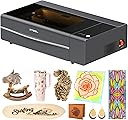

🔥 Elevate your craft with the smartest, fastest CO2 laser cutter on the block!
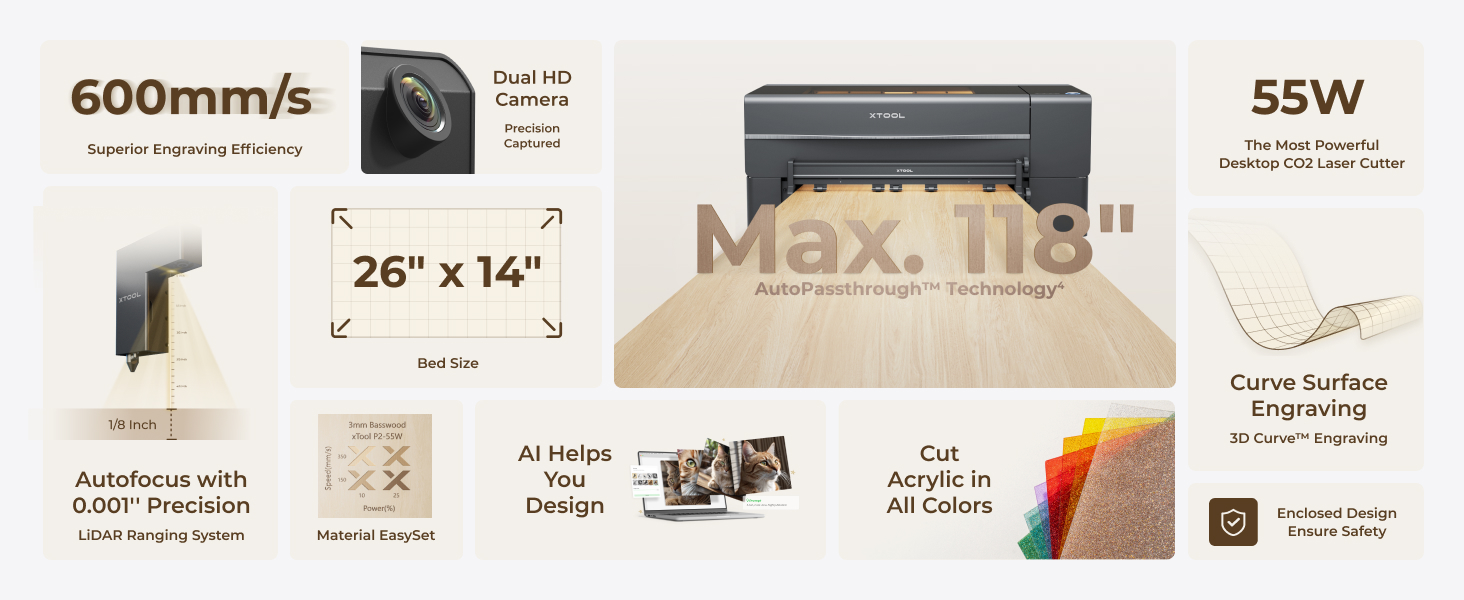
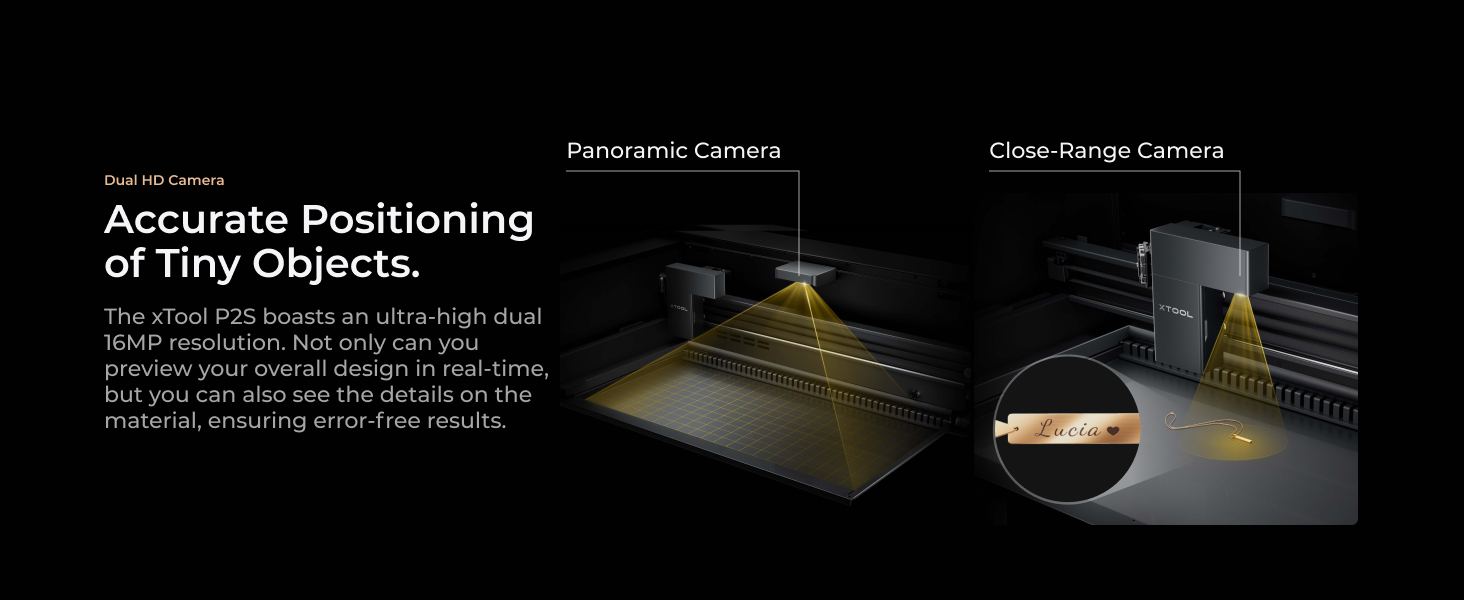
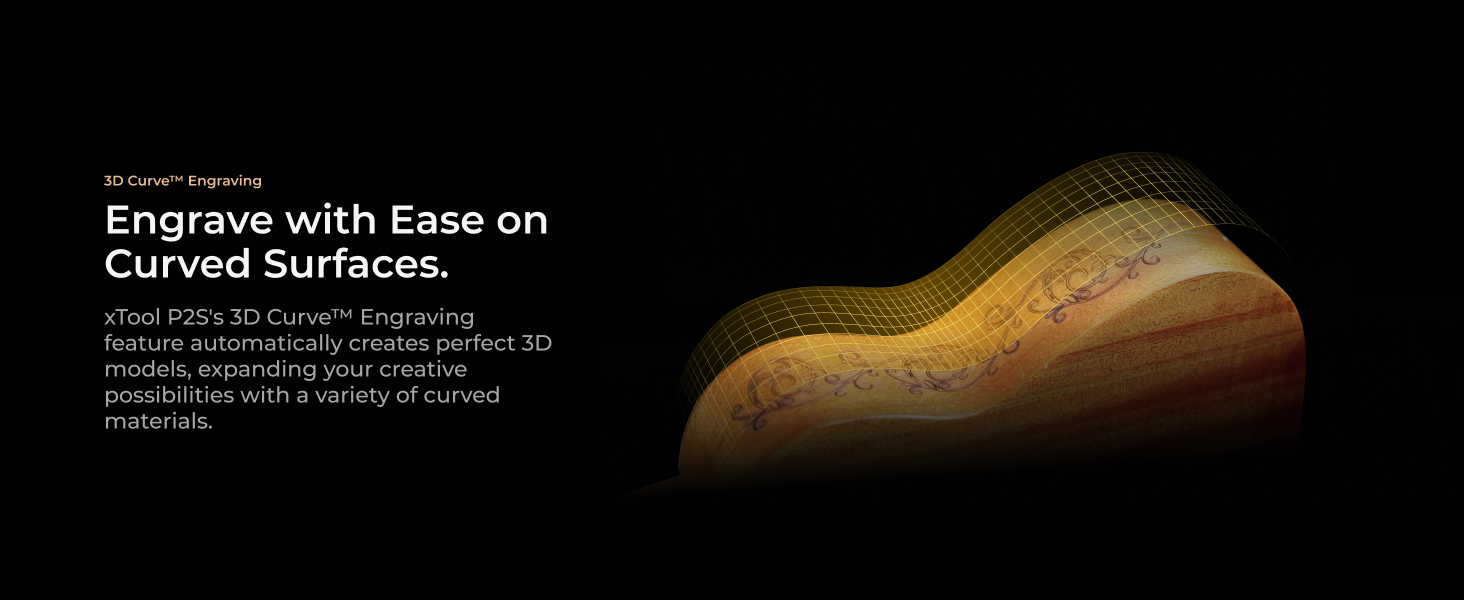
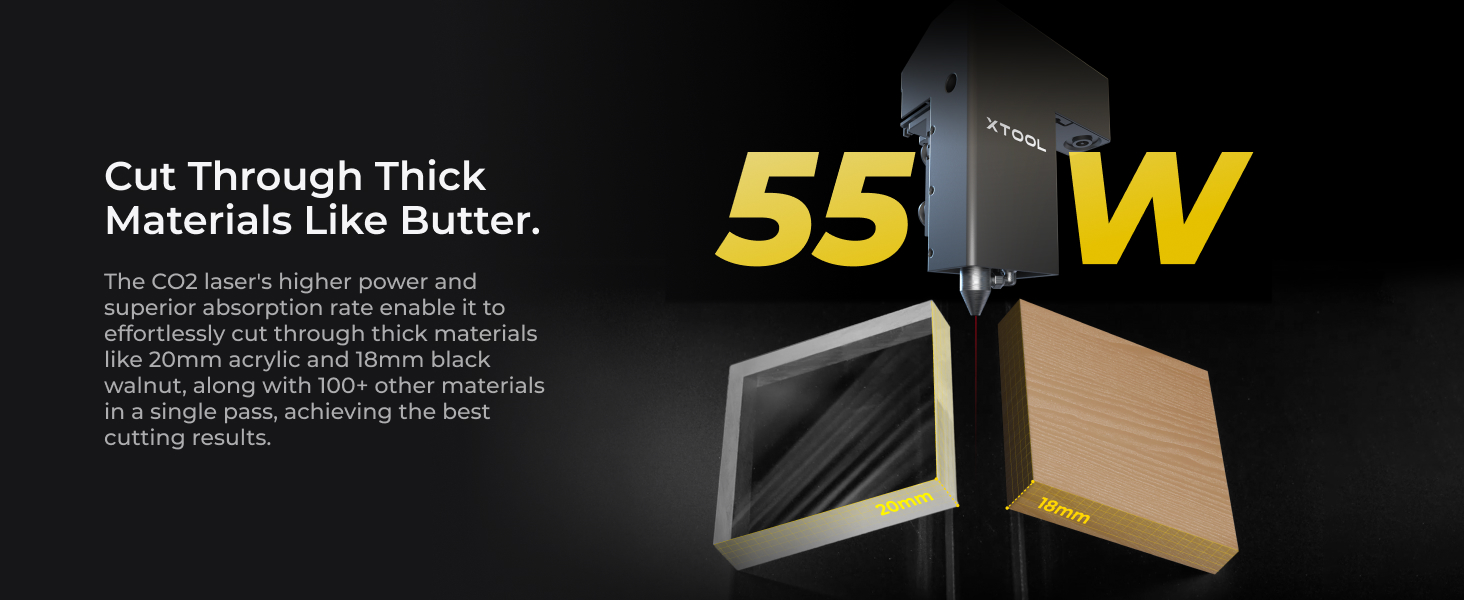
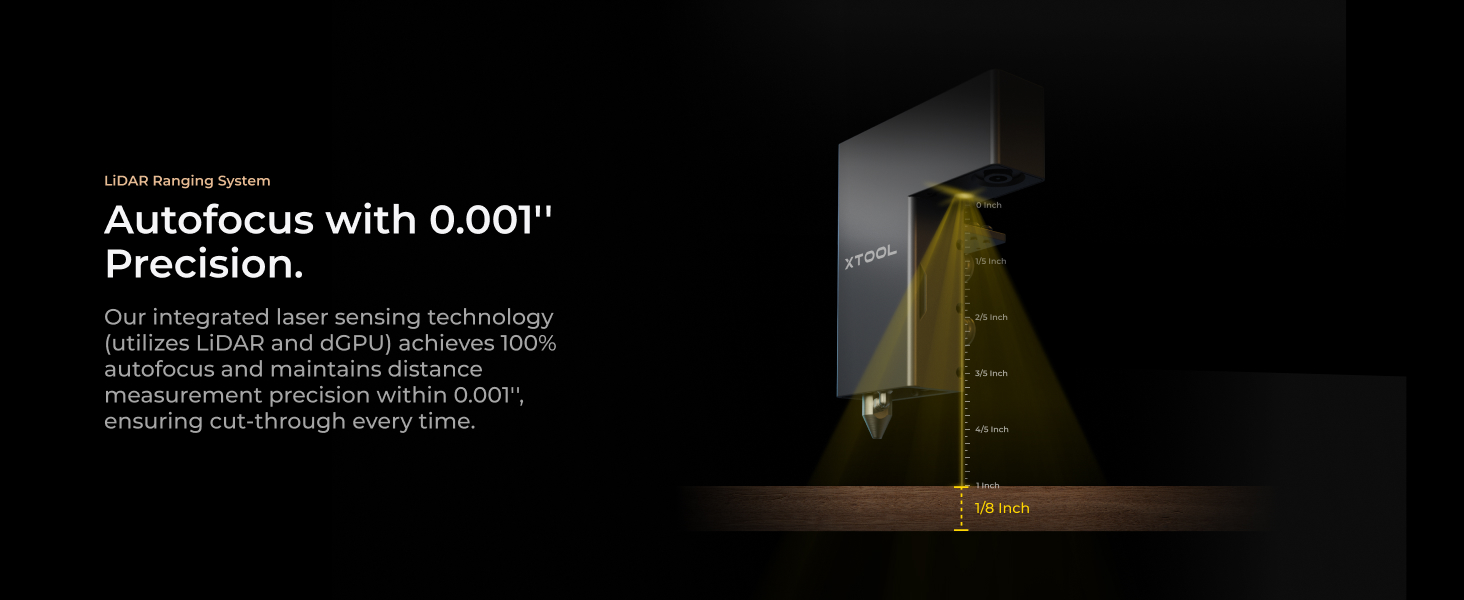
The xTool P2S is a professional-grade 55W CO2 laser cutter and engraver featuring dual 16MP cameras, 0.001'' LiDAR autofocus, and a large 26" x 14" working area with passthrough capability. Designed for precision and speed, it handles thick materials like acrylic and wood in a single pass, supports 3D curved cylinder engraving, and prioritizes safety with AI fire detection and powerful exhaust systems. Perfect for creators demanding flawless, scalable results on wood, metal, glass, fabric, and more.


| Manufacturer | xTool |
| Part Number | P1030630 |
| Item Weight | 130.7 pounds |
| Product Dimensions | 44.09 x 29.13 x 13.78 inches |
| Item model number | MXP-K011-004 |
| Size | xTool P2S |
| Color | Gray |
| Material | aluminum alloy |
| Item Package Quantity | 1 |
| Batteries Included? | No |
| Batteries Required? | No |
| Warranty Description | 1 Year |
J**D
Simply The Best
First I have to praise the Amazon room of choice delivery service. They put the machine exactly where I wanted it in a second floor room, on a table. This service is the main reason I ordered the machine through Amazon and not directly from xTool. Having the box on its table made one man unpacking possible for me. So it was well worth the added cost. If you follow the unpacking and initial setup instructions, it’s a breeze to do. Once out of the box, it took much less than an hour to have it powered up and ready to run. The first thing I did after unpacking and setting up the machine is I placed a 24x12 sheet of black acrylic in the upper left corner of the machine. In the software I placed a box that was the size of the working area in the 0,0 position and cut it out on the laser. I left the resulting right angle piece in the upper left corner, this gives a stop for a repeatable 0,0 position of material every time. Next was the test of what I wanted this machine for, cutting and engraving clear/transparent acrylic. I loaded one of the many user submitted projects from xTool, an LED illuminated Christmas item. Once loaded I ran the project. The included photo is the end result. It’s almost needless to say that the machine performed this task perfectly. Note that the clear acrylic blocks in the photo were not done with the P2S, they were a totally different experiment a few days ago. Now it was time to do material cutting test arrays which the xTool Studio software makes easy to set up. I ran the test cuts on several colors of acrylic, including white, several different blues, clear, black and more. Doing this allows me to know common speed and power settings for any acrylic I choose. One thing I would suggest is if you don’t already have one, get an air purifier, or a vent to the outside for the laser. If you don’t you’ll quickly find you need one. And finally there’s the build quality of the machine. In my opinion xTool has some of the best built machines available. I was first impressed with the D1 Pro, then the F1 and F1 Ultra. Now the build quality of the P2S is far beyond anything I expected. Would I buy the P2S again? Absolutely! Would I recommend the P2S? Most definitely.
M**M
Fantastic laser, easy to set up and use with minimal experience
Prior to purchasing this laser cutter, i had used both a Diode laser, as well as a Xtool F1 galvo laser, and this has to be far and above the easiest, most reliable laser i've experienced to date. Setup: The setup was extremely simple with very clear instructions, i was up and using it within 30 minutes. Software: I've used both Lightburn as well as Xtool Creative Suite, and while Lightburn has more flexibility typically, XCS is extremely easy to use and beginner-friendly. I believe the P2S loses some functionality if you use lightburn, notably the use of a rotary, but i rarely need to start up lightburn, except for the occasion where i need to vector trace a bitmap (come on Xtool! Get this added to your software!). One thing i appreciate is the built in ability to do a laser test grid similar to Lightburn for your material, you can even do it for a custom shape which is a nice touch. Functionality: The speed of this laser is probably one of the better you're going to get in this price range. I believe the OneLaser is the new sexy up and comer, which i would probably say is the android of the laser world, whereas xtool is the iPhone. The OneLaser is likely a bit better value for the money if you are a heavy user, but if you just want to set it and forget it, the P2S can't be beat, especially with the addon of the SafetyPro AP2 smoke purifier, which also just works out of the box with the laser. I was able to load up files and start cutting right away. And have been doing so for a few months almost daily. One thing i appreciate a lot about this laser is the working area, which is 12 inches by 24 inches roughly, which is on the larger size of the other devices in this class. Maintenance: This is where i'm quite impressed with the hardware, all the mirrors are magnetically attached and easy to clean. Although the first mirror does require the back panel removed to access which is like 11 screws. This is the same area you fill the water reservoir for the cooling system. The lens is very easy to access and clean, with 2 screws, and one retaining gasket to access, although i kinked the air assist hose the first time i cleaned it, and triggered an error. After unkinking the air hose it worked normally again. Accessing the rear fan for cleaning is extremely easy, and i appreciate that you can remove the fan from it's housing to clean further. Calibrating the laser dot is simple as well, and the software walks you through it. Final Impressions: I love this laser. The price you pay is a bit of a premium for the brand and Xtool ecosystem, but for someone just looking to unbox and start using, i find it worth the cost. If you're an experienced user, you might want to look into OneLaser, or if you have a bit more to spend, a Thunder Bolt laser. For me, i have no doubt this will be a great workhorse for years to come.
R**Z
Loving it
A huge upgrade from my Glowforge Pro. It's demonstrably better in every way. * XCS software is excellent and consistently improving. I find little need for Inkspace now. Far superior to the web-based Glowforge experience (and I have a Premium subscription). * Rotary and conveyor accessories add significant versatility (and were not available on my Glowforge). * 12" x 24" working space (actually 305mm x 600mm). Can handle 3m long material with the conveyor but requires additional expansion kits. I find myself using the conveyor a lot more than I initially thought because it gives you much more layout flexibility. * AP2 is fantastic. Automatically controlled by the P2S and there is no odor even when cutting acrylic. * Fire suppression system adds a lot of peace of mind. This was very easy to set up. xTool got the plug-and-play experience right with this accessory. * 3D mapping is pretty close to magic. * The material test array function has saved me tons of time figuring out the score, engrave, and cut settings for new material. Especially important as I virtually never use xTool materials. (The xTool material settings do give you a great starting point, though, assuming there is one). The lack of this function was one of my top 3 issues with the Glowforge experience. * The camera alignment using the close-up view is perfect. I drew a pencil line across multiple parts, aligned it using the cameras, and it literally cut right down the middle of the pencil line. Blew me away! * No calibration was needed out of the box - the gantry was square and the laser mirrors were all properly aligned. A few nits: * You must remove the back section of the lid to add the water and antifreeze (COs laser coolant). Given this is a mandatory first step it should be easier to remove. I had visions of damaging my laser before I even had a chance to use it! Thankfully that did not happen. * The slats make it look more like a commercial machine, but the honeycomb grill is much more practical for small projects. It should be the default. * The accessories require you to take things apart and reassemble them. As an engineer, I don't mind, but I see how some could be put off by this. The rotary attachment is the most egregious in this respect. * Inkscape still does a better job than XCS at tracing raster images. However, that's about all I use Inkscape for now, whereas it used to be my primary SVG creation and editing tool. * Using the gantry does allow smoke and fumes to escape capture by the AP2. This is potentially significant. I set the fan to 100% when using the gantry but that just makes the emissions issue a little bit better. Overall I am very happy with the P2S as well as the AP2, RA2, conveyor, and the fire suppression system. I've used it daily since receiving it with no bad experiences. I would highly recommend this to anyone who needs a CO2 laser of this this type.
A**R
Not Good
Bought my P2 in October of 2024 after having a Glowforge Plus for a number of years (4). After a year of light use the P2 would no longer connect to my software. The software kept saying "Can't find device". A solid red light would appear at startup on the laser indicating a fault. I have been in contact with XTool product support a number of times with no resolution to the problem. They just kept regurgitating the steps in their user manual that I had already tried numerous times. I finally asked for my money back or a new unit. They replied I was out of warrantee and they could not do anything but, there were services they could supply at a cost. This machine was used only a fraction of the time I had on my Glowforge when It broke down after four years of constant use when I was running a craft business. Glowforge offered me a deep discount on a new HD model, but I decided I would go with an Xtool and now regret that decision. You get what you pay for, and this was a $3700 mistake.
D**A
P2 DISTANT CAMERA FAILS TO CALIBRATE
My P2 worked beautifully, until it didnt. It started after a firmware update and XTOOL studio update. I noticed the distant camera was now out of focus. So I proceeded to download the calibration tool to run that to reset the camera. This failed miserably. Now when I start a project and the distant camera captures an image of the inside of the P2, it is completely distorted and unworkable. I connected with ctool support and after some back and forth via email they advised me I needed to replace the distant camera. So I dish out $114 for the new camera and it took nearly 2 weeks to arrive. I followed the instructions on replacement of the camera then attempted to run a new project only to have the same issue. I have been down now over a month and support from xtool has been abysmal to say the least. I have updated my ticket online numerous times and initially I get a response, then they disappear and become non responsive. This is completely unsatisfactory for service... Follow-up: A team member from xTool ultimately reached out and helped resolve the issue. For others experiencing similar problems, please note: Do not attempt to calibrate the camera with your device connected via WiFi—the calibration process requires a USB-C connection to work correctly. After reconnecting via USB-C and completing a few additional calibration steps, my device is now functioning properly. I would like to thank Wendy from xTool for her assistance. Please note that I have changed from one star to 5 due to the help I received from Wendy from xTool in this matter.
L**O
Best purchase for engraving, workmanship and quality outstanding
This machine can do it all. So easy to use and set up. Xtool is perfect for a beginner to use and I have used it since the beginning. Customer service and response is awesome, even follow up after to check up and make sure everything worked. The machine is very heavy so you will definitely need two people to set up. I set up mine on a movable tool bench with an extra tabletop so I could have more room to work on and I could move it sideways to fit the conveyor system . I live my P1S. Definitely worth every penny.
D**.
xTool P2S 55W CO₂ Laser Cutter – A Smart, Serious Upgrade for Makers
If you’re looking to elevate your woodworking, engraving, or product customization game, the xTool P2S 55W CO₂ Laser Cutter is a powerhouse that delivers both precision and versatility. As the upgraded version of the original xTool P2, the P2S refines nearly every aspect of the experience—from airflow to alignment—making it ideal for serious creators and small business owners. The xTool P2S isn’t just a tool—it’s a creative partner. With its smart tech, powerful performance, and thoughtful design upgrades, it’s built for makers who care about quality and efficiency. If your business or hobby demands clean cuts, precise engraving, and reliable operation, the P2S is absolutely worth the investment.
T**Y
Could use refinement, but good for the price
UPDATED REVIEW: xTool reached directly out to me about concerns I had shared about the laser. It certainly shows that they stand behind their product and want to support their customer. When it comes to lasers, support means a ton! With that said... To give context, I've had 7 different lasers over time. I use to own and operate a shop with them. I sold that business but continue using lasers to make gifts/trophies/name badges/give-aways for our other companies I operate. There's a difference between hobby machines (low $1,000s) to pro-consumer or pro-sumer (below $10,000) and industrial ($10,000+). I've owned them all. Those expected differences are in a combination of the software integration (how easy is it to go from CAD/design software to a cut/engraved product) and hardware integration (how easy is it to set-up and utilize the hardware components). I assume the P2 is aimed at the pro-consumer based on price and construction. It's roughly $6,000 to get a P2 with all the accessories. The machine even looks like a pro-consumer machine. Well-built and just plain looks good. Here are the specifics... Camera - One of the main reasons I wanted this machine was it having the ability to take a photo of your material on the bed and show it to you on the screen. The initial picture the P2 takes is too low resolution, there's a secondary button to take a higher resolution close-up picture of an area you select on the bed. If you don't use that secondary higher resolution feature and just rely on the low resolution first image, your markings could be off by nearly 1/4". Bed Design - Most jobs you're going to run on a laser, you want to be 100% sure your material is lined up parallel to the laser. So in most lasers you shove your material up and into the corner of the bed; a 90 degree corner that is perfectly parallel to the path of the laser. The way the bed is designed on the P2 you can't simply shove an item like a name badge up to the edge. Why? Because there's a dead-space between the edges of the bed and where the laser can actually engraving/cutting. Simple work-around is to lay an rectangular strip of acrylic or wood around the edges of the bed like a jig, so that you have a solid and square edge to push your material up against and you can be confident that the material is aligned parallel to the laser's path. Another Bed Design - It comes with a blade bed as opposed to the honeycomb bed. IMHO, the honeycomb bed should be included. Most all materials you will laser, that don't need the rotary attachment, work perfectly fine on a honeycomb bed. And a honeycomb bed is super easy/quick to insert and remove. The blade bed isn't bad, but if xTool is only going to include one of two bed options is at this price, it should be the honeycomb bed. Rotary Attachment - A rotary attachment should have a bracket/plate/etc to fix itself into place, so you know your rotary attachment is sitting where the laser expects it to be, and you know the attachment is sitting exactly parallel to the path of the laser. With this machine, the rotary attachment sits loose on the bed. Expect to take a good few minutes to set-up and align the rotary attachment on the bed to the way the laser wants it. Got two cups to engrave? You'll have to re-line-up your rotary attachment twice because you will end up bumping or shifting the attachment when removing one cup to insert another. Got many cups to engrave? Double your estimate of how long it will take just because of going through the re-aligning every time you have to touch the attachment. Simple work-around is to cut a jig to help with re-aligning. I do think engineering could have come up with a parallel-drafting ruler tool or jib that would have helped with this set-up. Software - xTool Creative Space is usable and what is expected to be available for free with any laser. Pro-consumer machines often have at least some print driver / software integration with design software such as Illustrator or Corel Suite.
ترست بايلوت
منذ أسبوعين
منذ أسبوع